
SOFTWARE DATABASE / RELEASE RECORD
VERSION 0.2.5VAG IMMO2 / IMMO3 VDO Dashboard EEPROM Editors for Cluster Data and Configuration 0.2.5
Companion Windows EEPROM editors for supported VAG VDO IMMO2 and IMMO3 clusters, with identity and key data, coding, display, illumination and service settings.
Categories
Vehicle references
Overview
VAG IMMO2/IMMO3 VDO Dashboard EEPROM Editors is a pair of Windows applications for supported Volkswagen Group VDO instrument-cluster EEPROM dumps. The editors expose immobilizer identity, key data and adapted-key count, alongside VIN, SKC, part number, ROM ID, odometer, coding, language, characteristic curves, illumination and service-interval settings.
These are offline file editors. They do not provide an OBD diagnostic connection or automatically program keys. Read the correct cluster dump with separate suitable hardware, identify the exact VDO generation and memory layout, and work from verified backups.
Main Functions
- Open and edit supported VDO EEPROM data.
- Review immobilizer ID, key bytes and adapted-key count.
- Import and export supported immobilizer and key-data blocks.
- View and edit VIN, SKC, part number and coding where exposed.
- Review odometer and service-interval data for legitimate repair.
- Adjust supported MFD language, warning sound, illumination and characteristic-curve settings.
- Use separate editors for IMMO2 and IMMO3 dashboard generations.
Software Workspace
The IMMO3 example shows EEPROM Open, Read, Edit, Save and Write controls; immobilizer import/export; key-data import/export and adapted-key count; status and scaling; common identification fields; coding and MFD language; characteristic curves; service intervals; illumination and other supported modifications. Controls shown in an interface do not establish direct hardware communication by the package.
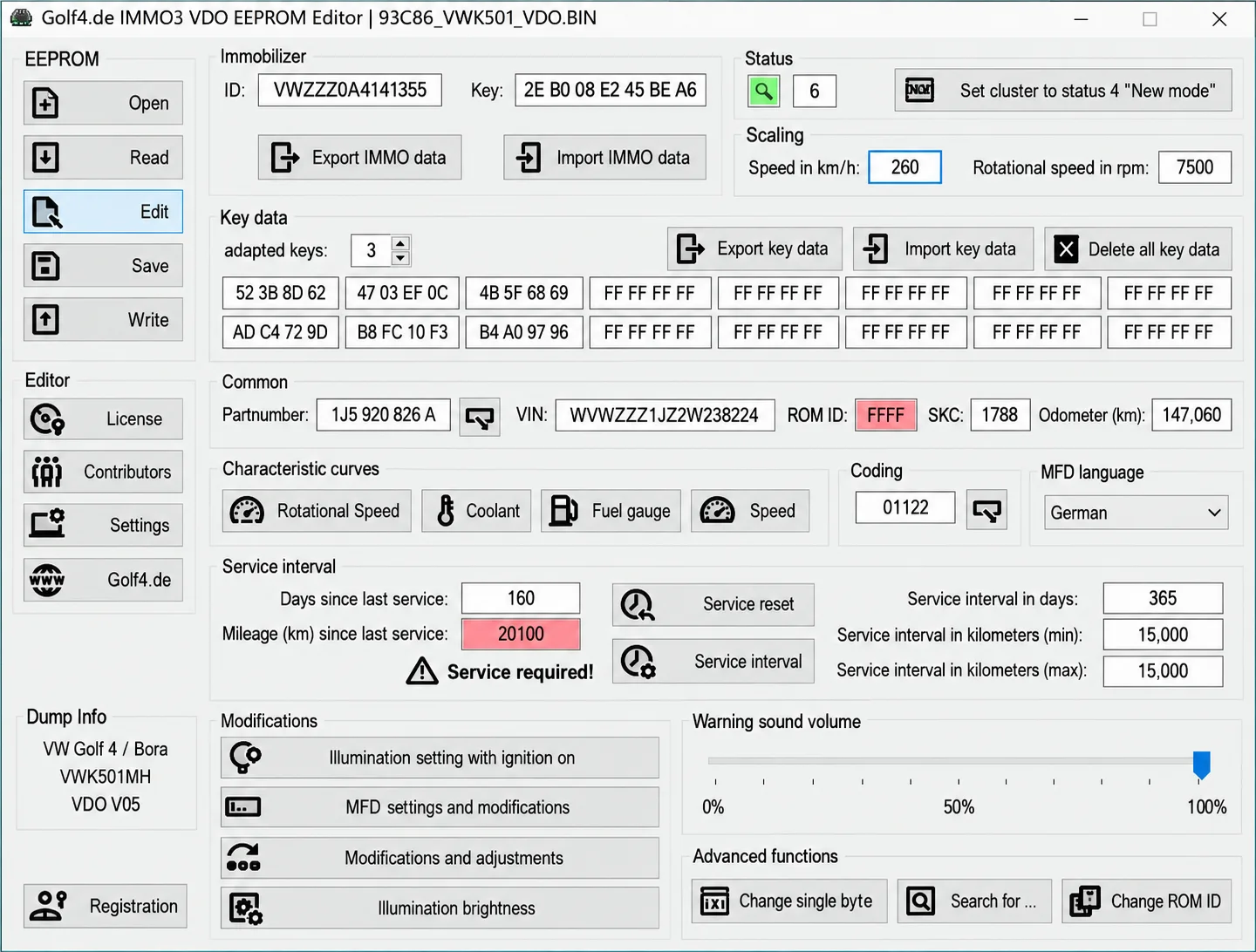
The supplied screenshot is an example IMMO3 VDO workspace with a 93C86_VWK501_VDO.BIN filename and VW Golf 4 / Bora, VWK501MH and VDO V05 dump labels. Its identity, key, SKC, coding, mileage and service values are examples supplied with the image, not a customer operation or ECUDB hardware test. They must not be applied to another cluster as configuration defaults.
The filename identifies the memory/file example shown; it does not prove that every supported dashboard uses 93C86 or the same layout. The package version is documented as 0.2.5; the screenshot alone does not establish a separate version for each installer.
Intended Use
The companion editors are intended for authorized cluster repair, replacement-data transfer, configuration review and restoration of a known dump. Choose the correct generation deliberately: do not apply an IMMO3 layout to an IMMO2 cluster. Any odometer-related repair must retain an accurate, documented mileage record and comply with the applicable rules.
Supported Applications and Limits
- Selected VAG VDO instrument clusters with recognized IMMO2 or IMMO3 EEPROM layouts.
- The documented interface example is a Golf IV / Bora VDO cluster.
- Support depends on cluster part number, VDO generation, memory device and dump size.
- Support for MotoMeter, Magneti Marelli and later virtual-cockpit layouts is not established.
- Key adaptation and vehicle synchronization may still require VCDS, ODIS or another authorized diagnostic tool.
A complete vehicle-year, hardware and EEPROM support matrix is not confirmed. Successfully opening a file does not prove support for its internal layout or software revision.
Package Contents
- IMMO2 VDO Editor installer.
- IMMO3 VDO Editor installer.
- A dashboard-editor interface screenshot.
- No sample dumps, firmware collection, EEPROM programmer or diagnostic cable are documented as included.
The package documentation describes two installers expanded from nested ZIP archives. A general note refers conditionally to keeping runtime or activation components required by a supplied release; it does not establish a specific activation procedure or runtime version for these editors.
System and Workshop Requirements
- A Windows PC or isolated Windows virtual machine; exact Windows versions, architecture, runtime, RAM and storage requirements are not confirmed.
- An EEPROM programmer suitable for the actual cluster memory device.
- Two verified reads of the original cluster EEPROM.
- The exact cluster part number and vehicle-platform information.
- A binary-comparison utility and a method to restore the original dump.
- Authorized diagnostic equipment for coding or key adaptation after repair.
Recommended Workshop Workflow
- Identify the vehicle, cluster label, hardware/software numbers and reading method before opening a file.
- Read the memory twice where practical, compare both reads and store an untouched original outside the working folder.
- Use a separate working copy of the byte length and data type required by the correct IMMO2 or IMMO3 function.
- Save under a new filename and compare all changed regions with the original before considering a write.
- Confirm checksum handling for the exact cluster with the programmer or an appropriate independent tool.
- Use regulated power and a documented programming/recovery route for any separate hardware write.
- Complete module identification, fault-code and functional checks after installation.
Compatibility and File Handling
Full reads, partial data, virtual reads and reconstructed files are not interchangeable unless the exact workflow supports them. The editors do not identify unknown hardware, select the correct programmer protocol or supply a recovery backup. Do not write output with unexplained size changes, broad unrelated modifications or a failed checksum check.
Keep the original archive and first verified cluster read unchanged. Use descriptive working filenames, record the tool and operation producing each output, and retain an independently verified recovery copy. Real customer identity, immobilizer and key data must remain private.
Troubleshooting
- File rejected: verify VDO generation, software identification, byte length and expected memory/data type.
- No change produced: the selected structure may be absent from that revision; do not force a similar profile.
- Changes across unrelated areas: stop, restore the original working copy and check the input format.
- Program does not start: retain required supplied components together and use a compatible isolated Windows environment.
- Cluster does not communicate after a write: use the planned recovery method and exact original data instead of making further speculative edits.
Version Information
The documented package version is 0.2.5. A detailed changelog and separate installer versions are not confirmed. Actual software release/update dates, package size, developer identity and license category remain unknown.
Important
Use the editors only for vehicles and modules you own or are authorized to service. Immobilizer and odometer work must be lawful and documented; never use mileage editing to misrepresent a vehicle's history.
Match the exact VDO generation, part number, memory and dump layout. Retain verified original reads and check every output before any separate programming operation.
The software does not replace an EEPROM programmer, an authorized diagnostic tool or the required adaptation and recovery procedures. Example values and a successfully opened file do not guarantee compatibility or a successful repair.
Technical Compatibility
Supported Modules
Operating Systems
File Formats
System Requirements
- Windows PC or isolated Windows virtual machine; exact OS/runtime requirements unknown
- EEPROM programmer supporting the actual cluster memory
- Two verified original EEPROM reads
- Exact cluster part number and vehicle-platform information
- Binary comparison and a reliable original-dump recovery method
- Authorized diagnostic equipment for coding or adaptation after repair
Screenshots
Related Software

Offline Windows reference and calculation tool for supported dashboard, body-module and EEPROM/MCU mileage profiles, with memory information, byte locations and repair calculations.

Offline Windows command-line decoder and editor for supported Bosch ME7.5 ECU and VAG instrument-cluster EEPROM files, primarily 1.8T Immobilizer III.
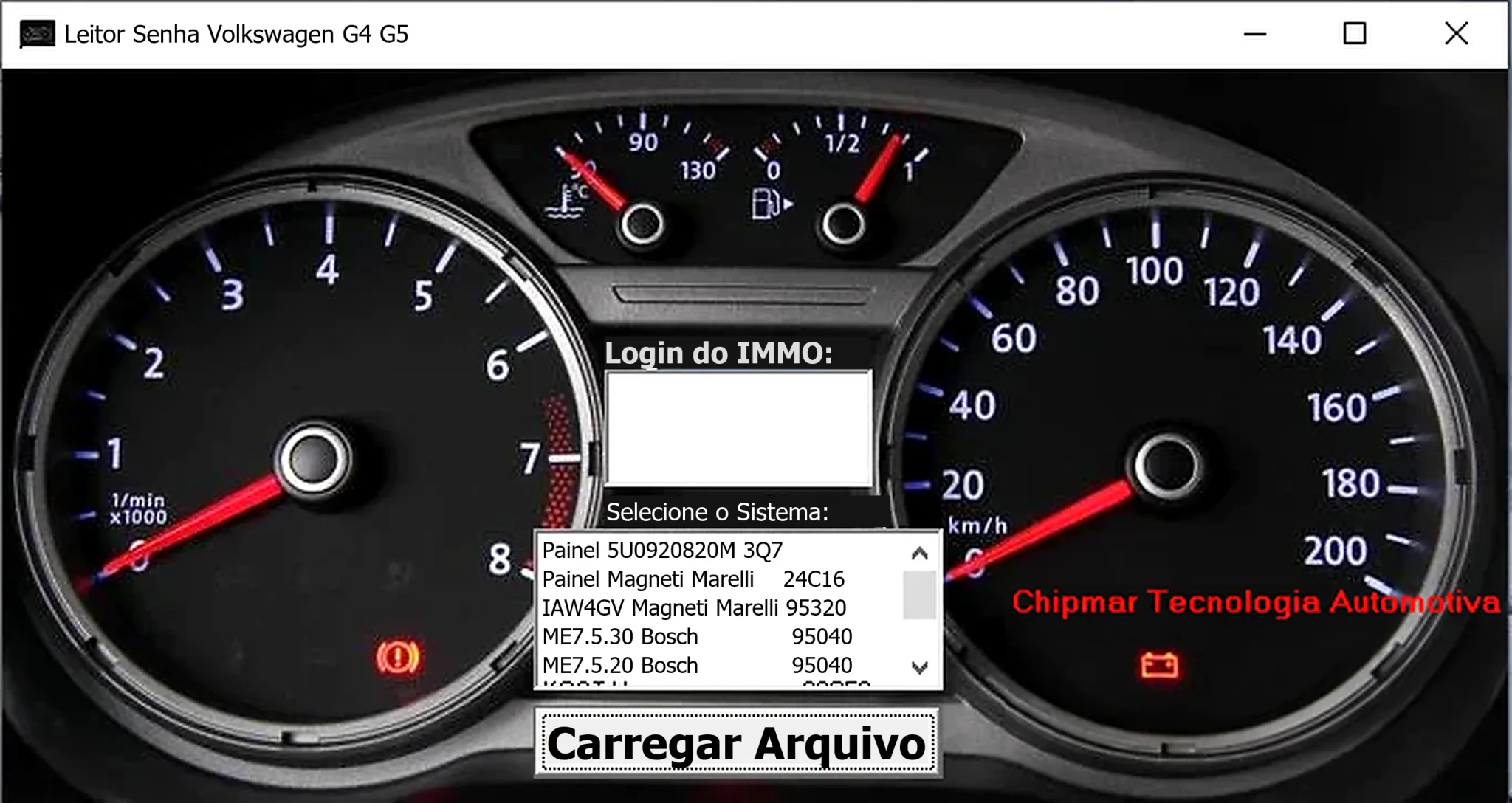
Windows dump-based PIN reader for selected Volkswagen dashboards and Magneti Marelli IAW4GV, Bosch ME7.5.30 and ME7.5.20 ECU memory files.
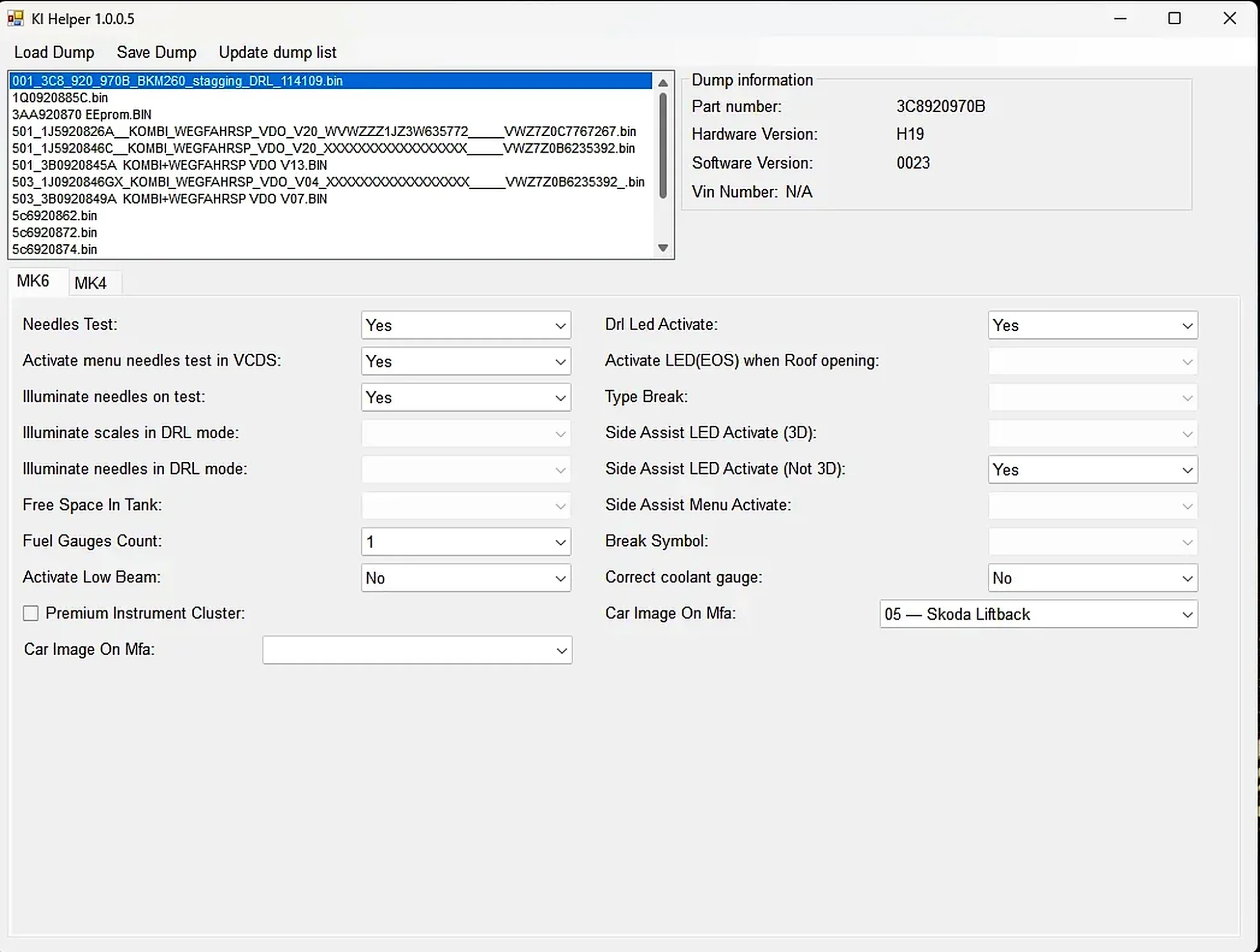
Windows EEPROM dump editor for selected VAG MK4 and MK6 instrument clusters, with identification, needle-test, lighting, display and configuration options.
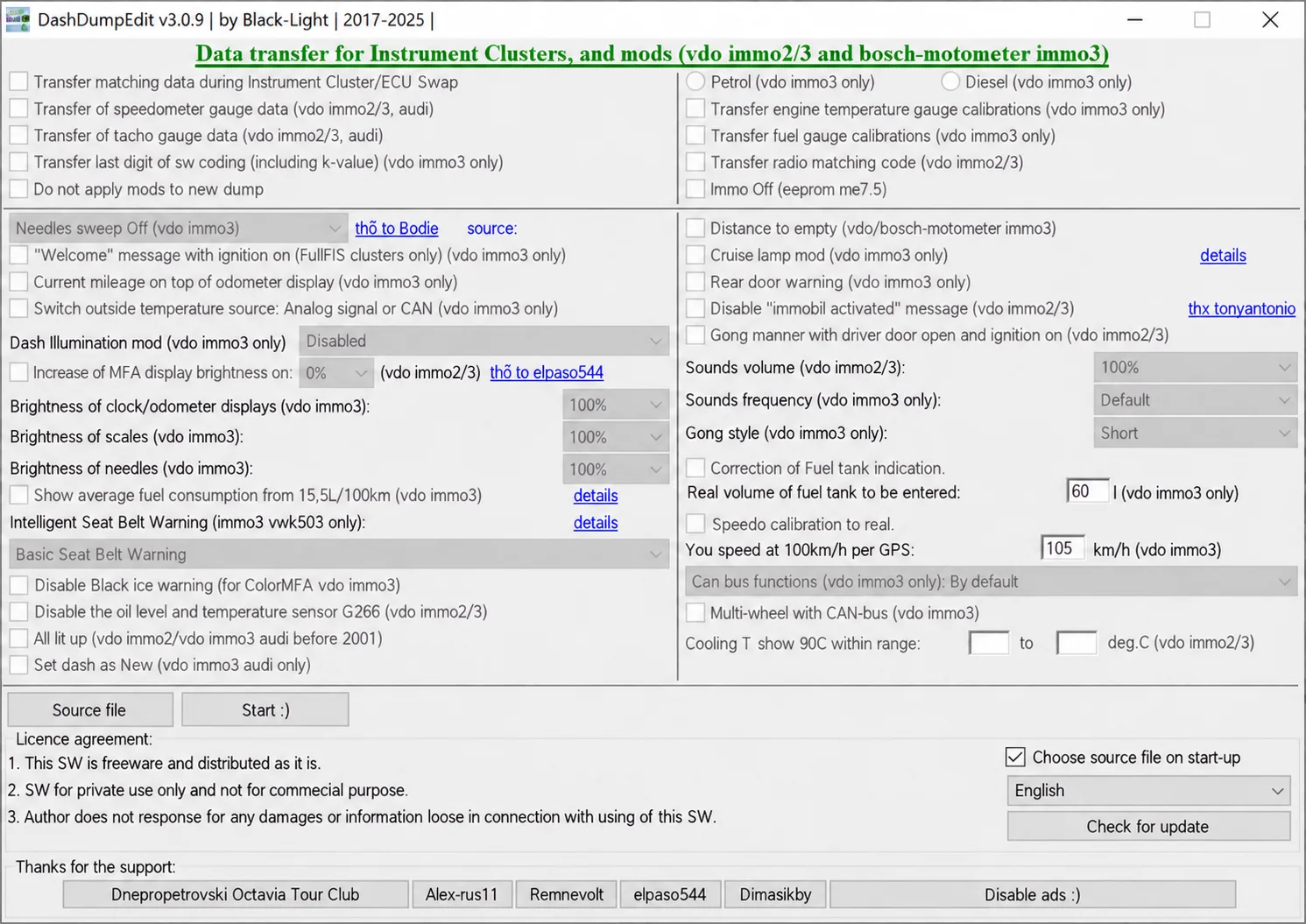
Windows dump editor for selected VAG VDO immo2/immo3 and Bosch-Motometer immo3 clusters, with data transfer, gauge calibration and configuration options.
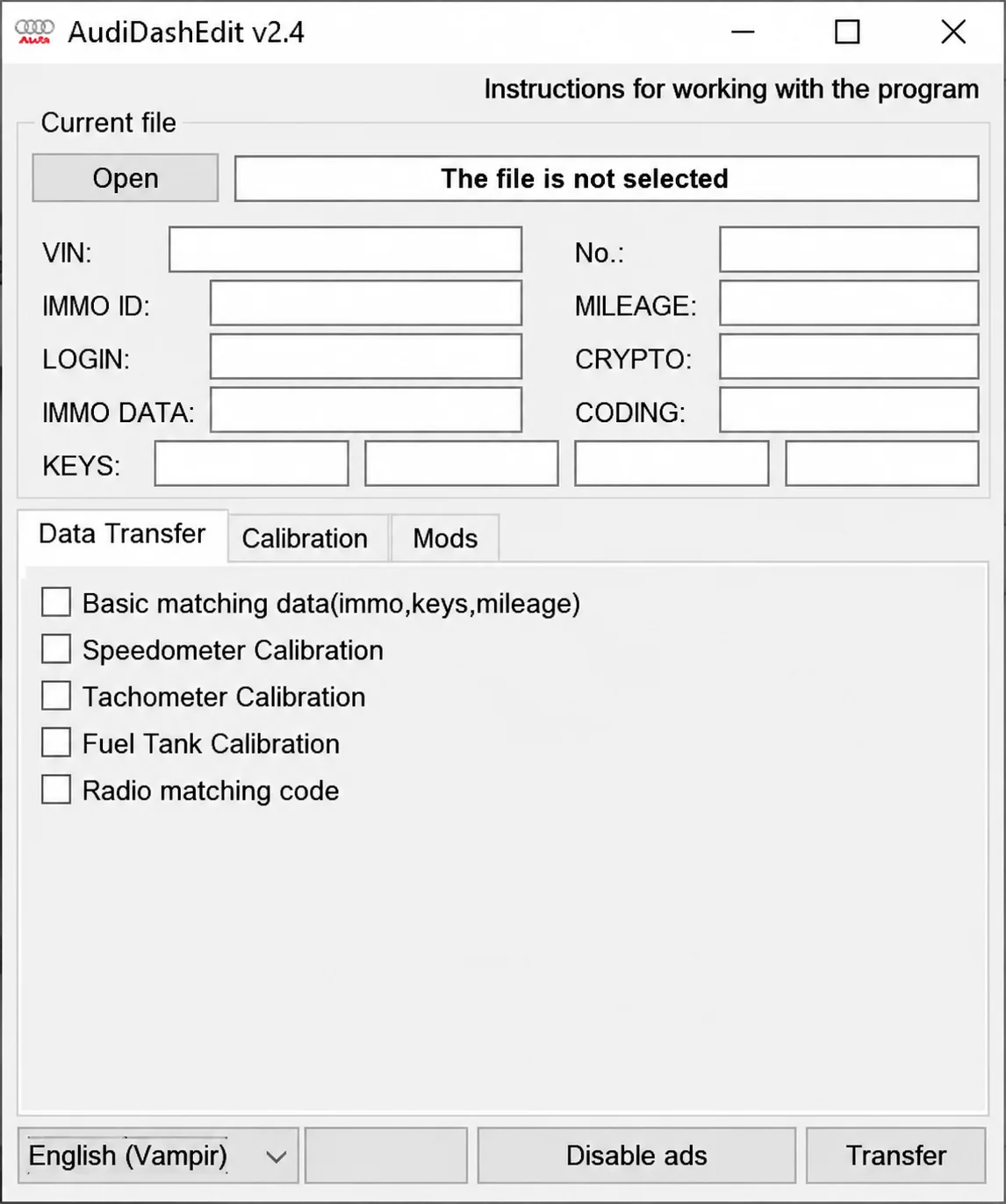
Offline Windows editor for recognized Audi instrument-cluster EEPROM files, with identity, immobilizer, key, mileage, coding and supported calibration fields.