
SOFTWARE DATABASE / RELEASE RECORD
VERSION 1.0.0.5KIHelper - VAG Instrument Cluster Dump Editor 1.0.0.5
Windows EEPROM dump editor for selected VAG MK4 and MK6 instrument clusters, with identification, needle-test, lighting, display and configuration options.
Categories
Vehicle references
Overview
KIHelper is a file-based Volkswagen Group instrument-cluster utility for inspecting compatible EEPROM dumps and editing selected MK4 and MK6 configuration fields. It displays recognized identification data and saves a separate modified binary for verification and subsequent programming.
The application includes sample dumps and organizes controls by cluster generation. It does not read a dashboard over OBD, automatically program mileage or establish compatibility with every VDO, Continental or Johnson Controls cluster.
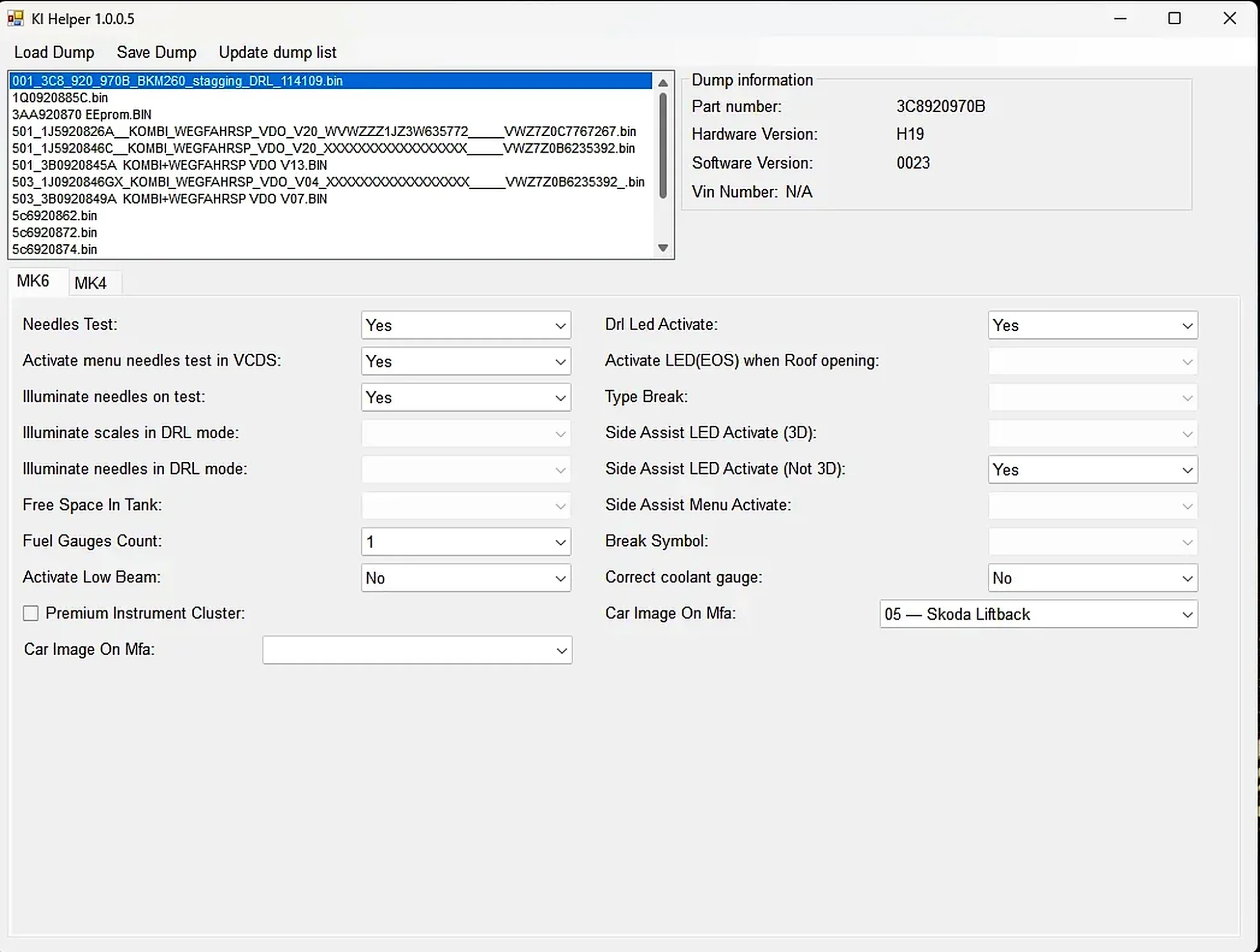
Information Shown from a Recognized Dump
- Instrument-cluster part number.
- Hardware revision.
- Software revision.
- VIN field, when included in the recognized format.
- Source dump list and editable target selection.
The supplied examples contain Volkswagen and Skoda part-number patterns and multiple EEPROM sizes. Treat them as references for understanding the interface, rather than donor files to transfer indiscriminately into another vehicle.
Configuration Fields in the MK4 and MK6 Tabs
- Needle test and illumination: needle-test behavior, needle illumination during testing and scale illumination in DRL mode.
- DRL settings: needle illumination and LED activation choices.
- Menu activation: needle-test menu activation through VCDS on compatible clusters.
- Fuel and lighting: fuel-gauge count, the displayed Free Space In Tank field and low-beam indication.
- Premium instrument cluster: the corresponding configuration flag.
- Roof-opening indication: LED behavior when the roof opens.
- Side Assist: LED activation for 3D and non-3D variants and menu activation.
- Brake and coolant display: brake-type/symbol fields and coolant-gauge correction.
- Multifunction display: vehicle-image selection.
Enabled options depend on the detected dump layout. Greyed-out controls are not evidence that an option can be forced on a different cluster. Transferring configuration bytes across generations can damage configuration or immobilizer data.
Supported-File Boundaries
The intended scope is selected MK4 and MK6 Volkswagen Group instrument clusters. Compatibility depends on the exact part number, supplier, EEPROM structure and software generation. Sample names referring to Golf, Passat, Scirocco or Skoda do not establish support for every version of those vehicles.
Cluster EEPROM data can include immobilizer identity, coding, odometer and component-specific information. Limit edits to the intended configuration fields. Transfer VIN or security blocks between vehicles only as part of a documented, authorized replacement procedure.
System and Tool Requirements
- A Windows computer with a compatible legacy .NET Framework environment; the supplied support library targets an older framework generation.
- An EEPROM programmer or proven cluster read/write tool appropriate to the exact hardware.
- Stable bench power and a verified cluster pinout when reading outside the vehicle.
- Two matching original reads and an untouched backup.
- A hex comparison tool to review every changed byte.
- VCDS or suitable factory diagnostic software for coding and checks after writing.
An EEPROM programmer, interface drivers and pinout database are not included. Communication with the physical instrument cluster is a separate operation.
Recommended Dump-Editing Workflow
- Record the cluster label, part number, manufacturer and diagnostic identification.
- Read the EEPROM twice; compare file size and hash to establish matching original reads.
- Open a copy in KIHelper and check that the part, hardware and software identifiers are plausible.
- Change one documented option at a time.
- Save under a new filename and compare the edited binary against the original.
- Confirm unchanged file length and changes confined to the expected configuration region.
- Write using a verified programmer setup, then read back and compare the result.
- Complete diagnostic coding and test the instrument cluster's functions.
Package Cleanup and Included References
The documented package retains the application, language file, required logging library and its documentation, shortcut, configuration file and sample dumps. A runtime-log archive and Visual Studio development artifacts were excluded as unnecessary for normal operation and potentially containing historical machine or session information.
Troubleshooting and Safety
Dump not recognized: verify EEPROM type, byte order and read length, including any offset or word swap introduced by the programmer.
Dead display or incorrect coding after writing: restore the original data promptly and check programming voltage and memory-device selection.
The package documentation reports that the main executable is unsigned and was inspected statically without being launched. This is a documented package observation, not an independent ECUDB execution test. Use a controlled Windows environment and perform your own local security scan.
Keep complete customer dumps, full VINs and immobilizer data private.
Technical Compatibility
Supported Modules
Operating Systems
File Formats
System Requirements
- Windows computer with a compatible legacy .NET Framework environment; exact framework version is unspecified.
- EEPROM programmer or proven cluster read/write tool for the exact hardware.
- Stable bench power and verified pinout for off-vehicle work.
- Two matching original EEPROM reads and an untouched backup.
- Hex comparison software for reviewing all changed bytes.
- VCDS or suitable factory diagnostic software for coding and post-write checks.
- Programmer, interface drivers and pinout database are not included.
Screenshots
Related Software

Offline Windows reference and calculation tool for supported dashboard, body-module and EEPROM/MCU mileage profiles, with memory information, byte locations and repair calculations.

Offline Windows command-line decoder and editor for supported Bosch ME7.5 ECU and VAG instrument-cluster EEPROM files, primarily 1.8T Immobilizer III.
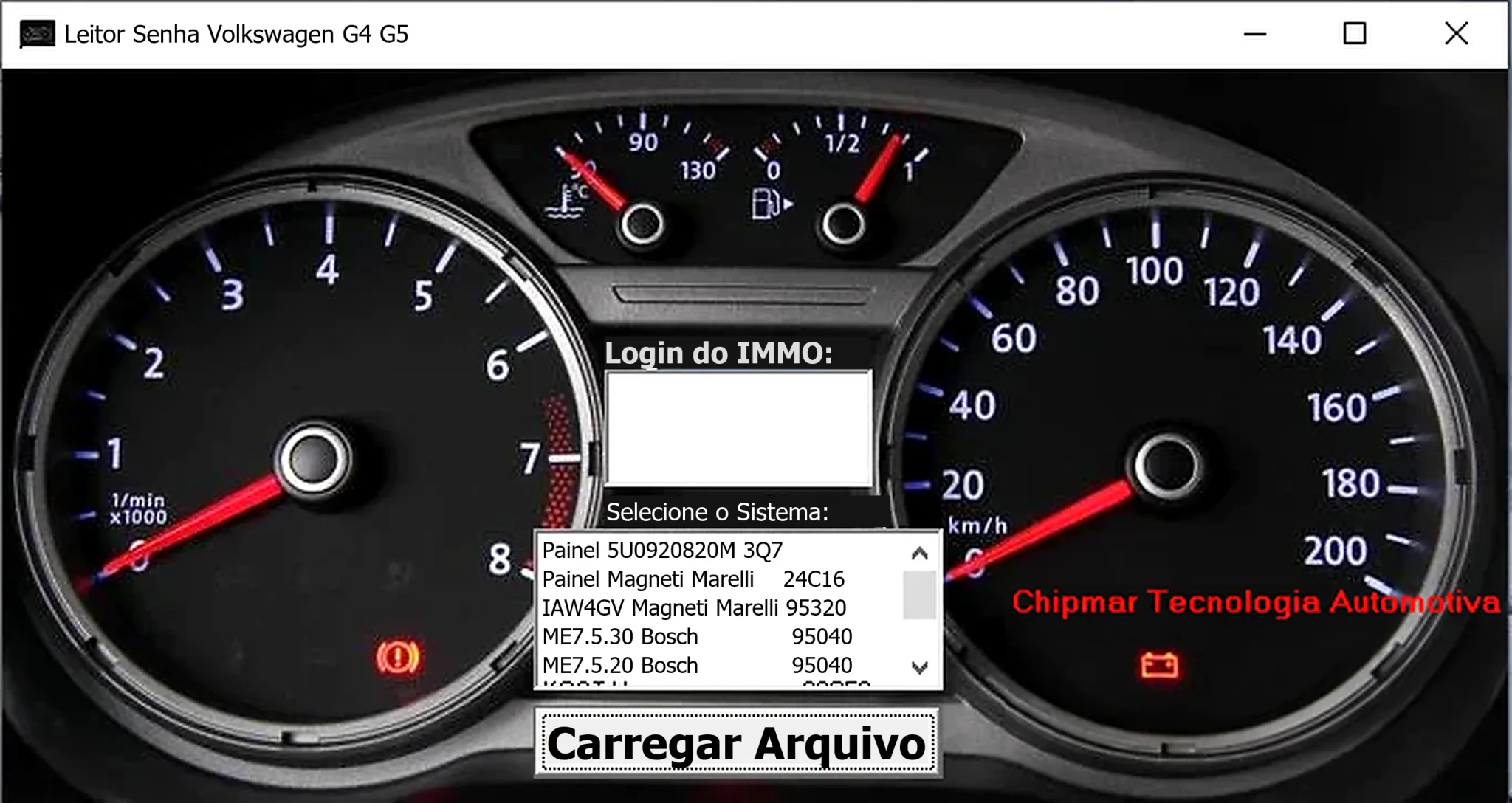
Windows dump-based PIN reader for selected Volkswagen dashboards and Magneti Marelli IAW4GV, Bosch ME7.5.30 and ME7.5.20 ECU memory files.
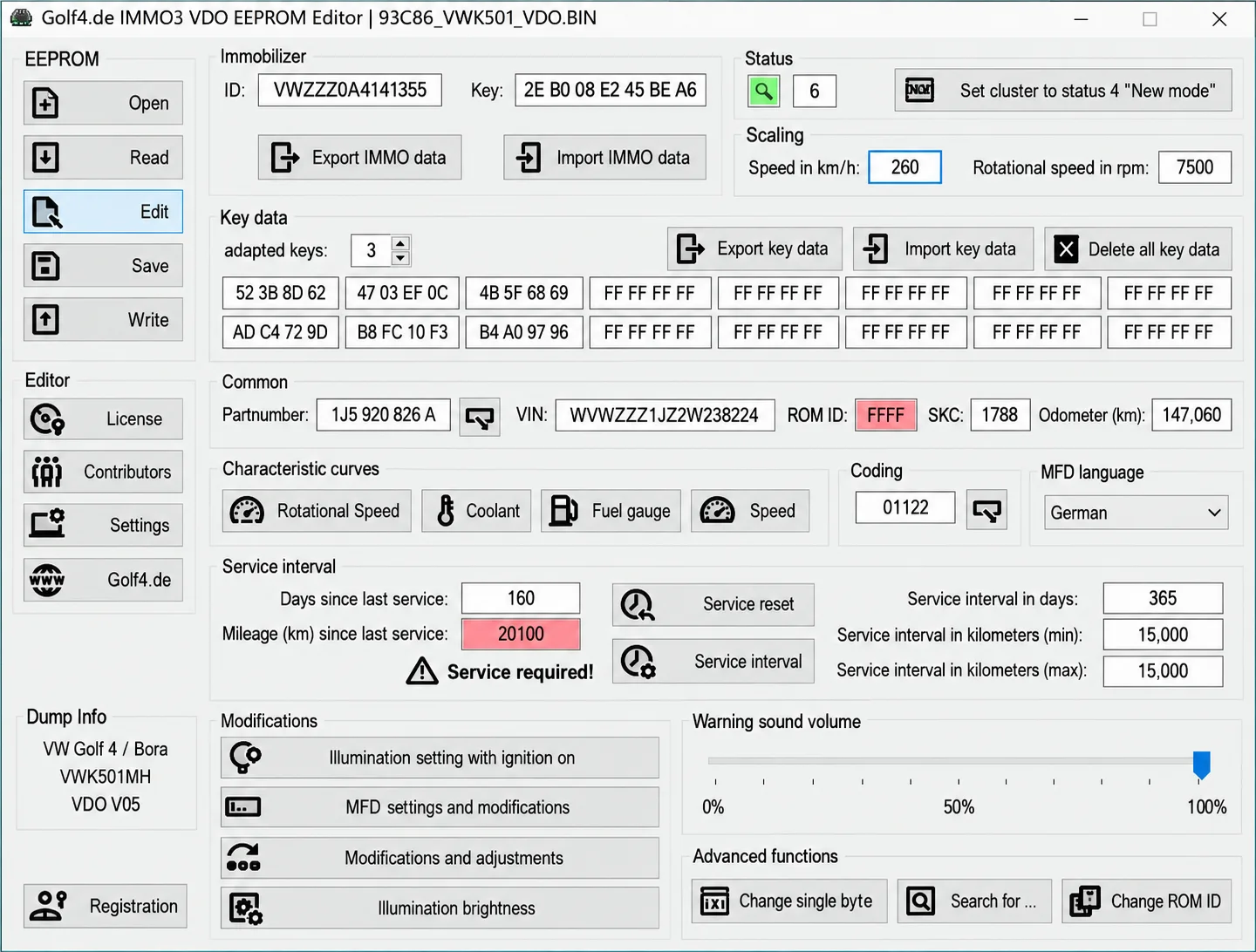
Companion Windows EEPROM editors for supported VAG VDO IMMO2 and IMMO3 clusters, with identity and key data, coding, display, illumination and service settings.
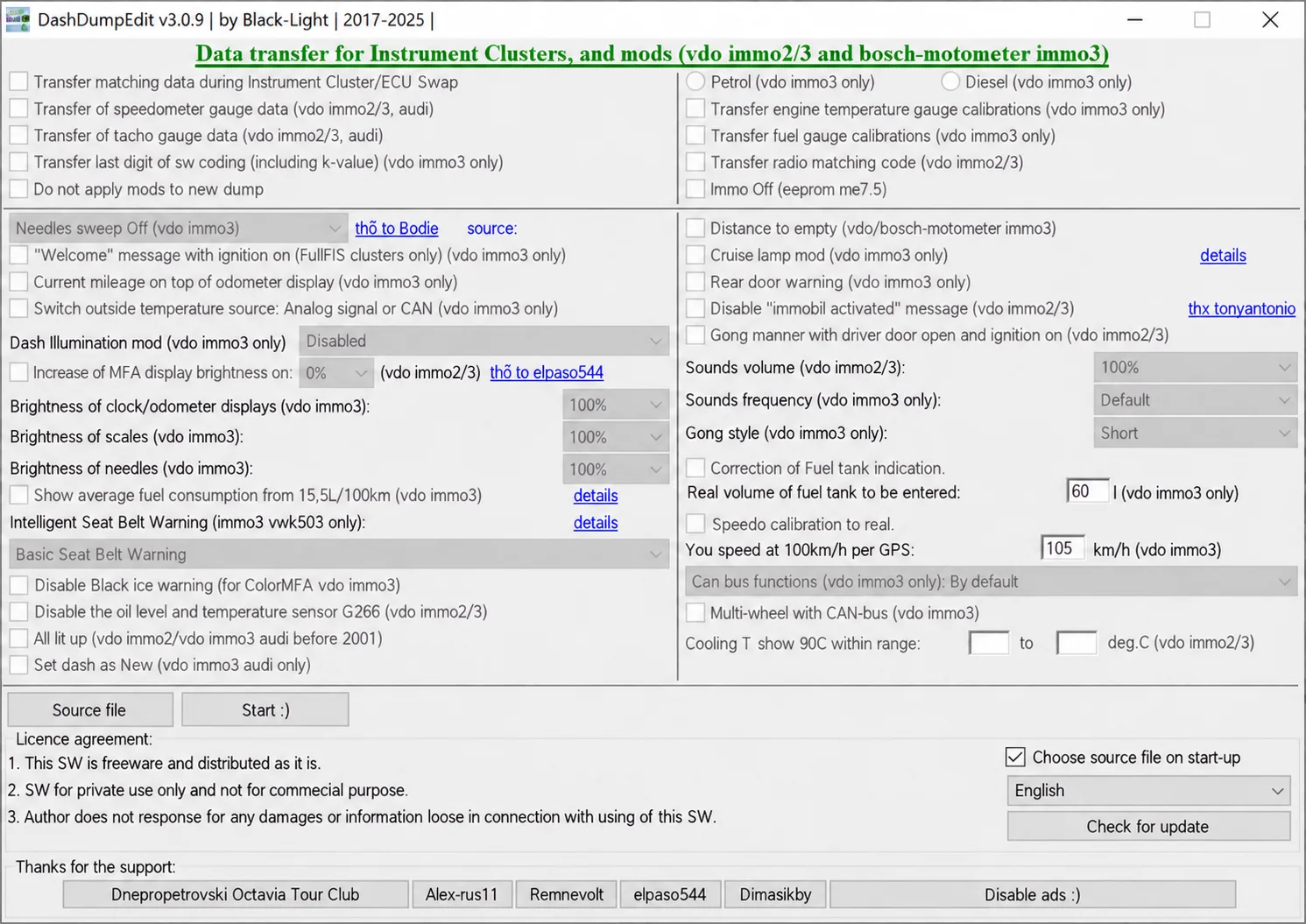
Windows dump editor for selected VAG VDO immo2/immo3 and Bosch-Motometer immo3 clusters, with data transfer, gauge calibration and configuration options.
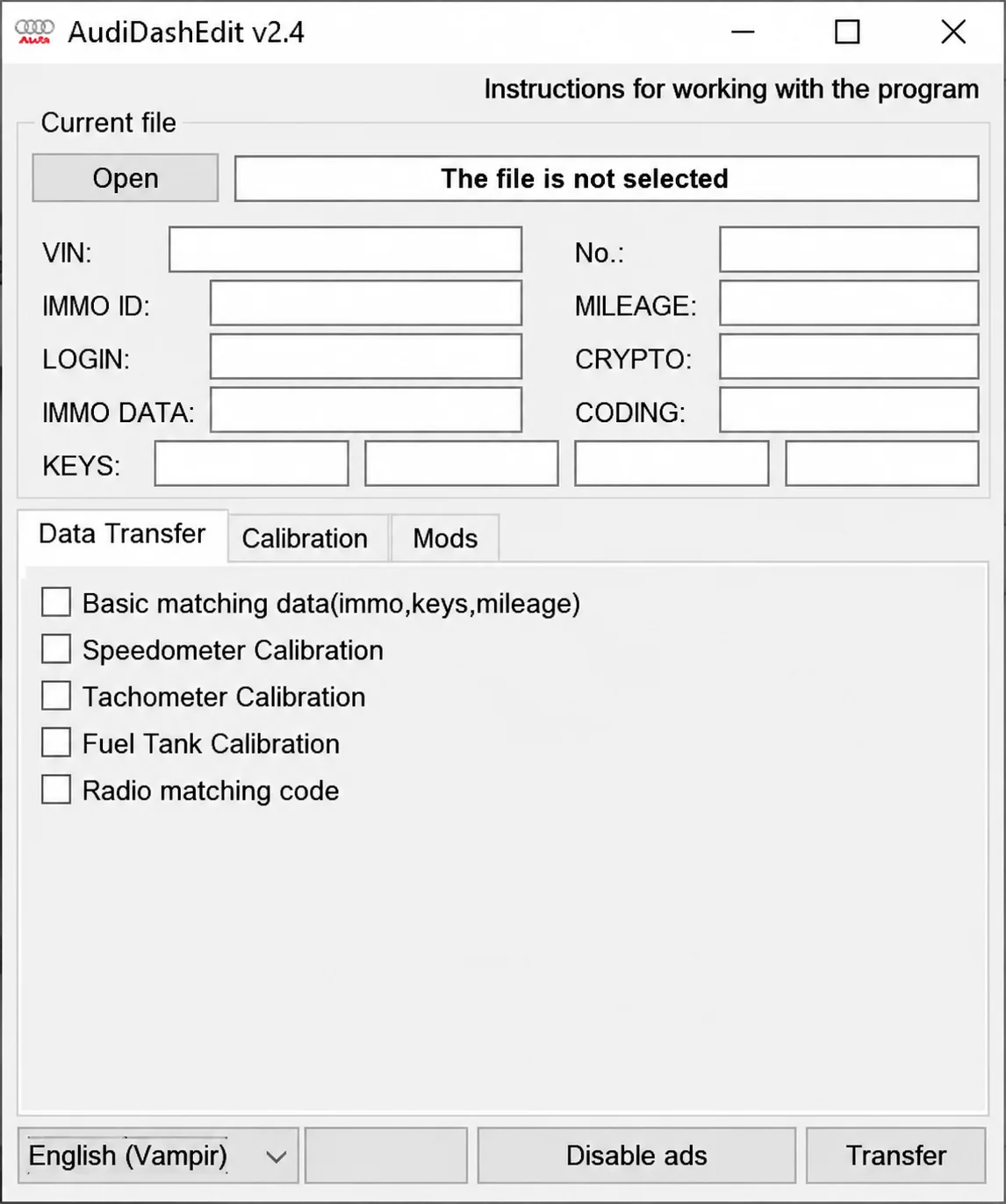
Offline Windows editor for recognized Audi instrument-cluster EEPROM files, with identity, immobilizer, key, mileage, coding and supported calibration fields.