
SOFTWARE DATABASE / RELEASE RECORD
VERSION 4.61.40BMW ISTA+ Standalone for BMW / MINI Diagnostics and Service 4.61.40
Windows diagnostic and service environment for BMW and MINI, with guided test plans, repair information and ICOM, ENET and D-CAN support.
Categories
Vehicle references
Overview
BMW ISTA+ Standalone 4.61.40 is a Windows diagnostic and service-information environment for BMW and MINI vehicles. Also known as Rheingold, ISTA combines vehicle identification, control-unit fault diagnosis, guided test plans, measured values, workshop procedures and repair documentation. Applicable BMW-era Rolls-Royce coverage depends on the installed vehicle data and diagnostic setup.
This record describes the 4.61.40 release. The main application, diagnostic database, service data and programming data have separate version numbers. Earlier interface examples below are clearly identified as 4.59.40; they illustrate functions without representing the current build.
Current Version and Data Levels
| Component | Displayed version |
|---|---|
| ISTA release | 4.61.40 |
| ISTA system / application | 4.61.40.33983 |
| Data | R4.61.40 |
| Service Data | 4.61.41 |
| Global Data, Language Data, ISTA Database and Convoy Database | 4.61.40 |
| StreamDataPrimitive / XmlValuePrimitive language databases shown | DEDE, ENGB and OTHER, version 4.61.40 |
| PSdZData shown in the current release | 4.61.41 |
| Documented current language support | English and German |
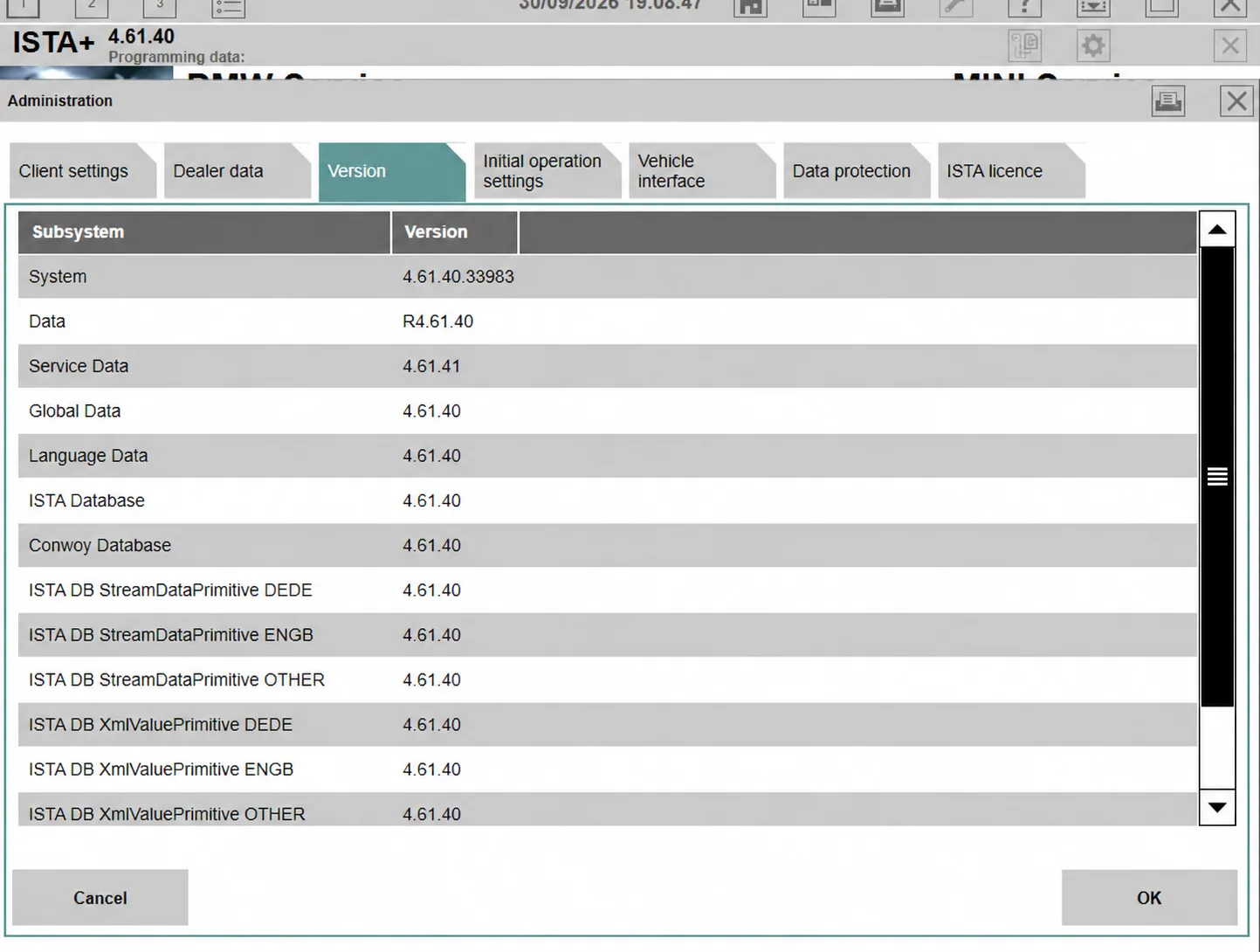
Current release: ISTA 4.61.40 application and database versions.
Main Features
- Identify the vehicle through VIN and vehicle-order information where supported.
- Run a vehicle-wide Quick Test and review the control-unit overview.
- Read and clear fault memory, inspect fault descriptions and available fault details or freeze-frame information.
- Follow guided troubleshooting, test plans and measurement procedures.
- View live values and control-unit functions supported by the vehicle and interface.
- Perform supported service operations such as battery registration, CBS maintenance resets, adaptations and component calibrations.
- Access DPF regeneration and VTG adaptation procedures where applicable.
- Consult repair instructions, tightening torques, technical data, wiring diagrams and connector information included in the installed databases.
- Use workshop documents, illustrated procedures and available training material to prepare and document repairs.
- Use supported programming workflows only with matching programming data, an appropriate interface and the required vehicle power supply.
Standalone Installation and First Start
The 4.61.40 release is presented as a single standalone installer: diagnostic databases do not require a separate manual extraction-and-copy process for the documented setup. The completed installation shows shortcuts for BMW Group ISTA, interface switching, ISTA protocols, ISTAProtocolViewer and the Standard Tools switch.
- Back up any configuration, logs or other files that must be retained from an existing installation.
- For a clean replacement, uninstall the previous ISTA application through Windows Control Panel.
- Review any remaining
C:\Program Files\BMWandC:\ProgramData\BMWfolders. Remove obsolete files only after confirming that they are backed up and are not shared with another installed BMW application. - Run the new standalone installer and complete its setup wizard.
- Launch ISTA, check the application and data versions, select the appropriate interface and confirm communication with the intended vehicle.
Do not combine installation scripts or registry files from older standalone releases with the current installer. A completed installation does not establish that every programming dataset or vehicle function is available.
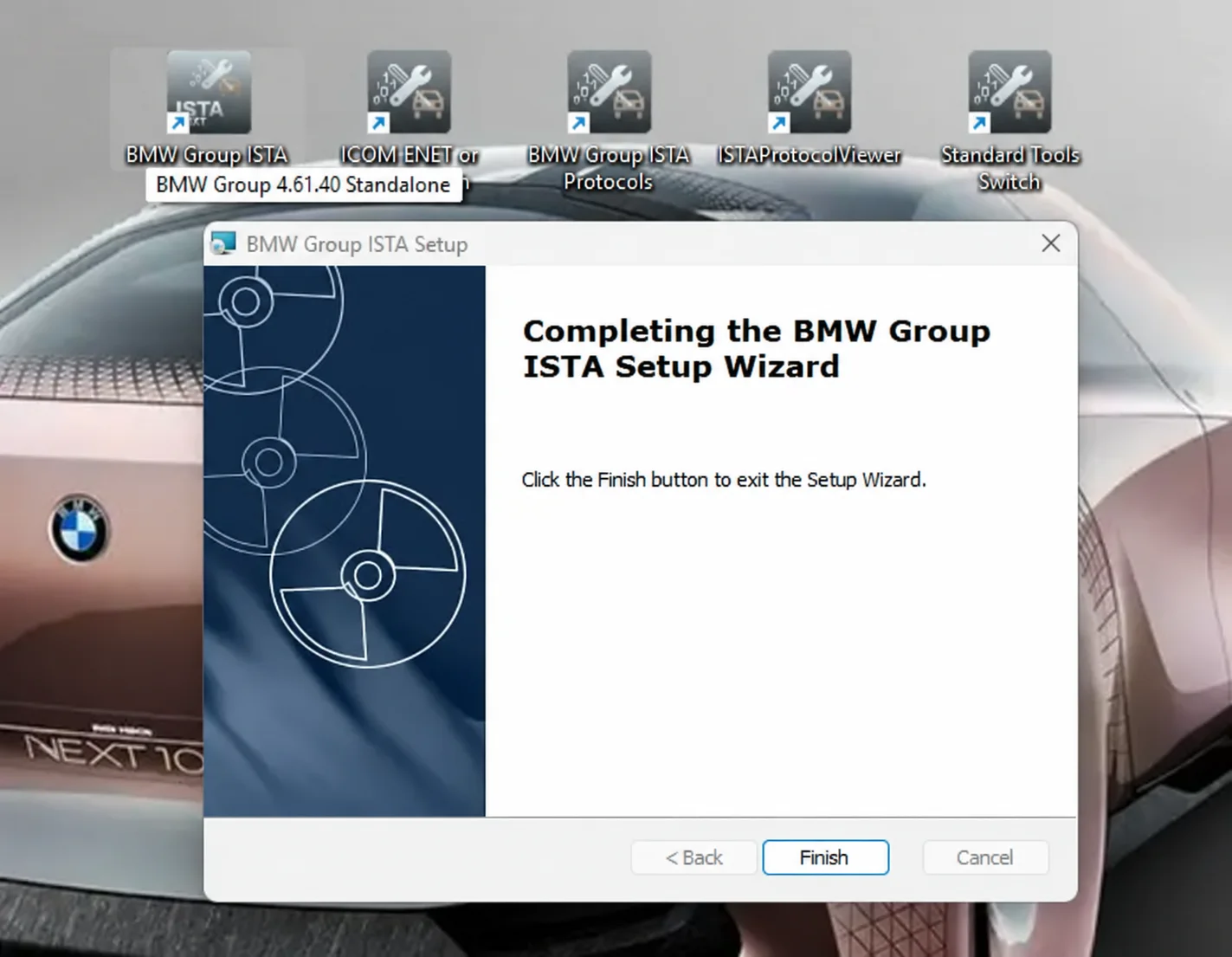
ISTA 4.61.40 standalone setup completed.
Supported Diagnostic Interfaces
| Interface | Typical use and limits |
|---|---|
| ICOM A1 / A2 / NEXT | BMW workshop diagnostic interfaces. The documented standalone releases include ICOM support; the exact interface, firmware and vehicle must suit the operation. |
| ENET | Ethernet communication for many F-, G- and I-series workflows. Availability is vehicle- and procedure-dependent. |
| D-CAN / K+DCAN | Many older E-series diagnostic workflows. Correct drivers, COM-port and latency settings, and interface configuration are required. |
| EDIABAS | Communication configuration used by supported legacy diagnostic connections. It is not an additional universal vehicle interface. |
The interface selection screen offers EDIABAS, OMITEC USB/serial, local-network ICOM/ENET, direct ICOM/ENET and simulation options. A visible menu option alone does not confirm compatibility with a particular adapter or vehicle.
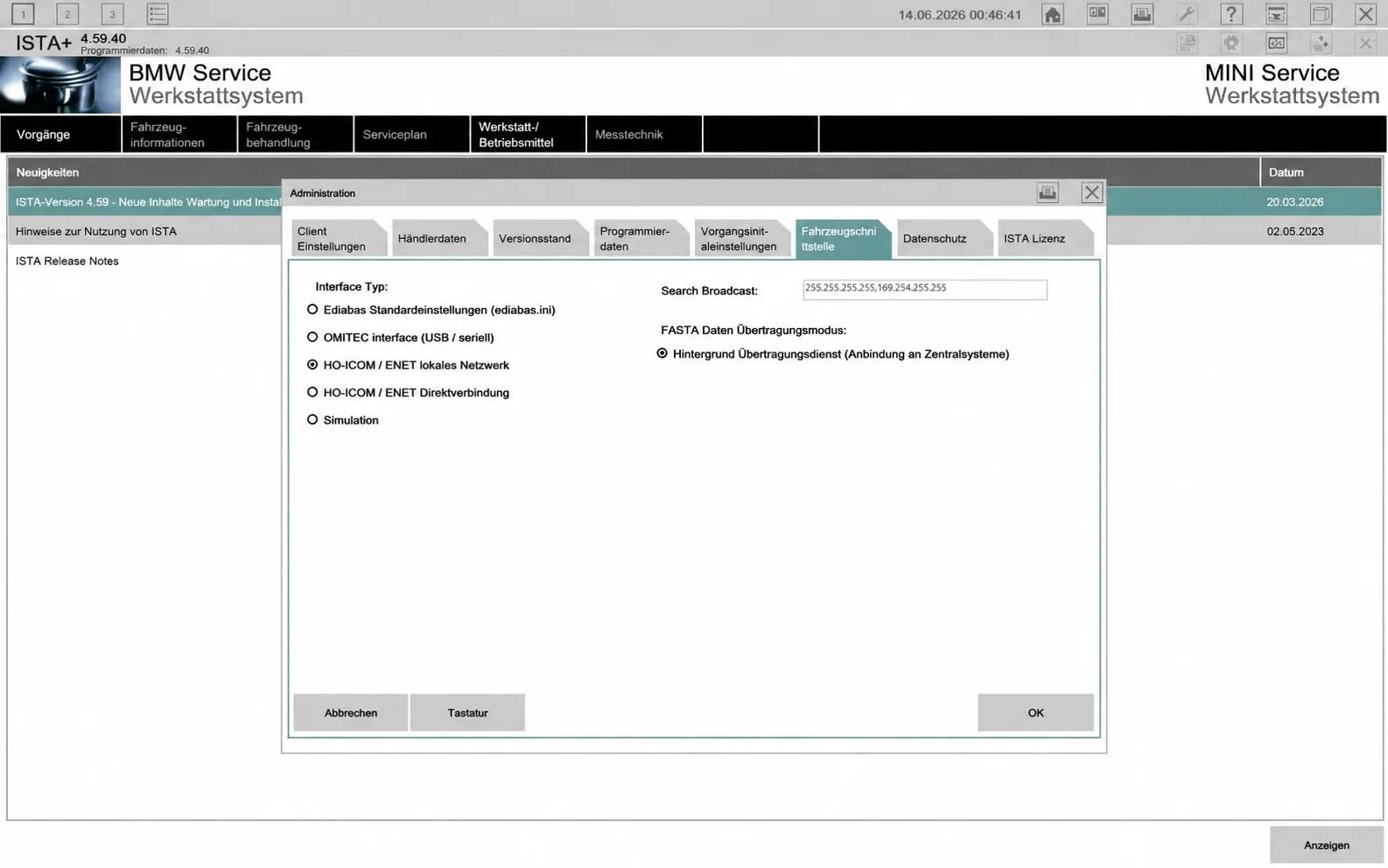
Earlier interface example: ISTA 4.59.40 vehicle-interface settings.
Diagnostic Databases and Programming Packages
- SQLiteDBs: diagnostic and language databases used for fault descriptions, test plans, service functions and repair information.
- BLP: basic vehicle and diagnostic/programming support data associated with the ISTA installation. It does not replace a complete programming dataset.
- PSdZData Full: vehicle programming data used for supported F/G/I-family workflows and compatible E-Sys environments. Full and Lite packages serve different purposes; a diagnostic database is not a substitute for complete flash data.
- SP-Daten: legacy data associated with older BMW Standard Tools and E-series workflows, separate from current PSdZData and SQLiteDBs.
The 4.61.40 update displays PSdZData 4.61.41. Its series table includes F001, F010, F020, F025, F056, G045, G065, G070, I001, I020, J001, K001, KE01, KS01, NA00, NA05, RR21, S15A, S15C, S18A, U006, X001 and XS01, with I-Level and alternative I-Level columns. These are dataset series groups, not a promise that every diagnostic or flash operation is available on every vehicle.
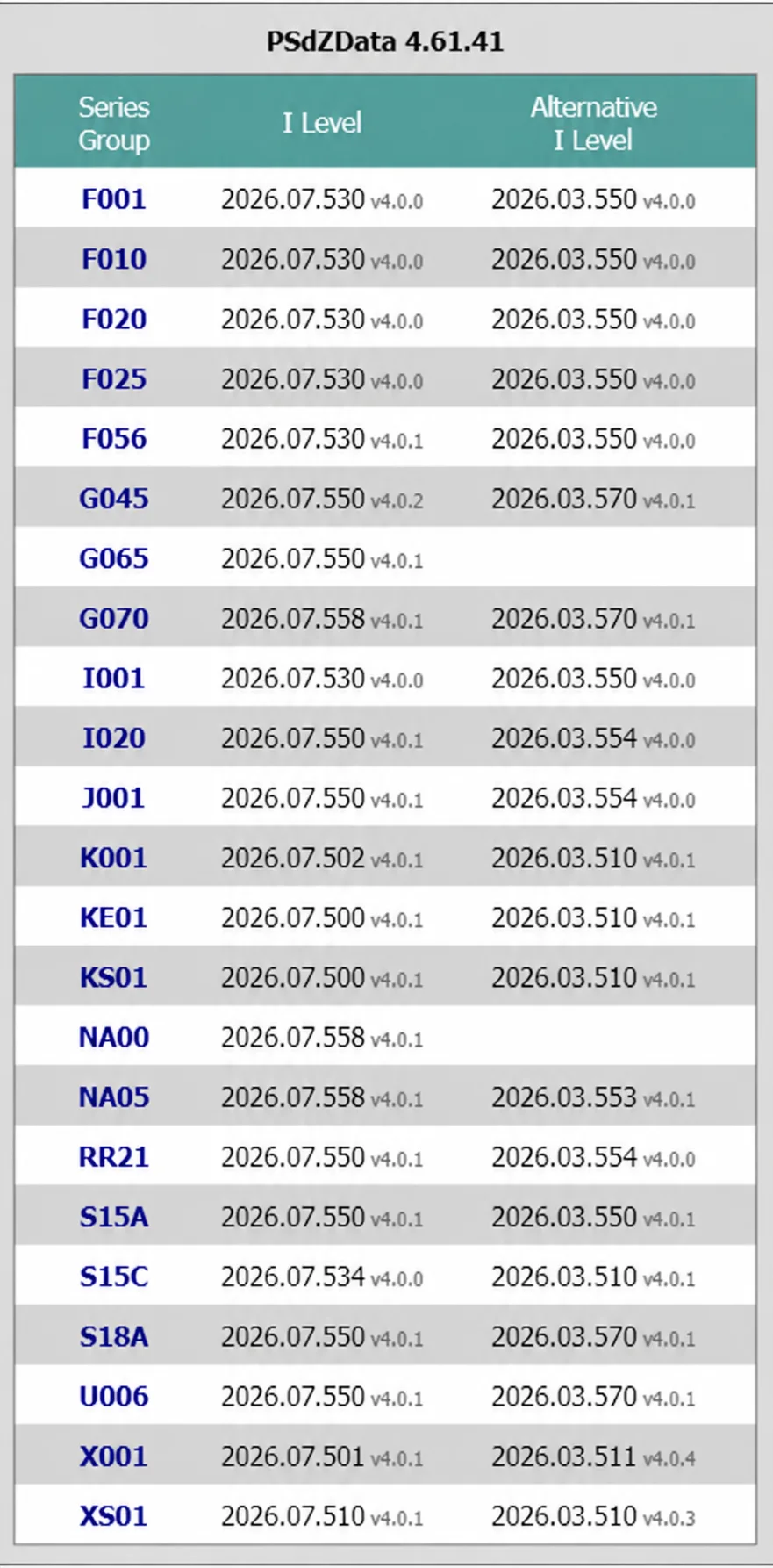
PSdZData 4.61.41 version and series groups shown with the current release.
For comparison, the earlier 4.59.40 release displayed its own programming-data and I-Level table:
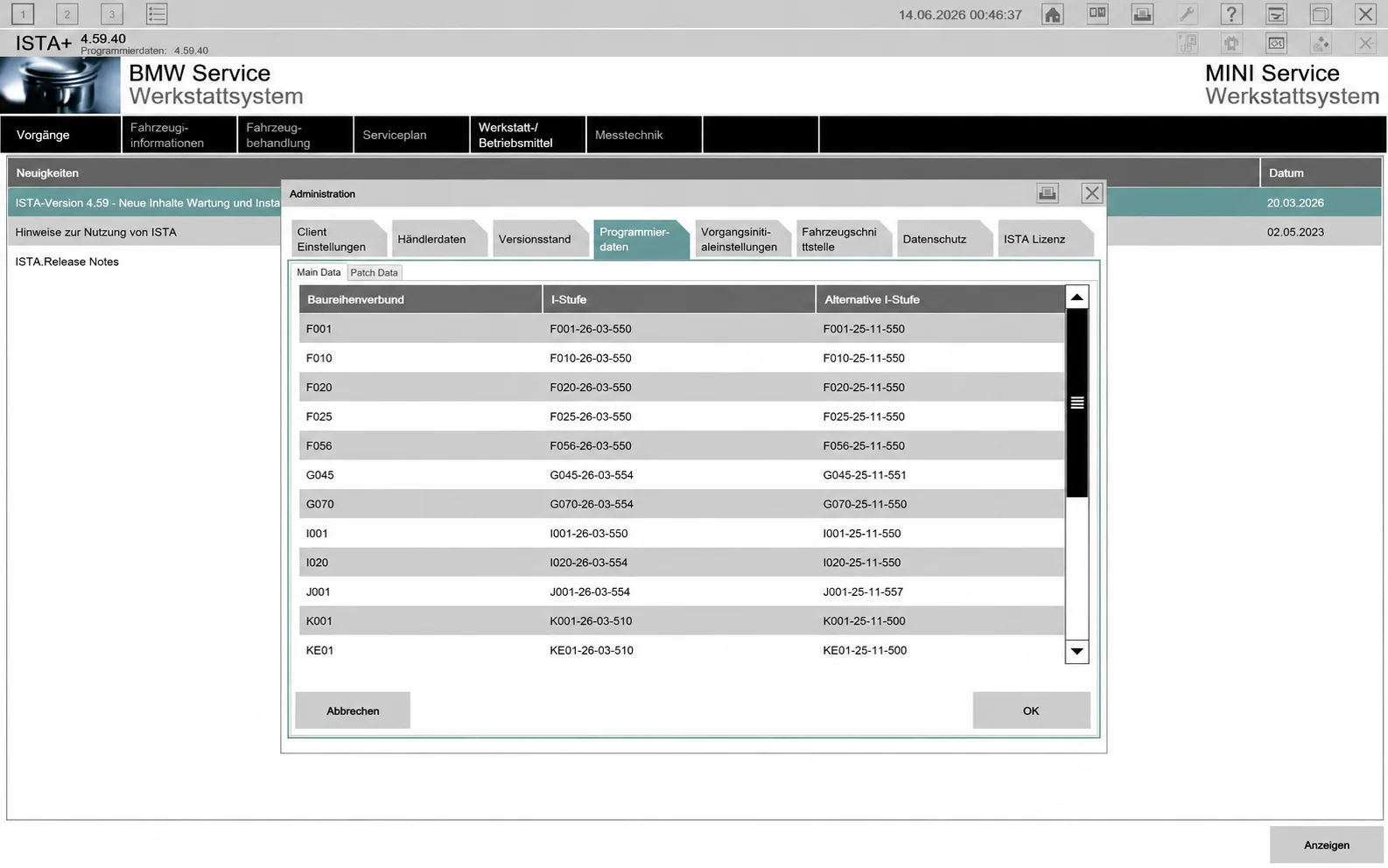
Earlier programming-data example from ISTA 4.59.40.
Vehicle and Chassis References
The following references describe the documented ISTA vehicle families. Coverage depends on model year, installed diagnostic/programming data, vehicle equipment and the selected interface. Confirm the exact VIN and requested function in the application.
| Family | Body styles / vehicles | Chassis references |
|---|---|---|
| BMW 1 Series | 3- and 5-door hatchback; earlier coupe and convertible | E81 / E82 / E87 / E88; F20 / F21; F40 |
| BMW 2 Series | Coupe, convertible, Gran Coupe, Active Tourer and Gran Tourer | F22 / F23; F44; F45 / F46; G42 |
| BMW 3 Series | Sedan, Touring, GT and earlier coupe / convertible | E90 / E91 / E92 / E93; F30 / F31 / F34; G20 / G21 |
| BMW 4 Series | Coupe, convertible and Gran Coupe | F32 / F33 / F36; G22 / G23 / G26 |
| BMW 5 Series | Sedan, Touring and earlier GT | E60 / E61; F10 / F11 / F07; G30 / G31; G60 / G61 |
| BMW 6 Series | Coupe, convertible, Gran Coupe and GT | E63 / E64; F12 / F13 / F06; G32 |
| BMW 7 Series | Sedan and long-wheelbase models | E65 / E66; F01 / F02; G11 / G12; G70 |
| BMW 8 Series | Coupe, convertible and Gran Coupe | G14 / G15 / G16 |
| BMW X1–X7 | SAV / SUV models | X1: E84 / F48 / U11; X2: F39 / U10; X3: E83 / F25 / G01; X4: F26 / G02; X5: E70 / F15 / G05; X6: E71 / F16 / G06; X7: G07 |
| BMW Z Series | Z3 and Z4 roadster; Z4 coupe where applicable | Z3 E36/7; Z4 E85 / E86, E89 and G29 |
| BMW i / electrified | i3, i4, i5, i7, i8 and iX | I01; G26; G60 / G61; G70; I12; I20 |
| BMW M / M Performance | M2, M3, M4, M5, M8, X3 M and X4 M references | M2 F87 / G87; M3 E90 / F80 / G80 / G81; M4 F82 / F83 / G82 / G83; M5 E60 / F10 / F90 / G90; M8 F91 / F92 / F93; X3 M / X4 M F97 / F98 |
| MINI R / F families | Hatch / Cooper, convertible, Clubman, Countryman, Paceman, coupe and roadster | R50 / R52 / R53; R55 / R56 / R57 / R58 / R59 / R60 / R61; F54 / F55 / F56 / F57; F60 |
| BMW-era Rolls-Royce | Applicable Phantom, Ghost, Wraith, Dawn, Cullinan and Spectre configurations | Conditional on BMW-era control units and installed datasets; confirm each vehicle individually |
Broad platform references include E, F, G and I families, with selected newer U-family vehicles when the installed dataset supports them. Motorcycle-related dataset entries or interface settings do not establish complete Motorrad diagnostic coverage.
Language Settings
English and German are documented for 4.61.40. The earlier settings screen shows additional language choices, including Russian, Polish, French, Italian, Spanish, Portuguese, Turkish, Swedish, Dutch, Greek, Czech, Chinese, Japanese, Korean and Thai. Their appearance in a menu does not mean the corresponding language databases are included in the current package.
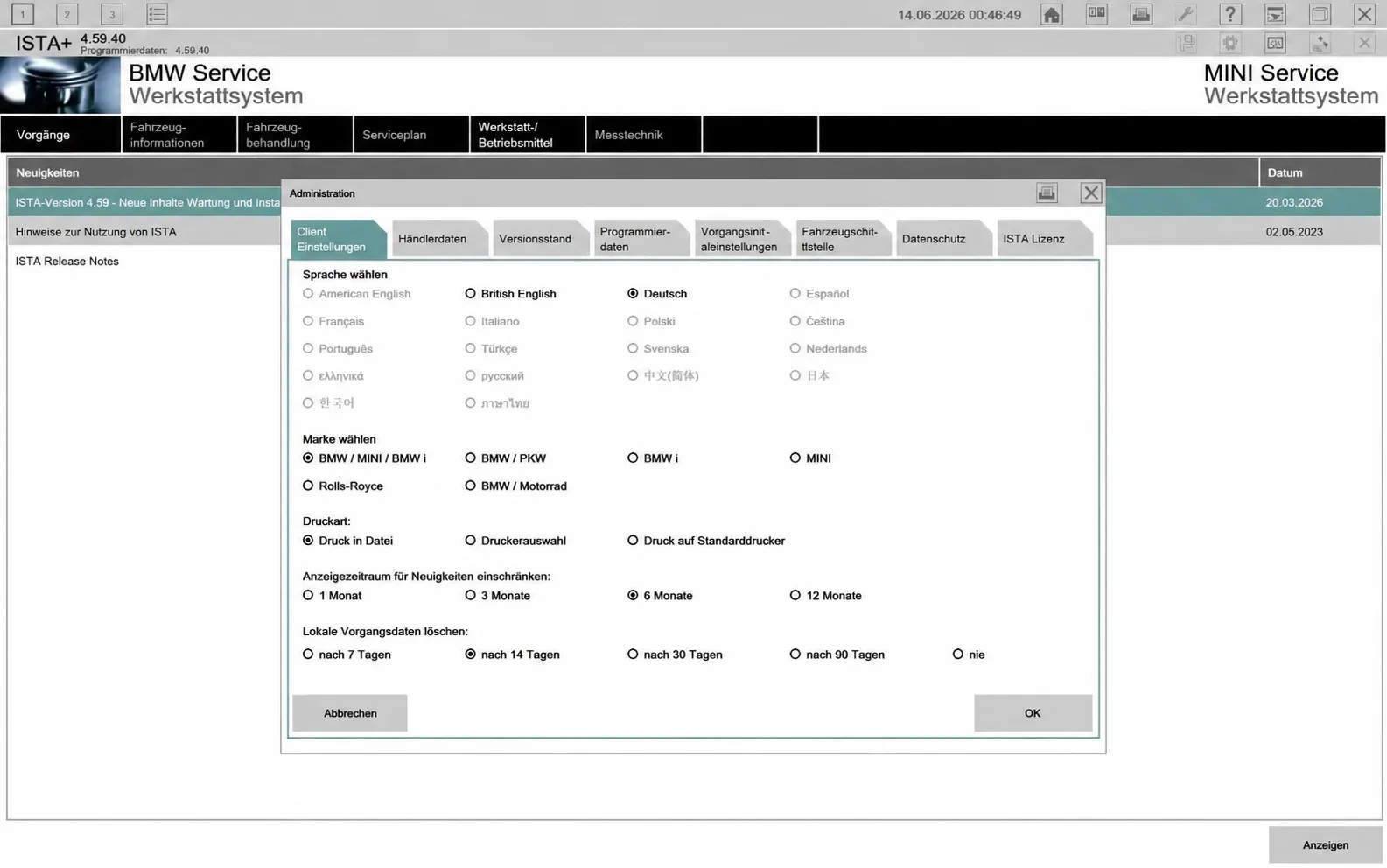
Earlier language-selection screen. Current documented package languages are English and German.
Workshop Documents and Illustrated Procedures
ISTA can filter documentation by information type, including functional descriptions, vehicle diagnostic information, service information, circuit diagrams, test procedures, connector views, technical data, tightening torques, repair instructions, operating fluids and special tools. The available documents depend on the identified vehicle and database.
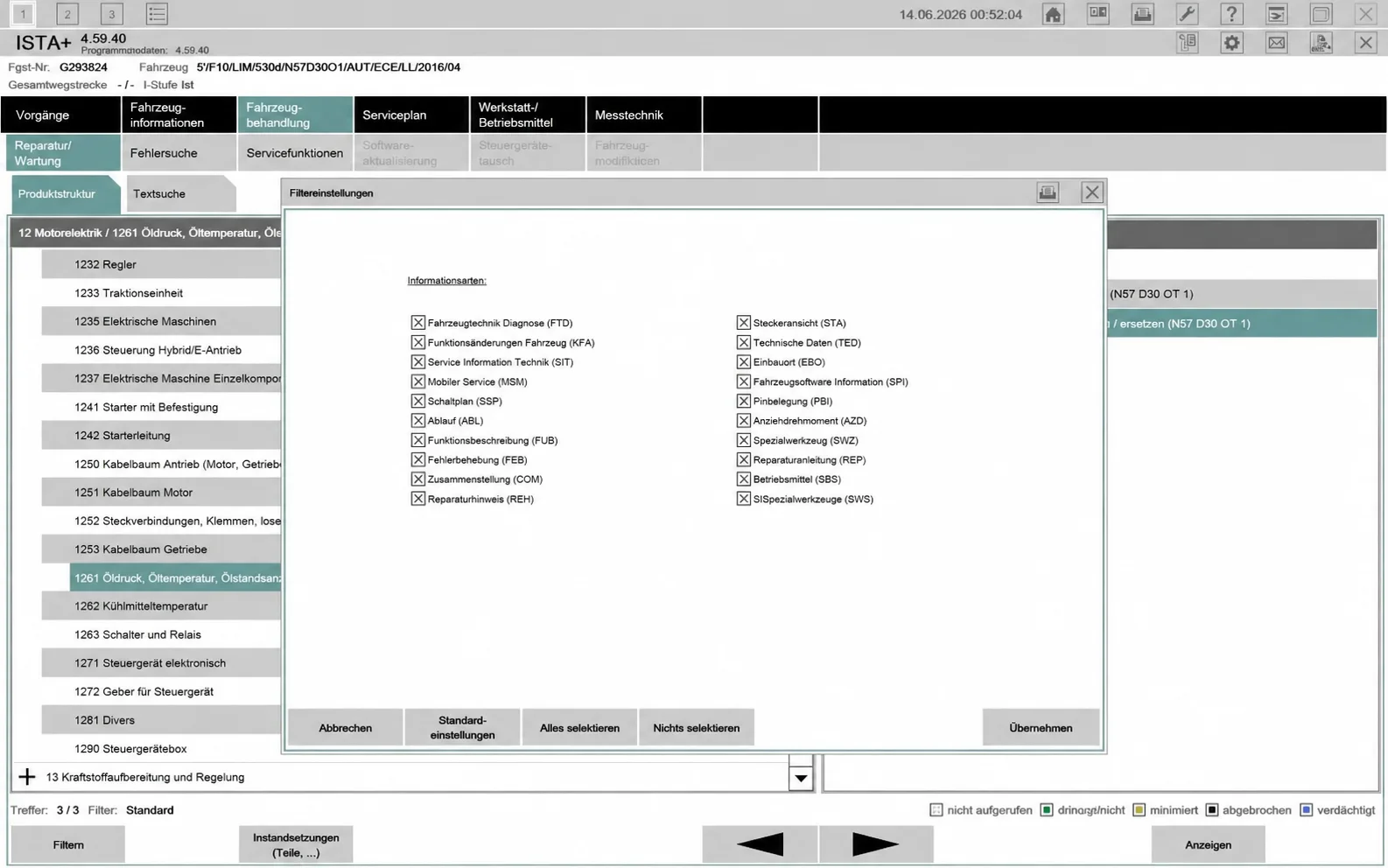
Earlier document-filter example from ISTA 4.59.40.
The 4.59.40 maintenance-literature example lists updated service information and revised repair instructions. It is an earlier database example, not a 4.61.40 release-date claim.
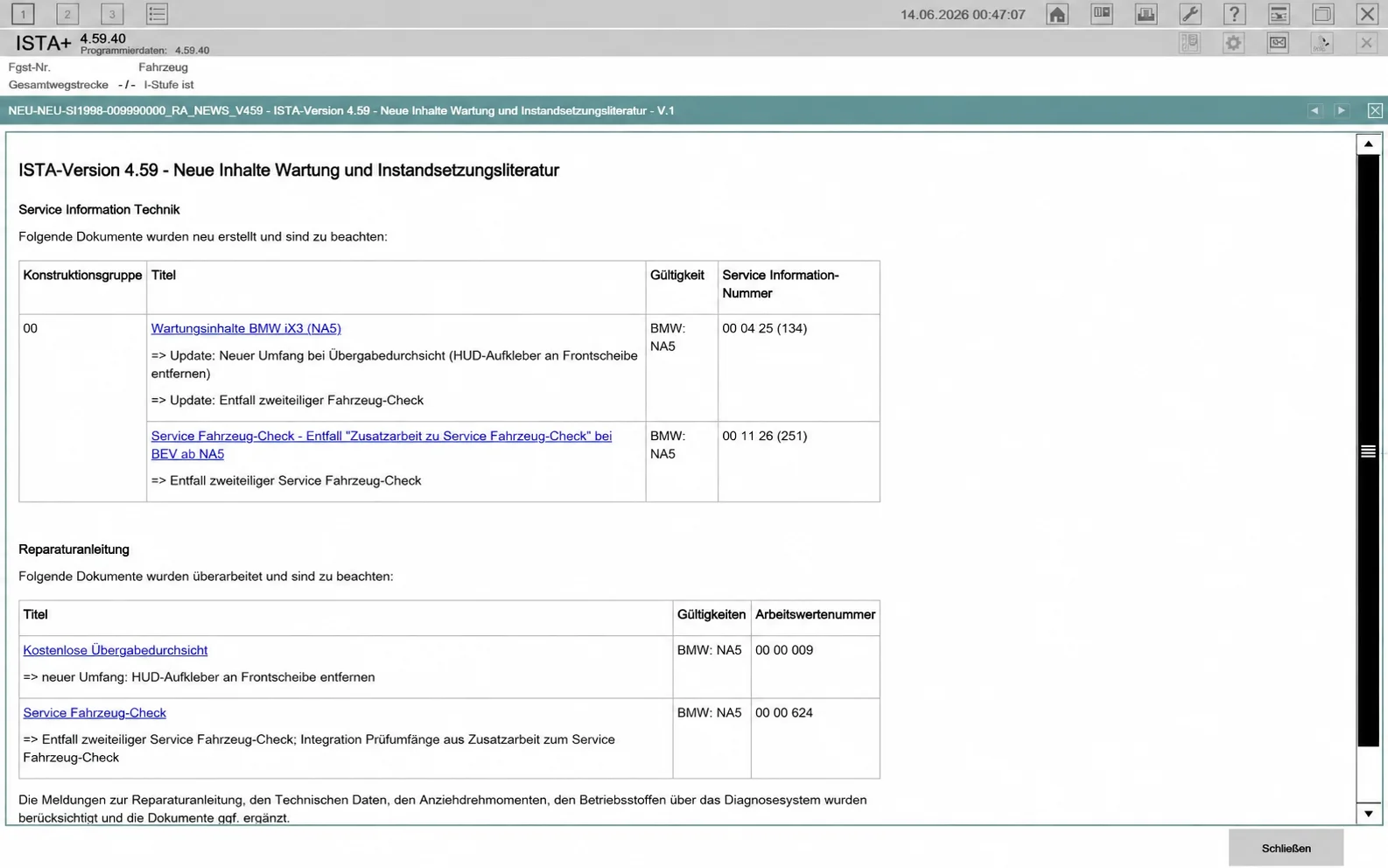
Earlier maintenance-literature update example from ISTA 4.59.40.
DSC Brake-System Bleeding
The illustrated repair view combines preliminary work, core operations, follow-up work and technical notes. Use the complete vehicle-specific procedure in ISTA; the preview is not a substitute for the required workshop instructions.
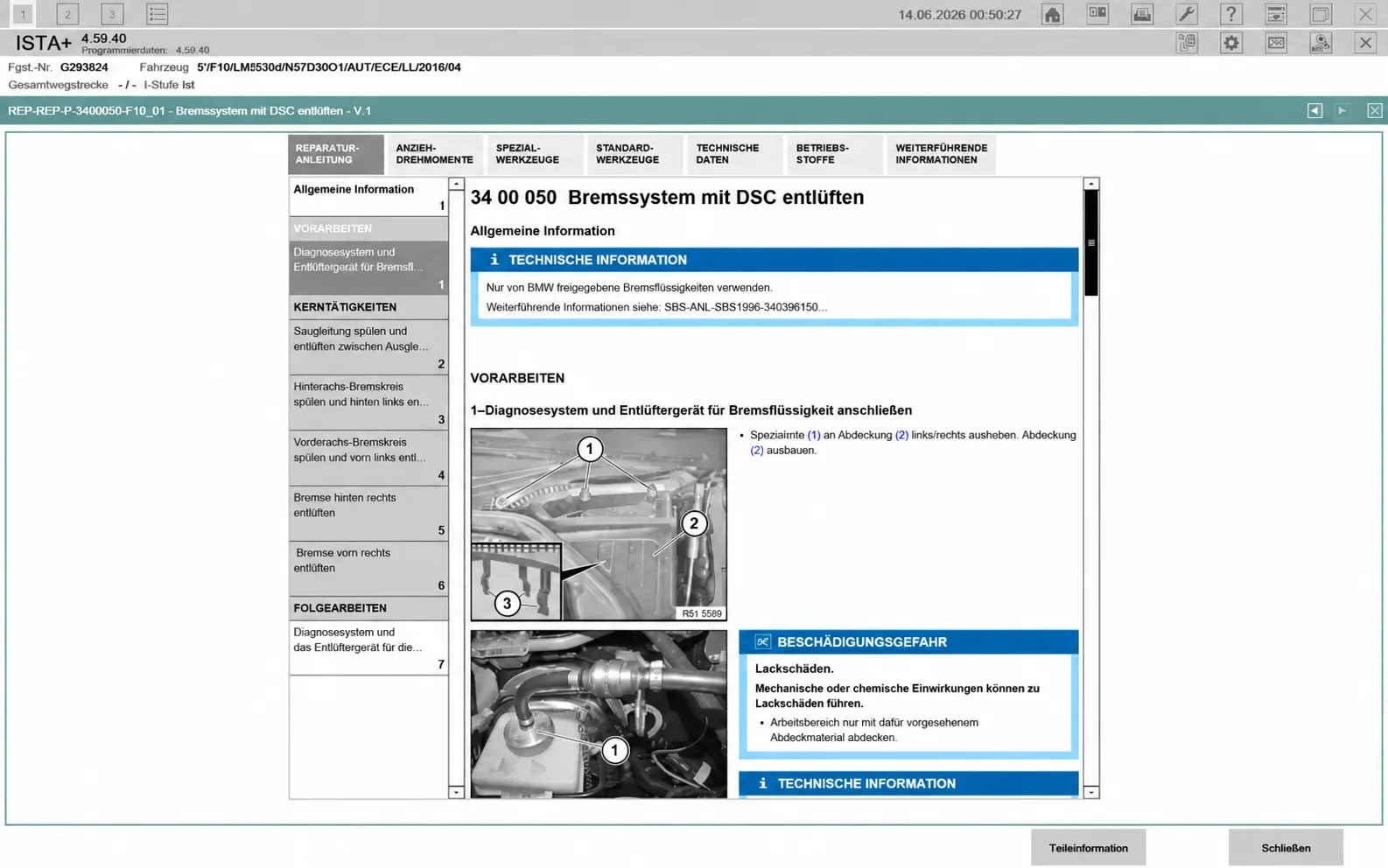
Earlier repair-document example: DSC brake-system bleeding.
Brake Disc and Wheel-Hub Runout Information
The example includes training-video panels and technical notes about runout inspection. Training material accompanies the repair documentation and does not replace the applicable repair instruction.
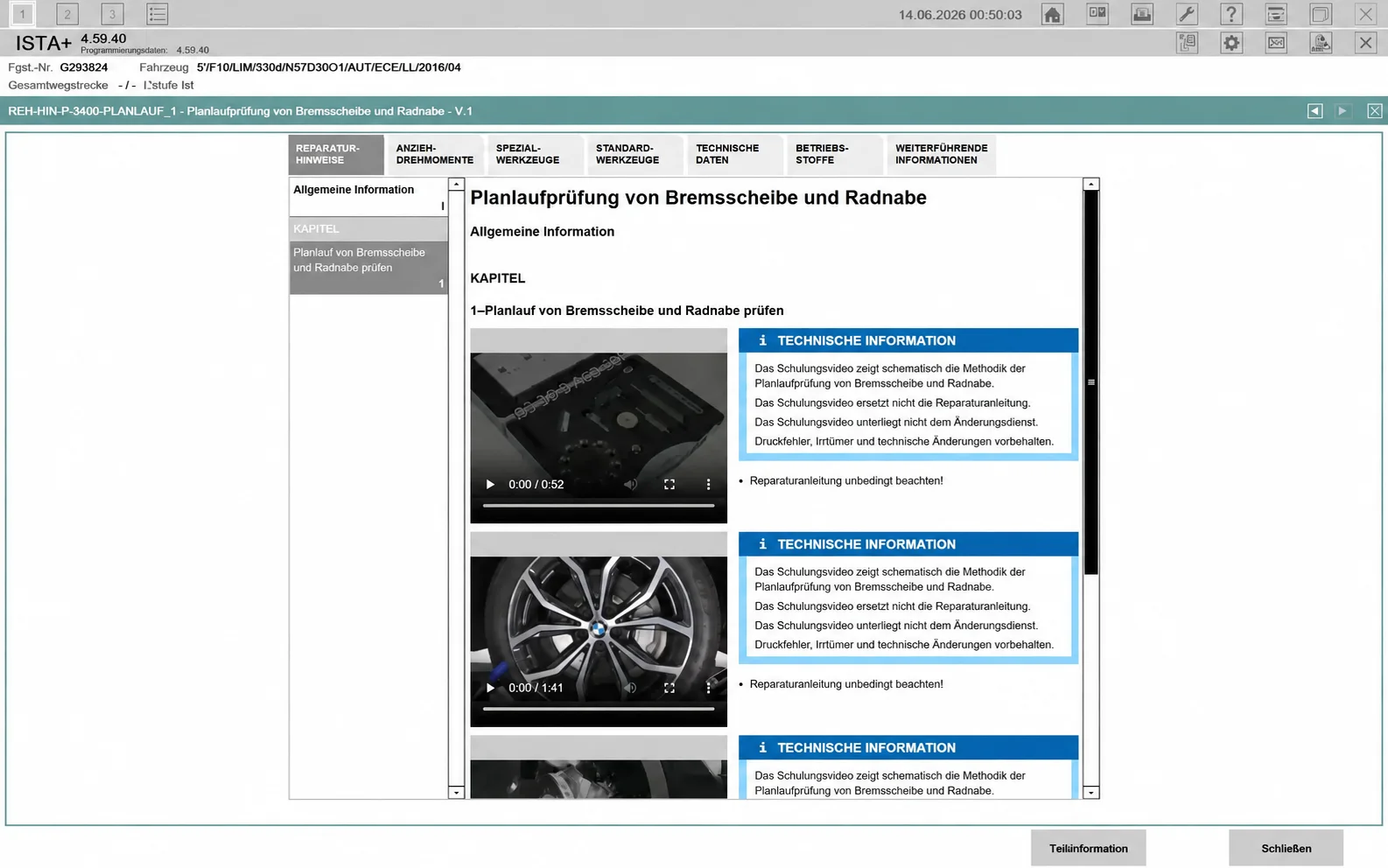
Earlier service-information example: brake-disc and wheel-hub runout.
Delivery Inspection and Transport Protection
Document examples cover installation of supplied vehicle accessories, tow-eye / transport-eye removal where specified, and transport-protection checks. The BEV example illustrates protective-film removal at door handles, entry areas and the interior; the exact steps vary with model and equipment.
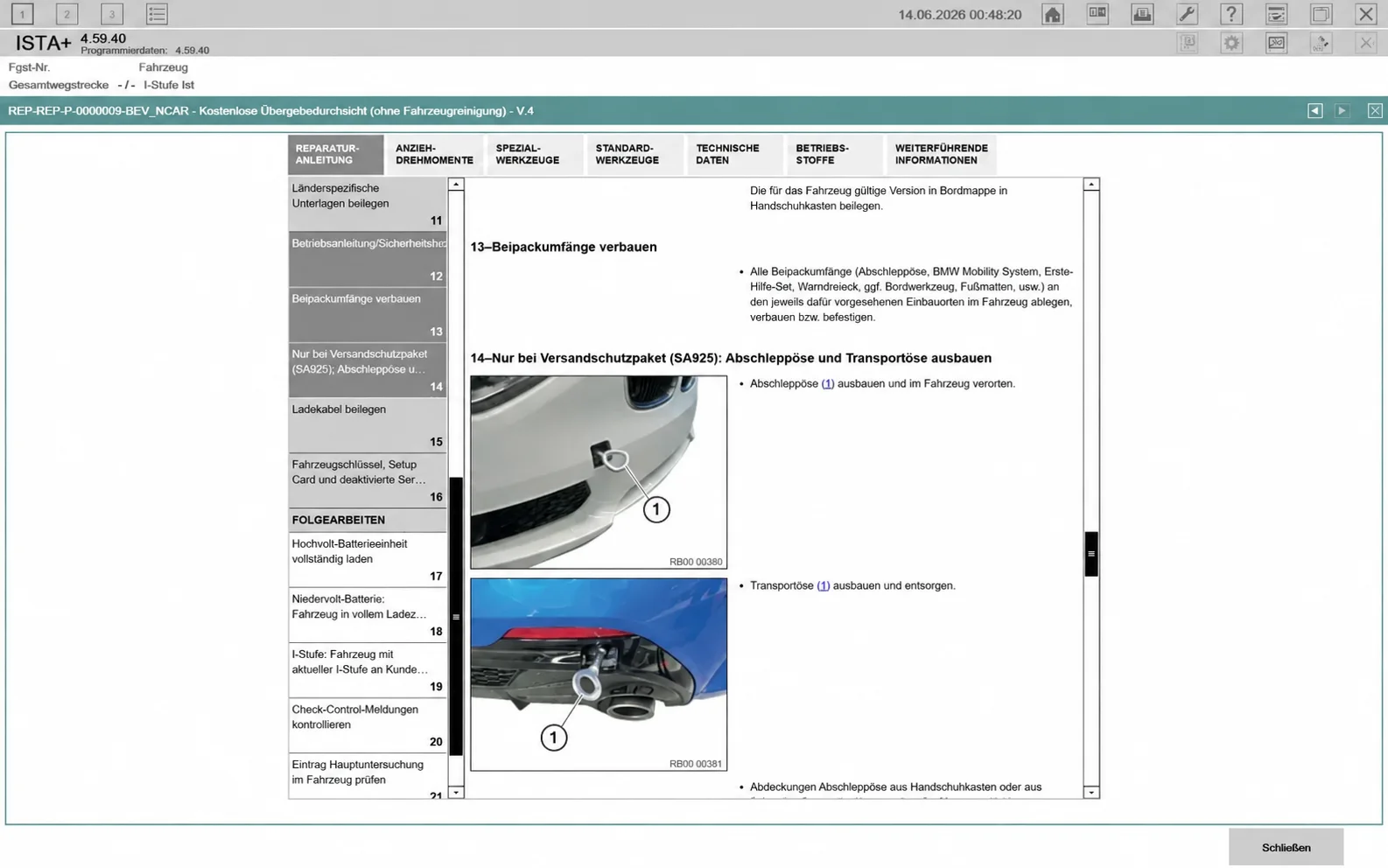
Earlier delivery-inspection example with transport-equipment checks.
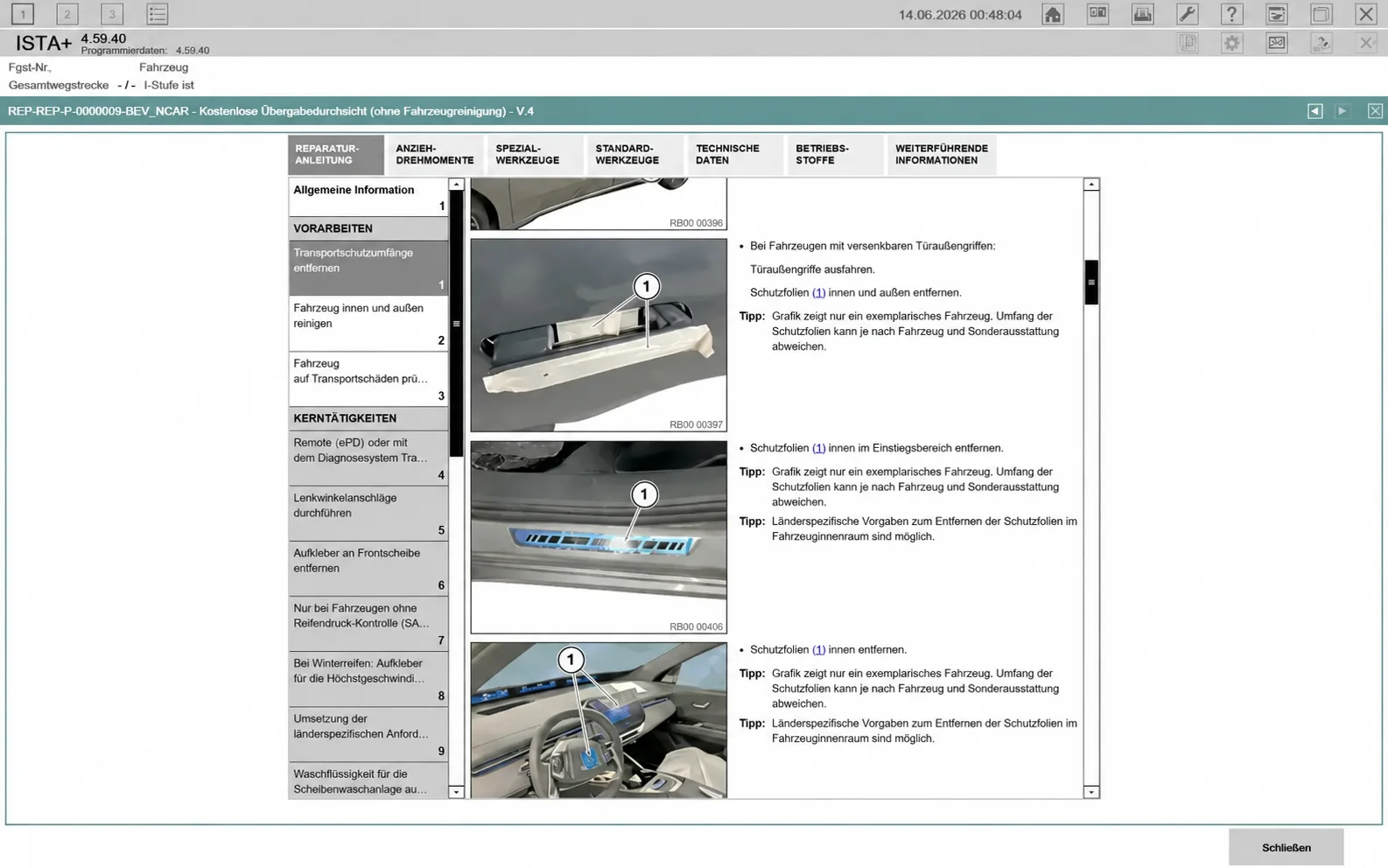
Earlier BEV delivery-inspection example.
Delivery-Inspection Checklist
The checklist view separates preliminary, main and follow-up tasks and includes technical information relevant to vehicle preparation, transport/storage conditions and service checks.
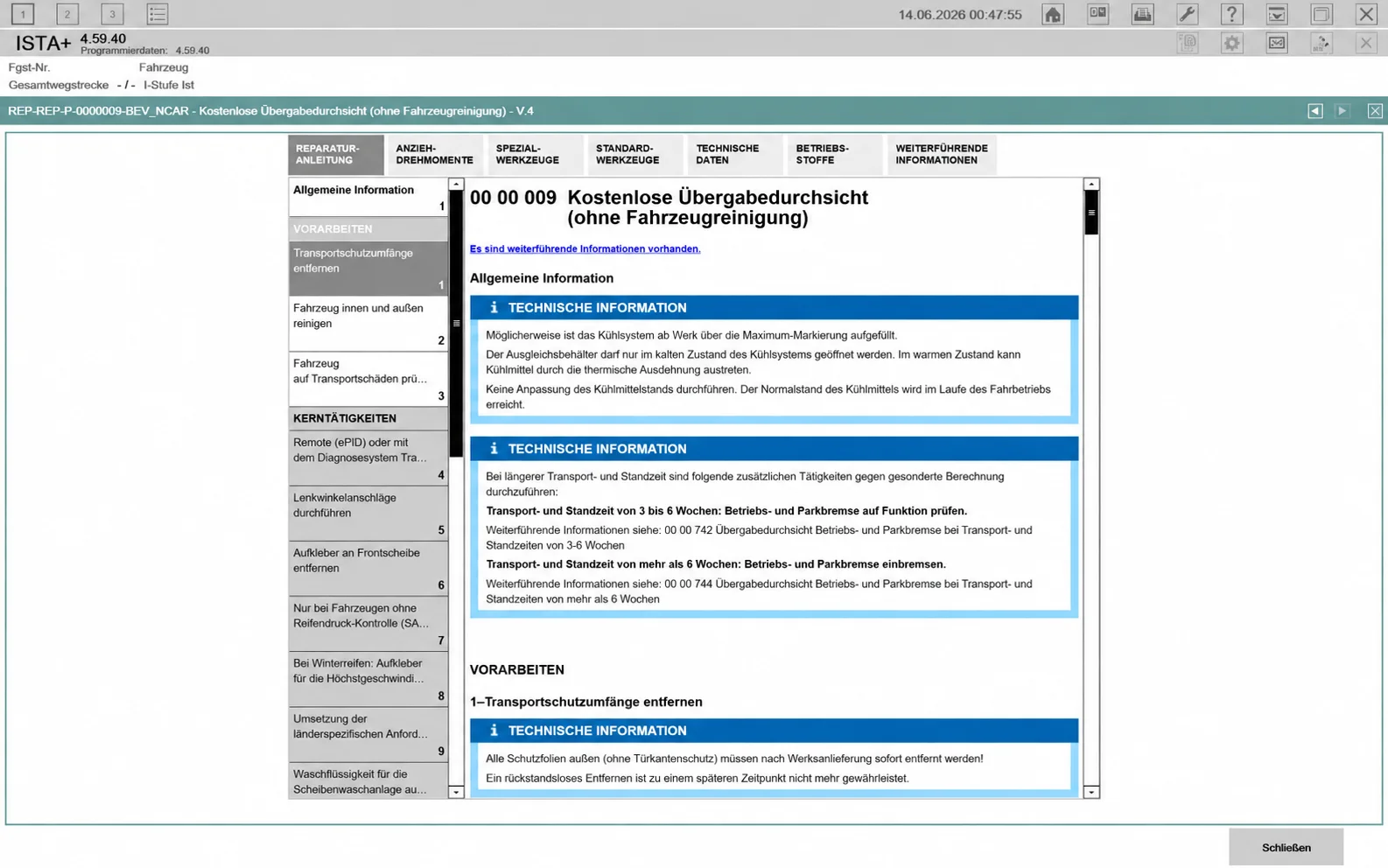
Earlier delivery-inspection checklist example.
System Requirements
- Operating system: Windows 10 or Windows 11, 64-bit, as documented for the standalone environment. Windows 10 LTSC 2019 or a clean Windows 10/11 x64 installation appears in the general standalone guidance. Older releases mentioned other Windows versions; that is not confirmation of current-build support.
- Processor: a modern dual-core or better system is the practical baseline in the general standalone notes. No current 4.61.40-specific CPU minimum is established.
- Memory: the general standalone guidance recommends at least 8 GB RAM, with 16 GB preferred for larger databases.
- Storage: allow room for the application, selected language / diagnostic databases, logs and any programming data. SSD storage is preferable. Current exact archive size and installed-space requirements are not confirmed.
- Vehicle interface: compatible ICOM, ENET or D-CAN / K+DCAN equipment appropriate to the vehicle and procedure.
- Programming: a suitable regulated external vehicle power supply and the correct complete programming data are required.
A legacy listing gives an approximate 35 GB download, and older releases cite different storage recommendations. Those figures are not treated as the verified byte size of 4.61.40.
Typical Diagnostic Workflow
- Check the installed application, language databases and vehicle-data versions.
- Configure the correct interface and connect to the intended vehicle.
- Identify the VIN / vehicle order and confirm the vehicle details.
- Run the control-unit Quick Test and review fault memory.
- Use the relevant fault descriptions, live values and guided test plans to investigate the complaint.
- Follow the vehicle-specific service or repair procedure, including any required adaptations or calibrations.
- Review the final vehicle state and retain available protocols or reports. Perform programming only through a supported, properly prepared workflow.
Release History and Version-Specific Notes
The following notes distinguish older standalone packages from the current release. Older component lists, language packs, paths and installation methods must not be assumed to describe 4.61.40.
| Release | Documented changes and package notes |
|---|---|
| 4.61.40 | Application 4.61.40.33983; diagnostic and language data 4.61.40; Service Data and PSdZData shown as 4.61.41. English / German. Single standalone installer with no manual diagnostic-database extraction for the documented setup. |
| 4.60.13 | Application 4.60.13.33640; Data R4.60.13; programming-data entry 4.60.11; PSdZData Full / Lite 4.60.13. English / German, ISTAProtocolViewer, protocols, Standard Tools and EDIABAS components were listed. Diagnostic examples include battery registration, DPF regeneration and VTG adaptation. Notes describe older DS2 rescan fixes, D-CAN / EDIABAS ignition handling, ENET motorcycle ignition handling and connection improvements. |
| 4.59.40 | Updated from 4.57.30, with programming data / I-Level 4.59.40. ENET programming, ICOM A1 / A2 / NEXT and D-CAN support were documented, along with an ICOM-ENET / D-CAN switch. External-drive installation and D-CAN registry-path considerations were noted. The installer was described as not needing a separate Standard Tools / EDIABAS installation; full programming still needed suitable PSdZData Full in the correct data_swi location. |
| 4.59.12 | Application 4.59.12.33212 with diagnostic databases and separate English / global, Russian and German archives. Historical archive sizes were 25.1 GB, 2.15 GB and 1.97 GB respectively. Package contents listed the MSI installer, TesterGUI patch files, a PSdZ data folder, ExecutionBreak 4.59.10 files, registry configuration / cleanup files and an installation PDF. Historical hardware guidance included Windows 10 / 11 x64, a 2.2 GHz Intel Core i3–i9 or AMD equivalent, 8 GB RAM / 16 GB preferred, and 100–150 GB free SSD space. These are earlier-package notes. |
| 4.57.30 | Interface and programming changes for D-CAN, ENET and ICOM A1 / A2 / NEXT; DS2 rescan and ignition-detection changes. The standalone configuration identified ISTA-Patcher 2.4.0. Notes warned that the new build had not been tested in every workshop scenario. |
| 4.56.30 | PSdZData 4.56.32 and programming / expert-mode configuration were listed. The older package used a Rheingold folder and included Visual C++ 2013, Visual C++ 2015–2022 and WebView2 prerequisites. Its extraction / registry setup differs from the current installer. |
| 4.55.12 | Offline diagnostic / service-data refresh, revised test plans, ECU metadata, wiring-document search and measurement workflows. Package-view prerequisites included .NET Framework 4.8.1, Visual C++ 2013 / 2015–2022 and WebView2. Historical guidance mentioned a four-core CPU, 8–16 GB RAM, 60–120 GB storage and a 1366 × 768 display; these are not verified current-build requirements. |
| 4.53.40 | Older standalone package of more than 26 GB, English / Russian language archives, BLP, ICOM firmware and EDIABAS components. Windows 10 LTSC 2019 was the stated tested environment. |
Some earlier standalone notes describe changed FSC validation behavior, enabled ENET programming, disabled FASTA transfer and a clean interface without website advertising. These are package-level claims; they do not establish manufacturer authorization, independent privacy verification, or unchanged behavior in every subsequent release.
Compatibility Notes and Common Questions
Does ISTA+ work with ENET?
Many supported F-, G- and I-family diagnostic workflows use ENET. The exact vehicle, task and standalone configuration still determine availability.
Can older E-series vehicles use D-CAN / K+DCAN?
Many can for diagnostics, provided the adapter and communication settings match the vehicle. This does not make every E-series programming task an ISTA+ operation; legacy BMW E-series and MINI R-series programming can require ISTA/P or another specified workflow.
Are ICOM A1, A2 and NEXT supported?
They are identified in the documented standalone interface support. Confirm the appropriate model and firmware for the intended operation.
Are SQLiteDBs and PSdZData the same?
No. SQLite diagnostic / language content and programming payloads serve different roles. A complete diagnostic installation does not automatically provide all flash data.
Does offline operation make every function available?
No. Availability can depend on the vehicle, installed data, interface, licensing and any required online service. A standalone installation is not proof that manufacturer backend-dependent functions are included.
Important Operating Notes
- Confirm the exact vehicle and function rather than relying only on a broad chassis list.
- Use the full applicable repair / diagnostic procedure and qualified workshop practice. Incorrect diagnostic, service or programming work can cause vehicle damage or personal injury.
- Maintain stable communication and a suitable external vehicle power supply for programming and coding. Interrupted operations can leave control units unusable.
- Keep configurations and needed files backed up before replacing an installation; do not remove shared BMW application folders indiscriminately.
- Use BMW software and data in accordance with the applicable licensing terms. Editorial review of catalog information does not certify an executable or prove authorization of a standalone package.
Technical Compatibility
Operating Systems
System Requirements
- Windows 10 or Windows 11, 64-bit
- Modern dual-core or better PC; exact current-build CPU minimum not confirmed
- General standalone guidance: 8 GB RAM minimum recommended, 16 GB preferred
- SSD space for application, diagnostic/language databases, logs and selected programming data
- Compatible ICOM, ENET or D-CAN / K+DCAN interface for the vehicle and task
- Suitable external vehicle power supply and complete matching data for programming
- Current exact package size and installed-space requirement not confirmed
Screenshots
Related Software
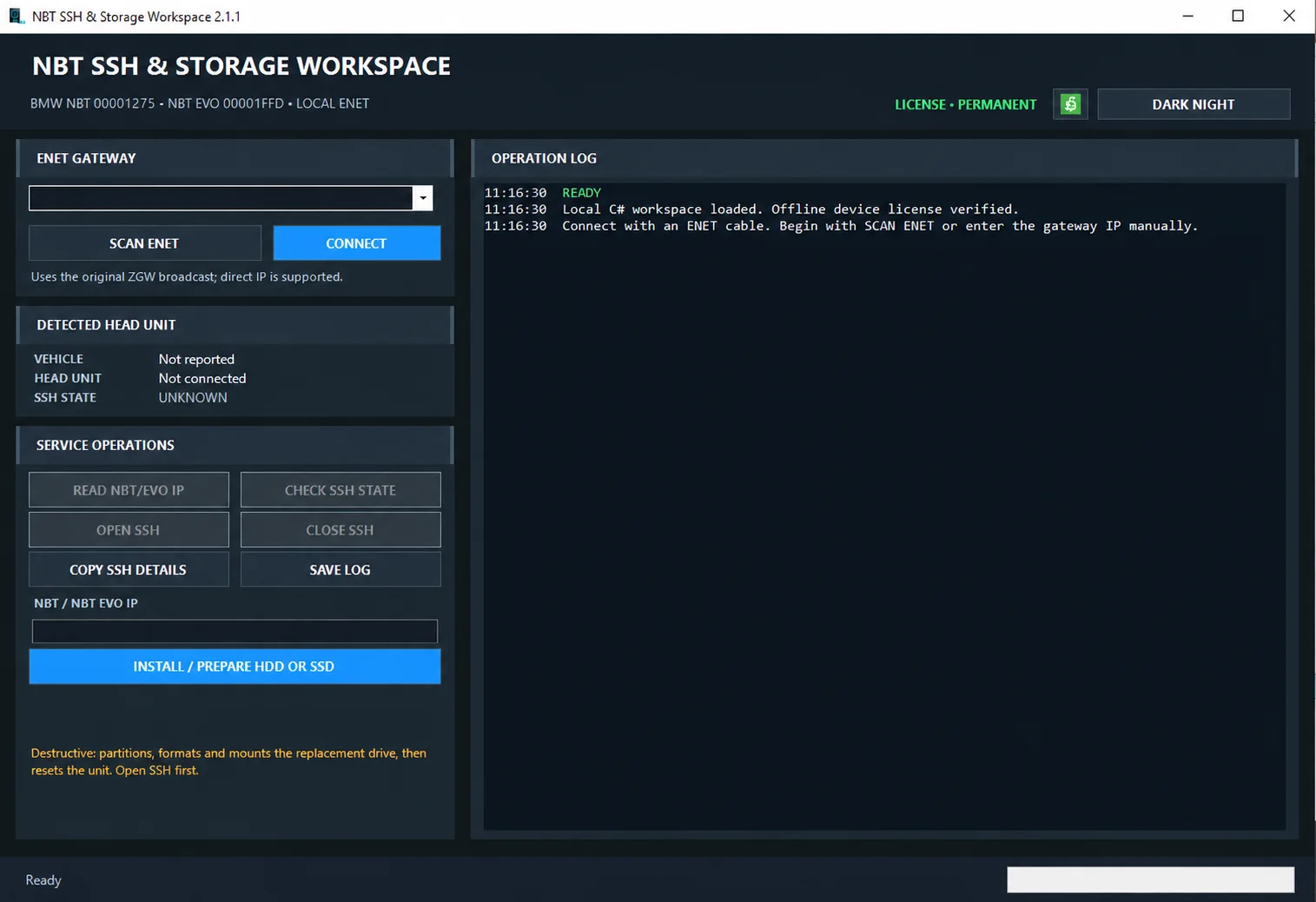
Windows ENET utility for identifying supported BMW head units, managing SSH access and preparing replacement HDD/SSD storage.
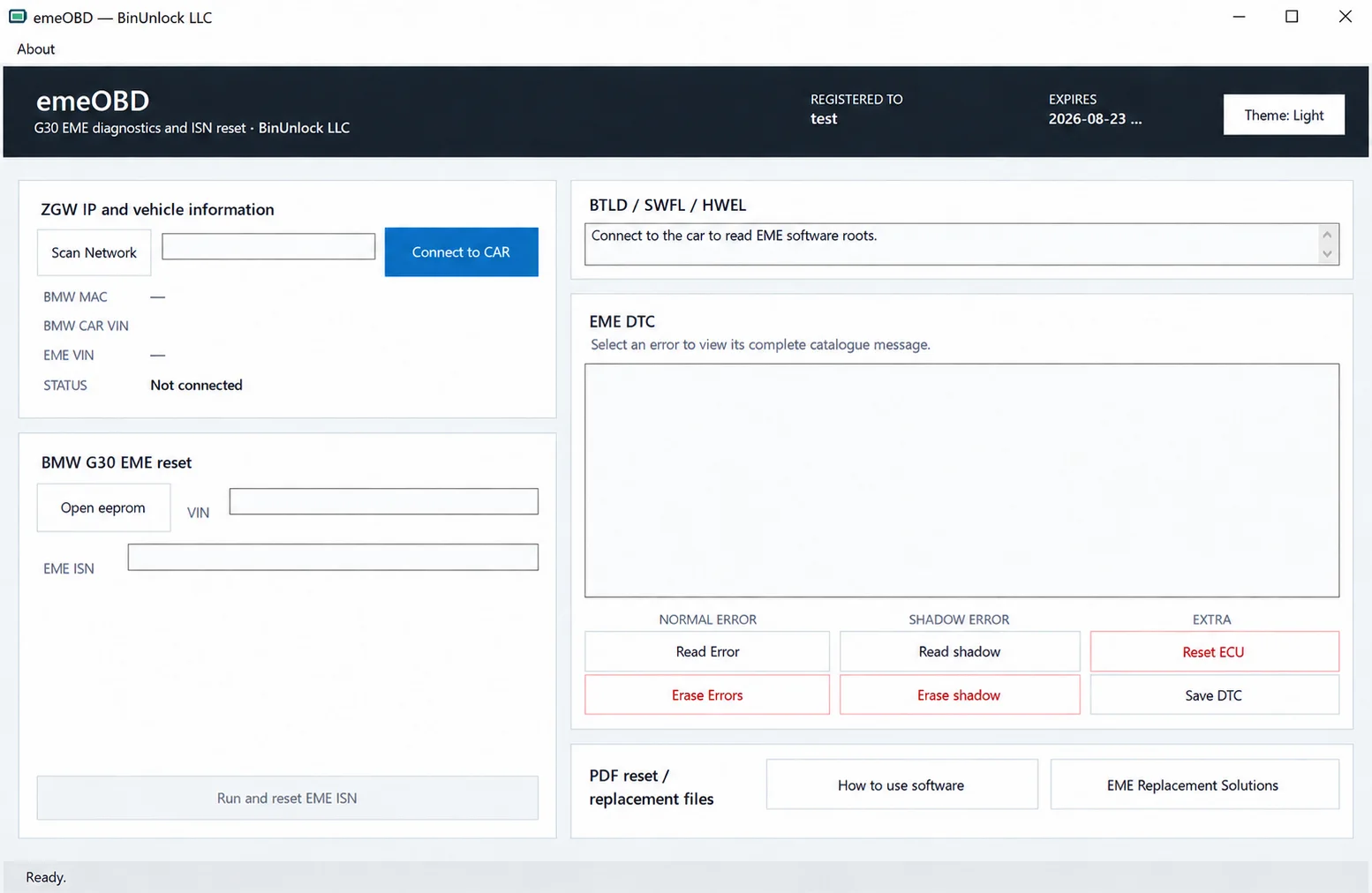
Windows service workspace for supported BMW G30 EME systems, combining ZGW discovery, vehicle identification, local EEPROM VIN/ISN analysis, ISN reset and normal/shadow DTC diagnostics.
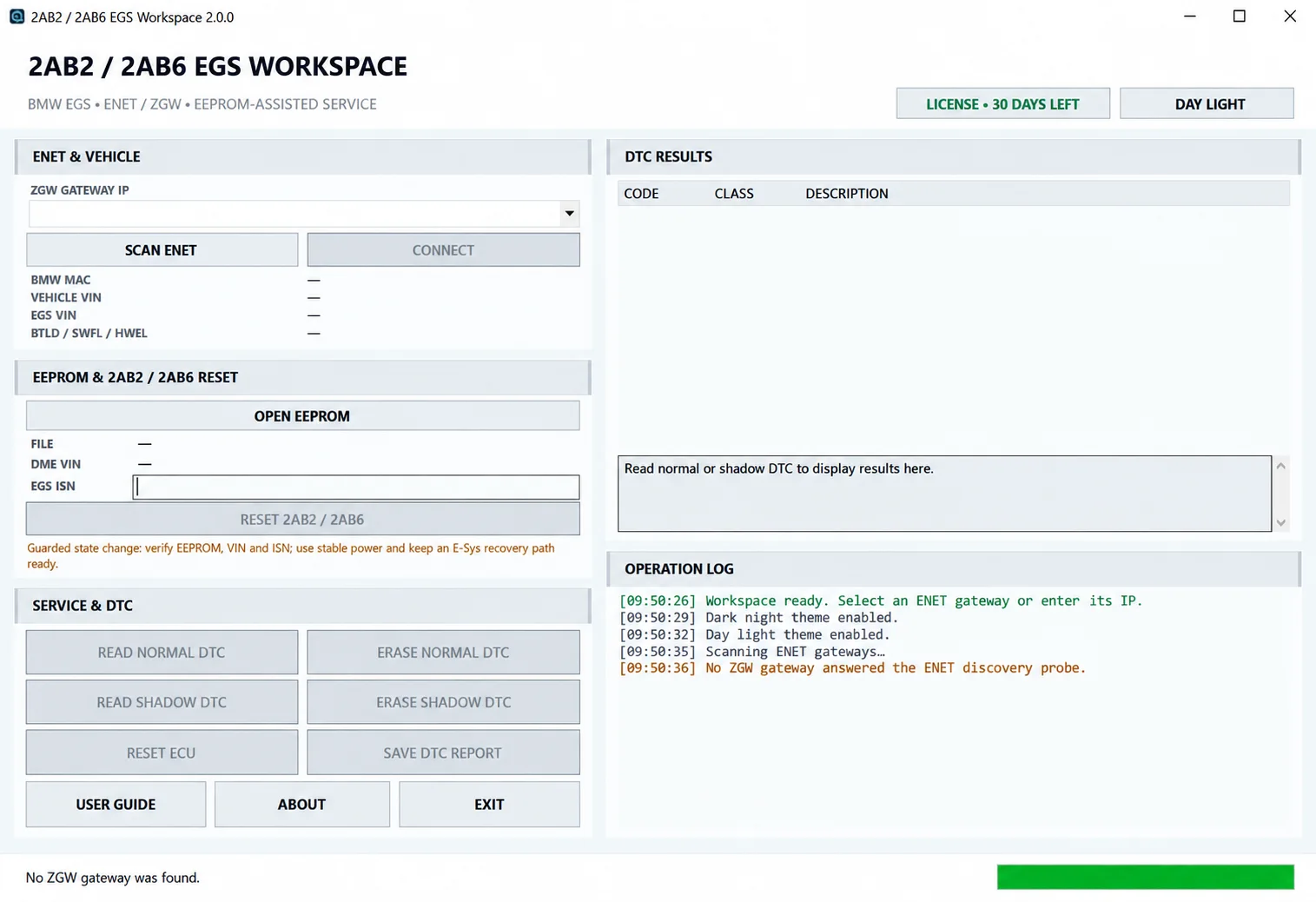
Windows BMW EGS service workspace for ENET/ZGW identification, local EEPROM-assisted VIN and ISN analysis, normal/shadow DTC diagnostics and guarded 2AB2 / 2AB6 reset.
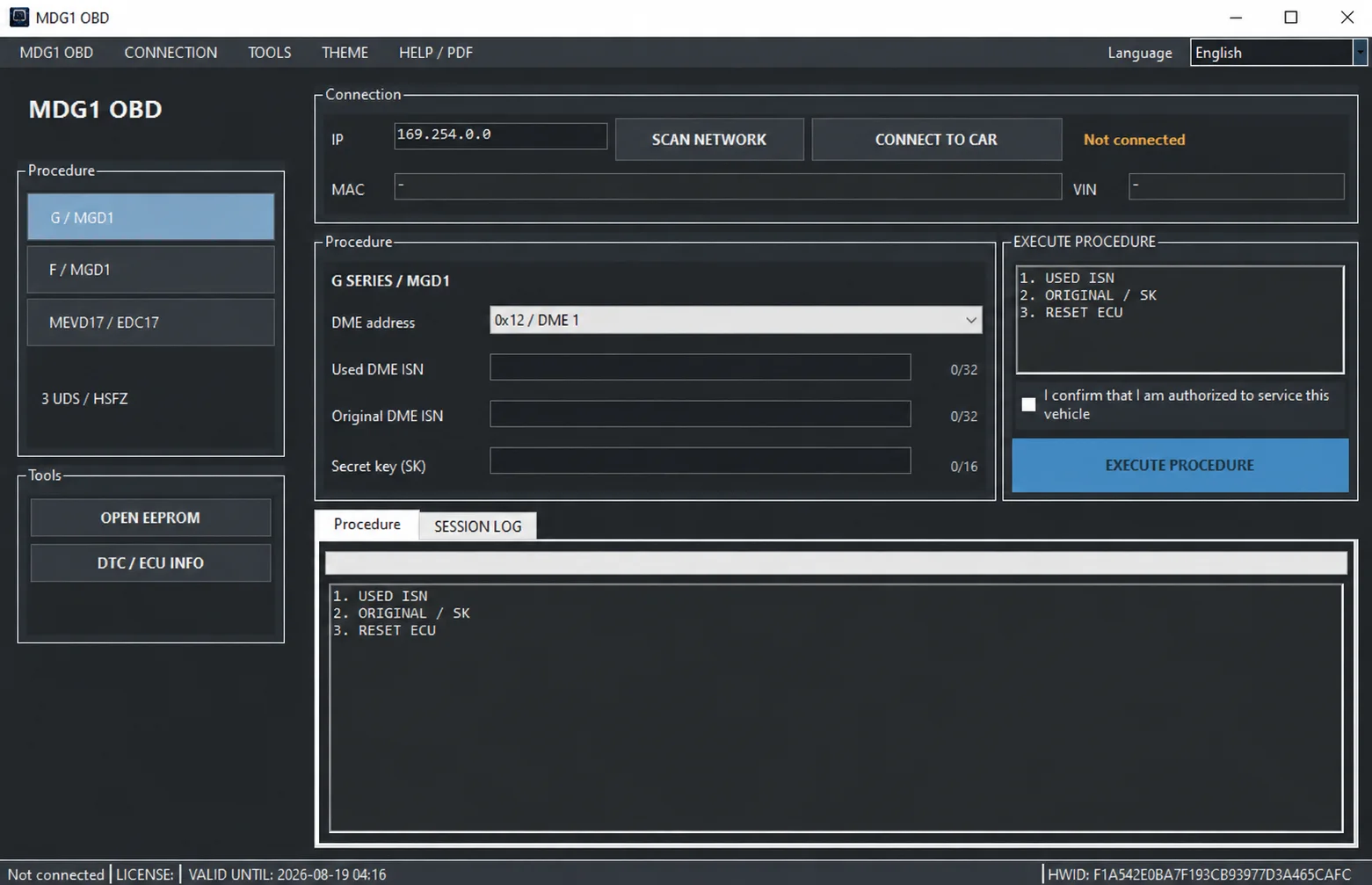
Windows BMW DME service utility with HSFZ/IP connectivity, separate G/F Series MDG1 and MEVD17xx/EDC17 workflows, DTC diagnostics and ECU information.
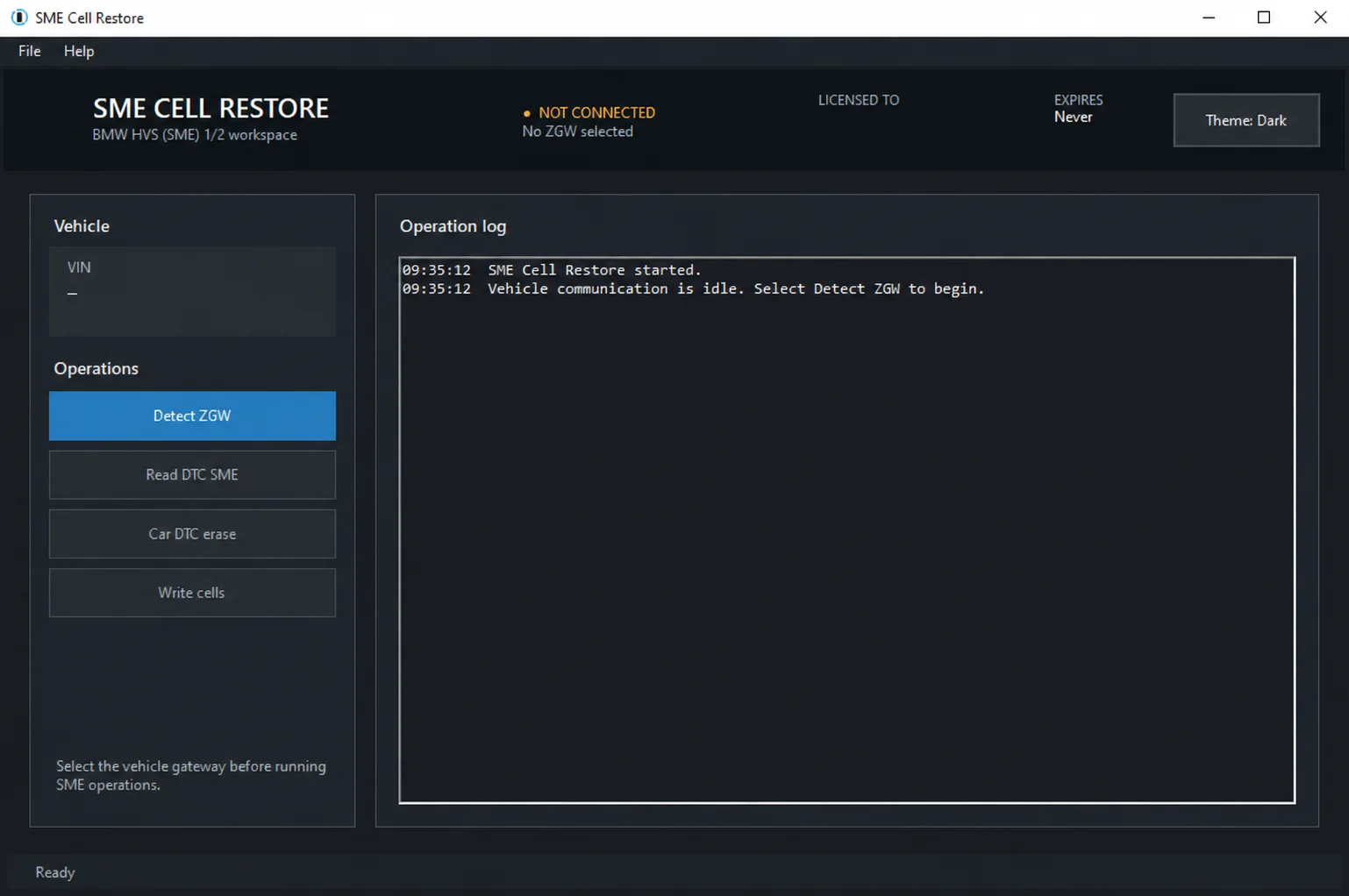
Windows service utility for supported BMW HVS 01/02 and SME 1/2 systems, with ZGW discovery, normal and shadow DTC diagnostics and guarded cell-data restoration.
Diagnostic and language databases for BMW ISTA, including the original 4.55.12 set and an expanded collection of 20 packages across 16 language codes.