
SOFTWARE DATABASE / RELEASE RECORD
VERSION 2.0.0BMW G30 emeOBD EME ISN Reset, EEPROM, DTC and Diagnostic Service Tool 2.0.0
Windows service workspace for supported BMW G30 EME systems, combining ZGW discovery, vehicle identification, local EEPROM VIN/ISN analysis, ISN reset and normal/shadow DTC diagnostics.
Categories
Vehicle references
Overview
emeOBD 2.0.0 is a Windows diagnostic and service workspace for supported BMW G30 EME systems.
It brings BMW gateway discovery, vehicle and EME identification, software-root reading, local EEPROM analysis, EME ISN extraction and reset, normal and shadow DTC functions and ECU reset into one interface.
The application supports local workshop or remote-assisted service use according to the workshop connection setup. EEPROM interpretation remains a local file operation.
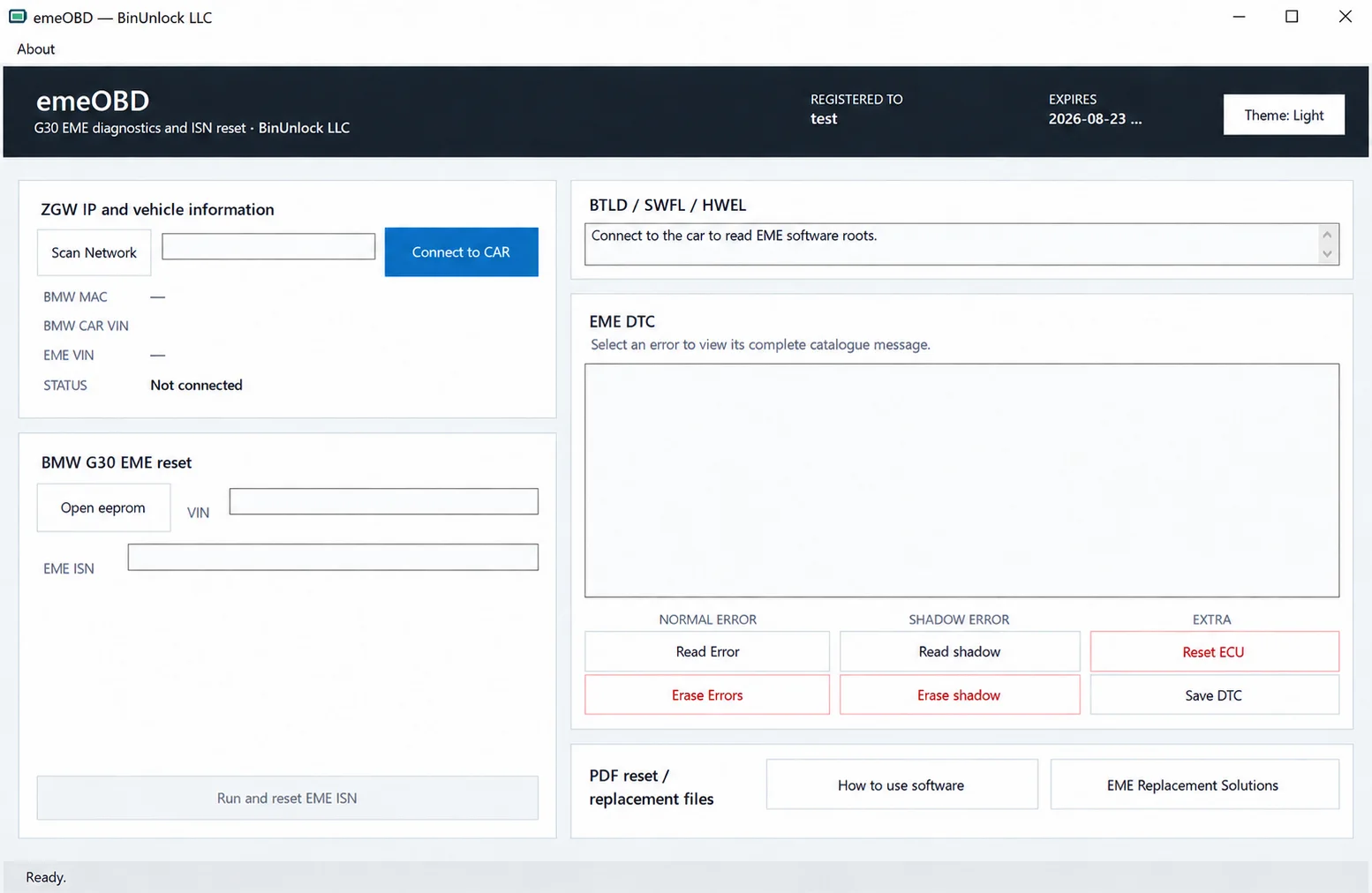
emeOBD in Light theme, with no vehicle connected, empty VIN and ISN fields, disabled EME ISN reset and normal/shadow diagnostic controls.
Key Features
- BMW G30 EME diagnostic workspace.
- BMW ZGW network discovery.
- Manual connection to a selected ZGW IP address.
- BMW MAC and vehicle VIN reading.
- EME VIN identification.
- BTLD / SWFL / HWEL software-root information.
- Local EEPROM file analysis.
- EEPROM VIN extraction.
- Supported EME ISN extraction.
- BMW G30 EME ISN reset.
- Normal EME DTC reading.
- Shadow EME DTC reading.
- Normal DTC erase.
- Shadow DTC erase.
- EME control-unit reset.
- Save the current DTC report to a file.
- Light and Dark interface themes.
- HWID-based licensing.
- Built-in PDF documentation export.
BMW G30 EME ISN Reset
The dedicated reset workspace uses an authorized EEPROM image to identify available VIN information and supported EME ISN data. The reset uses the ISN recovered from that supported EEPROM.
Typical service workflow:
- Obtain the authorized EEPROM image from the used or replacement unit.
- Load that EEPROM file into emeOBD.
- Verify the extracted VIN and EME ISN against the module and repair records.
- Connect to the correct BMW vehicle and ZGW.
- Run the EME ISN reset only when required by the approved replacement procedure.
Important: an extracted ISN or an enabled reset button does not establish that a replacement EME is correct for the vehicle. Verify the vehicle, replacement unit, EEPROM source and repair plan before performing a reset.
EEPROM Support
The local parser accepts these exact file sizes:
| Size | Hexadecimal length | Exact bytes |
|---|---|---|
| 512 KiB | 0x80000 | 524,288 |
| 768 KiB | 0xC0000 | 786,432 |
| 848 KiB | 0xD4000 | 868,352 |
The parser can:
- Search for supported BMW VIN candidates.
- Identify supported EME ISN signature branches.
- Extract a 16-byte EME ISN where supported.
- Display the ISN as 32 hexadecimal characters.
EEPROM analysis runs locally without a vehicle connection. Do not modify, pad or truncate a dump simply to make its length accepted. An accepted size alone does not establish a supported layout, correct module identity or replacement suitability.
Vehicle Identification and Software Roots
Once connected, emeOBD can display:
- BMW MAC
- BMW CAR VIN
- EME VIN
- Connection status
- BTLD
- SWFL
- HWEL
- Other recognized EME software-root records.
These identifiers provide supporting evidence for checks before EME replacement or reset work; they do not replace the complete repair and compatibility assessment.
EME Diagnostics
| Control | Function |
|---|---|
| Read Error | Read normal EME diagnostic memory. |
| Read shadow | Read shadow diagnostic memory. |
| Erase Errors | Erase normal diagnostic memory. |
| Erase shadow | Erase shadow diagnostic memory. |
| Reset ECU | Reset the EME control unit. |
| Save DTC | Save the current diagnostic report. |
Record normal and shadow DTC separately before any erase, reset or replacement operation. The DTC workspace allows selection of an error to view its complete catalogue message.
Local and Remote Service Use
emeOBD can be integrated into local workshop and remote-assisted service workflows. It communicates with the selected BMW ZGW / EME endpoint, while EEPROM interpretation stays local.
For remote work, the technician at the vehicle remains responsible for correct vehicle identification, stable support power, network access and physical workshop safety.
Documentation
Two English PDF documents accompany the current workflow:
- How to use.pdf — control-by-control operating guide.
- Document of EME.pdf — EME replacement, EEPROM interpretation, ISN-reset decisions and validation guidance.
The interface provides How to use software and EME Replacement Solutions documentation controls in the PDF reset / replacement files panel.
System and Workshop Requirements
- Windows workstation; exact supported Windows editions, architecture and runtime requirements are unspecified.
- Correct authorized BMW G30 vehicle and compatible replacement EME, verified against the repair procedure.
- Workshop connection to the selected BMW ZGW / EME network endpoint; network discovery or a verified manual ZGW IP.
- Authorized original EEPROM image in a supported layout and exact accepted size.
- Stable support power, documented recovery arrangements and BMW / OEM high-voltage safety procedures.
Coverage is documented for supported BMW G30 EME workflows. No universal EME hardware/software-revision list, support for every BMW chassis or compatibility with every replacement unit is established.
File Integrity
File: emeOBD.exe
Documented SHA-256 reference:
0642ee08e5267d4f5b7be2eeebadf3e4f52803f533eb5ce7c92e8a791fc5c9c2Compare the downloaded executable with this reference before running it. This is a documented reference for the named executable; no independent ECUDB hash calculation or executable test is claimed.
Important
emeOBD is intended for authorized professional BMW diagnostic and EME replacement work.
EME service may involve a high-voltage vehicle system. The software does not replace BMW / OEM high-voltage safety procedures, physical repair instructions, programming, coding or final commissioning.
Use the EME ISN reset only on the correct authorized vehicle and replacement unit after verifying the VIN, ZGW, EME identity, EEPROM source and repair requirements.
Technical Compatibility
Operating Systems
System Requirements
- Windows workstation; exact supported Windows editions, architecture and runtime requirements are unspecified.
- Correct authorized BMW G30 vehicle and compatible replacement EME, verified against the repair procedure.
- Workshop connection to the selected BMW ZGW / EME network endpoint; network discovery or a verified manual ZGW IP.
- Authorized original EEPROM image in a supported layout and exact accepted size.
- Stable support power, documented recovery arrangements and BMW / OEM high-voltage safety procedures.
Screenshots
Related Software
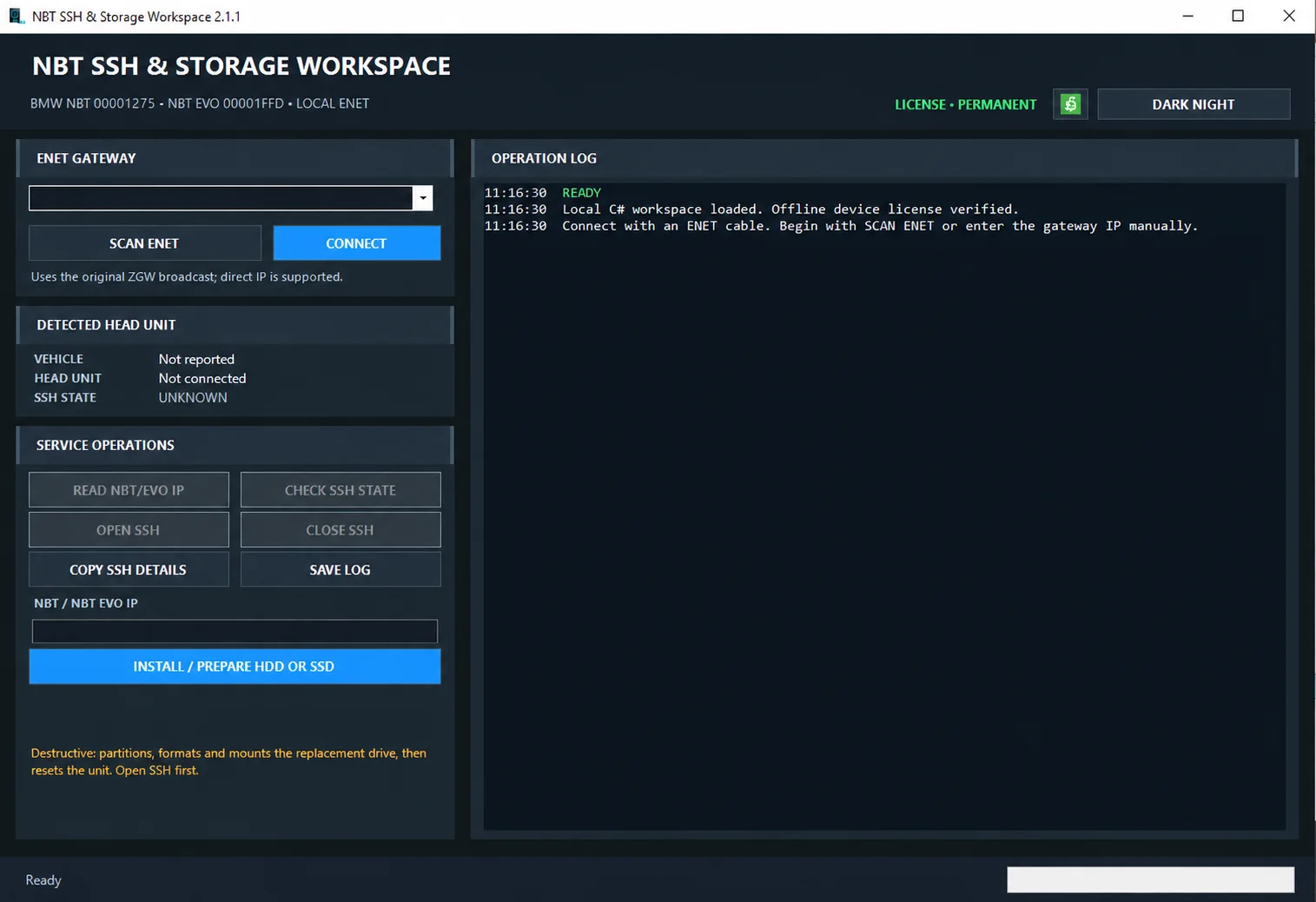
Windows ENET utility for identifying supported BMW head units, managing SSH access and preparing replacement HDD/SSD storage.

Windows automotive key database and cutting-control software for compatible Miracle machines, with profile search, bitting entry, blade preview and saved cutting jobs.

Offline Windows reference and calculation tool for supported dashboard, body-module and EEPROM/MCU mileage profiles, with memory information, byte locations and repair calculations.

Offline Windows reference tool for Bosch ECU part numbers, controller families and OE cross-references, with exact, wildcard, prefix and binary-dump identifier searches.
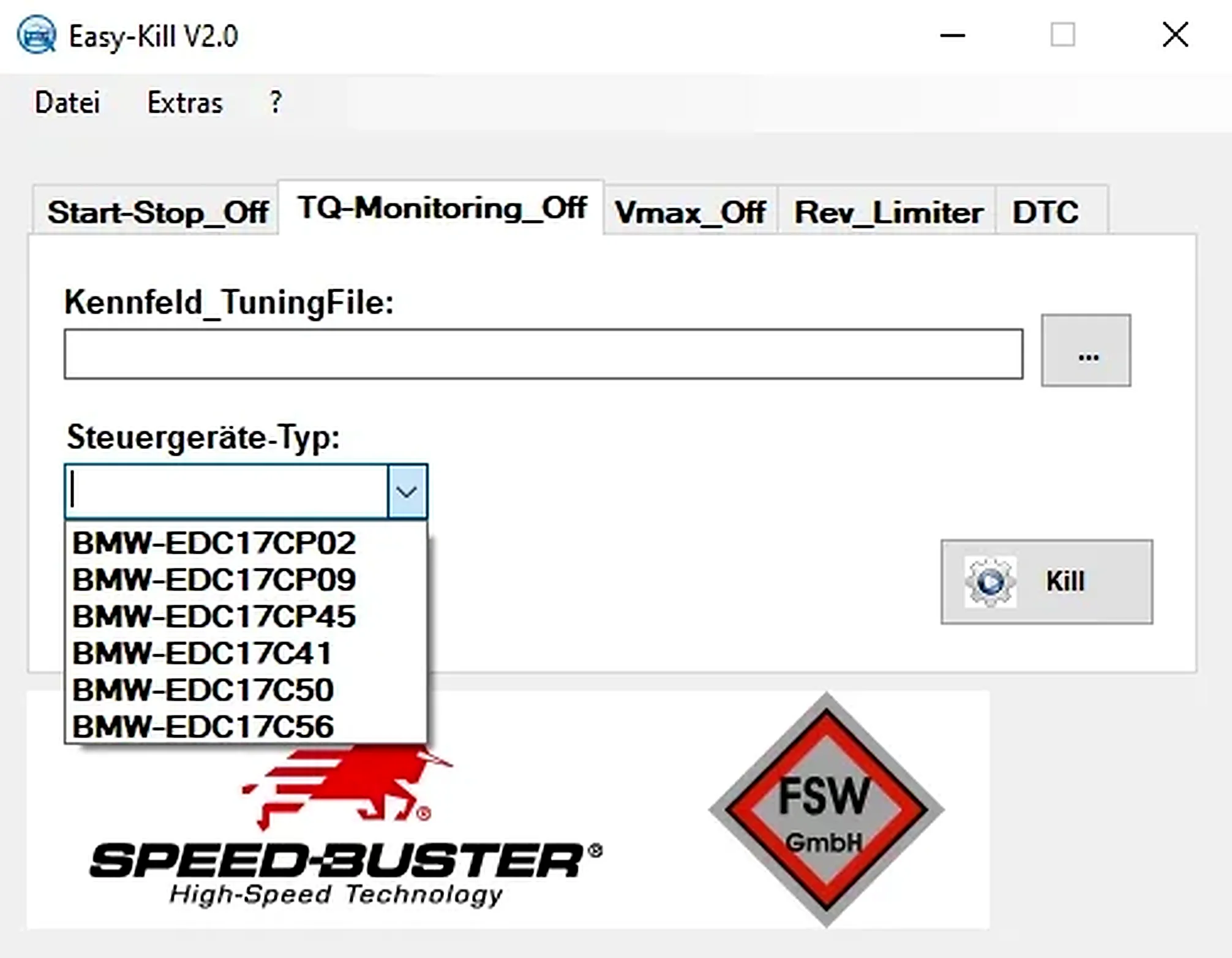
Offline Windows file editor for selected BMW and VAG Bosch ECU profiles, with separate start-stop, torque monitoring, Vmax, rev-limiter and DTC functions.
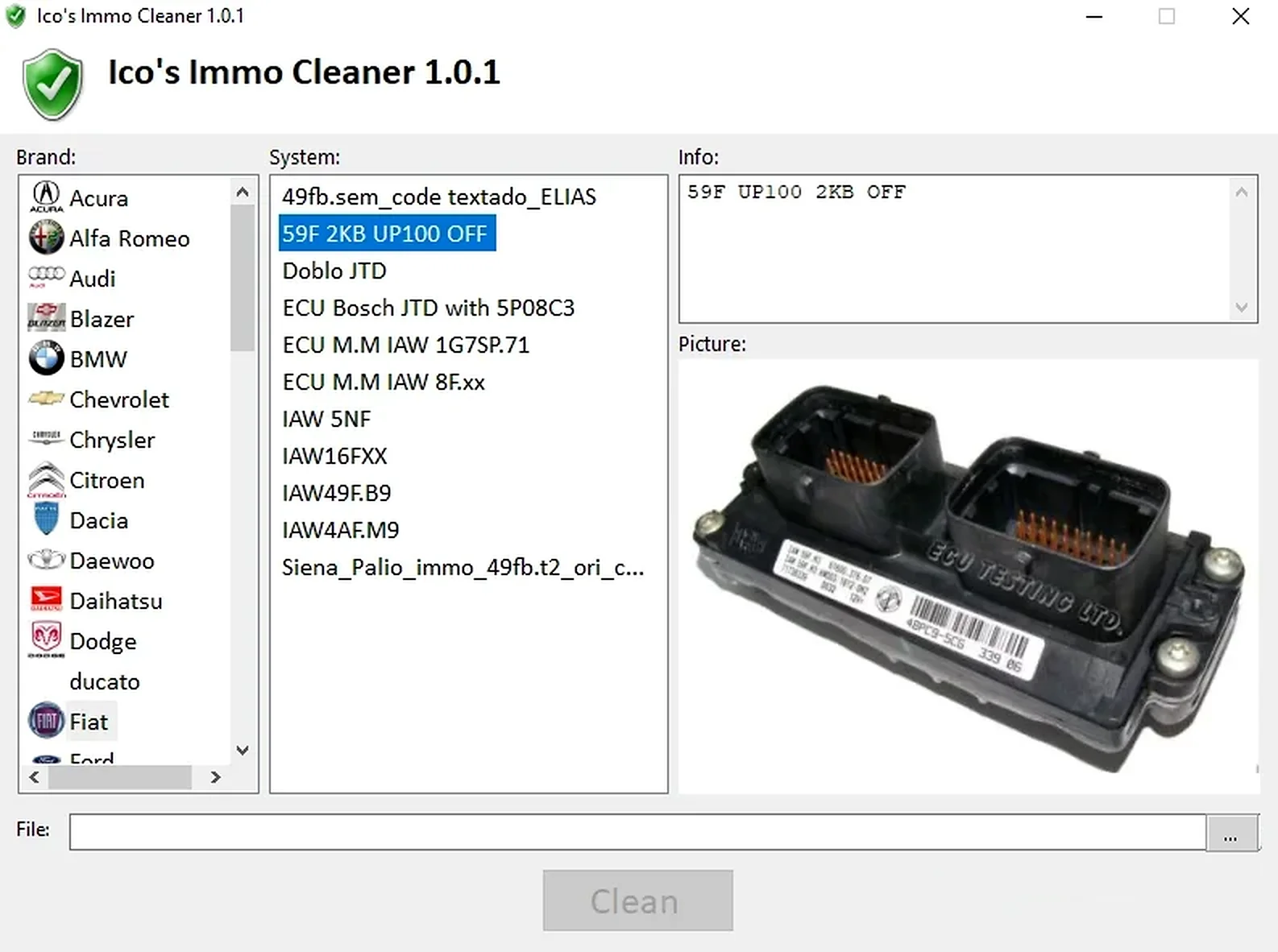
Offline Windows processor for supported ECU EEPROM and flash dumps, with brand/system selection, controller-specific clean, virgin and off templates, and reference images.