
SOFTWARE DATABASE / RELEASE RECORD
VERSION 1.0.0.0Toyota / Lexus DTC Firmware Editor for ECU Binary Files 1.0.0.0
Offline Windows editor for recognized Toyota and Lexus ECU DTC-table entries, with selectable P-codes, descriptions and separate English and Russian builds.
Categories
Vehicle references
Overview
Toyota & Lexus DTC Firmware Editor is an offline Windows utility for finding and modifying supported diagnostic trouble-code entries in ECU binary files. Its English interface presents P-codes, descriptions and individual checkboxes for controlled review. A separate Russian-language build is also documented in the package.
This is a firmware-file editor, not a live fault-code reader. Changing a DTC entry does not diagnose the vehicle, repair the monitored circuit or guarantee support for every ECU strategy. The exact ECU, software revision, binary layout and read type must be recognized before saving changes.
Intended Use
The editor is intended for a documented repair or controlled development task requiring a supported DTC-table change in a verified working copy. Complete diagnosis first, preserve the original read, and compare, checksum and validate the output before any separate programming operation.
Main Functions
- Open a supported Toyota or Lexus ECU firmware binary.
- Display recognized diagnostic trouble codes with descriptions.
- Select individual supported entries rather than apply an unexplained blanket change.
- Save a modified working copy for comparison and validation.
- Provide separate English and Russian application builds.
- Expose additional controller-family menu entries while keeping this catalog resource focused on Toyota and Lexus.
DTC Editing Workspace
The main screen shows a selectable P-code list, descriptions and checkboxes, with P0123 highlighted in the example. The highlight is a selected row, not evidence of a checked entry, a completed edit or a successful vehicle operation.
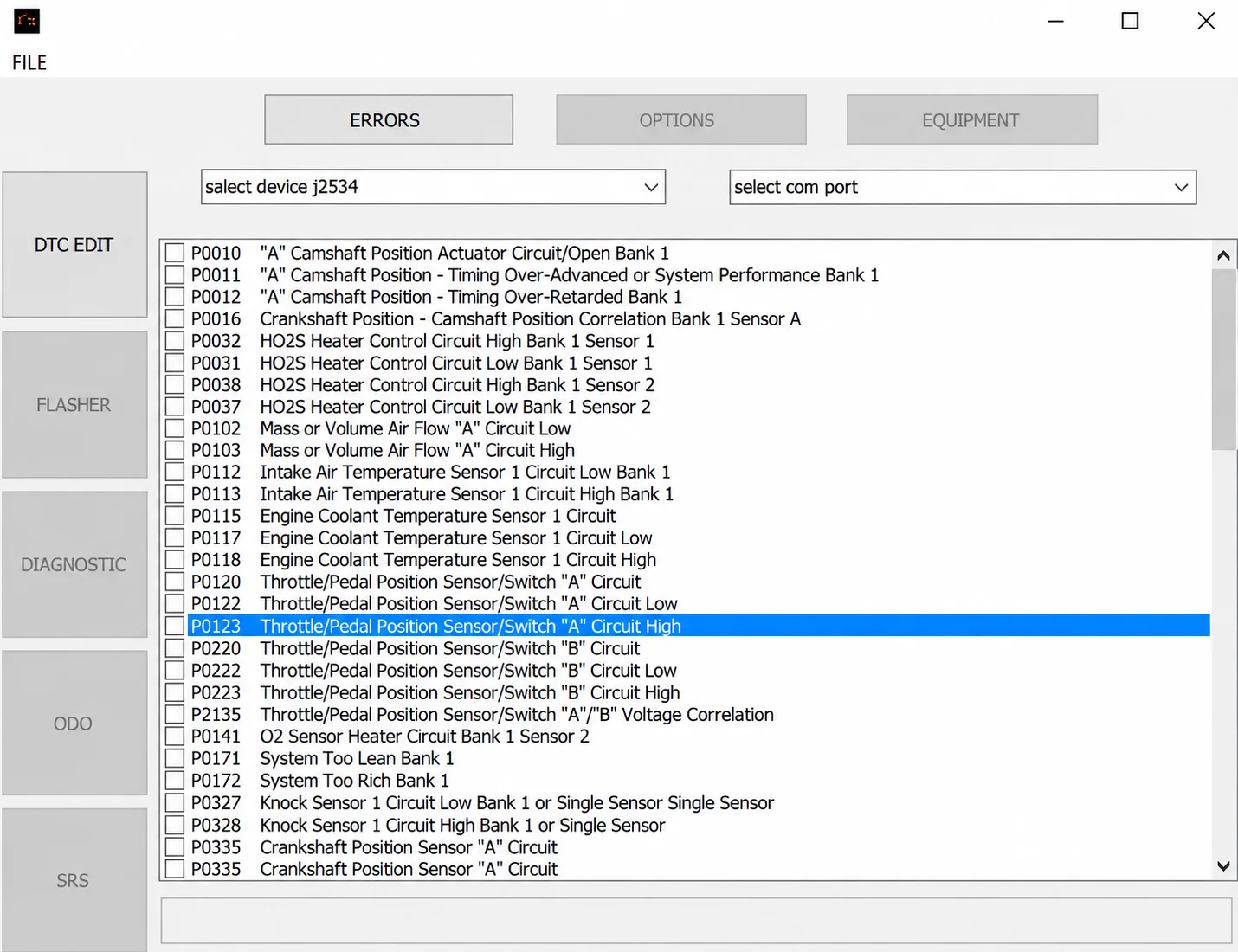
The interface also shows ERRORS, OPTIONS and EQUIPMENT tabs; J2534-device and COM-port selectors; and DTC EDIT, FLASHER, DIAGNOSTIC, ODO and SRS navigation controls. Visible fields or disabled controls do not establish direct flashing, live diagnostics, odometer or SRS functionality. Those capabilities are not independently documented for this resource.
Supported Applications and File Requirements
- Toyota and Lexus ECU files with an internal DTC-table layout recognized by the application.
- Displayed standard P-code descriptions are interface examples; actual support depends on the binary structure.
- The wider menu includes selected MIKAS and January controller groups, outside the primary Toyota/Lexus scope.
- J2534 and COM fields are visible, but direct programming or diagnostic capability is not established.
- No complete vehicle, engine, ECU-supplier or software-number support matrix is documented.
Do not infer universal Toyota/Lexus coverage or compatibility with a particular supplier solely from the brand name. Accepted file lengths and filename extensions are not confirmed.
Controller Menu Reference
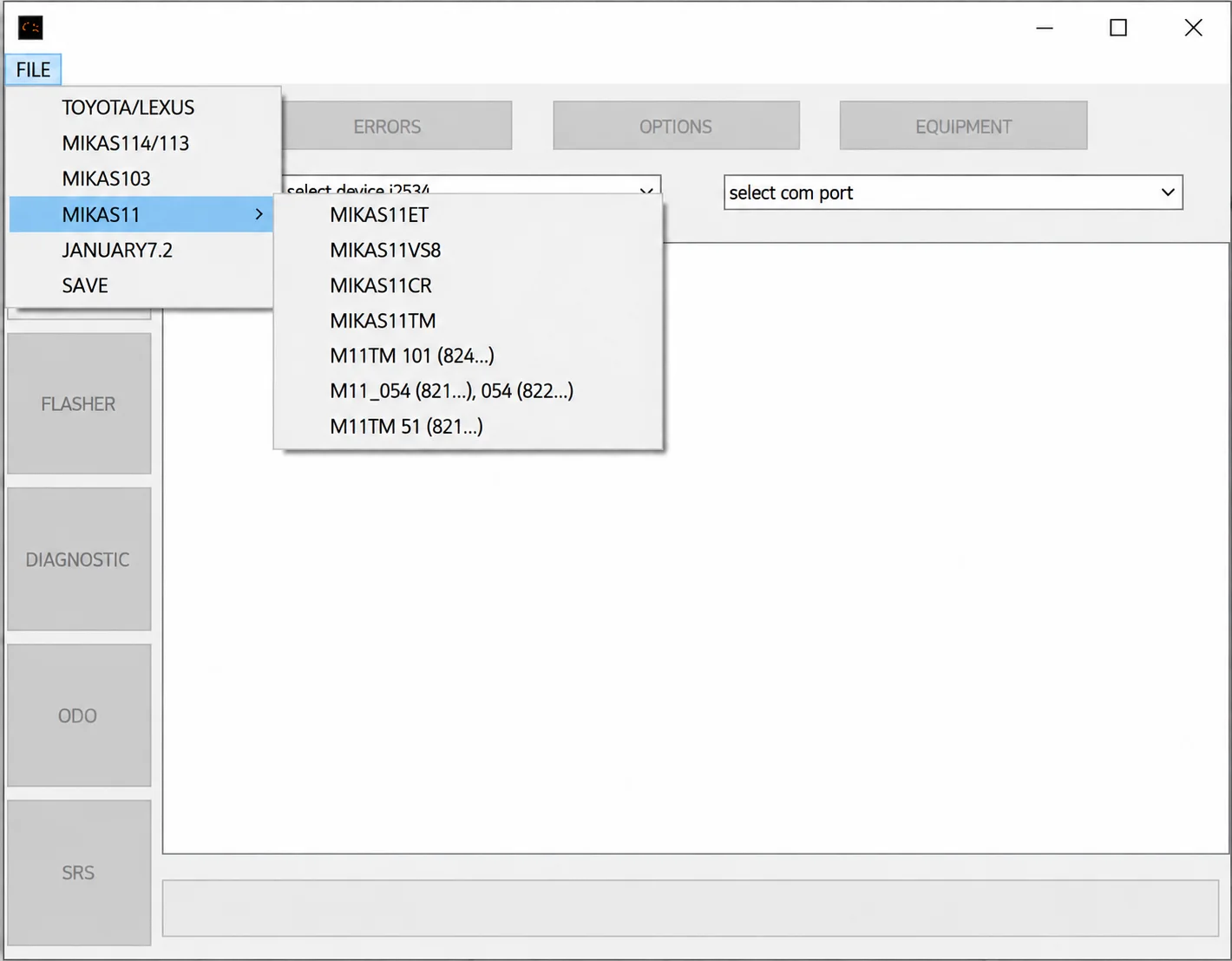
The FILE menu shows TOYOTA/LEXUS, MIKAS114/113, MIKAS103, MIKAS11, JANUARY7.2 and SAVE. The expanded MIKAS11 submenu contains the visible labels MIKAS11ET, MIKAS11VS8, MIKAS11CR, MIKAS11TM, M11TM 101 (824...), M11_054 (821...), 054 (822...) and M11TM 51 (821...). Truncated identifiers remain truncated; these are documented menu labels, not a verified additional vehicle-coverage list.
Package Contents
- English Toyota/Lexus DTC editor application.
- Russian-language companion build.
- Two interface screenshots.
- No J2534 driver, communication cable, stock firmware or checksum database is documented as included.
System and Workshop Requirements
- A Windows PC or isolated Windows virtual machine; exact Windows versions, architecture, runtime, RAM and storage requirements are not confirmed.
- A verified original Toyota or Lexus ECU binary.
- Exact ECU hardware and software identification.
- A programmer supporting the correct controller and read type for separate hardware operations.
- Binary comparison and controller-specific checksum verification.
- Stable programming power and a recovery plan before writing.
Recommended Workshop Workflow
- Identify the vehicle, ECU label, hardware/software numbers and reading method.
- Read the controller twice where practical, compare the results and store an untouched original outside the working directory.
- Work on a separate copy with the byte length and data type required by the supported function.
- Save under a new filename and compare each changed region with the original.
- Verify checksum handling for the exact controller with the programmer or a suitable independent tool.
- Use regulated power and the documented programming/recovery method for any separate hardware write.
- Complete identification, fault-code and functional checks before returning the vehicle to service.
Compatibility Limits
A file opening successfully does not prove support for its revision or internal layout. Full reads, calibration-only reads, virtual reads and reconstructed files are not interchangeable unless the specific workflow supports them. The application does not identify unknown hardware, select a programmer protocol or supply a recovery backup.
Do not write files with unexplained length changes, broad unrelated modifications or failed checksum verification. A suppressed DTC does not repair its monitored system and may hide a fault affecting safety, emissions or drivability.
Troubleshooting
- File rejected: check controller family, software number, byte length and the required memory/read type.
- No change produced: the expected signature or table may be absent; do not force a similar profile.
- Unrelated areas modified: stop, restore the original working copy and verify the input format.
- Application does not start: retain the components required by the supplied build together and use a compatible isolated Windows environment.
- Module stops communicating after a write: use the prepared recovery method and exact original read instead of making additional speculative edits.
File Handling
Retain the original archive and first verified ECU read unchanged. Use descriptive working filenames, record the tool and operation producing each output, and never replace the only recovery image with a processed file. General package notes mention retaining runtime or activation components where required; a specific activation procedure or runtime version is not confirmed for this editor.
Version Information
The documented version is 1.0.0.0. No detailed changelog is confirmed. Actual software release/update dates, package size, developer identity and license category remain unknown.
Important
Use the editor only for authorized and lawful vehicle service or controlled development. Diagnose and repair the underlying fault; editing a DTC entry is not a repair.
Preserve verified original reads, confirm the exact ECU and file layout, inspect every change and verify checksums before any separate programming operation.
Do not use DTC suppression to conceal a safety, emissions or drivability defect. A visible menu option or a successfully opened file does not guarantee hardware compatibility, direct programming support or a successful repair.
Technical Compatibility
Supported Modules
Operating Systems
System Requirements
- Windows PC or isolated Windows virtual machine; exact OS/runtime requirements unknown
- Verified original Toyota or Lexus ECU binary
- Exact ECU hardware and software identification
- Programmer supporting the correct controller and read type for separate hardware operations
- Binary comparison and controller-specific checksum verification
- Stable programming power and a recovery plan
Screenshots
Related Software

Offline Windows reference tool for Bosch ECU part numbers, controller families and OE cross-references, with exact, wildcard, prefix and binary-dump identifier searches.
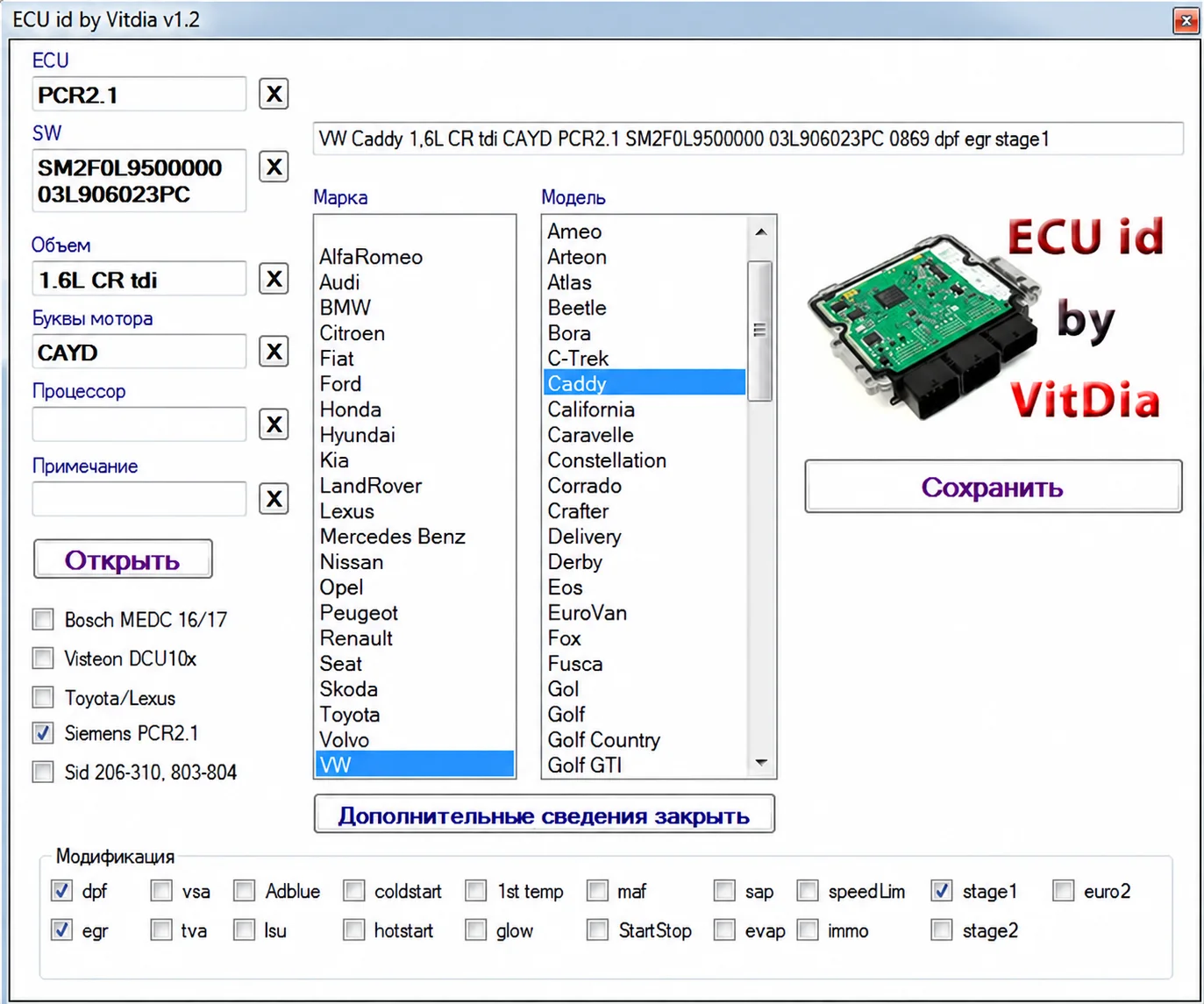
Offline firmware identification suite with five portable utilities, ECU and engine identifiers, vehicle candidates and detected feature flags for supported binaries.
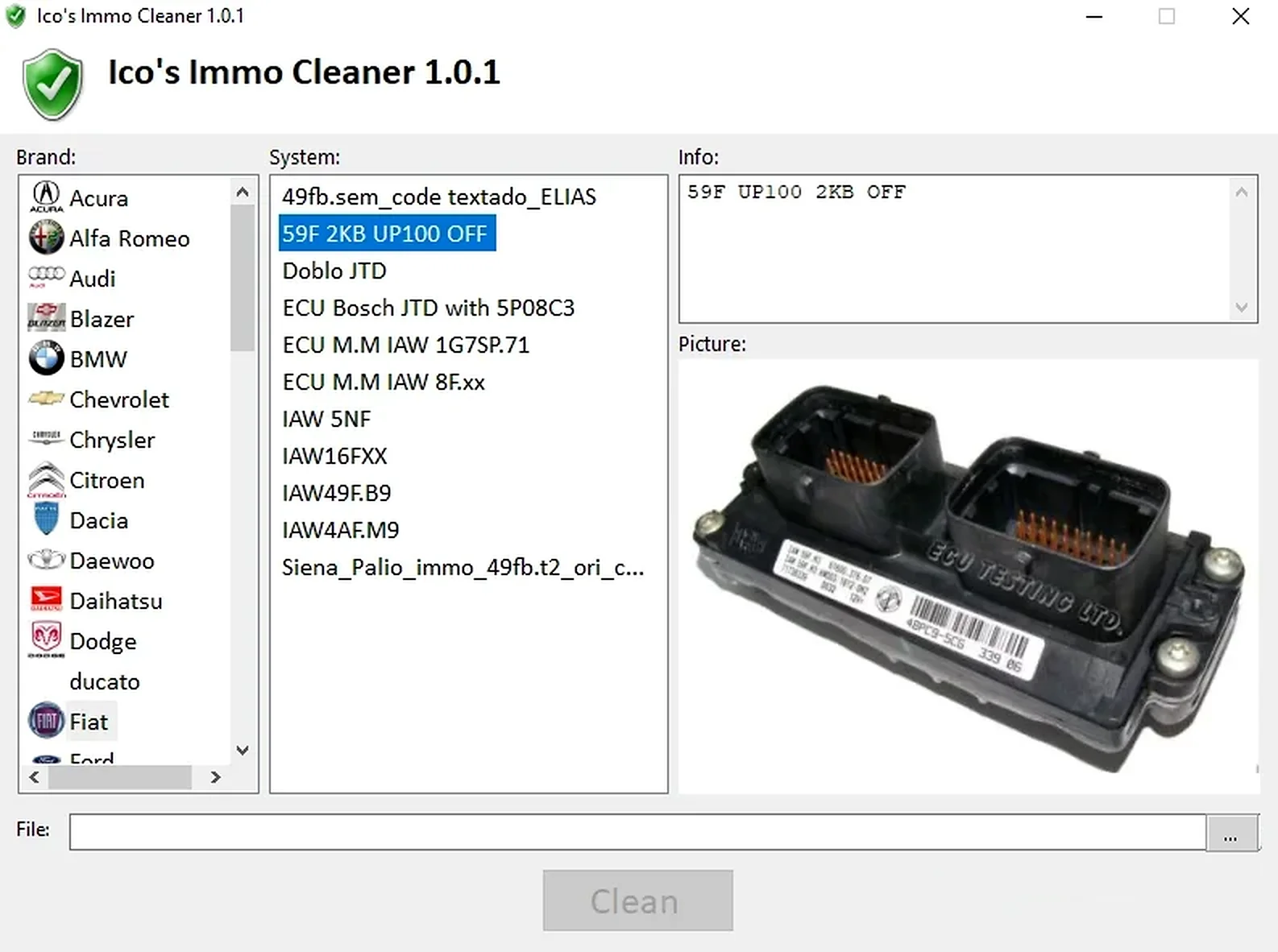
Offline Windows processor for supported ECU EEPROM and flash dumps, with brand/system selection, controller-specific clean, virgin and off templates, and reference images.
Legacy Windows multi-brand diagnostics with generic OBD, licensed manufacturer modules, live data and supported service functions using compatible MaxiECU hardware.

Windows BIN-file editor for locating and modifying supported ECU diagnostic trouble-code entries, with ECU-specific Disable/Remove actions and checksum validation requirements.
Offline Windows DF-to-P fault-code lookup for Renault diagnostic reports, with descriptions and a companion ECU Info number-prefix reference utility.