
SOFTWARE DATABASE / RELEASE RECORD
VERSION 2.0MaxiECU2 Multi-Brand OBD Diagnostics and Module Service 2.0
Legacy Windows multi-brand diagnostics with generic OBD, licensed manufacturer modules, live data and supported service functions using compatible MaxiECU hardware.
Categories
Vehicle references
Overview
MaxiECU2 is a modular Windows diagnostic platform combining generic EOBD access with licensed manufacturer-specific modules. Depending on the supported vehicle and controller, it can work with engine, transmission, ABS, airbag, body and climate-control systems.
This is the legacy 2.0 generation, not the newer MaxiECU platform. Compatible hardware and the correct brand entitlement are required. Brand buttons alone do not prove support: confirm the exact make, model, year, system and controller before use.
What This Resource Is For
Use the application for vehicle scans, control-unit identification, fault diagnosis, live-data inspection and supported service procedures. Its modular approach combines deeper manufacturer-specific access with a generic OBD route on a workshop laptop.
Confirmed Functions
- Choose licensed brands and the controller groups supported for the vehicle.
- Communicate through generic OBD protocol families including ISO 14230, ISO 9141, ISO 15765 CAN and SAE J1850.
- Read diagnostic trouble codes and clear them where the selected module permits it.
- Review live measurements, controller identification and operating status.
- Perform supported actuator tests, calibrations, resets and adaptations.
- Configure compatible network, FTDI USB or serial connections.
- Use automatic searching when a protocol or controller selection is uncertain.
Interface and Database Selection
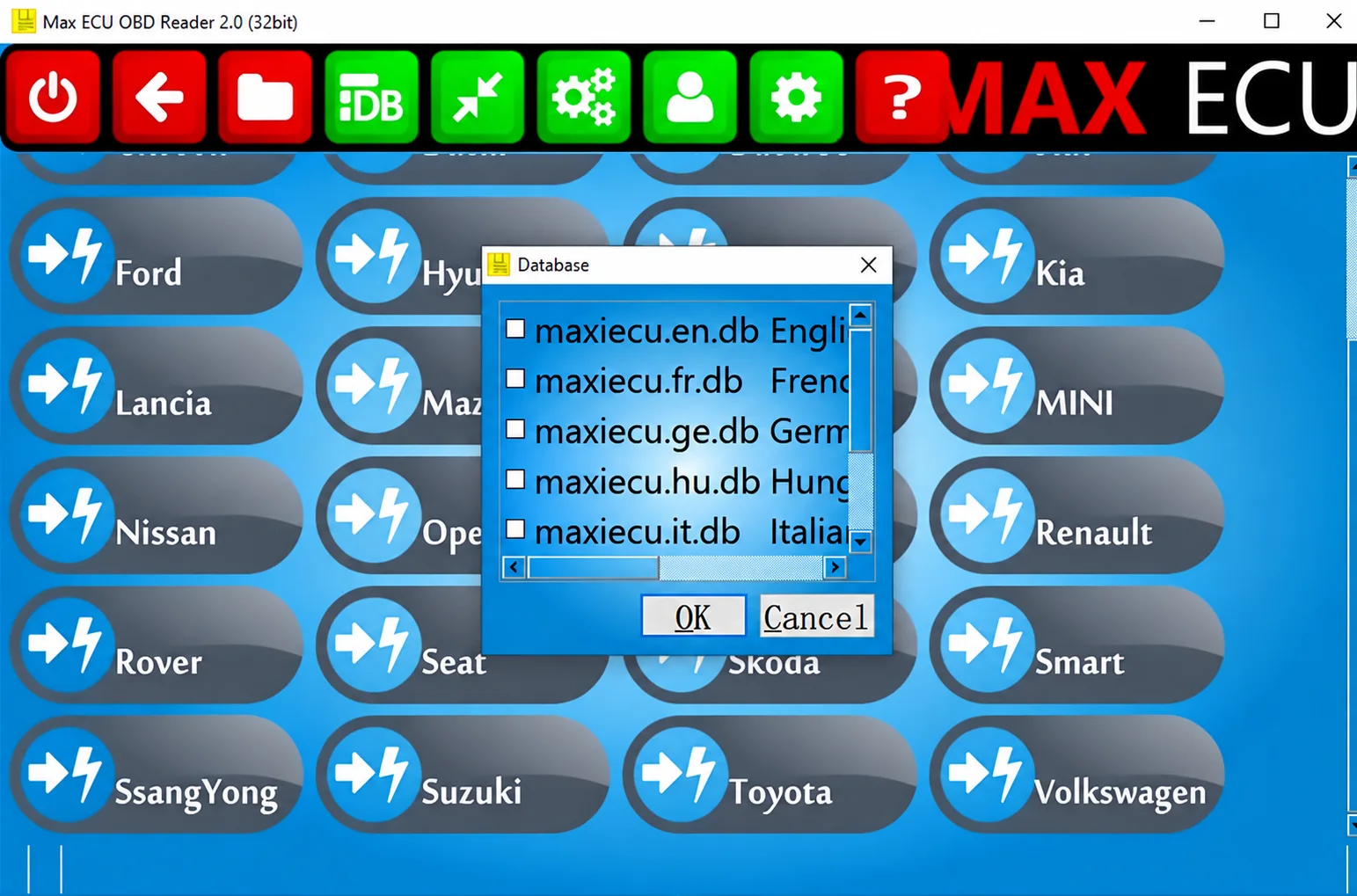
The main capture identifies the reader as 2.0 (32bit) and shows a Database dialog with English, French, German, Hungarian and Italian database entries. Visible brand examples include Ford, Hyundai, Kia, Lancia, Mazda, MINI, Nissan, Opel, Renault, Rover, Seat, Škoda, Smart, SsangYong, Suzuki, Toyota and Volkswagen. This is an interface selection view, not confirmation that all listed vehicles or functions are licensed or supported.
Supported Vehicles and Controllers
- The documented legacy product range covers 47 brands, including four light-commercial brands; this is a platform-level range, not a guarantee of the supplied installation’s entitlements.
- The interface presents European, Asian and American passenger-vehicle makes.
- MPM-COM is the legacy interface family associated with MaxiECU2.
- A 4GEN or Expert interface may be used where it retains a valid MaxiECU2 licence; possession of newer hardware alone does not establish that entitlement.
- Check the legacy-generation functionality database for the exact vehicle parameters and requested operation.
Package Contents
- An offline Windows installer, documented as extracted through three nested containers instead of retaining the archive wrappers.
- Two companion library files in the supplied activation layout.
- The accompanying readme.
- One main screenshot and two diagnostic-interface previews.
- Package documentation reports full container testing and extraction, with static executable inspection without launching the programs; these are documented package-review claims, not ECUDB execution tests.
System, Hardware and Interface Requirements
- Windows 8 or later is documented for this legacy generation. The pictured reader is a 32-bit application; this does not establish compatibility with every Windows build or architecture.
- A Pentium 4-class processor or better, with sufficient memory and storage for the diagnostic database. Exact RAM and disk requirements are not specified.
- A compatible MPM-COM, 4GEN or Expert interface carrying valid licences for the requested brands.
- Drivers and settings appropriate to the actual USB, Bluetooth, Wi-Fi or serial connection.
- Stable vehicle battery support while running active service procedures.
Connection Settings
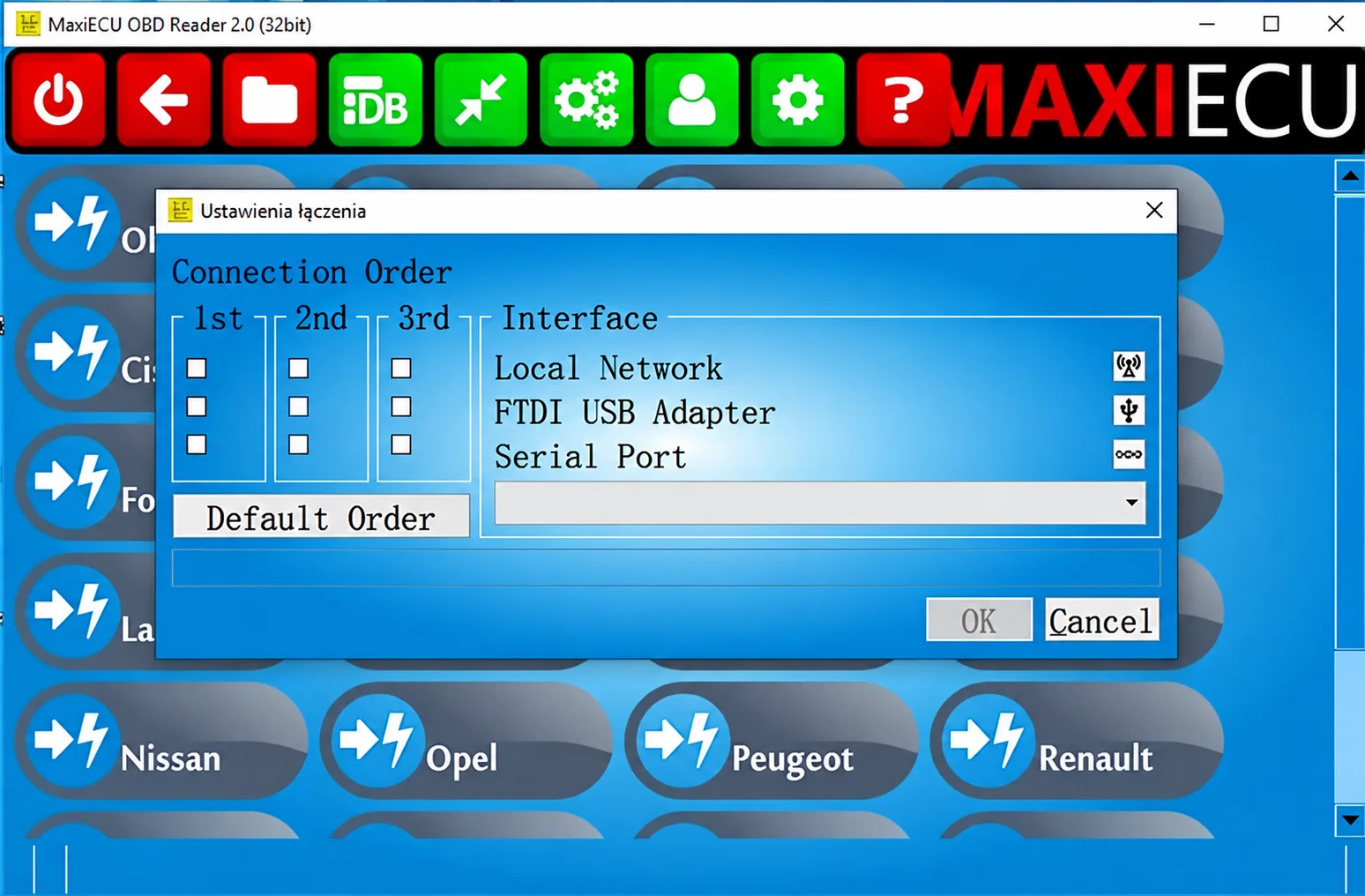
The connection dialog offers Local Network, FTDI USB Adapter and Serial Port, with first, second and third connection-order choices and a Default Order control. Select the transport and driver that match the interface hardware.
Generic OBD Protocol Selection
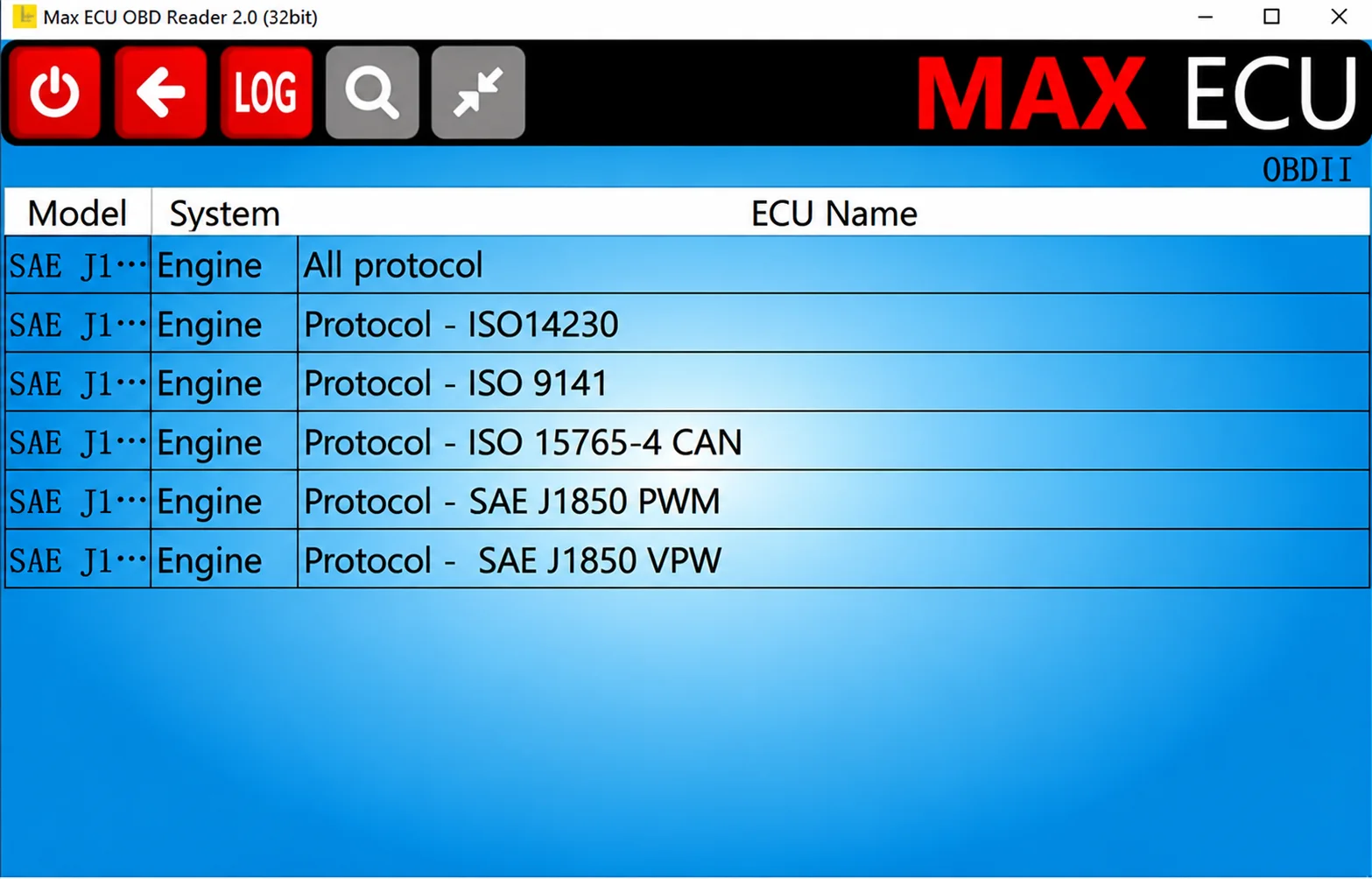
The illustrated Engine list contains All protocol, ISO14230, ISO 9141, ISO 15765-4 CAN, SAE J1850 PWM and SAE J1850 VPW selections. Generic OBD support is separate from the deeper manufacturer-specific diagnostic functions.
Recommended Workshop Workflow
- Confirm the interface model, serial number and licensed brands before connecting.
- Select the exact vehicle; use automatic search with care.
- Save an initial full scan and controller-identification report.
- Find the underlying physical or network fault before clearing DTCs.
- Check all prerequisites before starting a reset, calibration or actuator test.
- Run another scan after the repair, compare the results and retain the logs with the repair order.
Compatibility Limits and Responsible Use
- Keep this legacy package distinct from the current-generation MaxiECU product.
- MPM-COM has technical limitations with newer vehicle protocols.
- Licensing a brand does not establish support for every model, ECU or service operation.
- Generic OBD exposes a narrower data set than manufacturer-specific diagnostics.
- Maintain battery voltage and a reliable connection; do not interrupt adaptations or coding through power loss or unstable wireless communication.
Troubleshooting
- Interface not detected: check the driver and selected USB, Bluetooth or network transport.
- No controller connection: follow the ignition instructions and select the exact system rather than only its brand.
- Licence required: verify the brand entitlement bound to the interface.
- Installation fails: review Windows compatibility and the necessary Visual C++ runtime libraries; no unverified runtime version is specified here.
- Live data stops: check interface power, connection quality and faults on the vehicle network.
File Integrity and Safety Notes
The package is documented as having undergone archive and nested-container extraction checks and static inspection of its native executables without execution. ECUDB has not independently run the installer or performed a vehicle diagnostic session.
Retain untouched originals, work on copies and use current independent security scanning. Before any vehicle or module write, maintain stable power and a proven recovery route. Recorded hashes or structural checks alone do not establish that an unsigned or activation-modified executable is malware-free.
Technical Compatibility
Supported Modules
Operating Systems
System Requirements
- Windows 8 or newer for the legacy generation; pictured reader is 32-bit
- Pentium 4-class processor or better
- Sufficient RAM and storage for the diagnostic database; exact amounts unspecified
- Compatible MPM-COM, 4GEN or Expert interface with valid MaxiECU2 brand licences
- Correct USB, Bluetooth, Wi-Fi or serial drivers and transport settings
- Stable vehicle battery support for active service procedures
Screenshots
Related Software
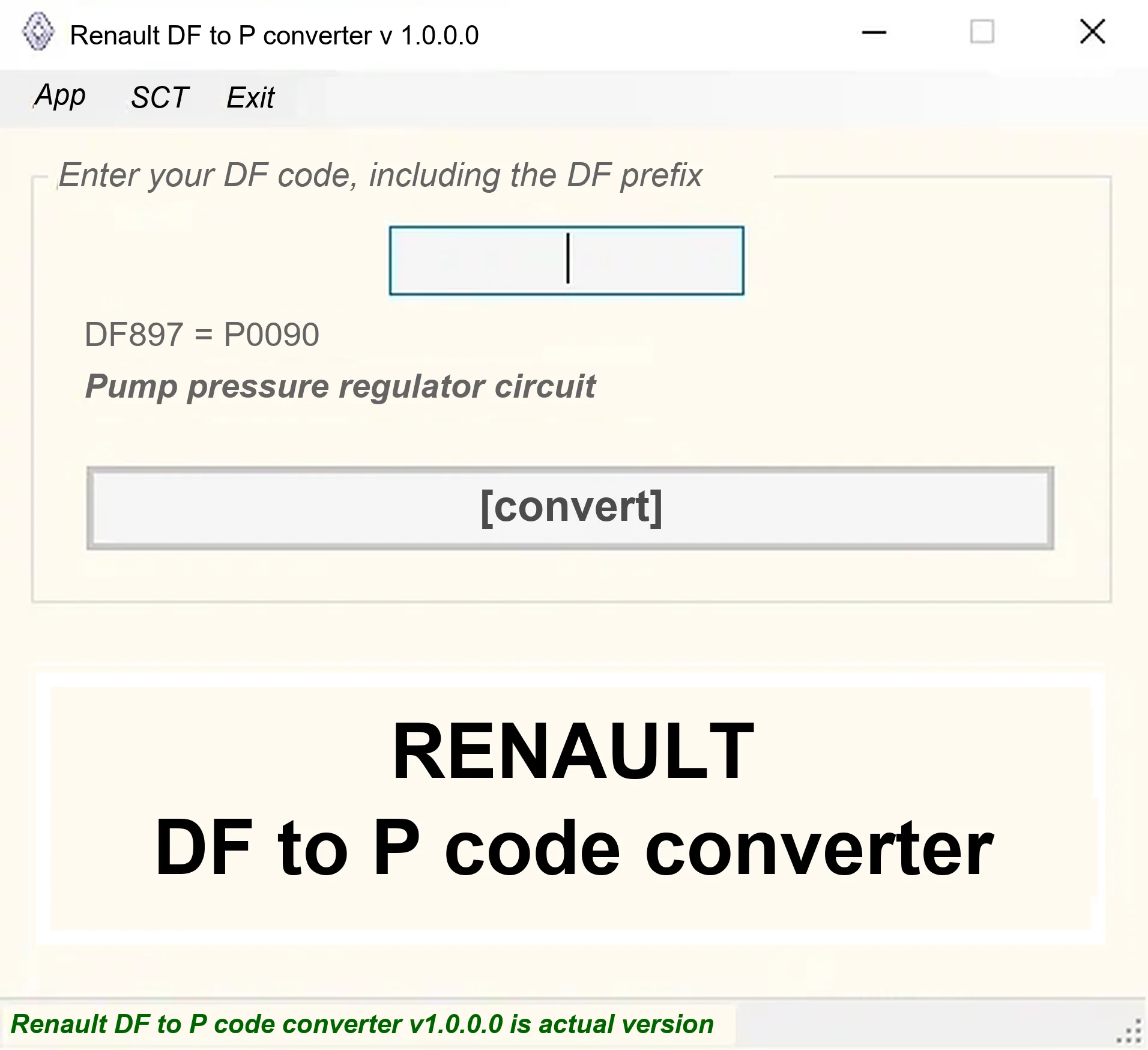
Offline Windows DF-to-P fault-code lookup for Renault diagnostic reports, with descriptions and a companion ECU Info number-prefix reference utility.

Offline Windows reference tool for Bosch ECU part numbers, controller families and OE cross-references, with exact, wildcard, prefix and binary-dump identifier searches.

Windows map and axis detection for supported Siemens PPD/SID full BDM binaries, with table and 3D views, DTC analysis and XDF/A2L definition export.

Offline Windows checksum inspection and correction for recognized Bosch and Sagem petrol ECU binaries, with eight supplied modules and All, Bad and Fixed counters.
Offline Windows file editor for selected BMW and VAG Bosch ECU profiles, with separate start-stop, torque monitoring, Vmax, rev-limiter and DTC functions.
Offline Windows cold-start calibration file utility for Renault EMS3132 1.6, EMS3132 1.4 and V42 1.6 ECU reads.