
SOFTWARE DATABASE / RELEASE RECORD
VERSION 1.2VAG ECU ID by Vitdia - Firmware Identification and Vehicle Data Tool 1.2
Offline firmware identification suite with five portable utilities, ECU and engine identifiers, vehicle candidates and detected feature flags for supported binaries.
Categories
Vehicle references
Overview
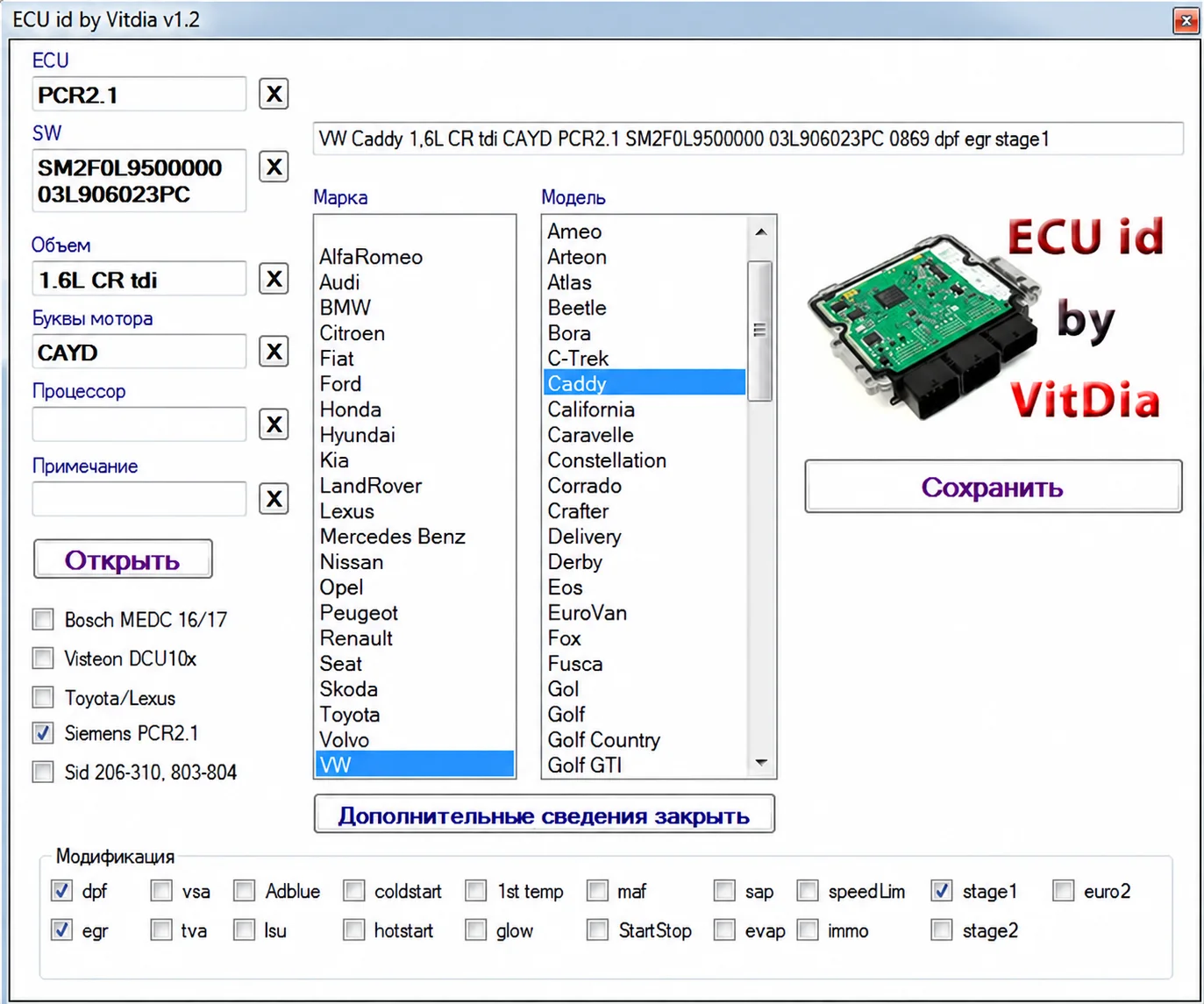
VAG ECU ID by Vitdia is a collection of offline firmware-identification utilities for extracting readable controller and vehicle data from supported binary files. The main interface can display ECU family, software number, engine displacement, engine code, manufacturer, model candidates and feature flags recovered from recognized calibrations.
The package contains five related applications with different parser generations and selected non-VAG support. Their identification workflow analyzes local files without connecting to a vehicle. Controller changes require a separate, deliberately selected modification and programming workflow.
What This Resource Is For
Use the suite to label unknown reads, cross-check a file against the expected ECU and collect identifiers before starting a tuning or repair project. It is useful when filenames are missing or several reads from similar vehicles have been stored together.
Confirmed Functions
- Extract ECU-family, software and engine identifiers from recognized firmware.
- Display manufacturer and model candidates associated with the detected data.
- Show modification markers for DPF, EGR, AdBlue, start-stop, speed limiter and immobilizer data when recognized by the parser.
- Save or document the parsed identity information.
- Use separate parsers for general ECU ID, VAG MEDC17, Opel ECU ID and earlier VAG formats.
Supported Controllers, Files and Vehicles
- Bosch MEDC16 and MEDC17 families where supported by the selected parser.
- Siemens PCR2.1.
- Visteon DCU10x.
- Selected SID206, SID310, SID803 and SID804 layouts.
- A Toyota/Lexus parser and an Opel-specific identifier are also included.
- The visible manufacturer list contains many brands; actual identification depends on firmware signatures.
Package Contents
- The current ECU ID application.
- An earlier general ECU ID branch.
- VAG ECU ID and VAG MEDC17-specific utilities.
- An Opel ECU ID utility.
- Five portable executables, documented as statically inspected without being launched.
System and Interface Requirements
- A Windows PC or isolated Windows virtual machine.
- A complete binary read covering the ECU memory region expected by the parser.
- A known-good source-file hash and a clear record of the read method.
- No diagnostic interface is required for offline identification.
Recommended Workshop Workflow
- Copy the original read into a read-only identification workspace.
- Choose the parser that best matches the suspected controller family.
- Compare reported software and engine identifiers with the ECU label or diagnostic scan.
- Save the identification result and use it to select the appropriate editor, checksum support and programming method.
- Keep unknown or contradictory reads separate until their identity has been independently established.
Compatibility Limits and Responsible Use
- Displayed model lists are candidates, not guarantees of compatibility.
- An identification match does not prove that a tuning definition or checksum plugin is appropriate.
- Feature flags are parser observations; confirm them by inspecting the binary.
- Do not rename or overwrite the original read before independent identification checks.
Troubleshooting
- Blank fields: try the parser dedicated to the suspected controller family.
- Software number conflicts with the ECU label: verify that the file is complete rather than a calibration-only segment.
- Several model candidates: use the engine code, hardware number and diagnostic data to narrow the identity.
File Integrity and Safety Notes
Package documentation reports complete archive testing and extraction, inspection of nested containers where present, and static inspection of executable files without launching them. These are documented package-review claims, not independent executable or vehicle tests by ECUDB.
Preserve original ECU and module reads and work on copies. For subsequent modifications and writes performed with separate tools, check output size and checksum requirements, maintain stable power and retain a proven recovery method.
An unsigned executable should not be assumed malware-free. Use a dedicated analysis environment and your own current security tools.
Technical Compatibility
Supported Modules
Operating Systems
File Formats
ECU Families
System Requirements
- Windows PC or isolated Windows virtual machine
- Complete binary read from the ECU memory region expected by the parser
- Known-good source-file hash and documented read method
- No diagnostic interface required for offline identification
Screenshots
Related Software

Windows map and axis detection for supported Siemens PPD/SID full BDM binaries, with table and 3D views, DTC analysis and XDF/A2L definition export.
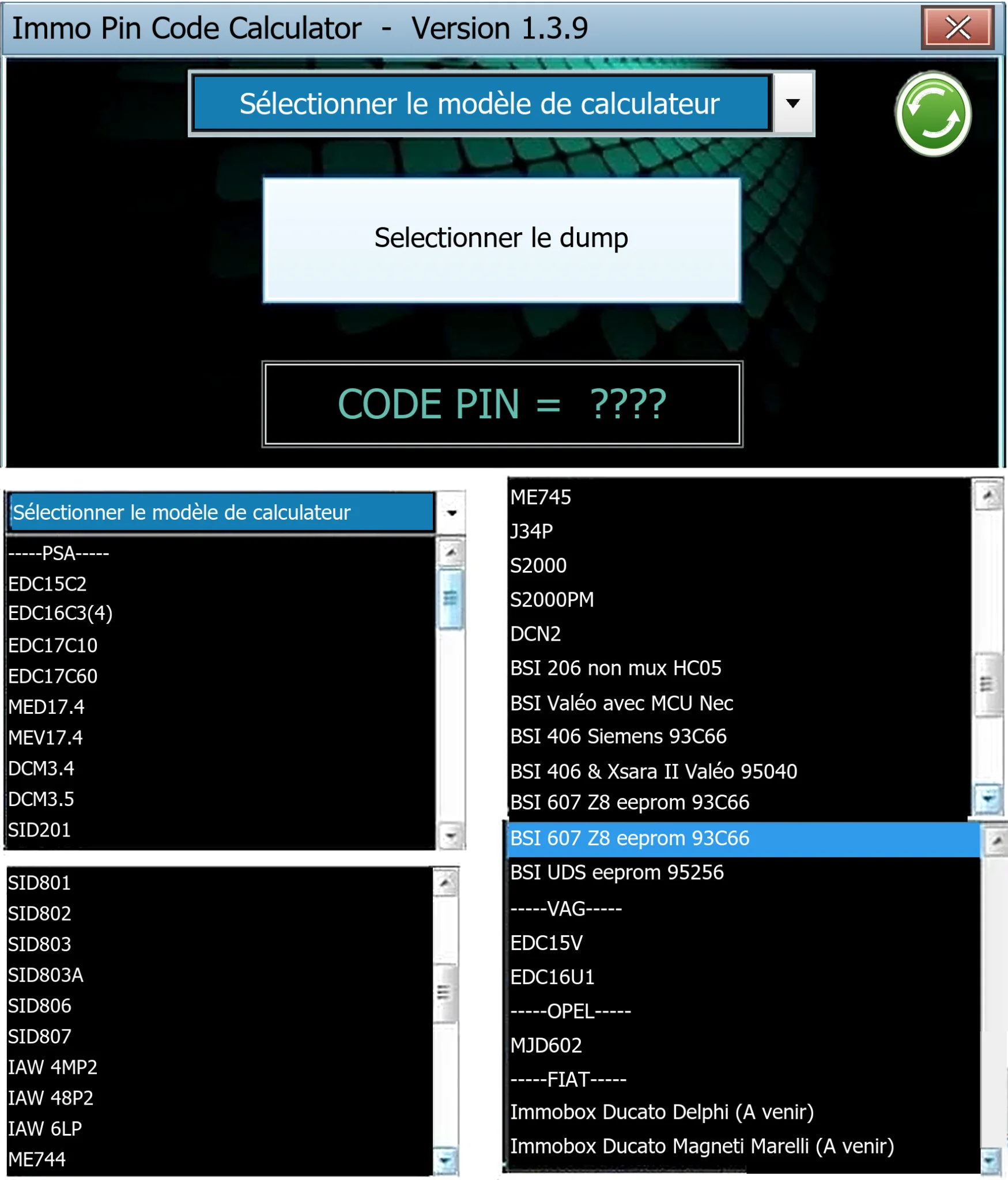
Offline Windows PIN decoder for supported Peugeot/Citroën ECU and BSI dumps, with additional Volkswagen EDC15V/EDC16U1 and Opel MJD602 profiles.
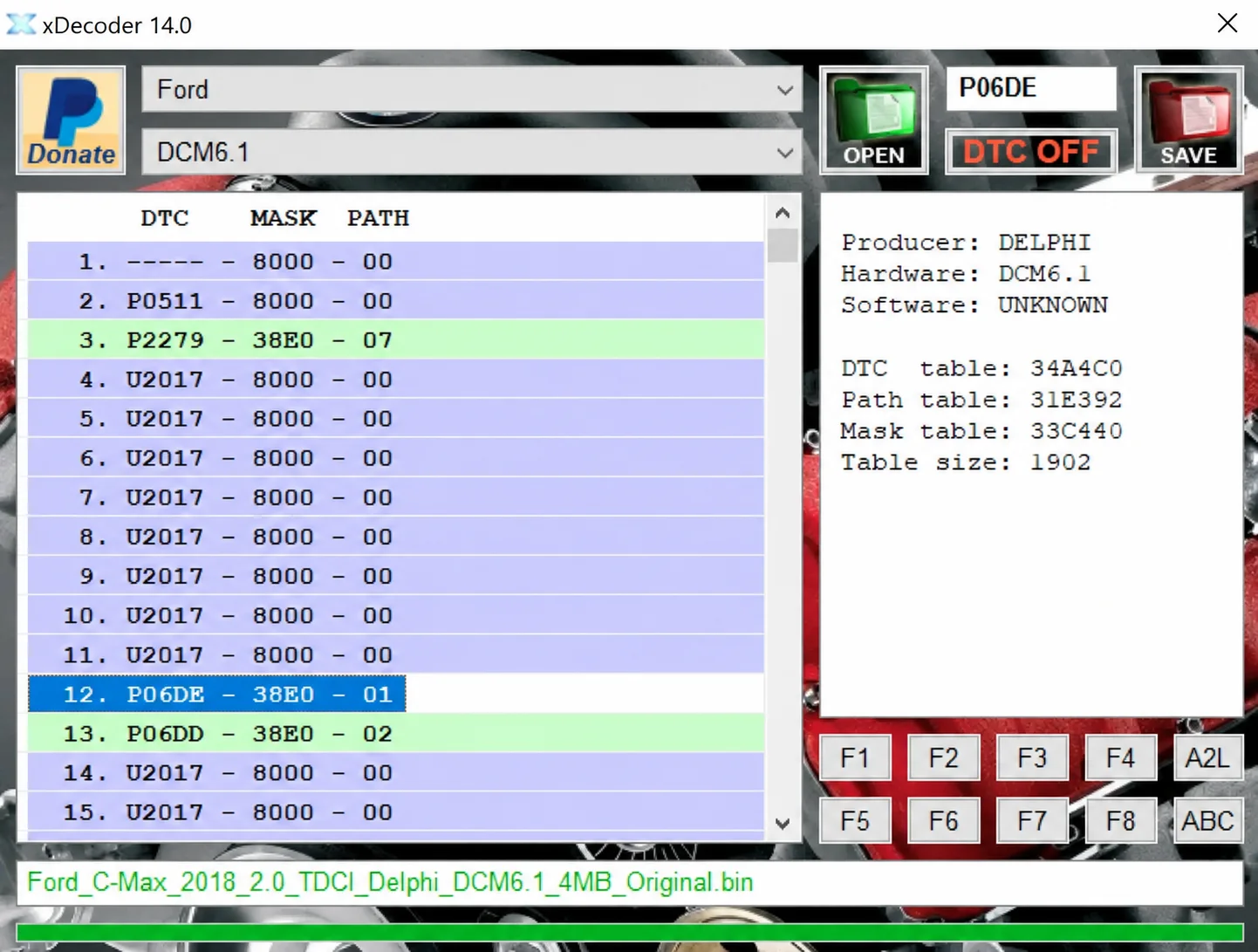
Windows BIN analysis and DTC editing utility for supported Bosch, Delphi, Continental, Siemens, Visteon and other ECU strategies.

Legacy Windows ECU service software for supported VAG EDC15/ME7, PSA EDC15C2 and Opel Delco controllers, with profile-dependent PIN, identity and EEPROM functions through a matching interface.

Offline Windows reference tool for Bosch ECU part numbers, controller families and OE cross-references, with exact, wildcard, prefix and binary-dump identifier searches.

Offline Windows checksum inspection and correction for recognized Bosch and Sagem petrol ECU binaries, with eight supplied modules and All, Bad and Fixed counters.