
SOFTWARE DATABASE / RELEASE RECORD
VERSION 1.3.9PSA IMMO PIN Code Calculator - ECU & BSI Dump Decoder 1.3.9
Offline Windows PIN decoder for supported Peugeot/Citroën ECU and BSI dumps, with additional Volkswagen EDC15V/EDC16U1 and Opel MJD602 profiles.
Categories
Vehicle references
Overview
PSA IMMO PIN Code Calculator is an offline Windows utility for recovering the four-character immobilizer security code from compatible ECU or BSI memory dumps. It supports authorized key replacement, ECU/BSI matching and module-repair work on selected Peugeot and Citroën systems. The application also includes a smaller selection of Volkswagen and Opel decoder profiles.
The calculator processes local files. It does not connect to the vehicle or read EEPROM through OBD. The required EEPROM, flash or MCU region must first be acquired with suitable bench, boot, BDM, JTAG or chip-programmer hardware. Select the exact controller profile and load the matching dump. The result depends on correct file identification and a reliable read.
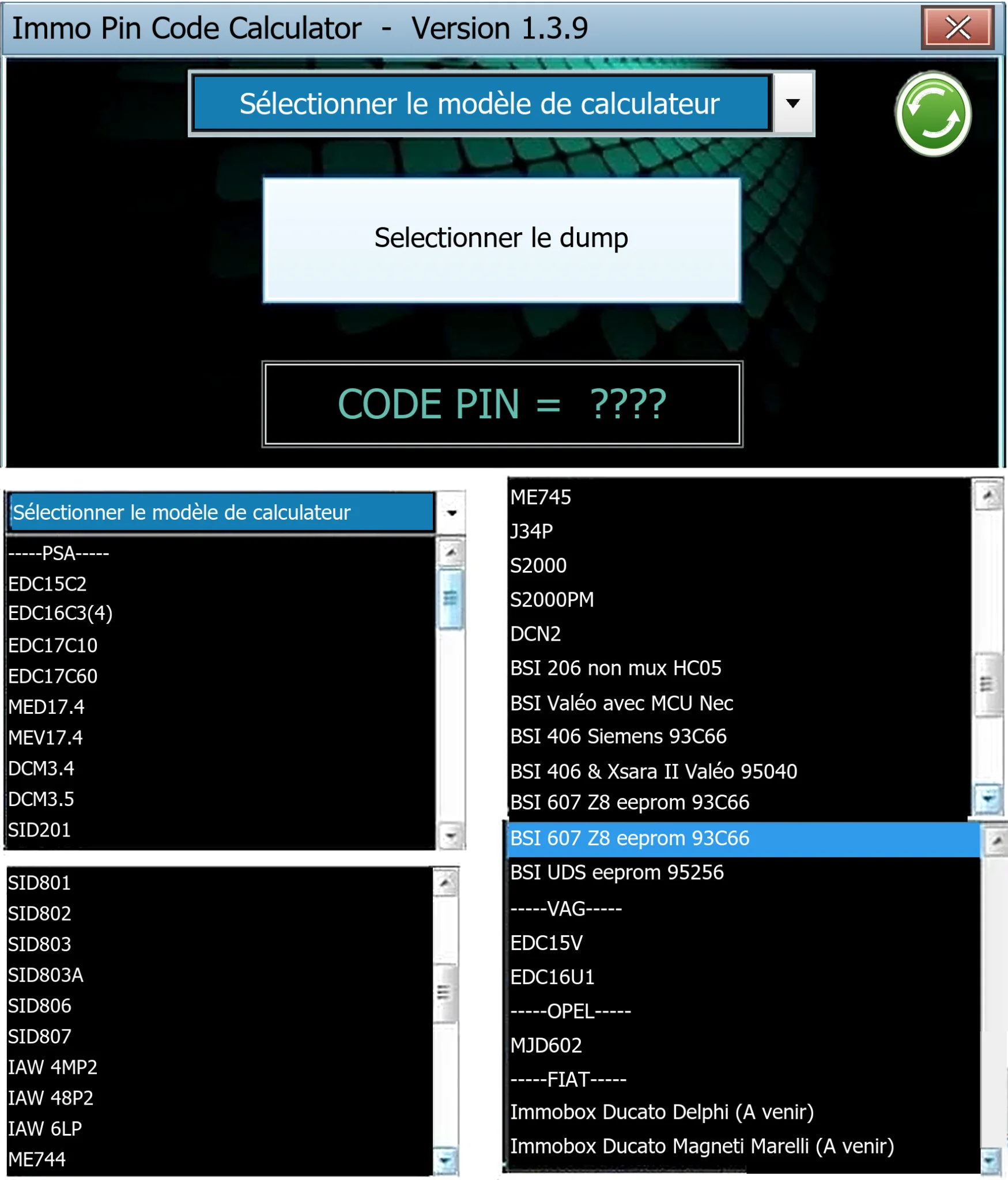
The package includes two known-format PSA sample dumps for learning file selection. The composite interface view below shows the calculator and its profile menus.
What the Calculator Does
- Loads a local binary dump from a supported engine ECU or BSI.
- Checks the selected profile against its expected file size or sizes.
- Extracts the stored immobilizer PIN/security code when it recognizes the layout.
- Displays the calculated result in the application window.
- Operates offline once the required dump has been acquired.
- Includes two sample files illustrating valid PSA EDC dump sizes.
It is a dump decoder rather than a complete key-programming suite. Key cutting, transponder programming, module synchronization, BSI reset, ECU virginization and checksum correction after unrelated edits require separate, appropriate tools and procedures.
PSA Bosch and DCM ECU Profiles
- EDC15C2 and EDC15C7: diesel ECU profiles.
- EDC16C3/C4: diesel ECU profiles.
- EDC17C10 and EDC17C60: diesel ECU profiles.
- MED17.4 and MEV17.4: petrol ECU profiles.
- DCM3.4 and DCM3.5: diesel controller profiles.
Match both the actual ECU family and the acquired memory region. An EDC17 EEPROM-area read is not interchangeable with a full internal-flash read, while the DCM3.4 decoder expects its particular serial-EEPROM layout. Confirm the Bosch, Continental or Delphi part number, PSA number, processor and memory device before loading a file.
PSA Siemens and Continental SID Profiles
Documented selections include SID201, SID801, SID802, SID803, SID803A, SID806 and SID807. These cover different controller generations, engines and memory devices, so accepted length varies.
SID807 has several documented sizes depending on the memory region and application. SID801, SID802 and SID806 use much smaller data blocks in this calculator. Obtain the correct EEPROM or internal-data region; never pad or truncate a dump to pass validation.
Additional PSA ECU Profiles
The profile list also includes:
- IAW 4MP2 and IAW 48P2.
- IAW 6LP.
- ME7.4.4 and ME7.4.5.
- J34P.
- S2000 and S2000PM.
- Lucas DCN2.
These profiles require files from the matching controller generation. Similar vehicle names can use different ECUs according to engine, fuel, market and production period. Identify the controller label and memory component instead of selecting by vehicle model alone.
Supported BSI Layouts
- Peugeot 206 non-multiplexed BSI with Motorola HC05 MCU data.
- Valeo BSI with NEC MCU data.
- Peugeot 406 Siemens BSI with 93C66 EEPROM.
- Peugeot 406 and Citroën Xsara II Valeo BSI with 95040 EEPROM.
- Peugeot 607 Z8 BSI with 93C66 EEPROM.
- PSA UDS BSI with 95256 EEPROM.
BSI dumps may also contain VIN, configuration, mileage, key and security information. Treat them as sensitive customer data and do not publish unredacted files.
Additional Non-PSA Profiles
The application exposes Volkswagen EDC15V and EDC16U1 profiles and an Opel MJD602 profile. The Fiat/Ducato immobilizer entries are labelled as future or incomplete functions and must not be presented as working support.
Independently validate results from non-PSA profiles before adaptation. A plausible four-character result does not prove that the selected controller definition matches the file.
Exact Input-Size Checks Found in the Application
The application's validation messages document the following sizes. All values are in bytes:
| Profile / memory | Accepted size in bytes |
|---|---|
| EDC16C3/C4 | 2,048, 4,096 or 8,192 |
| MEV17.4 | 32,768 |
| EDC17C10 | 65,536 or 131,072 |
| EDC17C60 | 196,608 or 262,144, depending on the profile path |
| DCM3.4 / 95320 | 4,096 |
| DCM3.5 / 95640 | 8,192 |
| SID201 | 4,096 |
| SID801, SID802 and SID806 | 256 |
| SID807 | 32,768, 65,536 or 131,072; a separate internal path expects 4,096 |
| IAW 4MP2 | 262,144 |
| IAW 48P2 and IAW 6LP paths | 524,288 |
| ME7.4.4 | 2,048 |
| ME7.4.5 | 4,096 |
| J34P | 2,048 |
| Lucas DCN2, S2000 and S2000PM | 1,024 |
| BSI HC05 or NEC data | 256 |
| BSI 93C66 or 95040 | 512 |
| BSI UDS / 95256 | 32,768 |
| VAG EDC15V / 24C04 | 512 |
| VAG EDC16U1 and Opel MJD602 | 4,096 |
Length is only an initial check. Unrelated modules may produce equal-size files. Pair it with controller number, processor, memory-device identification and visual data review.
Typical Peugeot and Citroën Applications
These controller families occur in period Peugeot 206, 207, 208, 306, 307, 308, 406, 407, 607, Partner and Expert applications, and Citroën C2, C3, C4, C5, Xsara, Berlingo and Jumpy applications.
This is an orientation list, not blanket model coverage. A model may use Bosch, Siemens/Continental, Delphi, Sagem or Magneti Marelli management, and its BSI architecture can change during production. Establish compatibility from the module label and dump structure.
Recommended Acquisition Workflow
- Record the vehicle VIN, module part numbers and visible memory-device markings privately.
- Choose a programmer and pinout proven for that exact ECU or BSI.
- Use stable bench power and the required boot, BDM, JTAG or EEPROM voltage.
- Read the target memory region at least twice.
- Compare reads byte-for-byte and calculate a SHA-256 hash.
- Preserve an immutable original before loading a working copy.
- Select the exact profile and ensure the file passes size validation without modification.
- Compare the displayed PIN with authorized service records or another trusted method whenever possible.
If the reads differ, stop. The calculator cannot repair an unstable hardware read.
Authorized Module-Matching Workflow
A recovered PIN may be required for adding keys or matching a replacement ECU/BSI through an approved diagnostic procedure. Before use:
- Verify ownership and the technician's authorization.
- Confirm that VIN and module identity belong to the same vehicle.
- Back up every involved module before adaptation.
- Follow the manufacturer's diagnostic sequence or a tool procedure documented for the exact platform.
- Maintain battery support throughout key or module programming.
- Avoid repeated PIN guesses; some systems impose delays or lockouts.
- Afterwards, scan all modules and check starting, central locking and remote functions.
Use only for lawful repair and recovery. A security code must never replace ownership checks.
System Requirements
- Windows PC with 32-bit x86 application support.
- Microsoft .NET Framework 4.x; enabling required legacy .NET components may help on a clean modern Windows installation.
- 1 GHz CPU, 1 GB RAM and a documented storage footprint below 100 MB.
- A suitable EEPROM/flash programmer, ECU bench tool or BSI programmer to acquire the dump.
- A hex viewer and hashing tool for checking repeated reads.
- No internet connection is needed for calculation.
The executable is documented as an unsigned managed x86 application. Use an isolated workshop PC or VM and verify its expected hash before launch. Specific Windows versions are not established here.
Package Contents
The documented package contains the Windows calculator and two PSA sample dumps: a larger EDC17C10 example and a smaller EDC16C3/C4 example. Their public filenames are normalized to avoid exposing demonstration security codes in the archive listing.
Preparation notes describe a complete test and extraction of the encrypted input RAR, byte-pinning of the executable and both samples, and static application inspection without execution. The publication archive is described as having encrypted headers and an independent post-creation test. These are documented preparation details, not independently repeated ECUDB archive or execution tests.
Limitations and Troubleshooting
- Unsupported file size: check whether EEPROM, internal flash, external flash or MCU data was read. Do not resize the file.
- Blank or implausible PIN: confirm the exact controller profile and compare against another verified dump.
- Sample succeeds but the vehicle dump fails: the module may use another hardware/software revision despite the same vehicle model.
- Application does not start: enable the required .NET Framework components and 32-bit application support.
- BSI data needs review: keep it private and redact VIN, PIN, keys, mileage and customer identifiers before requesting help.
- Fiat/Ducato option is unavailable: it is marked as a future function and is not confirmed working coverage.
- Diagnostics reject the calculated code: stop before repeated attempts and verify module identity, byte order, dump integrity and the diagnostic procedure.
- Security software flags the application: quarantine it, compare its expected hash and obtain an independent scan before use.
Technical Compatibility
Supported Modules
Operating Systems
File Formats
ECU Families
System Requirements
- Windows with 32-bit x86 application support
- Microsoft .NET Framework 4.x; required legacy components may need enabling
- 1 GHz CPU and 1 GB RAM
- Documented application storage footprint below 100 MB; allow space for backups
- Compatible EEPROM/flash programmer, ECU bench tool or BSI programmer to acquire the input
- Hex viewer and hashing tool for repeated-read verification
- Calculation works offline
- Unsigned managed x86 executable; isolated workshop PC or VM recommended
Screenshots
Related Software

Legacy Windows ECU service software for supported VAG EDC15/ME7, PSA EDC15C2 and Opel Delco controllers, with profile-dependent PIN, identity and EEPROM functions through a matching interface.

Windows map and axis detection for supported Siemens PPD/SID full BDM binaries, with table and 3D views, DTC analysis and XDF/A2L definition export.
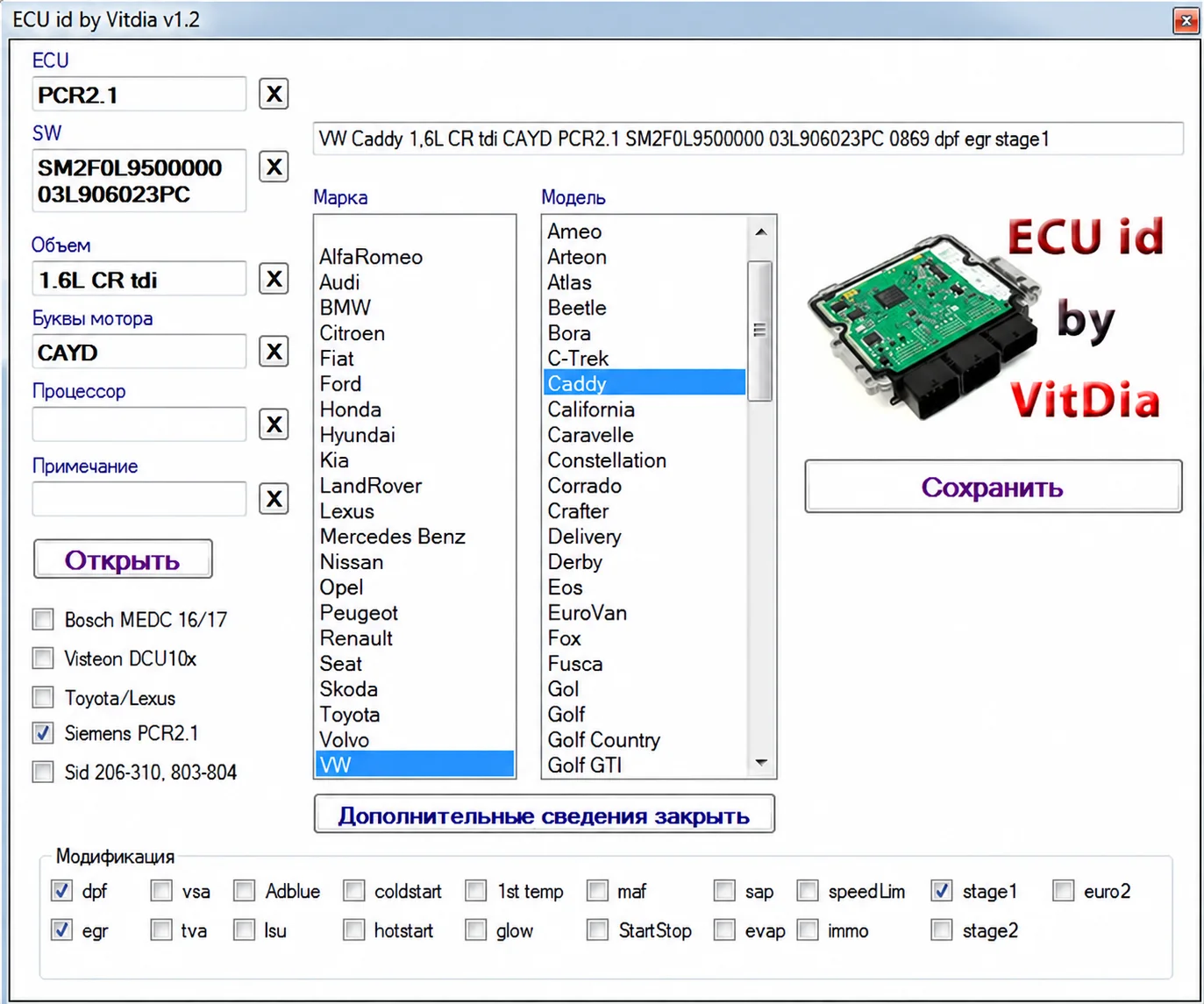
Offline firmware identification suite with five portable utilities, ECU and engine identifiers, vehicle candidates and detected feature flags for supported binaries.
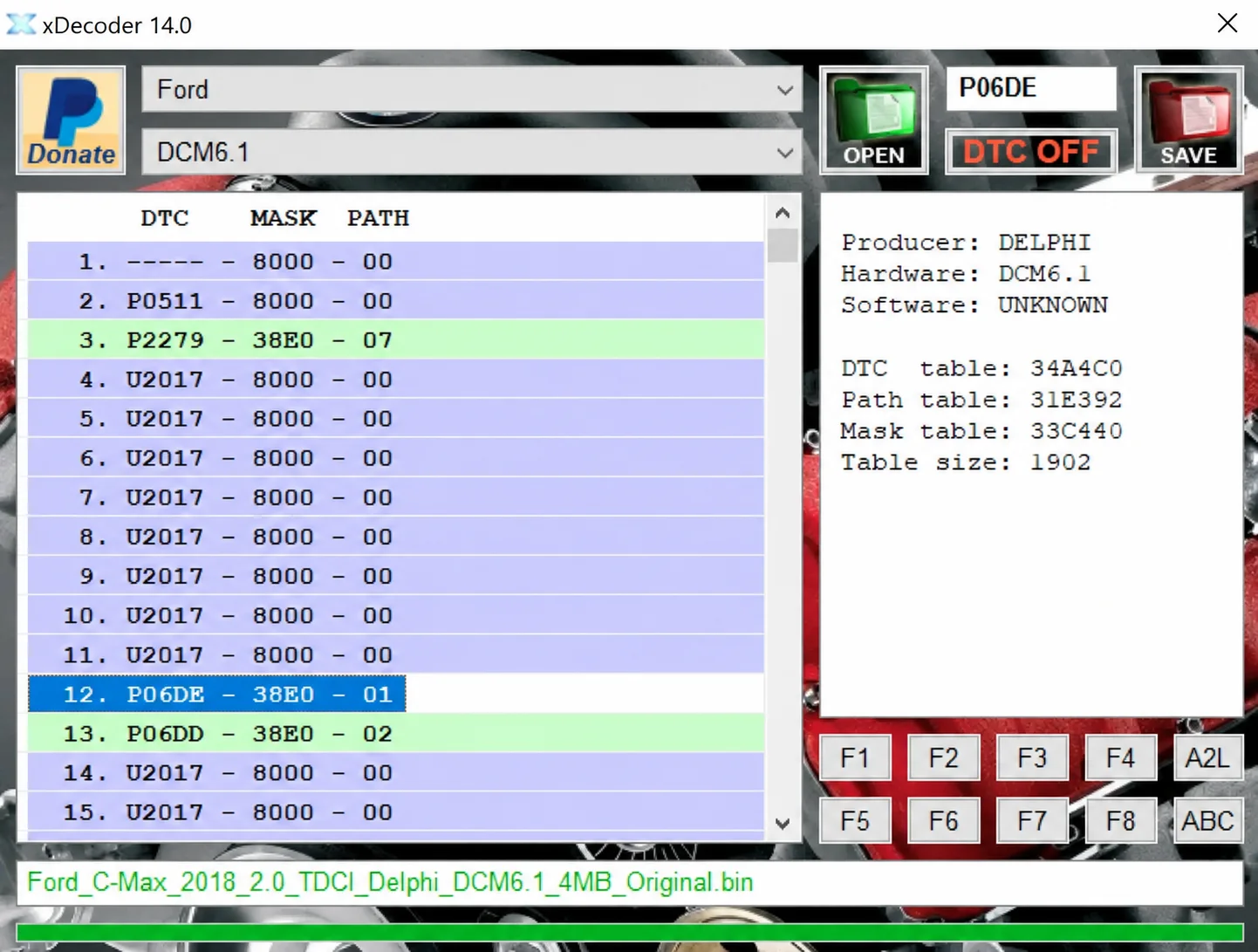
Windows BIN analysis and DTC editing utility for supported Bosch, Delphi, Continental, Siemens, Visteon and other ECU strategies.
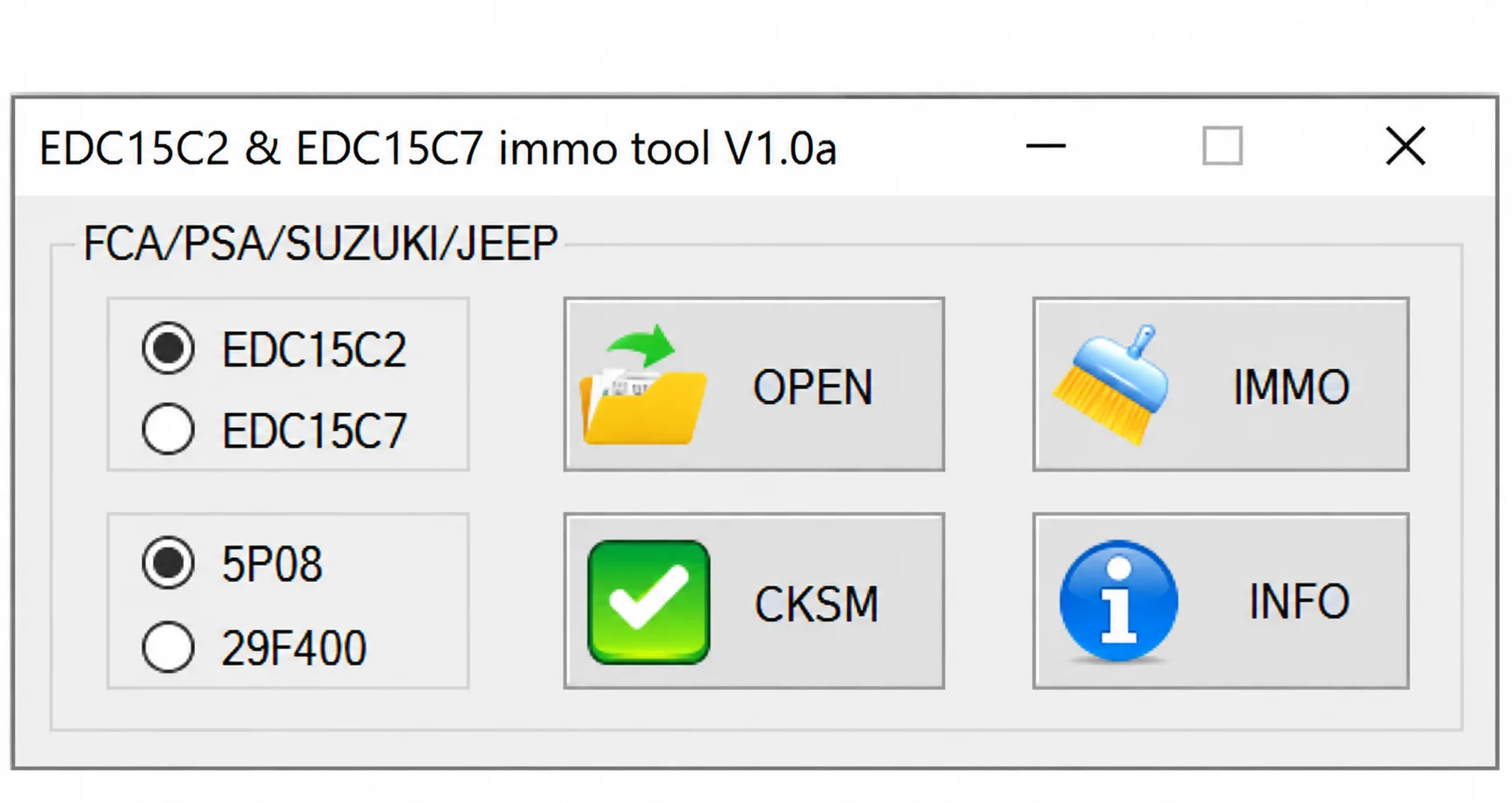
Offline Windows utility for IMMO Off and checksum processing of supported Bosch EDC15C2 and EDC15C7 memory files for selected FCA, PSA, Suzuki and Jeep applications.

Offline Windows reference tool for Bosch ECU part numbers, controller families and OE cross-references, with exact, wildcard, prefix and binary-dump identifier searches.