
SOFTWARE DATABASE / RELEASE RECORD
VERSION 2018Mercedes-Benz FDOK and Xentry Special Functions Calculator 2018
Offline Windows companion for selected legacy Mercedes DAS/Xentry sessions, combining VeDoc XN/XT/XS responses and session-specific special-function calculations.
Categories
Vehicle references
Overview
Mercedes-Benz FDOK and Xentry Special Functions Calculator 2018 combines two offline response calculators for selected legacy DAS/Xentry protected service workflows.
The VeDoc interface accepts a calculation type, random number, ID code and previous result. The Xentry interface uses the session-validity value, VIN and ECU number, with profiles for programming, fault memory, DPF regeneration/flashing, documentation unlock and selected gearbox or engine functions.
The calculator does not connect to a vehicle or perform the selected diagnostic operation. The inputs and resulting response belong to one diagnostic context. A correct DAS/Xentry installation, compatible VCI, vehicle power support and authorized access to the target vehicle remain necessary.
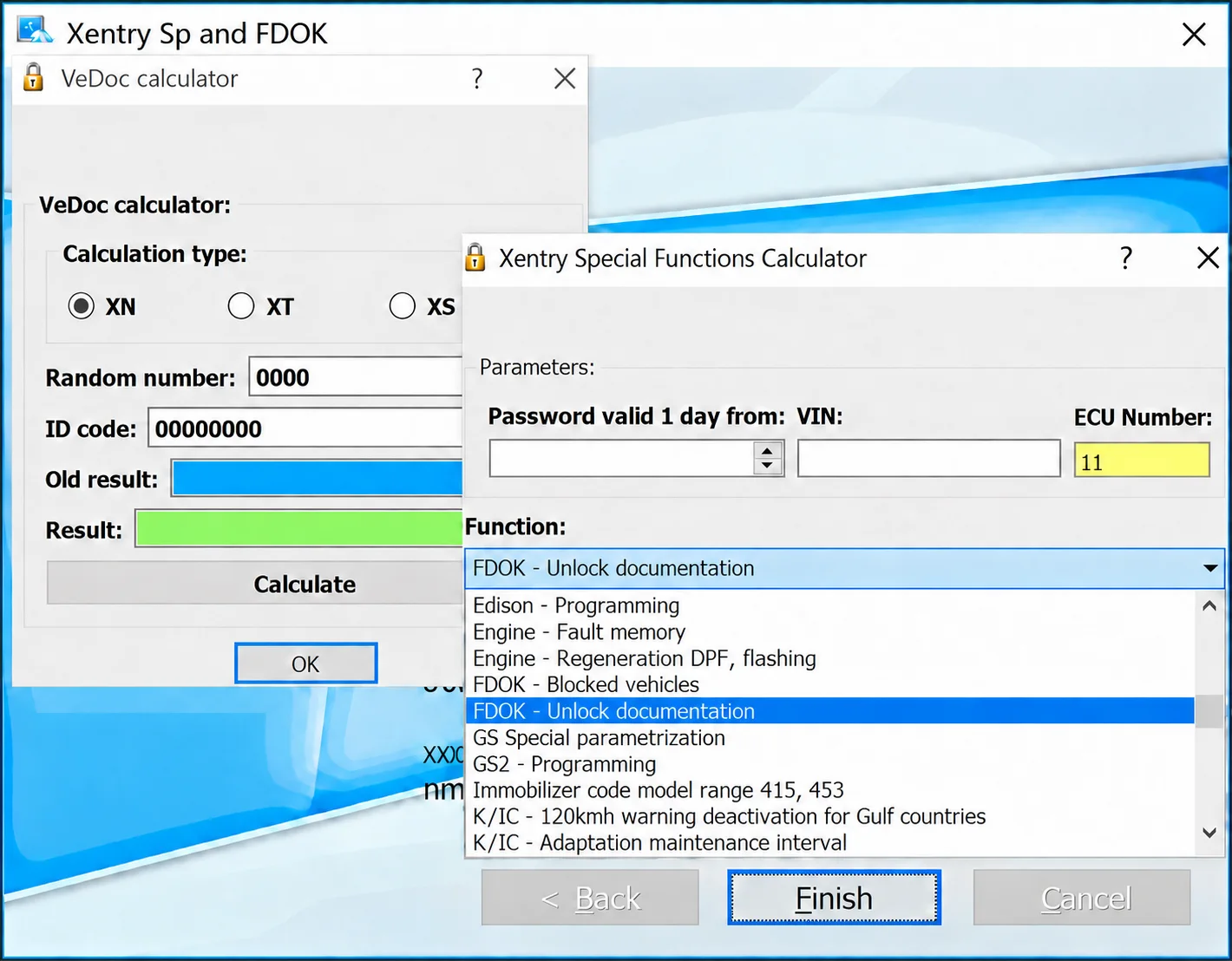
VeDoc with XN selected and empty result fields, beside the Xentry calculator with its function list expanded and FDOK - Unlock documentation selected.
What This Resource Is For
A companion to an authorized legacy Mercedes diagnostic session that explicitly requests an FDOK / VeDoc or special-function response. It supports documented ECU replacement, configuration, flash recovery or service work only where the exact VIN, ECU number and requested function are established.
Confirmed Functions
- Calculate supported VeDoc responses using random-number and ID-code inputs.
- Select the XN, XT or XS calculation branch shown by the application.
- Generate a response from the session-validity input, VIN and ECU number.
- Choose a supported protected-operation profile from the displayed list.
- Provide visible profiles for programming, fault memory, DPF regeneration/flashing and documentation unlock.
- Keep response calculation offline and separate from vehicle diagnostic communication.
Calculator Interfaces and Visible Profiles
VeDoc: XN, XT and XS calculation branches, Random number, ID code, Old result and Result fields, plus Calculate and OK controls.
Xentry Special Functions: Password valid 1 day from, VIN and ECU Number inputs, with a protected-function selector. The values in the preview are interface examples, not a valid workshop response.
The captured dropdown displays these operation labels:
- Edison - Programming
- Engine - Fault memory
- Engine - Regeneration DPF, flashing
- FDOK - Blocked vehicles
- FDOK - Unlock documentation
- GS Special parametrization
- GS2 - Programming
- Immobilizer code model range 415, 453
- K/IC - 120kmh warning deactivation for Gulf countries
- K/IC - Adaptation maintenance interval
A visible profile identifies an available calculator option; it does not establish support for every vehicle, ECU revision or diagnostic release. Emissions, immobilizer and configuration operations remain subject to the applicable law, authorization and OEM repair procedure.
Supported Vehicles, Controllers and Files
- Selected legacy DAS/Xentry and VeDoc / FDOK calculation workflows recognized by this package.
- Visible profiles include engine programming, fault-memory functions, DPF regeneration/flashing and documentation unlock.
- Additional profiles cover GS special parameterization and other ECU-specific operations.
- Support depends on the diagnostic release, ECU family, requested function and seed / random-number scheme.
- Modern online or certificate-based Mercedes security workflows may reject these legacy calculations.
Package Contents
- Combined installer / application executable.
- A short supplied guide retained with the tool.
- An interface preview showing both calculation windows.
- The package notes identify an unsigned x86 installer inspected statically without execution; this is an attributed preparation claim, not an independent ECUDB executable test.
- No Xentry installation, diagnostic multiplexer, VIN list or customer data is included.
System, Hardware and Interface Requirements
- Windows workstation compatible with the associated legacy DAS/Xentry environment; exact Windows editions are unspecified.
- Correctly installed and licensed Mercedes diagnostic system.
- Compatible SDconnect / VCI hardware with the appropriate drivers.
- Exact VIN, ECU number and random, ID and session values from the active requested operation.
- Stable vehicle support power and an official recovery procedure for programming.
The installer is documented as x86. This does not establish support for every 32-bit or 64-bit Windows release, nor compatibility with every DAS/Xentry version.
Recommended Workshop Workflow
- Identify the vehicle, ECU and requested protected function in DAS/Xentry.
- Record the active session inputs exactly and confirm authorization for the operation.
- Choose the matching calculator branch; do not substitute a similarly named function.
- Generate one response and return it only to that same active diagnostic session.
- Complete the programming or service operation with stable voltage and saved logs.
- Rescan the vehicle, verify coding and securely remove stored VIN / response data when no longer needed.
Compatibility Limits and Responsible Use
- A response for another VIN, ECU, function or session is invalid for the current operation.
- The calculator does not verify firmware or coding compatibility.
- DPF and other emissions-related functions must follow applicable law and OEM repair procedures.
- Misuse of special functions can permanently change ECU state.
- Newer secure diagnostic platforms may require online credentials instead of legacy offline calculations.
Troubleshooting
- Response rejected: recheck calculation type, random value, ID, VIN, ECU number and function against the same active session.
- Function unavailable: do not substitute a similar operation.
- Session expired: obtain fresh inputs through DAS/Xentry.
- Programming fails after access: restore communication and support power, then follow the OEM recovery procedure.
- Application will not start: use an isolated compatible Windows environment and verify the exact package being used.
File Integrity and Safety Notes
The package-preparation notes describe archive testing and extraction, testing of nested containers where present and static inspection of native executables without launching them. These are attributed preparation claims, not tests carried out by ECUDB.
Keep immutable originals, use an isolated workstation and current independent security checks, and maintain a proven recovery route before protected or programming operations. Auditing an unsigned executable's hashes and structure alone does not establish that it is malware-free.
Technical Compatibility
Operating Systems
System Requirements
- Windows workstation compatible with the associated legacy DAS/Xentry environment; exact Windows editions are unspecified.
- Correctly installed and licensed Mercedes diagnostic system.
- Compatible SDconnect / VCI hardware with the appropriate drivers.
- Exact VIN, ECU number and random, ID and session values from the active requested operation.
- Stable vehicle support power and an official recovery procedure for programming.
Screenshots
Related Software

Windows BIN-file editor for locating and modifying supported ECU diagnostic trouble-code entries, with ECU-specific Disable/Remove actions and checksum validation requirements.

Windows automotive key database and cutting-control software for compatible Miracle machines, with profile search, bitting entry, blade preview and saved cutting jobs.

Offline Windows reference and calculation tool for supported dashboard, body-module and EEPROM/MCU mileage profiles, with memory information, byte locations and repair calculations.

Offline Windows reference tool for Bosch ECU part numbers, controller families and OE cross-references, with exact, wildcard, prefix and binary-dump identifier searches.
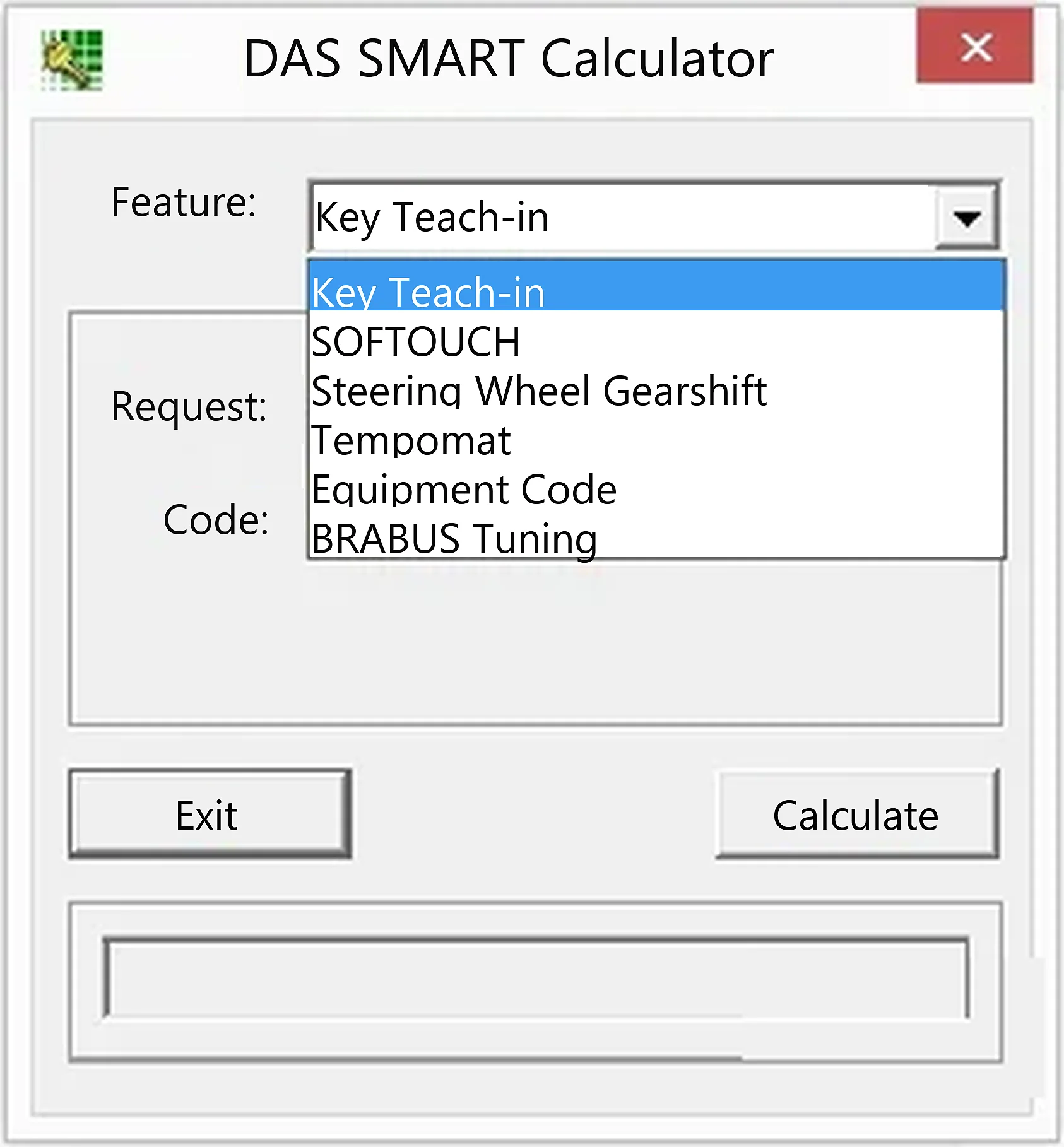
Offline Windows TAN-code companion for supported Smart DAS key teach-in, SOFTOUCH, steering-wheel gearshift, Tempomat, equipment and BRABUS procedures.
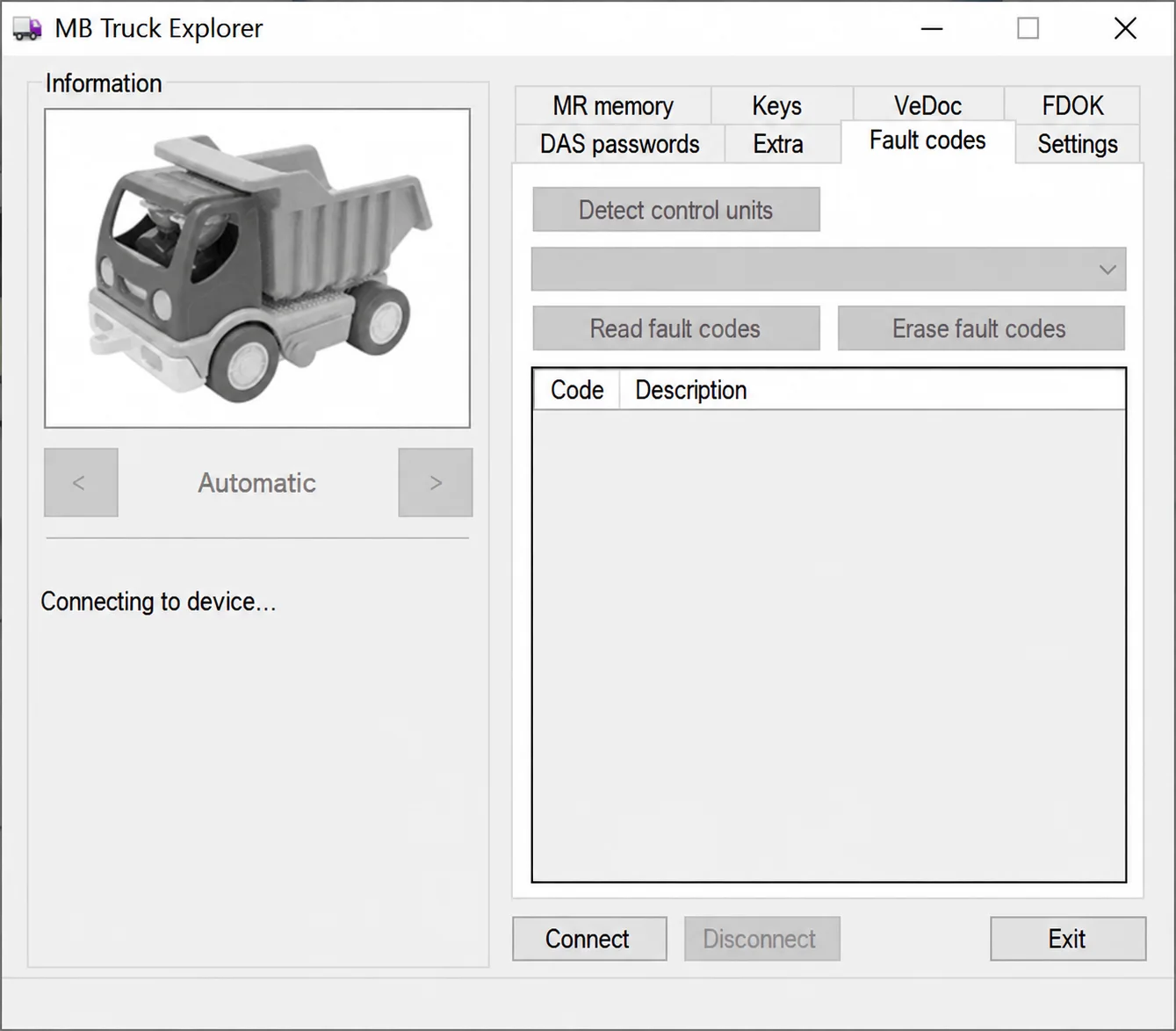
Legacy Windows heavy-vehicle service software for compatible VEI hardware, with licensed MR/PLD memory, key, VeDoc, FDOK, DAS and fault-code functions.