
SOFTWARE DATABASE / RELEASE RECORD
VERSION 2.01.01BMW ZGW CANHacker CAN Bus Analyzer and Transmitter 2.01.01
Windows BMW gateway traffic analyzer with ENET Receiver and Transmitter views, logging, TXL lists, CMT descriptions and a Java remote bridge.
Categories
Vehicle references
Overview
BMW ZGW CANHacker 2.01.01 is a Windows CAN traffic analysis and transmission utility that communicates through a supported BMW ZGW central gateway using ENET. It provides Receiver and Transmitter views for capturing, examining, logging and generating supported traffic without attaching a separate CAN interface to each individual bus wire.
Main Functions
- Capture and monitor gateway-accessible traffic in CAN Receiver.
- Create individual CAN frames or use prepared command lists in CAN Transmitter.
- Select the available BMW CAN bus through the gateway.
- Inspect CAN identifiers, DLC, payload, bus labels and comments.
- Configure message transmission periods.
- Use single-shot or repeated transmission for selected entries.
- Load and save transmitter lists in .txl format.
- Load CAN identifier descriptions from .cmt comment files.
- Log captured traffic and inspect saved captures offline.
- Export capture data for further analysis.
CAN / LIN / FlexRay Gateway Access
The ZGW interconnects several vehicle networks. The documented application scope includes gateway access to supported BMW CAN, LIN and FlexRay networks. Actual availability depends on the gateway, vehicle or bench setup, and the functions exposed by the application; this does not establish universal raw access to every network on every BMW.
The normal connection is ENET between the Windows PC and the vehicle or test bench. Network selection through ZGW avoids making a separate physical connection to each supported bus. The illustrated views primarily demonstrate CAN traffic.
Receiver
The Receiver monitors live gateway traffic with record number, timestamp, bus name, CAN ID, DLC, payload, ASCII interpretation and comments. Filtering, logging and exports help examine communication between control units and observe changes in specific messages.
The illustrated gateway configuration provides Tester selection, ZGW IP, ZGW Search, a platform selector, Reset ZGW, UDP sink IP and port, TCP control port and Auto-scroll. The example shows TCP 6801, UDP sink port 55555 and a note that the PC-interface address may be left blank for automatic selection. These are interface-example settings, not instructions to expose the service outside the intended diagnostic network.
Receiver controls include Trace, Start Logging, Filter Setup, Load Offline File, Load Comments, Export CSV, Export ASC, Bus Maps and Clear. The operation log and status bar report received/shown records, lost data and backlog.
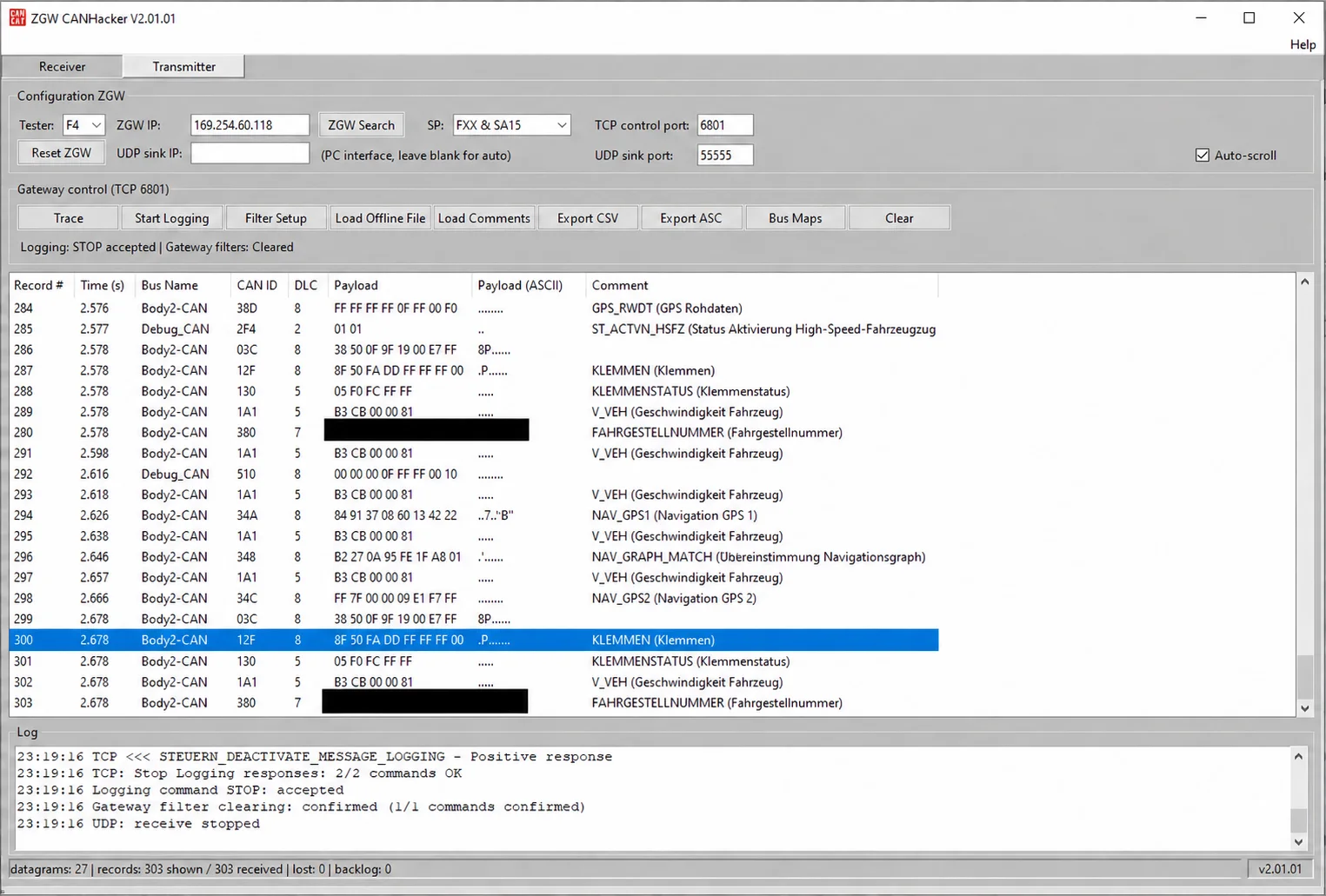
Receiver: gateway configuration, traffic records, comments, exports and capture status.
Transmitter
The Transmitter creates and sends individual or multiple CAN frames on the selected bus. An entry can contain:
- CAN ID and DLC
- Payload bytes
- Transmission period
- Comment or signal description
- Single-shot or repeated behavior
- Trigger-based operation
The interface includes a bus selector, Open CAN session, Load TXL and Save TXL. Its list displays ID, DLC, Data, Period, Count and Comment. The entry editor includes a 29-bit ID option, period in milliseconds, TX Mode, Trigger ID and Trigger Data.
Visible list-management controls include Single Shot, Send All, Stop All, Date/Time, Copy, Add, Move Up, Move Down and Delete. The log records application feedback. These controls describe the interface; a displayed example payload is not a recommendation to transmit it to another vehicle.
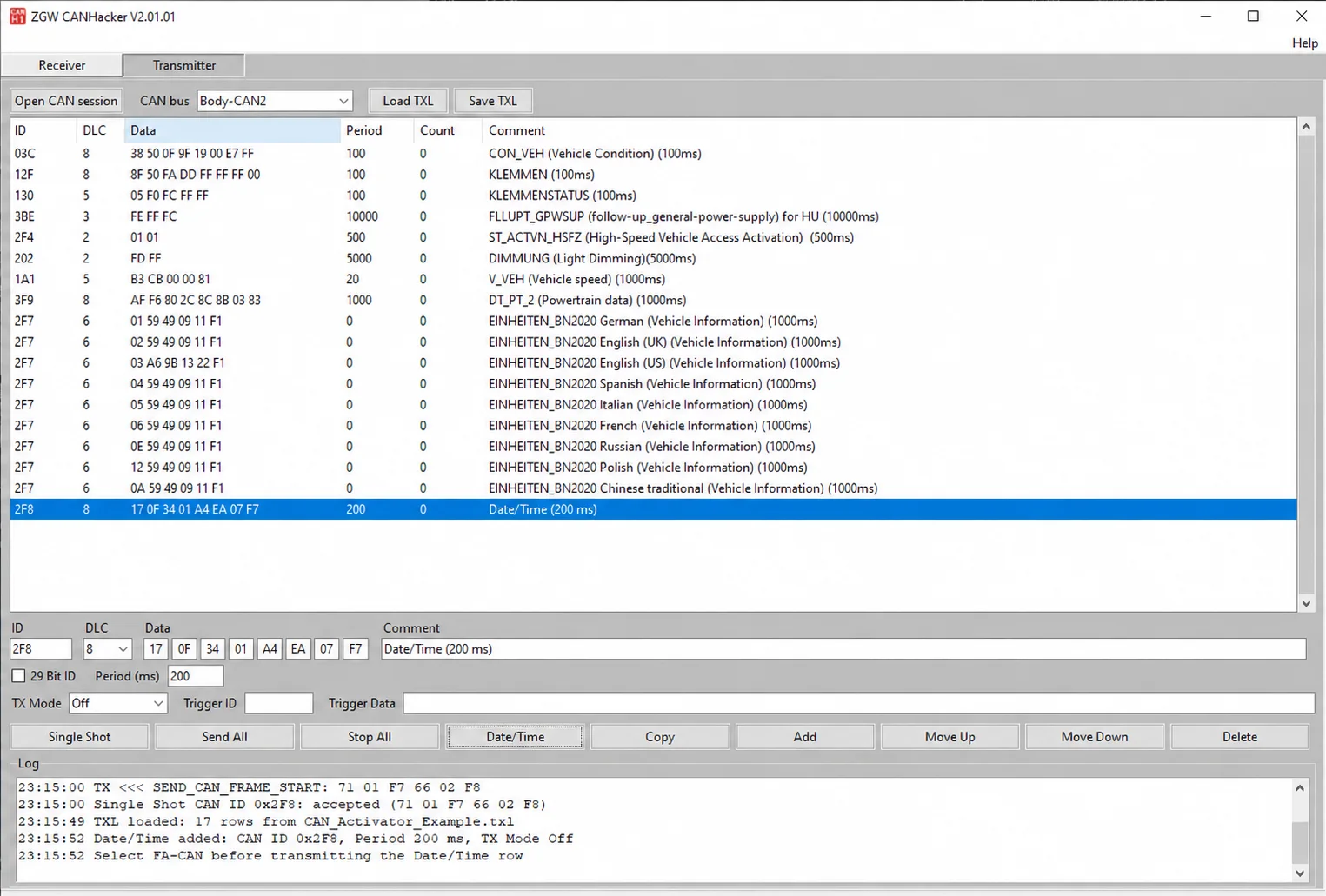
Transmitter: frame-list management, timing and operation feedback.
TXL and CMT Reference Files
The included CAN Activator TXL example illustrates a prepared transmission list. The CAN ID Description CMT example supplies message descriptions that the application can show alongside identifiers. Their presence demonstrates supported file workflows, not compatibility of every example command with every gateway or control unit.
Working Alongside Diagnostic Tools
A reference view shows ZGW CANHacker alongside EDIABAS ToolSet 32 / Tool32, combining the transmitter view with diagnostic output from a control unit. This illustrates a bench / diagnostic workspace; it does not establish an included Tool32 installation or a successful repair of the example unit.
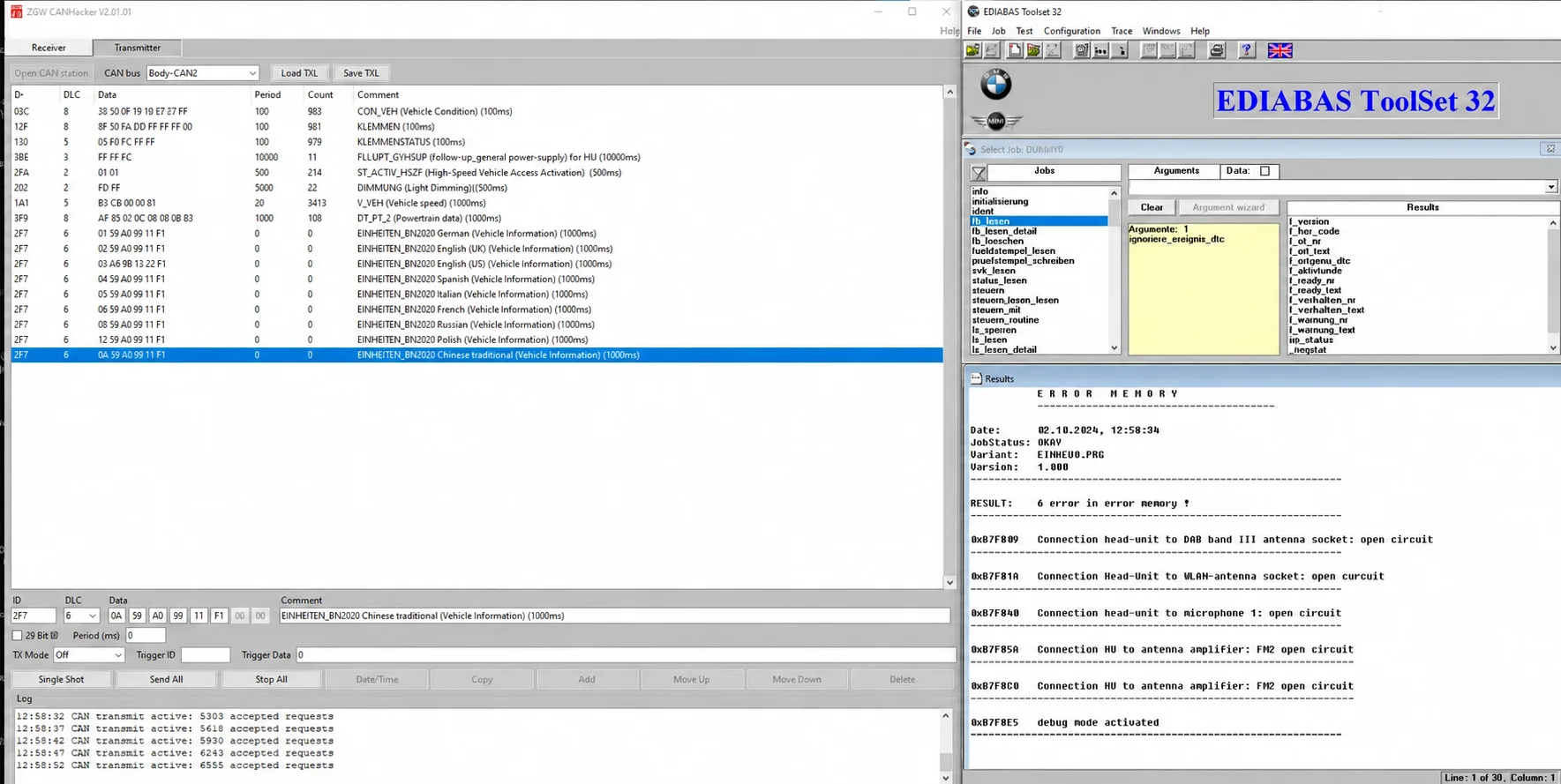
Example CANHacker workspace alongside EDIABAS ToolSet 32.
ZGWRemoteBridge
The package also identifies ZGWRemoteBridge, a separate Java utility for a remote BMW connection. It can bridge access to a remotely connected vehicle so CANHacker can capture its gateway traffic. Hamachi and Radmin VPN are cited as possible tunnel solutions.
The Java component requires a compatible Java environment, but its exact Java version is not documented. Remote use requires an authorized vehicle connection and a correctly configured private network path; an arbitrary public gateway address is not a substitute.
Included Files
- ZGW_CANHacker executable
- ZGWRemoteBridge Java utility
- CAN Activator TXL example
- CAN ID Description CMT example
- Instructions
- Receiver and Transmitter reference screenshots
Typical Uses
- Research and reverse engineering of authorized BMW CAN traffic.
- Bench work with BMW control units and head units.
- Monitor communication between control units.
- Identify CAN IDs and observe payload changes.
- Replay or generate understood CAN messages.
- Test a bench arrangement where some modules are absent.
- Analyze traffic through an authorized remote connection.
Requirements and Compatibility
- Platform: Windows. Exact minimum version, architecture, RAM and runtime requirements for the main application are not documented.
- Connection: a suitable ENET network interface and cable.
- Gateway: a BMW ZGW and vehicle / bench configuration supported by the required operation.
- Remote bridge: a compatible Java environment and authorized tunnel/network arrangement where used.
- Reference data: compatible TXL lists and CMT files for the intended analysis.
The Receiver example displays an FXX & SA15 platform selection and bus labels including Body2-CAN and Debug_CAN; the Transmitter example uses Body-CAN2. These are observed interface examples. A complete chassis, gateway-revision or LIN/FlexRay coverage matrix is not established.
Important Operating Notes
Transmitted CAN traffic can change vehicle states or disrupt communication between control units. Use unfamiliar messages on an appropriate test bench wherever possible, and transmit only when the message function and intended result are understood. A captured frame or prepared example list is not automatically suitable for another vehicle.
Use the tool only on vehicles and equipment you own or are authorized to test. Capture analysis, logging and interface screenshots do not certify the safety of an arbitrary transmission or prove support for an unlisted vehicle.
Technical Compatibility
Operating Systems
System Requirements
- Windows PC; exact minimum version and architecture not documented
- Compatible BMW ZGW vehicle or test-bench environment
- Suitable ENET cable and PC network interface
- Compatible Java environment for the separate ZGWRemoteBridge utility
- Authorized private network connection for remote operation
Screenshots
Related Software
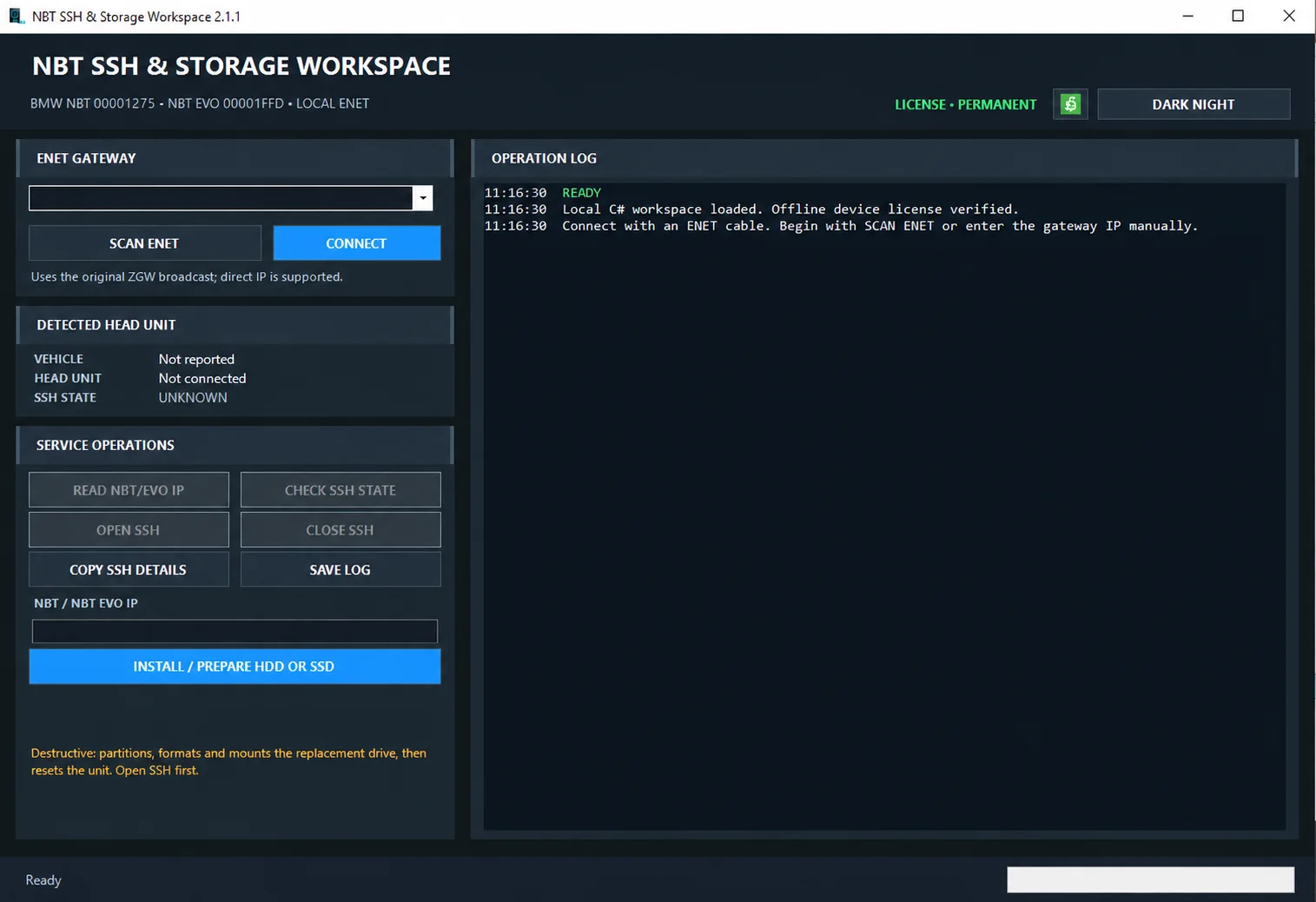
Windows ENET utility for identifying supported BMW head units, managing SSH access and preparing replacement HDD/SSD storage.

Windows automotive key database and cutting-control software for compatible Miracle machines, with profile search, bitting entry, blade preview and saved cutting jobs.

Offline Windows reference and calculation tool for supported dashboard, body-module and EEPROM/MCU mileage profiles, with memory information, byte locations and repair calculations.

Offline Windows reference tool for Bosch ECU part numbers, controller families and OE cross-references, with exact, wildcard, prefix and binary-dump identifier searches.
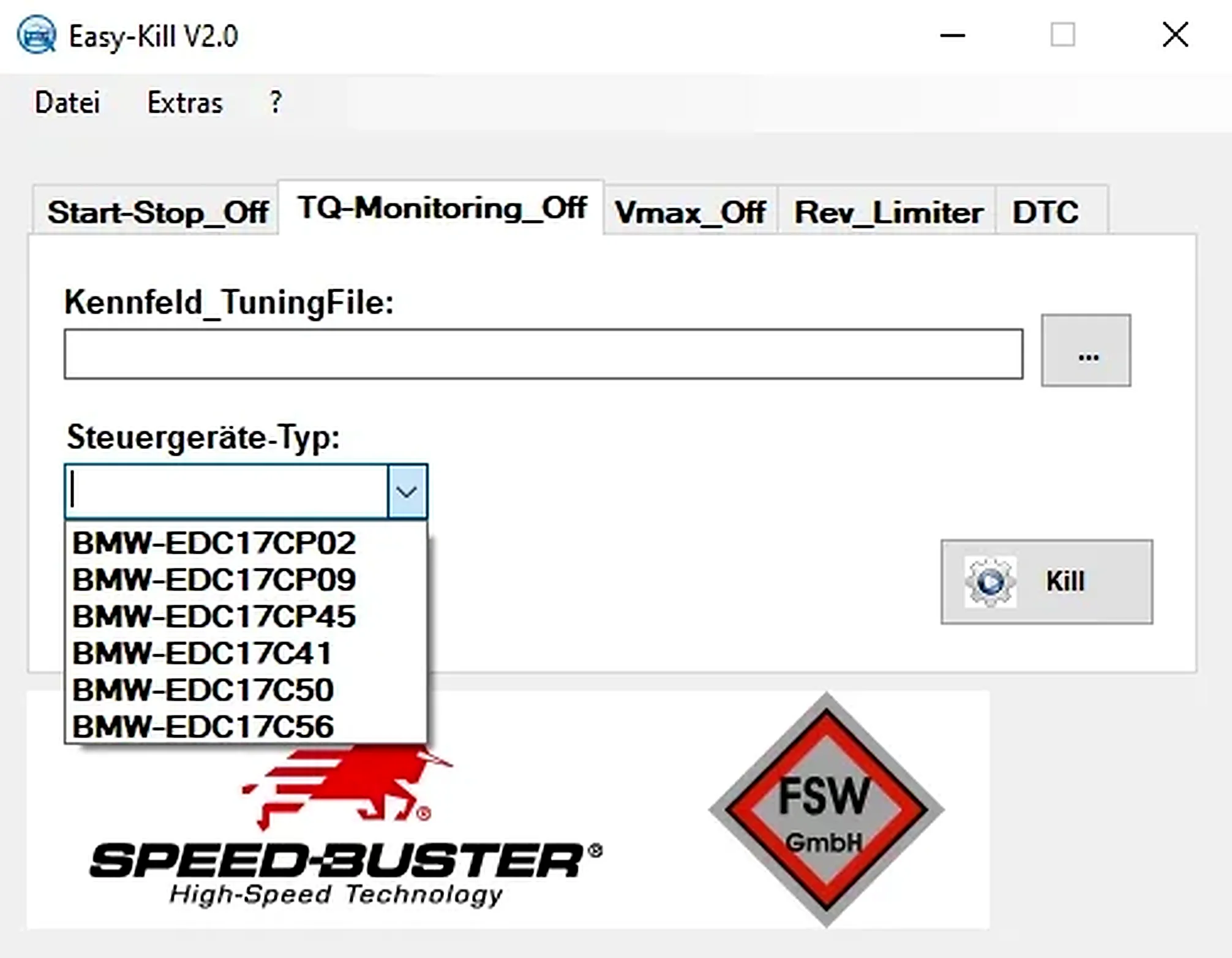
Offline Windows file editor for selected BMW and VAG Bosch ECU profiles, with separate start-stop, torque monitoring, Vmax, rev-limiter and DTC functions.
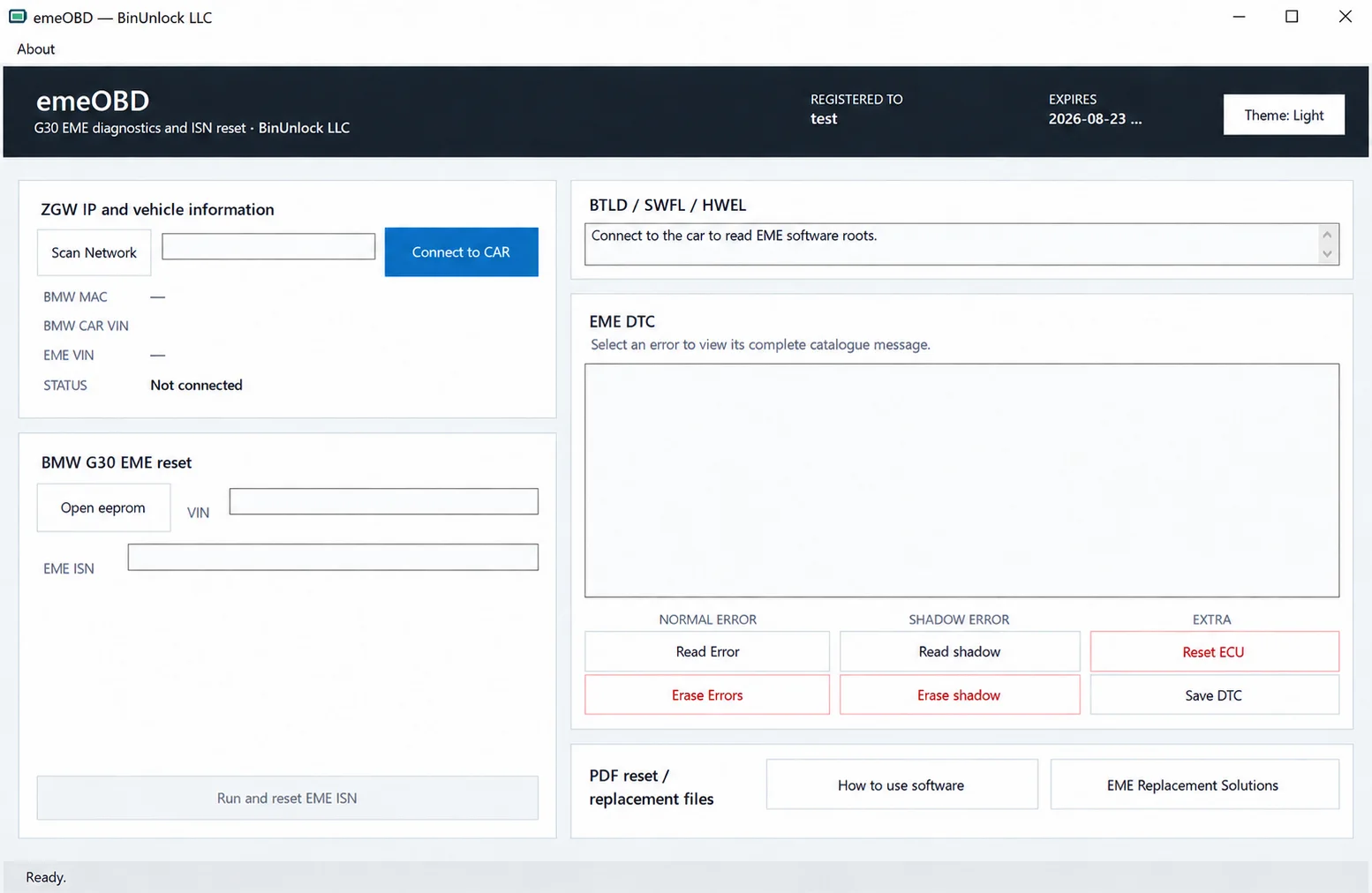
Windows service workspace for supported BMW G30 EME systems, combining ZGW discovery, vehicle identification, local EEPROM VIN/ISN analysis, ISN reset and normal/shadow DTC diagnostics.