
SOFTWARE DATABASE / RELEASE RECORD
VERSION 2.3.6BMW MGU7 Workspace for ID7 / ID8 Flash, FSC, Coding, SSH and Service 2.3.6
Windows ENET service workspace for supported BMW MGU ID7/ID8 head units, with flash, FSC, coding/FA, diagnostics, SSH and MGU Client Link Beta.
Categories
Vehicle references
Overview
BMW MGU7 Workspace is a Windows service workspace for supported BMW MGU ID7 and ID8 head units. It brings together ENET identification, Flash Patch, diagnostics, FSC, coding and FA, service and replacement operations, SSH/SFTP, NBT/NBT EVO SSH and offline file utilities.
Version 2.3.6 includes the redesigned Workspace and MGU Client Link Beta for remote ENET/VPN access. Client Link remains in testing and does not require a separate client license.
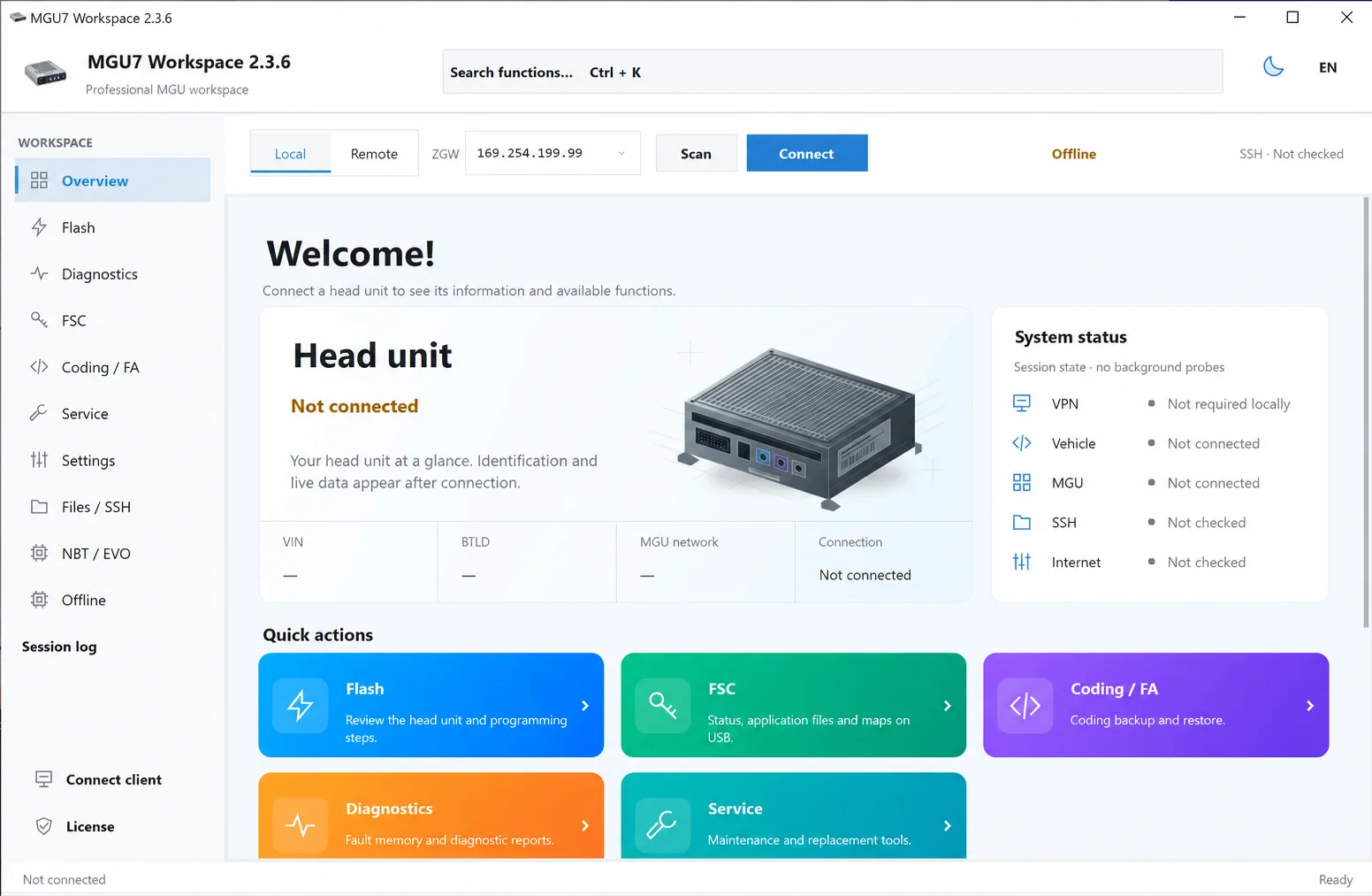
BMW MGU7 Workspace 2.3.6 overview with ENET connection, ZGW address, head-unit identification, system status and workflow navigation.
Key Features
- Connection and Identification: ENET network scanning, Gateway IP, local or remote connection, vehicle VIN, detected head unit, MGU network and workspace status.
- Flash Patch: ID7/ID8 architecture selection, full VIN verification, flash-data review and SHA-256 validation of the flash files.
- Diagnostics: read MGU DTC, Shadow DTC and I-Step; erase standard MGU, shadow or vehicle fault memories.
- FSC: inspect FSC status and Application ID results, generate/import FSC data, and use the documented CarPlay + Android Auto workflow. Version 2.3.6 adds sequential writing of multiple selected FSC files.
- Coding / FA: read current SVK and I-Step, back up and restore coding, and edit Vehicle Order / FA in the integrated editor.
- Service and Replacement: Component Init, Factory Reset, Clear Service Data, Delete Nav Map, IPsec Lock and MGU restart.
- Settings and Toolbox: display brightness, pixel test patterns, connectivity switches, technical data reads and driver-profile tools.
- Files / SSH: integrated MGU SSH/SFTP file workspace, service status checks and SSH service controls.
- NBT / NBT EVO: a separate SSH service workflow for the supported NBT and NBT EVO bootloader identifiers.
- Offline Utilities: BAC4 VSTAR and SWE Verifier file patching, with input and output SHA-256 reports.
- Session Log: a chronological technical record of connection, identification and service operations, with automatic procedure logging for troubleshooting.
Supported MGU Flash Architectures
- MGU ID7 — BDC2 / BDC3
- MGU ID8 — BDC3
- MGU ID8 — BCP
Documented MGU ID7 HU-H3 / MGU18 fixes cover BTLD 00003F36. The Flash screen also identifies this supported BTLD. Architecture selection alone does not establish compatibility with every hardware or firmware revision.
The separate NBT service workspace documents these bootloader identifiers:
- NBT —
BTLD 00001275 - NBT EVO —
BTLD 00001FFD
MGU Client Link Beta
The vehicle-side helper connects through ENET and the same VPN as the operator. Its interface groups the local VPN adapter, operator VPN IP and vehicle/ZGW selection with the detected MGU SSH address, a shareable session address, connection status and a session journal. It includes scan, copy-address, start-session and end-session controls. This is remote access to an authorized service session, not a compatibility guarantee or a replacement for a reliable vehicle connection.
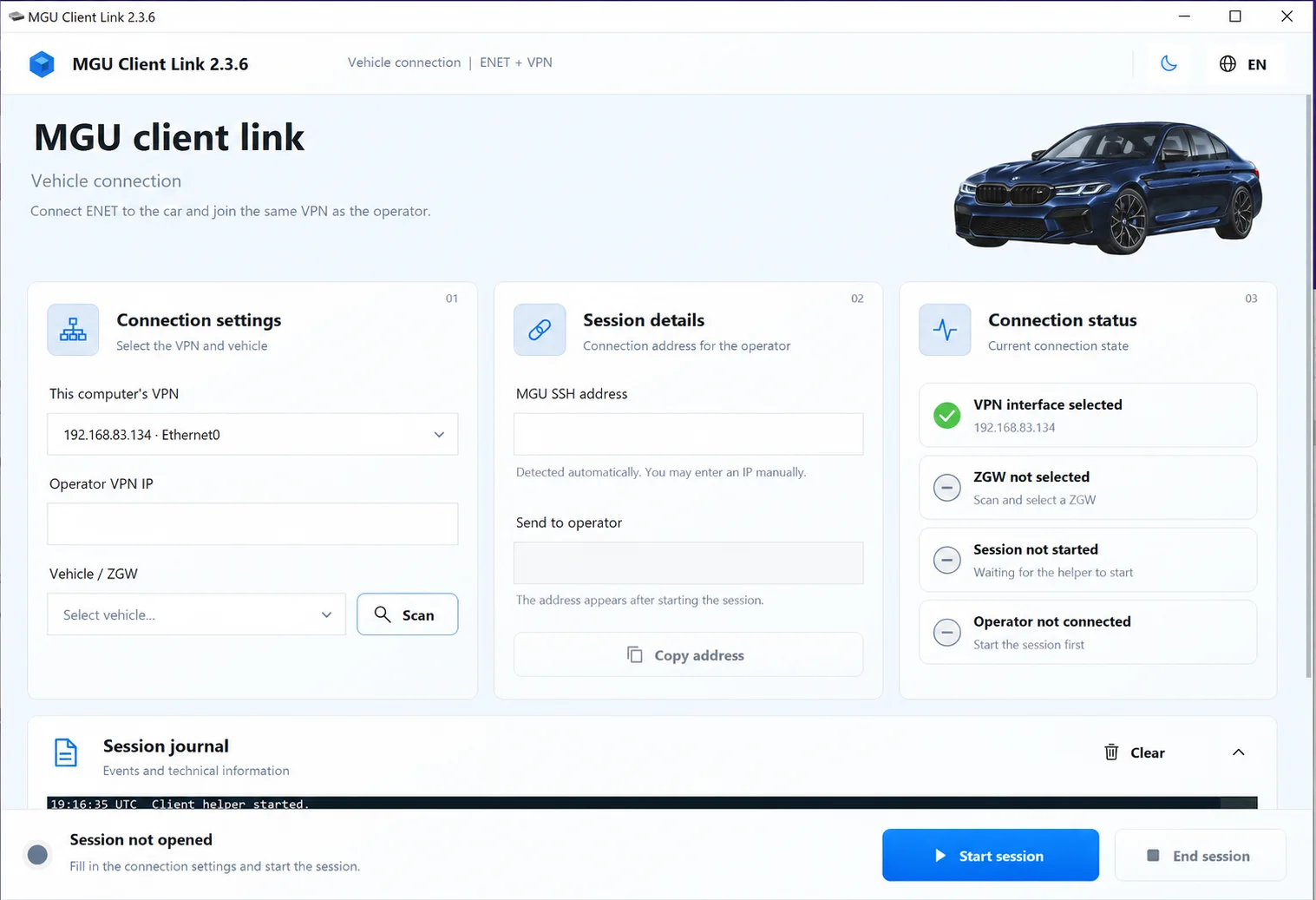
MGU Client Link 2.3.6 Beta showing ENET/VPN connection settings, session details, connection status and the session journal.
Coding, Diagnostics and Service Details
Coding / FA
Current SVK information includes BTLD, SWFL, CAFD and other SGBM identifiers. The shown backup workflow creates a VIN-bound, SHA-256-verified .mgu7coding backup; legacy TXT export is optional and restore remains a warned compatibility path. Review the backup record count and connected SVK before writing. The FA editor provides vehicle reading, editing, XML backup and confirmed writing.
Diagnostics
Read functions are presented separately from erase actions. The interface shows standard and shadow DTC reading, I-Step reading and separate controls for erasing MGU, shadow and vehicle fault memories. Standard and shadow MGU erase workflows include a readback/verification step.
Service and Replacement
Component initialization and service-data clearing restart the connected unit. Factory Reset deletes paired devices and user data; Delete Nav Map removes navigation-map data. IPsec Lock is presented as a repair function for a diagnosed MGU IPsec fault. Restart MGU sends a reset request and waits for the unit to restart. These actions have different effects and must be selected for the diagnosed condition.
Settings and Toolbox
Alongside display tests and driver profiles, the shown connectivity tools include Bluetooth on/off, Wi-Fi on/off, transport/storage mode on/off, and technical reads for mode status, CPS, UID, software name, refurbish VIN and IP configuration. Temporary display or connectivity tests should not be confused with vehicle coding.
Files / SSH and NBT / EVO
The MGU file workspace includes an SFTP browser and SSH check/close controls. The browser starts in /home/root, shows hidden files on request, confirms overwrites and deletion, and does not recursively remove folders. The SSH check tests the service on TCP port 22. Close MGU SSH is intended for a diagnosed debug/SSH-open condition.
The separate NBT / EVO page includes Check NBT SSH, Open NBT SSH, Close NBT SSH and Copy Connection controls, enabled for the supported BTLD identifiers. Availability depends on the connected unit; it is separate from the MGU flash workflow.
Interface Languages and Themes
Automatic Windows language detection and 34 selectable interface languages are documented:
English, العربية, Български, Čeština, Dansk, Deutsch, Ελληνικά, Español, Eesti, Suomi, Français, Hrvatski, Magyar, Bahasa Indonesia, Italiano, 日本語, 한국어, Lietuvių, Latviešu, Norsk, Nederlands, Polski, Português, Română, Русский, Slovenčina, Slovenščina, Srpski, Svenska, ไทย, Türkçe, Українська, 简体中文, 繁體中文.
The interface can be switched between Light and Dark themes.
Documentation and Activation
The English operating guide is named MGU7-User-Guide-EN.pdf. It covers operating procedures, prerequisites, safety, troubleshooting and recovery workflows. Review the matching guide before a vehicle operation.
The activation workflow uses CREATE REQUEST... to generate an .mgu7req request file for activation. Client Link does not require a separate client license; this does not establish the licensing terms of Workspace itself.
Version History
2.3.6 — Workspace and MGU Client Link
- Added ENET/VPN remote vehicle access through MGU Client Link Beta, without a separate client license.
- Redesigned both applications with revised navigation, layout and Light/Dark themes.
- Added sequential writing of multiple selected FSC files.
- Corrected the ZGW IP-address input field.
- Workspace remains version 2.3.6; Client Link is still in testing.
2.3.5 Fixed
Corrected coding backup and restore for BMW MGU ID7 HU-H3 / MGU18 with BTLD 00003F36.
MGU ID7 HU-H3 / MGU18 Flash Fixes
An earlier update corrected minor flashing issues for this head-unit group. Its executable scan reference is separate from the current build.
2.3.3 — Procedure Logging and Flash Timeouts
- Automatic procedure logs are created during supported diagnostic, service and programming workflows.
- Extended communication/response timeouts accommodate units that take longer to respond during flashing.
- Additional reliability improvements support troubleshooting through a more complete procedure record.
2.3.0 — Stability and Interface Update
- Corrected startup with an empty interface.
- Improved compatibility with different Windows configurations and display scaling.
- Refreshed the interface and improved startup/runtime stability.
- Fixed additional post-release issues.
- Support for 2.2.9 and earlier ended; those builds no longer receive fixes.
File Integrity
The historical integrity information identifies MGU7_Workspace_2.2.exe, version 2.2.9, with SHA-256:
3c8a6ffb5e0f94ed9d2fb60b697b43c84bb43d2b5f4170d56b50a6aa466310dd
That digest and its associated scan report apply only to that older executable. They must not be used to identify or certify version 2.3.6. A SHA-256 value and executable scan result for the current build have not been established here.
Important Operating Requirements
The workspace includes read-only tools and operations that change vehicle or head-unit data. Flash, FSC, coding, FA, VIN, replacement and SSH write operations require the exact supported unit, stable programming voltage, reliable wired ENET and verified backups. An interrupted flash may leave the unit requiring recovery. Use it only for authorized BMW diagnostic, coding, retrofit, repair and head-unit service work.
Technical Compatibility
Operating Systems
System Requirements
- Windows PC; exact supported versions and architecture are not confirmed
- Supported BMW MGU ID7/ID8 head unit and matching architecture/BTLD
- Reliable wired BMW ENET connection
- Stable programming power for write operations
- Verified coding/FA and relevant head-unit backups
- Workspace activation where required
- Shared VPN connectivity for MGU Client Link remote sessions
Screenshots
Related Software
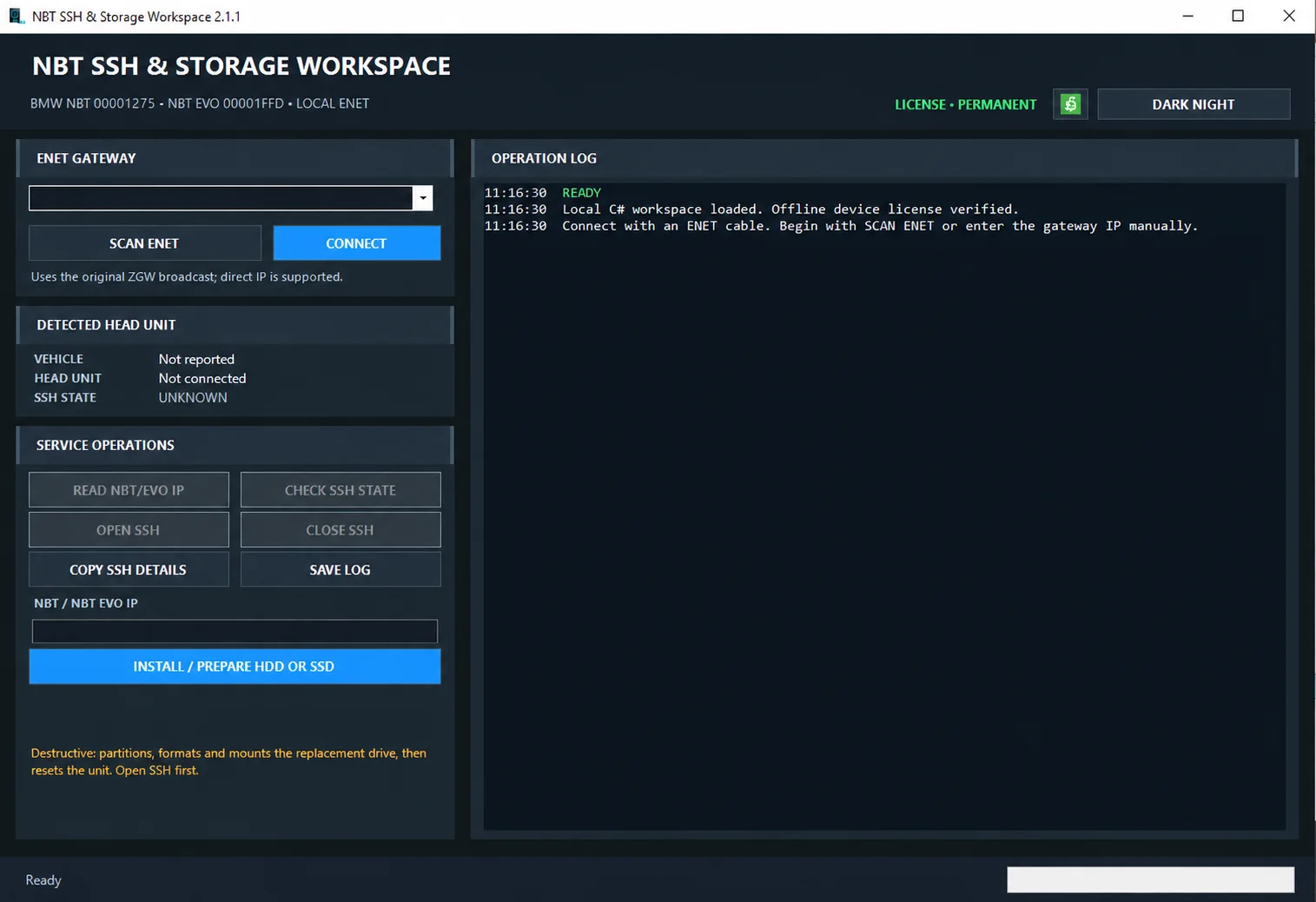
Windows ENET utility for identifying supported BMW head units, managing SSH access and preparing replacement HDD/SSD storage.

Windows automotive key database and cutting-control software for compatible Miracle machines, with profile search, bitting entry, blade preview and saved cutting jobs.

Offline Windows reference and calculation tool for supported dashboard, body-module and EEPROM/MCU mileage profiles, with memory information, byte locations and repair calculations.

Offline Windows reference tool for Bosch ECU part numbers, controller families and OE cross-references, with exact, wildcard, prefix and binary-dump identifier searches.
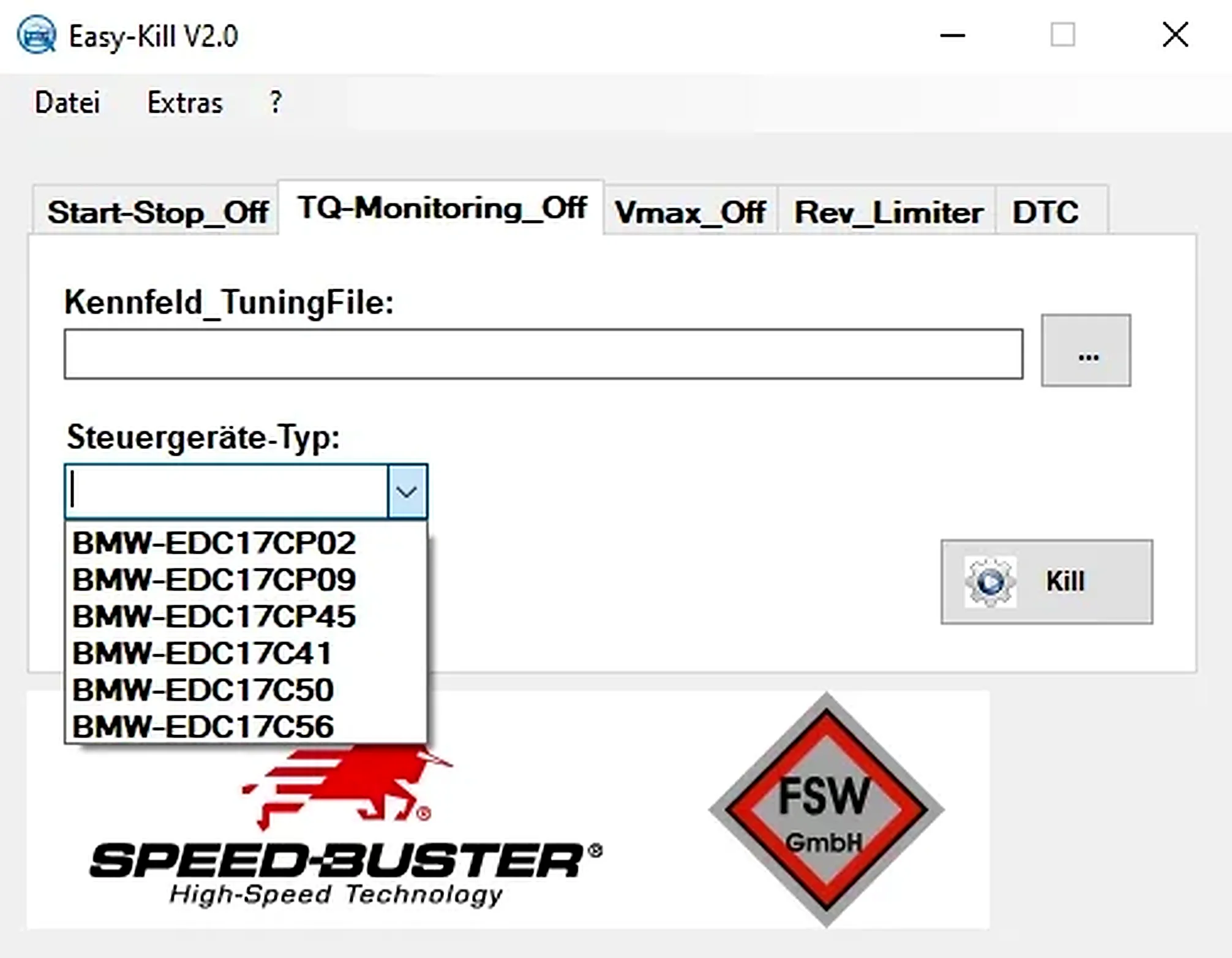
Offline Windows file editor for selected BMW and VAG Bosch ECU profiles, with separate start-stop, torque monitoring, Vmax, rev-limiter and DTC functions.
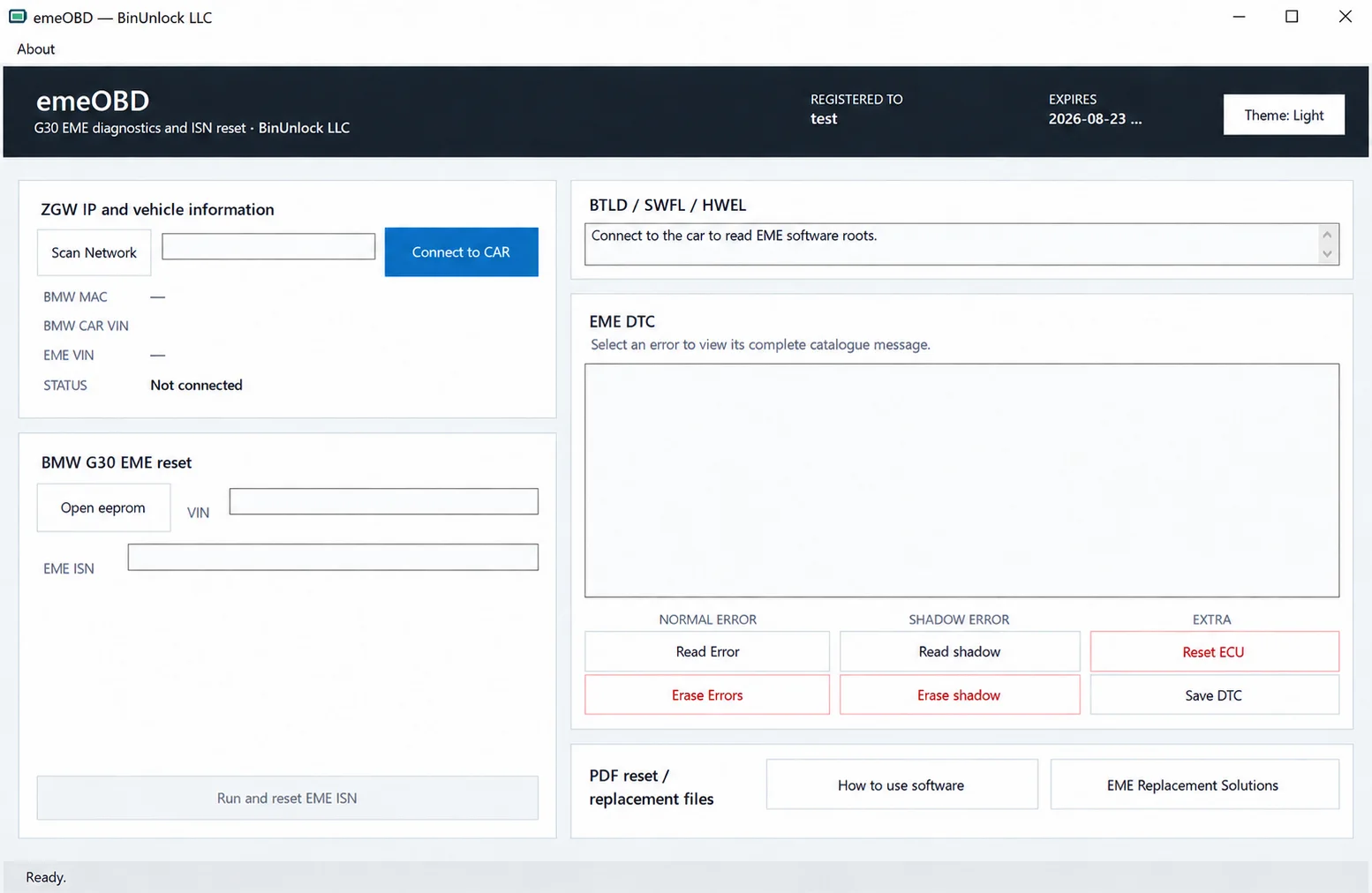
Windows service workspace for supported BMW G30 EME systems, combining ZGW discovery, vehicle identification, local EEPROM VIN/ISN analysis, ISN reset and normal/shadow DTC diagnostics.