
SOFTWARE DATABASE / RELEASE RECORD
VERSION 2.1.8.0BMW MGU BENCH ID7 / ID8 FSC & SD/MMC Tool 2.1.8.0
Windows SD/MMC bench toolkit for supported BMW MGU ID7 / ID8 storage, with guarded patching, virginization, local backups, EXT browsing and FSC generation.
Categories
Vehicle references
Overview
BMW MGU BENCH — ID7 / ID8 Toolkit
MGU BENCH is a Windows toolkit for bench work and file servicing on the storage media used by supported BMW MGU ID7 and ID8 head units. It works directly with a connected SD / MMC device containing the Linux EXT filesystem, rather than acting only as an FSC generator or a generic binary patcher.
Its workspaces cover MGU identification, verified local backups, supported ID7/ID8 patching and virginization, EXT browsing and a separate factory-format FSC generator. Detection begins read-only. Raw writing becomes available only after recognition of an exact supported target, a local backup of the affected data and explicit confirmation of the write.
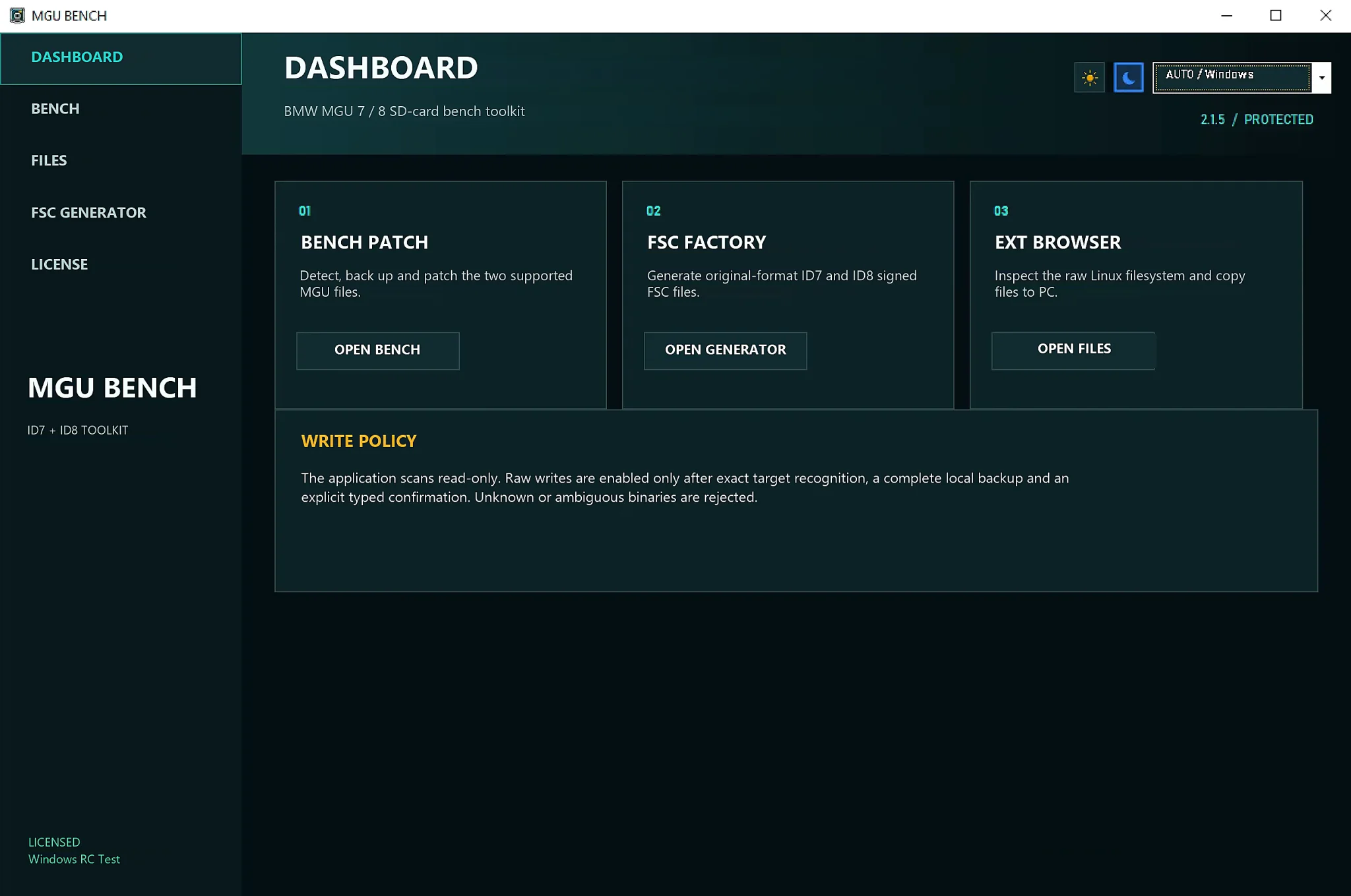
Main Functions
- Detect connected BMW MGU SD / MMC storage.
- Scan Linux EXT volumes without writing to them.
- Recognize supported MGU ID7 / ID8 layouts.
- Check known paths, file sizes and binary signatures.
- Create a complete local backup before making changes.
- Patch supported ID7 / ID8 file structures after verification.
- Virginize ID7 / ID8 through the dedicated factory-data procedure.
- Reopen written media and compare the result byte for byte.
- Inspect raw EXT storage without mounting it in Windows.
- Copy selected MGU files onto the PC.
- Generate signed, original-format FSC files for supported ID7 / ID8 functions.
- Create navigation FSC sets using VIN and map-region selections.
- License the workstation for offline use.
Protected Write Policy
The guarded write process is intended to prevent blind changes to unidentified storage. It follows these stages:
- Scan the connected physical disk in read-only mode.
- Detect and select a compatible EXT volume.
- Check the expected MGU paths, target files, sizes and signatures.
- Reject unknown, incomplete or ambiguous binary structures.
- Back up the affected data locally before writing.
- Verify that backup before permitting the patch to proceed.
- Require explicit user confirmation for a raw write.
- Close the target after writing and reopen it read-only.
- Verify the result against the expected patched data.
The normal MGU patch workflow does not offer arbitrary byte editing.
MGU Detection and SD/MMC Scanning
The BENCH workspace can search:
- Storage connected through USB.
- SD cards.
- MMC media.
- All physical disks when the standard removable-media search does not locate the target.
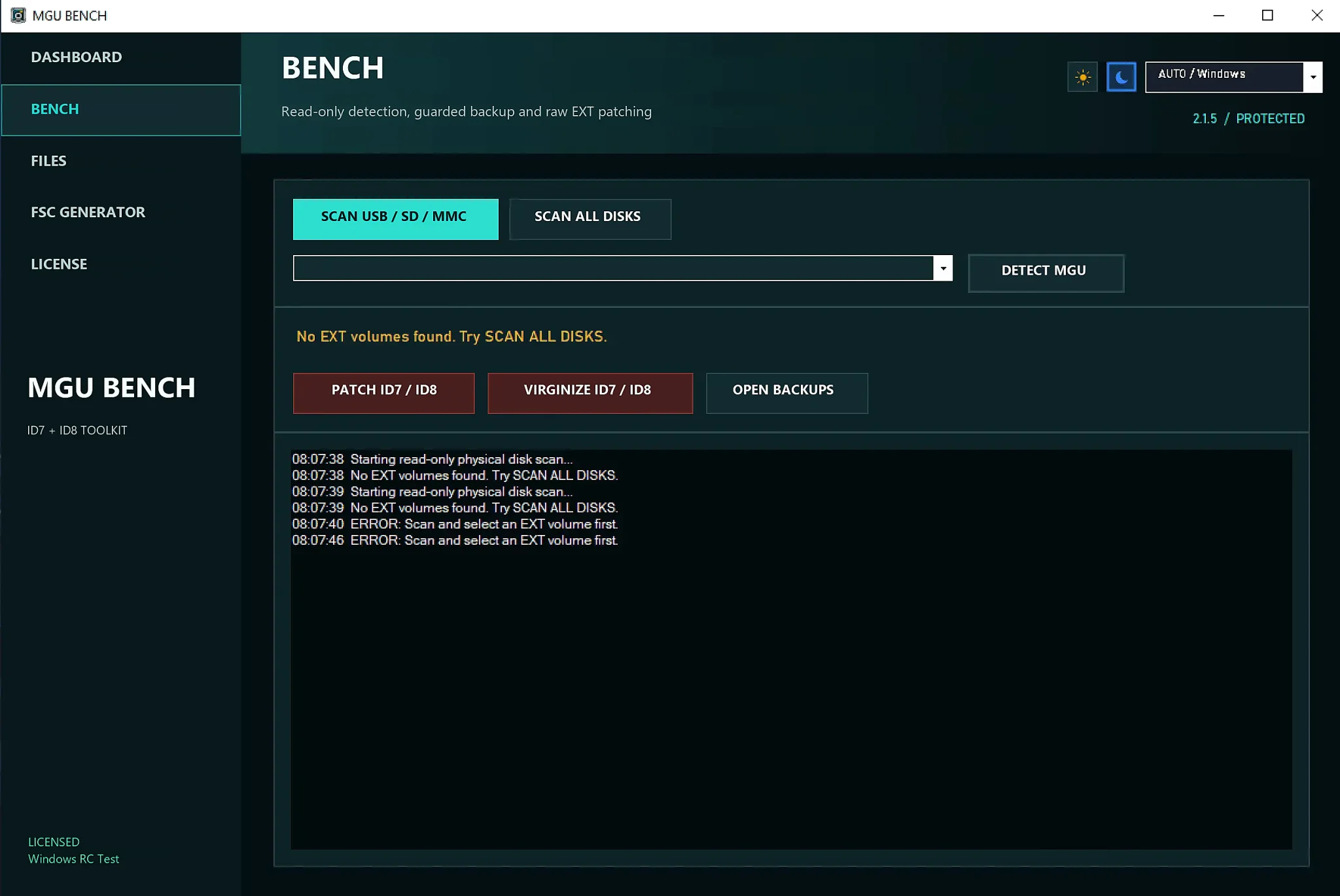
Begin with SCAN USB / SD / MMC. If it finds no EXT volume, SCAN ALL DISKS broadens the read-only physical-disk search. Select the required EXT volume and run DETECT MGU to check its structures against supported MGU layouts.
A disk's capacity or Windows drive letter is not sufficient identification. Allow the application to finish validating the target.
ID7 / ID8 Bench Patch
PATCH ID7 / ID8 applies the supported bench-patch procedure to the exact files identified on a recognized MGU target. Its sequence:
- Detect the necessary MGU structures.
- Validate the supported target binaries.
- Create local copies of the files that will change.
- Apply the required restored signature blocks to the two supported MGU files.
- Write only after validation succeeds and confirmation is given.
- Reopen the storage in read-only mode.
- Verify the written result at byte level.
This procedure uses fixed, known 256-byte signature data for recognized structures. It does not apply arbitrary changes to unrelated binaries. If the target files fail the supported-structure checks, the patch is rejected.
ID7 / ID8 Virginize
VIRGINIZE ID7 / ID8 provides a controlled method of restoring factory data on compatible MGU storage. For a recognized target, it replaces the required block_352 data with the exact supported 364-byte factory block.
The same safeguards apply:
- Recognize the target first.
- Create a backup before modifying data.
- Validate the source structure.
- Obtain explicit confirmation before writing.
- Reopen the written media and verify the result.
Preserve the original backup before undertaking virginization or module-replacement work.
Automatic Local Backups
Before a supported write, the application saves a local backup of the data it will alter. Use OPEN BACKUPS to locate those files.
Copy backups to a separate safe location before continuing with other module operations. They form part of the repair record and should not be treated as disposable temporary files.
EXT Filesystem Browser
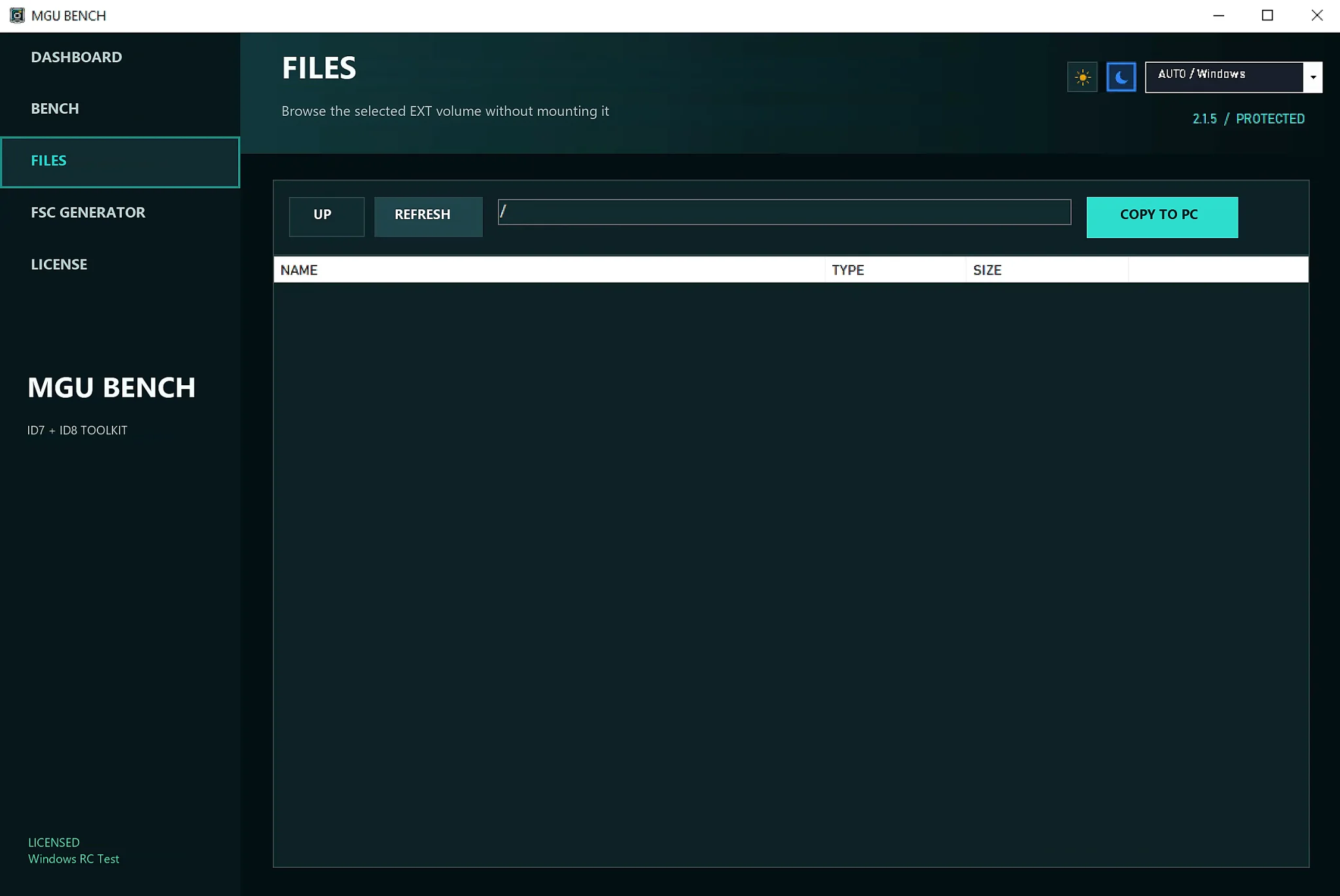
The integrated FILES workspace inspects a selected Linux EXT volume directly from Windows, without mounting the partition as an ordinary Windows drive.
Available operations include:
- Browse EXT directories.
- View object names, types and file sizes.
- Return to the parent directory.
- Refresh the current directory.
- Copy selected files to the Windows computer.
COPY TO PC extracts the required files without modifying the source filesystem. This browser supports inspection, backup and recovery independently of the automated patch procedure.
FSC Factory Generator
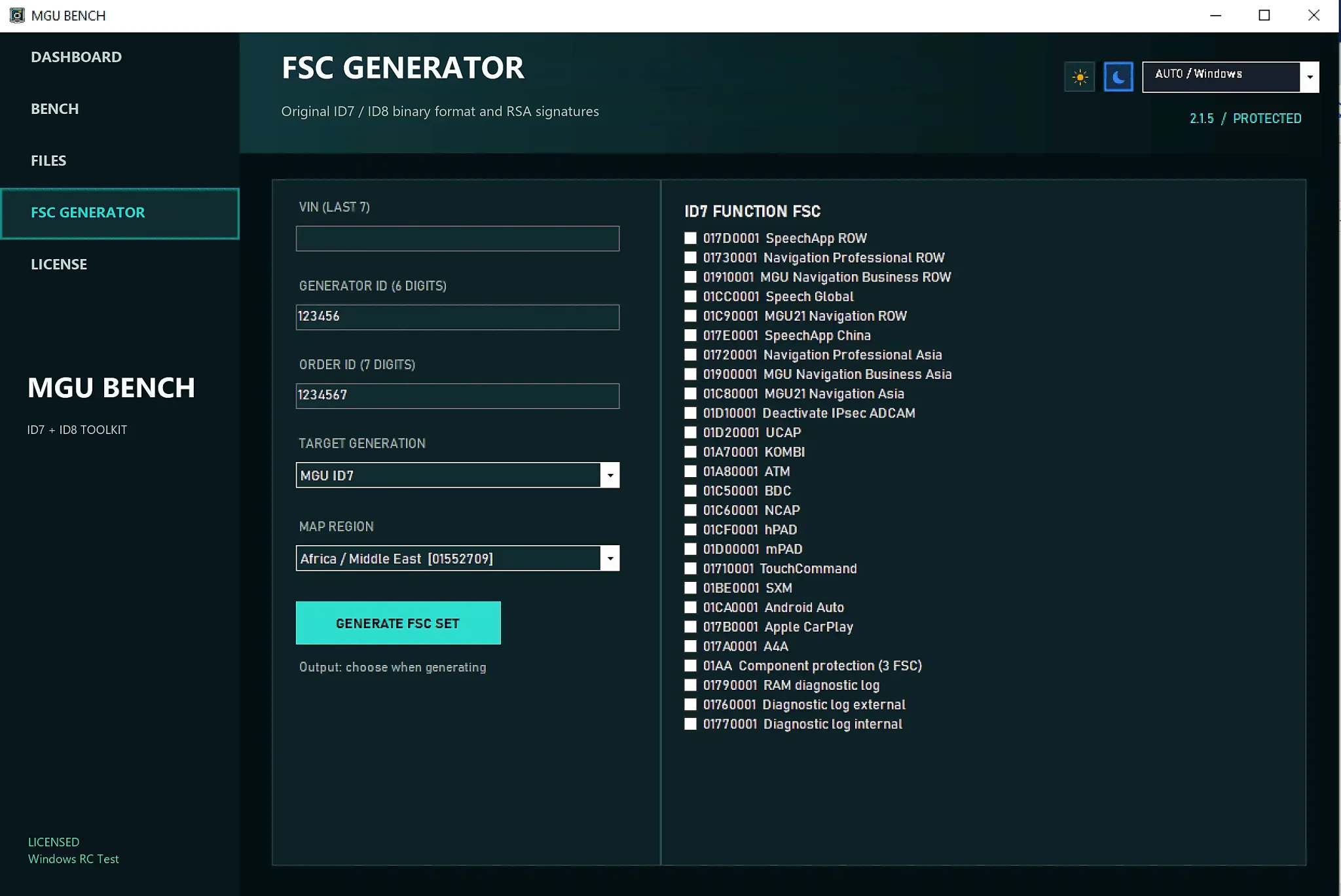
A separate FSC GENERATOR creates supported original-format BMW ID7 / ID8 FSC files. Its inputs are:
- VIN: the last seven characters.
- Generator ID: six digits.
- Order ID: seven digits.
- The target generation.
- The map region.
- The required function FSC selections.
The output follows the supported original ID7 / ID8 binary structure and RSA-signature format.
Supported FSC Functions
The generator's selectable functions include:
017D0001— SpeechApp ROW01730001— Navigation Professional ROW01910001— MGU Navigation Business ROW01CC0001— Speech Global01C90001— MGU21 Navigation ROW017E0001— SpeechApp China01720001— Navigation Professional Asia01900001— MGU Navigation Business Asia01C80001— MGU21 Navigation Asia01D10001— Deactivate IPsec ADCAM01D20001— UCAP01A70001— KOMBI01A80001— ATM01C50001— BDC01C60001— NCAP01CF0001— hPAD01D00001— mPAD01710001— TouchCommand01BE0001— SXM01CA0001— Android Auto017B0001— Apple CarPlay017A0001— 4A01AA— Component Protection set01790001— RAM diagnostic log01760001— Diagnostic log external01770001— Diagnostic log internal
Availability and vehicle applicability vary with the exact MGU generation, software level and vehicle configuration.
Navigation FSC Generation
Configure navigation generation for the intended target generation and map region. The interface allows the appropriate navigation-related FSC functions to be combined into a set.
Before producing the final set, check:
- The vehicle VIN.
- The MGU generation.
- The Generator ID.
- The Order ID.
- The navigation type.
- The map region.
Package Contents
The documented package contains:
MGUBENCH.exe— the main application.RUN-AS-ADMIN.cmd— a launcher for physical-disk operations requiring administrator privileges.SHA256SUMS.txt— integrity hashes for the distributed package files.
Keep the complete package together.
Installation and Startup
- Download the package and extract it completely into its own folder.
- Do not launch the application from inside a ZIP or RAR archive.
- Connect the required SD/MMC storage through a reliable reader to the Windows computer.
- Use
RUN-AS-ADMIN.cmdwhen physical-disk access needs elevated Windows privileges. - Open BENCH.
- Start with SCAN USB / SD / MMC.
- Use SCAN ALL DISKS only if the target EXT volume is not found.
- Select the detected EXT volume and choose DETECT MGU.
- Do not begin writing until the application confirms a supported MGU target.
License
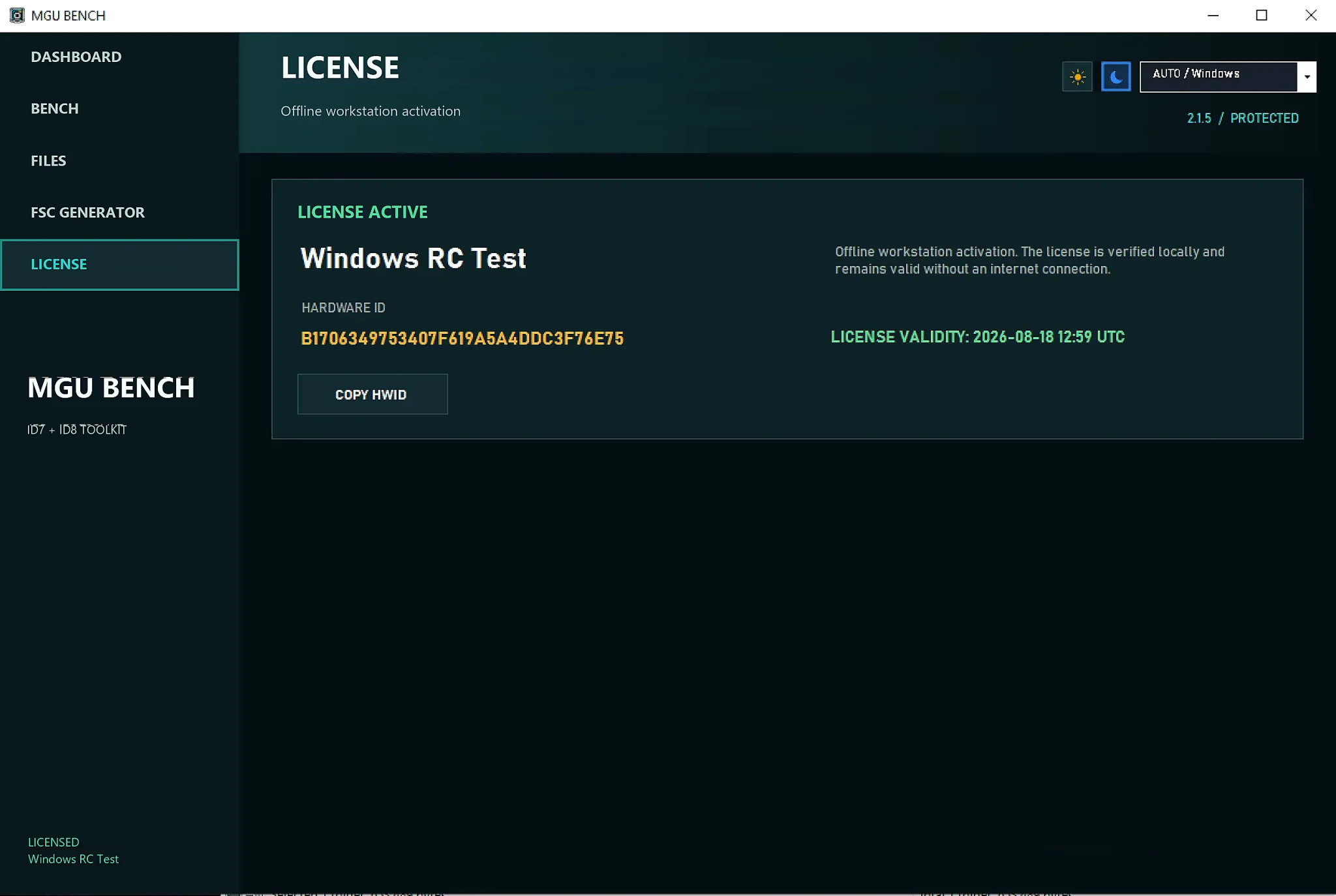
MGU BENCH uses offline workstation activation. The LICENSE workspace displays:
- The current license state.
- The licensed workstation name.
- The Hardware ID.
- The license validity.
Use COPY HWID when the hardware identifier is needed for activation. License verification runs locally, allowing an activated workstation to remain licensed without an active internet connection.
Important Working Notes
- Retain every automatically created backup.
- Use dependable SD/MMC reading hardware and a reliable USB connection.
- Keep the storage connected throughout a write operation.
- Do not let Windows disk-management utilities initialize or format an unrecognized Linux partition.
- Do not edit the EXT filesystem manually while an MGU operation is running.
- Do not patch files from unidentified or unsupported MGU software.
- Do not substitute factory data with bytes taken from unrelated firmware.
- Let the application finish read-back verification after patching.
- Store extracted originals and backups separately.
MGU BENCH is intended for authorized BMW MGU repair, bench servicing, module replacement, recovery and professional retrofit operations.
File Integrity
The documented SHA-256 references identify the following files:
495740256182a174f73b5b15efab0b80f3947887d2a1e267cad80c3ad921a15f  MGUBENCH.exe
a0c6dfefa1a54a2613ead74fc95bde21732cd0e8fd49ed9daad5fadccd497243  MGUBENCH-User-Guide-EN-DE-PL-RU.pdf
14bf4f895ab82411c86a796abd1da25767c2fca14804c2c49323f4ef3dc82e92  RUN-AS-ADMIN.cmd
The package also supplies SHA256SUMS.txt for local integrity checks before use.
Technical Compatibility
Operating Systems
System Requirements
- Windows computer and a reliable SD/MMC reader with a stable USB connection.
- Supported BMW MGU ID7 / ID8 storage containing a compatible Linux EXT filesystem.
- Elevated Windows privileges when required for physical-disk access.
- Recognized target paths, files, sizes and signatures before patching or virginization.
- Verified local backups and explicit confirmation before raw writing.
- Offline workstation activation for the licensed installation.
- For FSC generation: last 7 VIN characters, 6-digit Generator ID, 7-digit Order ID, target generation and map region.
Screenshots
Related Software
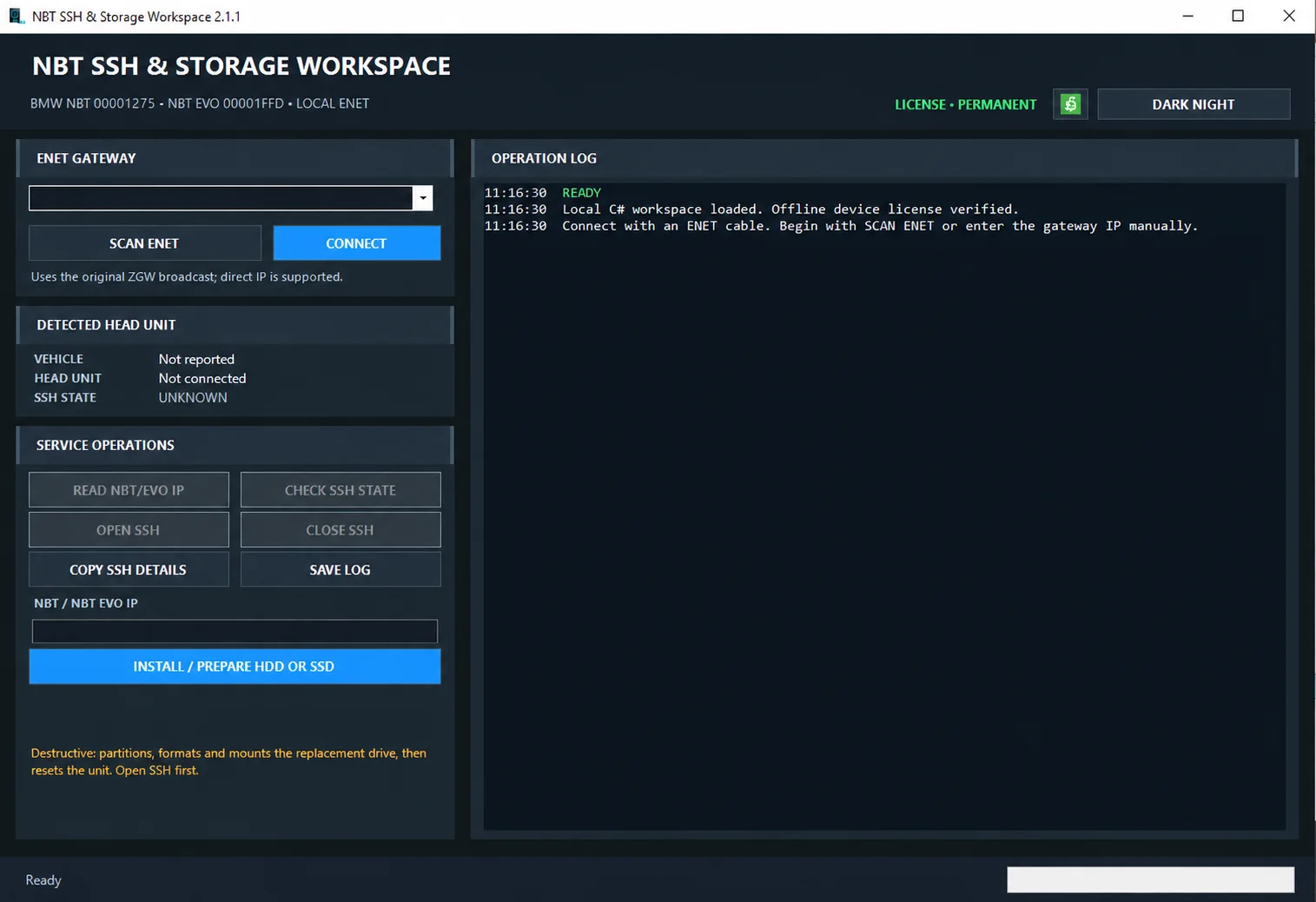
Windows ENET utility for identifying supported BMW head units, managing SSH access and preparing replacement HDD/SSD storage.

Windows calibration-file utility with manufacturer and ECU selection menus for EGR, flap, Hotstart, DTC and related service functions.
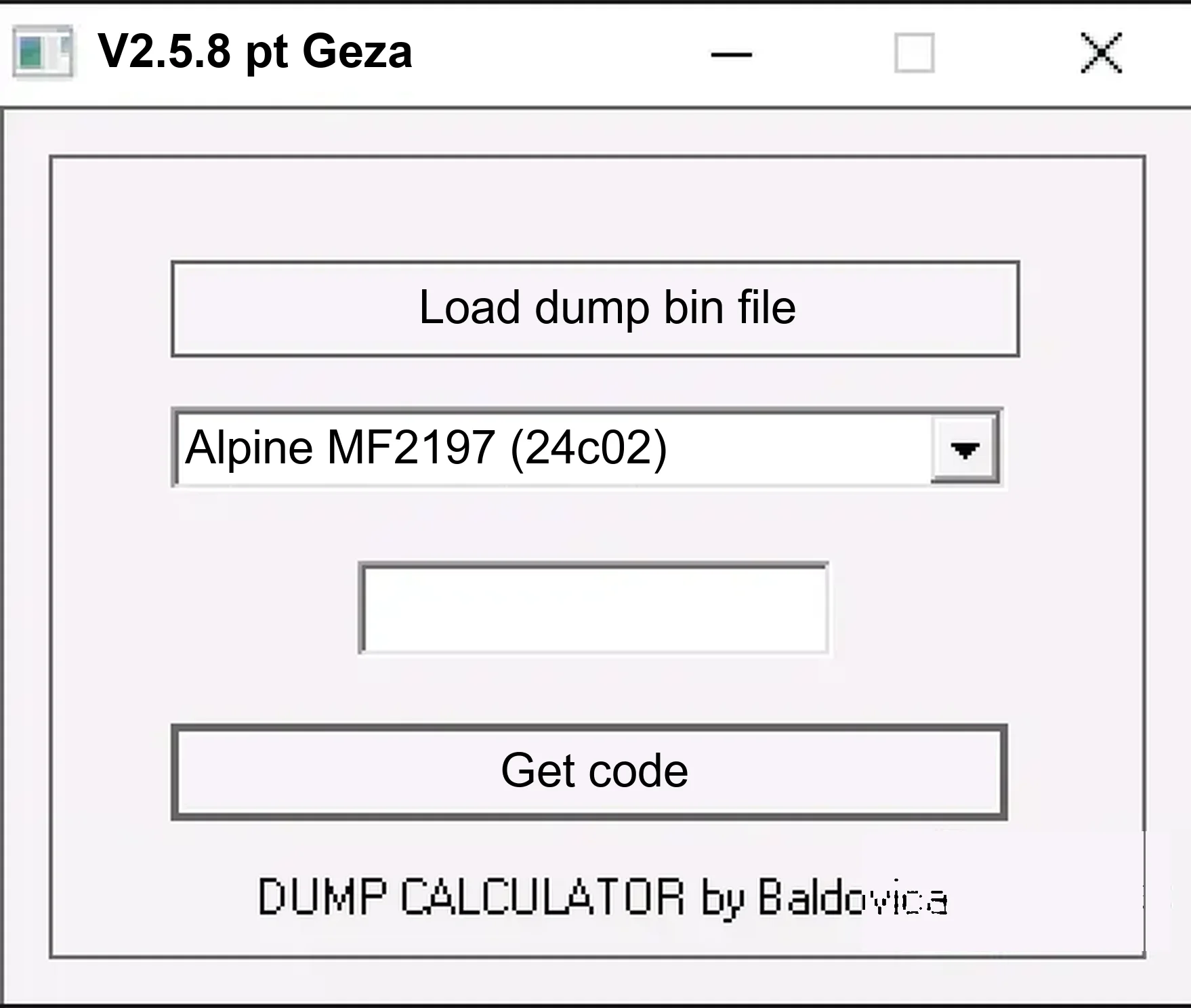
Windows EEPROM BIN dump calculators for supported car-audio head units, including V2.5.8 pt Geza presets and the V2.8.3 calculator build.
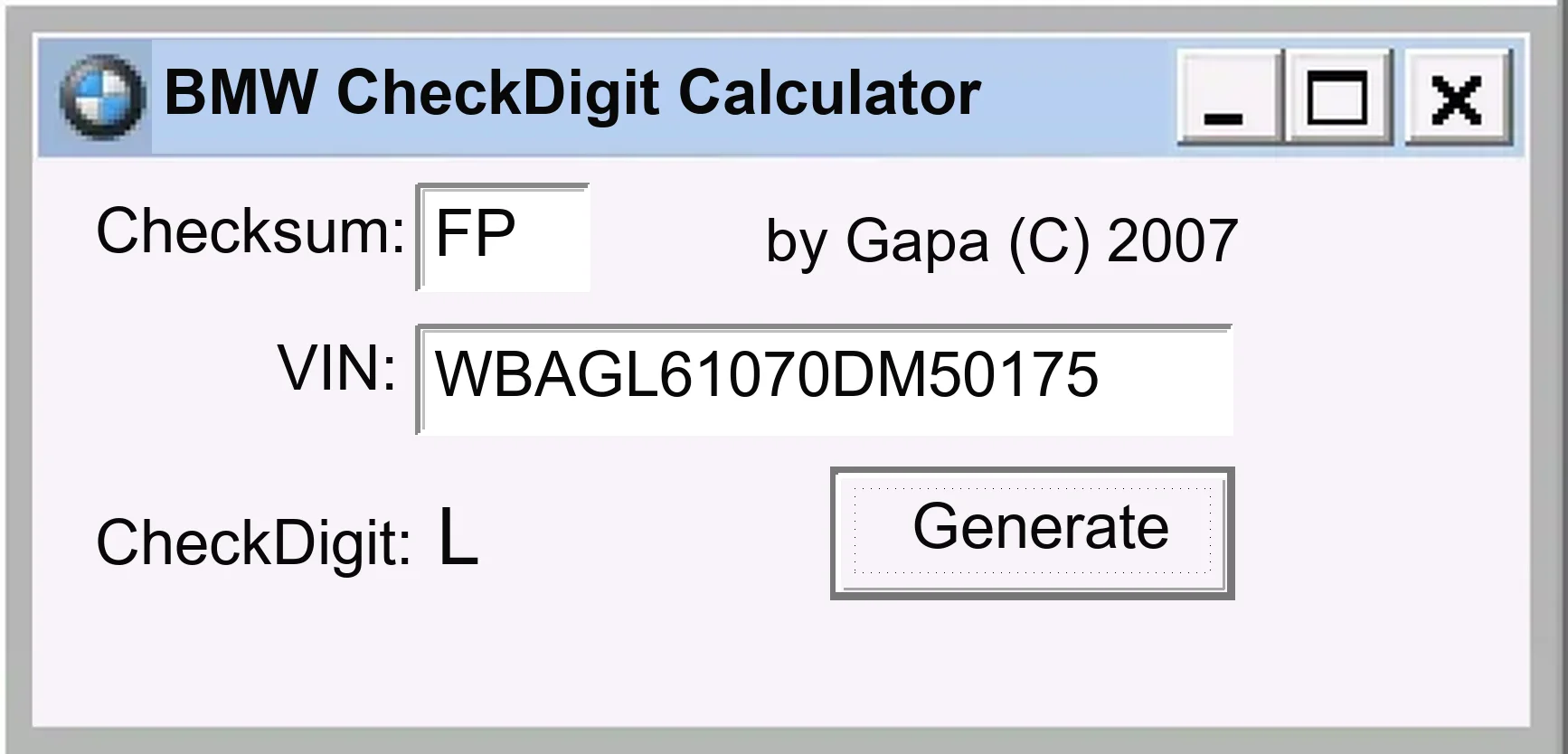
Standalone Windows utility for calculating the checksum and check digit of standard 17-character BMW and MINI VINs.
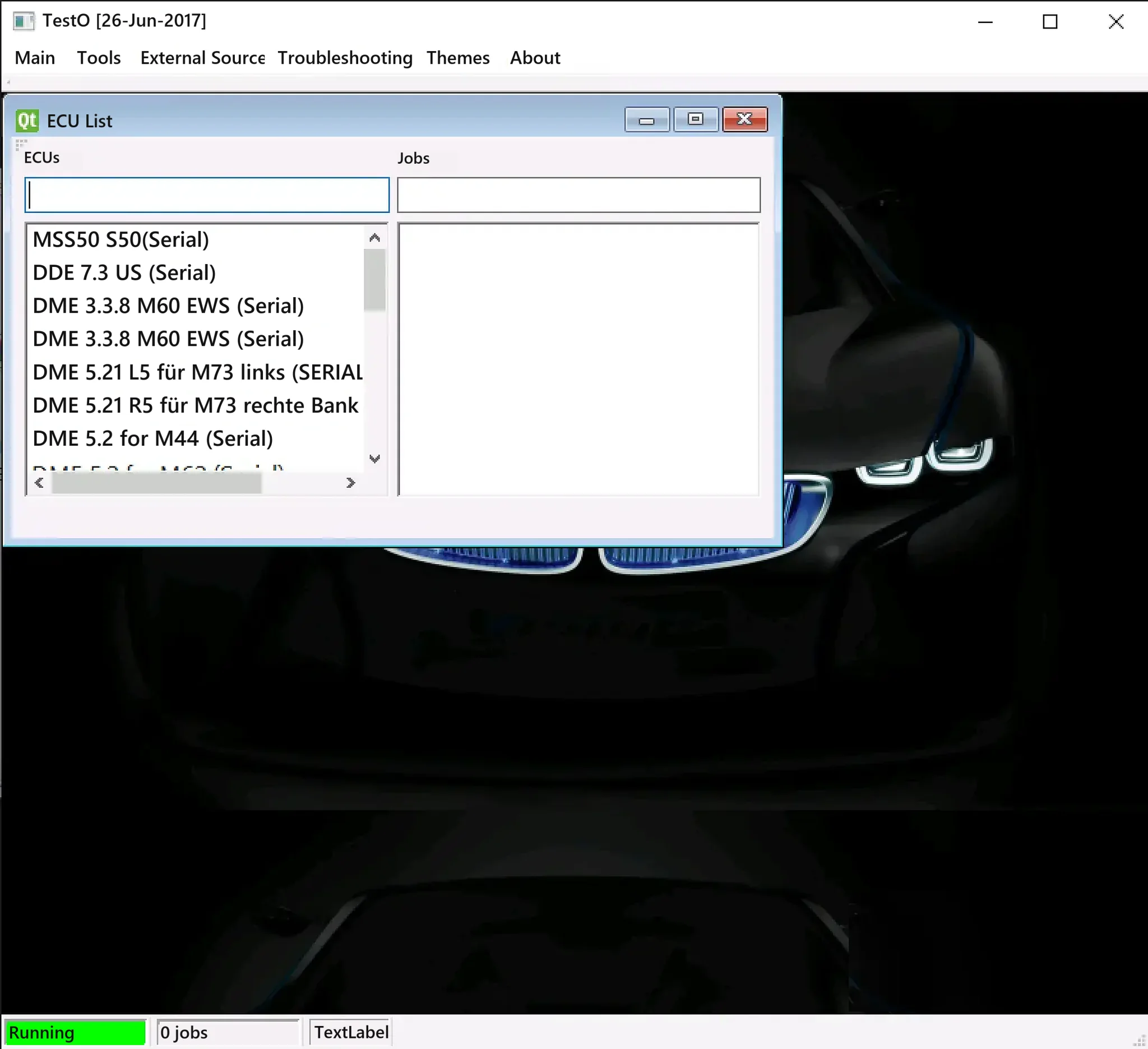
BMW ECU job runner and configurable data logger with custom job sets, CSV-style export, event markers and multichannel graphs for repeatable diagnostic testing.

Windows workshop utility for calculating PIN and key-related service data from supported ECU, dashboard and body-module dumps, with a searchable coverage database.