
SOFTWARE DATABASE / RELEASE RECORD
VERSION 2.0VBID VAG Binary Identifier and ECU File Scanner 2.0
Offline VAG binary scanner with software, hardware and calibration identification, console-style results and directory-based file organization and renaming.
Categories
Vehicle references
Overview
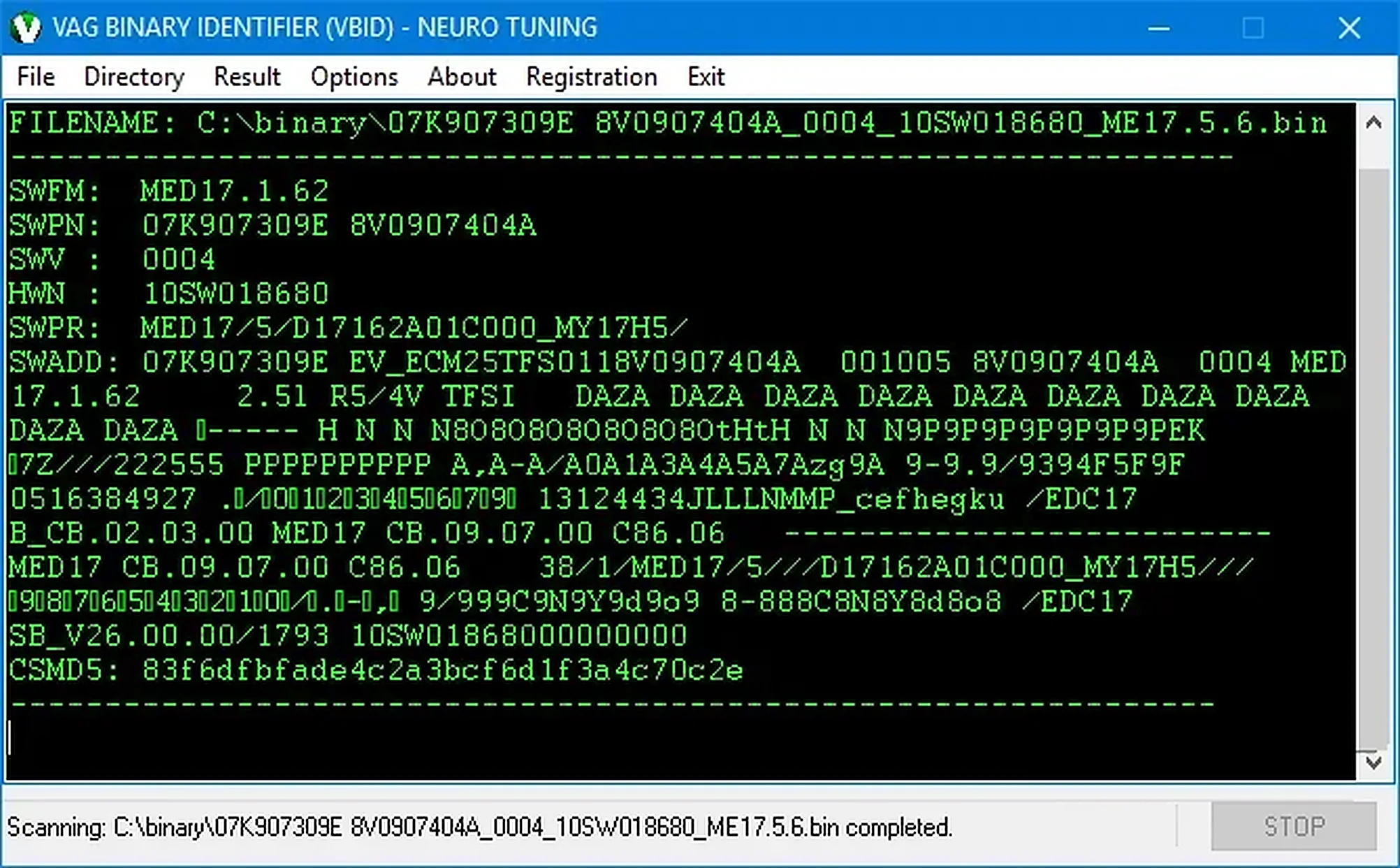
VBID is a VAG-focused binary identifier and firmware scanner. It examines local file content and presents recovered identifiers in a console-style results window, including software versions, software part numbers, hardware numbers, calibration strings, ECU-family markers and checksum-related information.
Its Volkswagen Group-oriented scanning, directory, results and renaming functions help organize unlabeled file collections. The application works offline and does not communicate with a vehicle.
What This Resource Is For
Use VBID to identify unknown VAG reads, create consistent filenames and cross-check a calibration against the expected ECU before editing. It helps distinguish original and modified files accumulated in a workshop archive.
Confirmed Functions
- Scan an individual VAG binary for recognized structured identifiers.
- Display software, hardware and calibration-related strings.
- Use a directory-oriented workflow for larger file collections.
- Organize identified binaries with results and renaming options.
- Analyze the selected input file without editing its binary content.
Supported Controllers, Files and Vehicles
- VAG ECU binaries with identifier patterns recognized by the application.
- The illustrated interface shows detailed results from a Bosch MED17-family read.
- Other Bosch EDC and MED generations may be identified where their data follows supported patterns.
- Coverage depends on binary structure; a guaranteed vehicle-model compatibility list is not established.
Package Contents
- One portable VBID executable.
- No interface drivers, flashing components or external database files.
- A VBID interface and executable distinct from the RemapX generic binary analyzer.
System and Interface Requirements
- A Windows PC or isolated Windows virtual machine.
- A full-read or calibration binary copied into a separate analysis folder.
- Folder permissions sufficient to create renamed copies when using file-management functions.
- No OBD or bench interface is needed for offline scanning.
Recommended Workshop Workflow
- Preserve the original file and record its hash before identification.
- Scan a known file first to understand the reported fields.
- Compare the identifiers with the ECU label, read-tool log and diagnostic scan.
- Use a consistent naming scheme retaining hardware, software and original or modified status.
- Keep an untouched backup; do not allow a rename operation to replace the only copy.
Compatibility Limits and Responsible Use
- Readable identifiers may be stale, duplicated or copied between calibrations.
- A successful scan does not validate tuning maps, checksums or flash compatibility.
- Unrecognized layouts can produce partial raw strings instead of a complete identity.
- VBID does not edit tuning maps or correct checksums.
Troubleshooting
- Mostly raw text: check whether the input is compressed or encrypted.
- Conflicting identifiers: compare several fields rather than relying on one part number.
- Directory renaming: test on copies and review every proposed filename before applying changes.
File Integrity and Safety Notes
Package documentation reports complete archive testing and extraction, inspection of nested containers where present, and static inspection of executable files without launching them. This describes the documented package review, not an independent executable or vehicle test by ECUDB.
Keep original ECU and module reads immutable and work on copies. For any later editing or programming performed with separate tools, verify output size and applicable checksum requirements, provide stable power and retain a proven recovery method.
An unsigned executable should not be assumed malware-free. Use a dedicated analysis environment and your own current security tools.
Technical Compatibility
Supported Modules
Operating Systems
File Formats
System Requirements
- Windows PC or isolated Windows virtual machine
- Full-read or calibration binary in a separate analysis folder
- Permissions to create renamed file copies when using file management
- No OBD or bench interface needed for offline scanning
Screenshots
Related Software

Legacy Windows ECU service software for supported VAG EDC15/ME7, PSA EDC15C2 and Opel Delco controllers, with profile-dependent PIN, identity and EEPROM functions through a matching interface.

Offline Windows reference tool for Bosch ECU part numbers, controller families and OE cross-references, with exact, wildcard, prefix and binary-dump identifier searches.

Windows map and axis detection for supported Siemens PPD/SID full BDM binaries, with table and 3D views, DTC analysis and XDF/A2L definition export.

Offline Windows checksum inspection and correction for recognized Bosch and Sagem petrol ECU binaries, with eight supplied modules and All, Bad and Fixed counters.

Offline Windows command-line decoder and editor for supported Bosch ME7.5 ECU and VAG instrument-cluster EEPROM files, primarily 1.8T Immobilizer III.
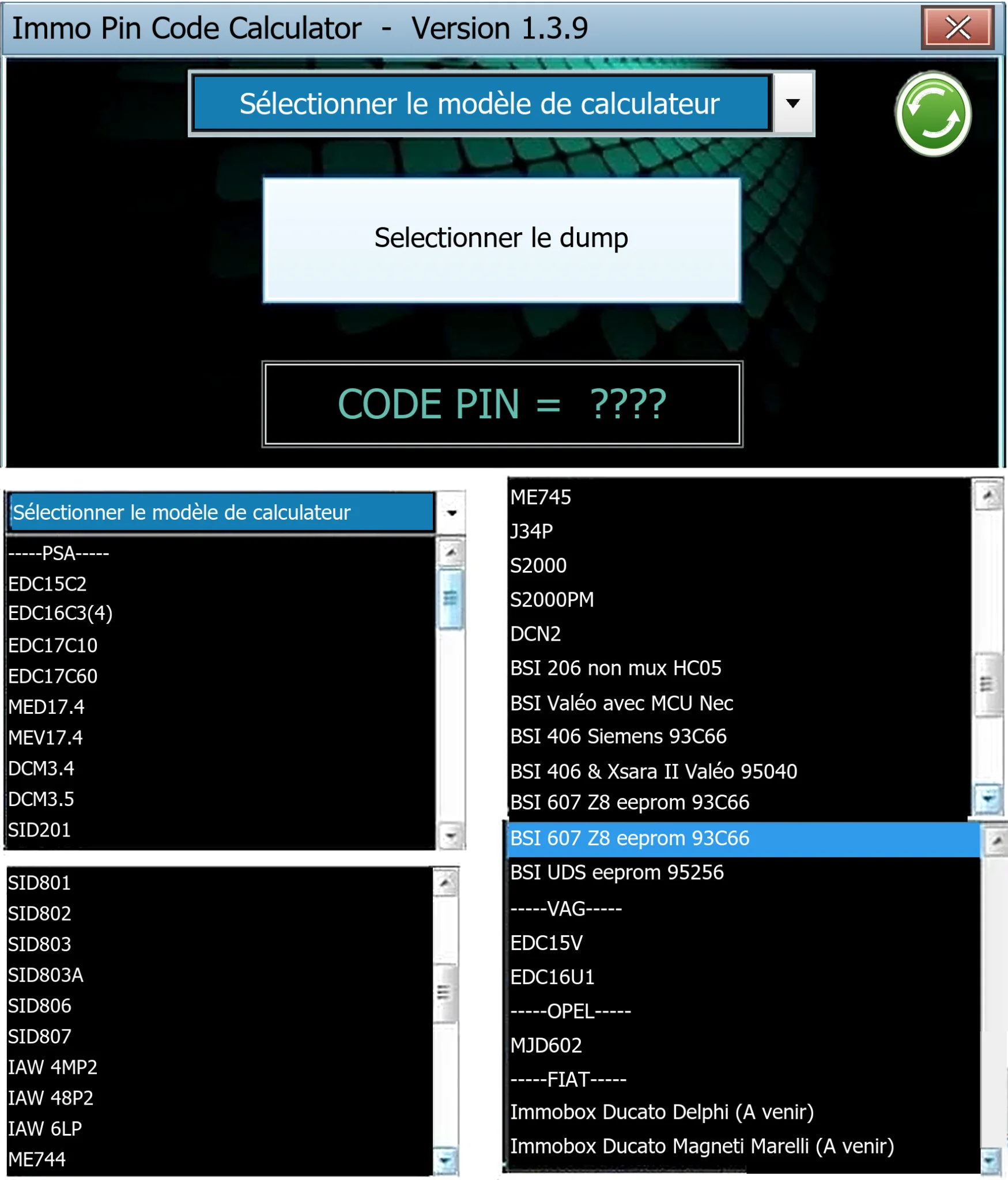
Offline Windows PIN decoder for supported Peugeot/Citroën ECU and BSI dumps, with additional Volkswagen EDC15V/EDC16U1 and Opel MJD602 profiles.