
SOFTWARE DATABASE / RELEASE RECORD
VERSION 1.0.0.0VAG MK60EC1 ABS / ESP Long Coding Calculator 1.0.0.0
Windows calculator for reconstructing candidate VAG MK60EC1 ABS / ESP long coding from vehicle, engine, steering and VIN-related configuration choices.
Categories
Vehicle references
Overview
VAG MK60EC1 ABS / ESP Long Coding Calculator is a Windows utility for reconstructing a candidate long-coding string for supported Volkswagen Group brake-control modules after replacement, data loss or configuration repair.
The interface combines vehicle and powertrain selections, steering orientation and VIN-related input, then displays the resulting coding bytes for use in a separate diagnostic workflow. It does not connect to the vehicle or perform coding by itself.
What This Resource Is For
Use the calculator to reconstruct or cross-check long coding during authorized ABS / ESP module replacement or configuration repair. It complements VCDS, ODIS or another suitable diagnostic platform.
A generated code is a candidate. The ABS part number and index, vehicle platform, engine, transmission, brake equipment, steering position and installed options must match the actual vehicle and an authoritative scan.
Functions Included
- Select supported engine and vehicle-configuration choices.
- Choose left- or right-hand-drive configuration where available.
- Enter the required VIN-derived information.
- Generate and display the ABS / ESP long-coding byte sequence.
- Copy the calculated code for use in a separate diagnostic session.
- Access the additional controller-family tabs present in the application.
- The supplied functional package retains its companion key-generation utility.
Interface and Visible Configuration Choices
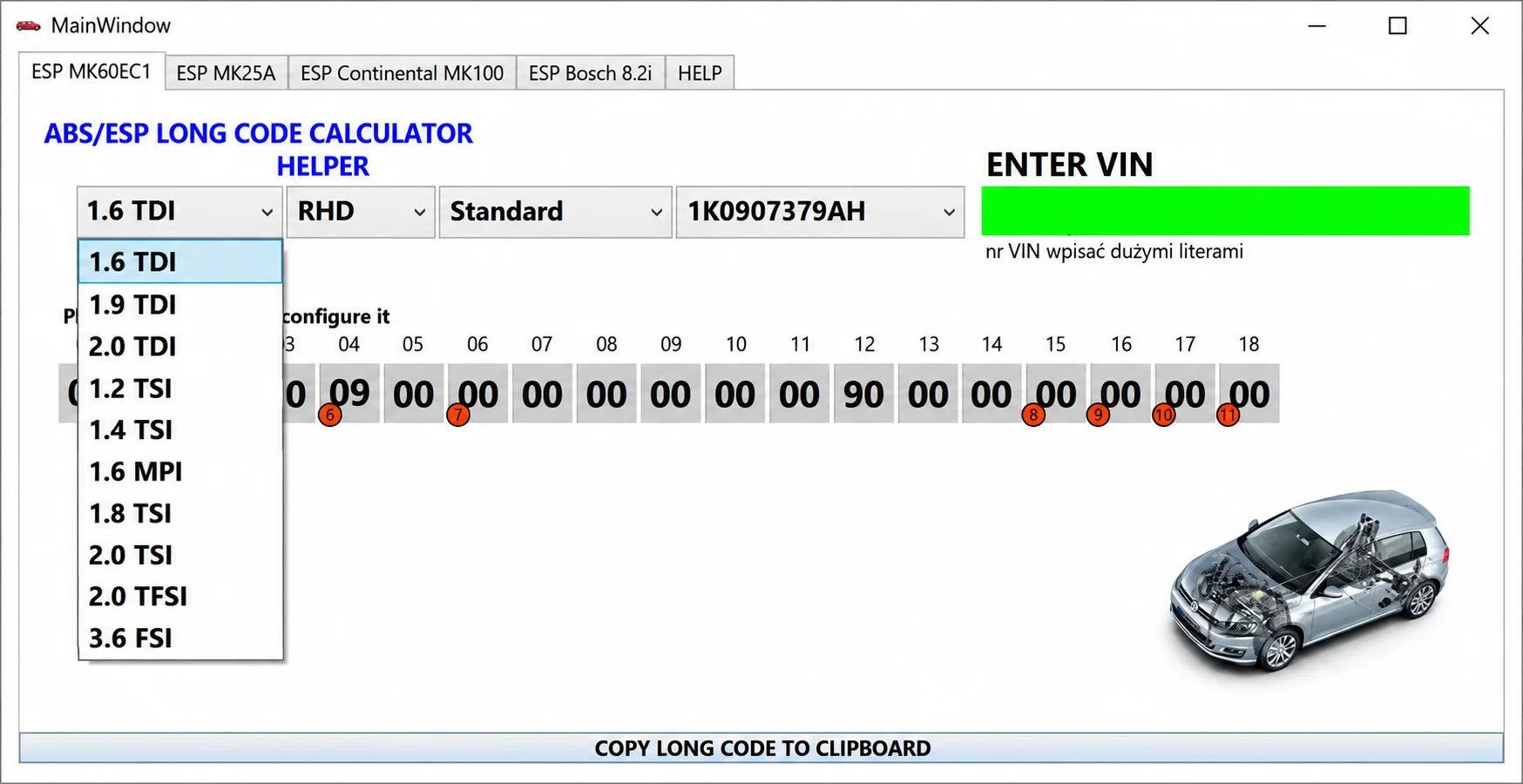
The main workspace is labeled ESP MK60EC1. The open engine selector in the illustrated interface shows:
- 1.6 TDI
- 1.9 TDI
- 2.0 TDI
- 1.2 TSI
- 1.4 TSI
- 1.6 MPI
- 1.8 TSI
- 2.0 TSI
- 2.0 TFSI
- 3.6 FSI
The screenshot shows RHD, Standard and controller part number 1K0907379AH as example selections. The ENTER VIN field is empty; the visible instruction requests uppercase VIN characters. The coding area displays indexed byte fields, and COPY LONG CODE TO CLIPBOARD transfers the calculated string.
These are visible interface choices, not a guarantee of compatibility with every vehicle using the named engine or brake-controller family.
Supported Vehicles, Controllers and File Types
- The primary documented workspace is for VAG MK60EC1 ABS / ESP modules.
- Visible engine choices cover several TDI, TSI, TFSI, MPI and FSI families.
- Additional tabs are labeled ESP MK25A, ESP Continental MK100 and ESP Bosch 8.2i. Exact vehicle coverage for these tabs is not documented.
- Coding depends on the vehicle platform, ABS hardware / index and installed equipment.
- Coverage is not established for every Volkswagen, Audi, Škoda or SEAT model with a similarly named brake unit.
The documented output is a long-coding string for a separate diagnostic session. No ABS firmware image or coding-database export is included.
Package Contents
- ABS / ESP long-code calculator.
- Companion key-generation utility retained with the supplied functional set.
- Application screenshot.
- VCDS, ODIS, a diagnostic cable, ABS firmware and a coding-database export are not included.
System, Hardware and Interface Requirements
- Windows PC or isolated virtual machine.
- A complete diagnostic autoscan made before module removal, where possible.
- The exact ABS controller part number, software / index and vehicle PR-code information.
- VCDS, ODIS or a compatible professional diagnostic platform for the vehicle-side procedure.
- Stable vehicle battery support and a safe test area for final brake-system checks.
Recommended Workshop Workflow
- Record the original long coding and full autoscan before replacing the module.
- Verify that the replacement ABS unit is hardware-compatible.
- Enter vehicle, engine, steering and VIN-related data carefully.
- Compare the generated bytes with a known-good scan or an OEM configuration source.
- Write the candidate code through the diagnostic platform under stable voltage.
- Complete the basic settings, steering-angle and brake-system calibrations required by the repair manual.
- Clear faults, perform a controlled road test and rescan all related modules.
Compatibility Limits and Responsible Use
- Never guess safety-critical brake coding from a visually similar vehicle.
- A module can accept a coding value that still describes the wrong equipment.
- Different ABS hardware indexes may require different coding logic.
- Keep VIN information private rather than posting it in full.
- The calculator does not replace hydraulic bleeding, basic settings or sensor calibration.
Troubleshooting
- Coding rejected: verify the part number, index, vehicle platform and diagnostic security access.
- Coding accepted but faults remain: complete the required basic settings and inspect the installed-equipment selections.
- VIN field fails: confirm the expected format and use only the required characters.
- Generated bytes differ from the old scan: stop and resolve the configuration difference before writing.
- Warning lamps remain: run guided diagnostics and do not drive until the brake system is verified.
Practical File-Handling Notes
Keep the supplied archive and the first verified controller read unchanged. Use short, descriptive filenames for working copies, record which tool and operation created each output and preserve a separate recovery copy.
The supplied functional set retains the activation / key-generation component associated with this release.
Technical Compatibility
Operating Systems
System Requirements
- Windows PC or isolated virtual machine.
- Exact ABS controller part number, software / index and vehicle PR-code information.
- Complete diagnostic autoscan before module removal, where possible.
- VCDS, ODIS or a compatible professional diagnostic platform for vehicle-side coding.
- Stable vehicle battery support and a safe area for final brake-system checks.
Screenshots
Related Software

Windows automotive key database and cutting-control software for compatible Miracle machines, with profile search, bitting entry, blade preview and saved cutting jobs.

Offline Windows reference and calculation tool for supported dashboard, body-module and EEPROM/MCU mileage profiles, with memory information, byte locations and repair calculations.

Offline Windows reference tool for Bosch ECU part numbers, controller families and OE cross-references, with exact, wildcard, prefix and binary-dump identifier searches.

Windows map and axis detection for supported Siemens PPD/SID full BDM binaries, with table and 3D views, DTC analysis and XDF/A2L definition export.

Offline Windows checksum inspection and correction for recognized Bosch and Sagem petrol ECU binaries, with eight supplied modules and All, Bad and Fixed counters.
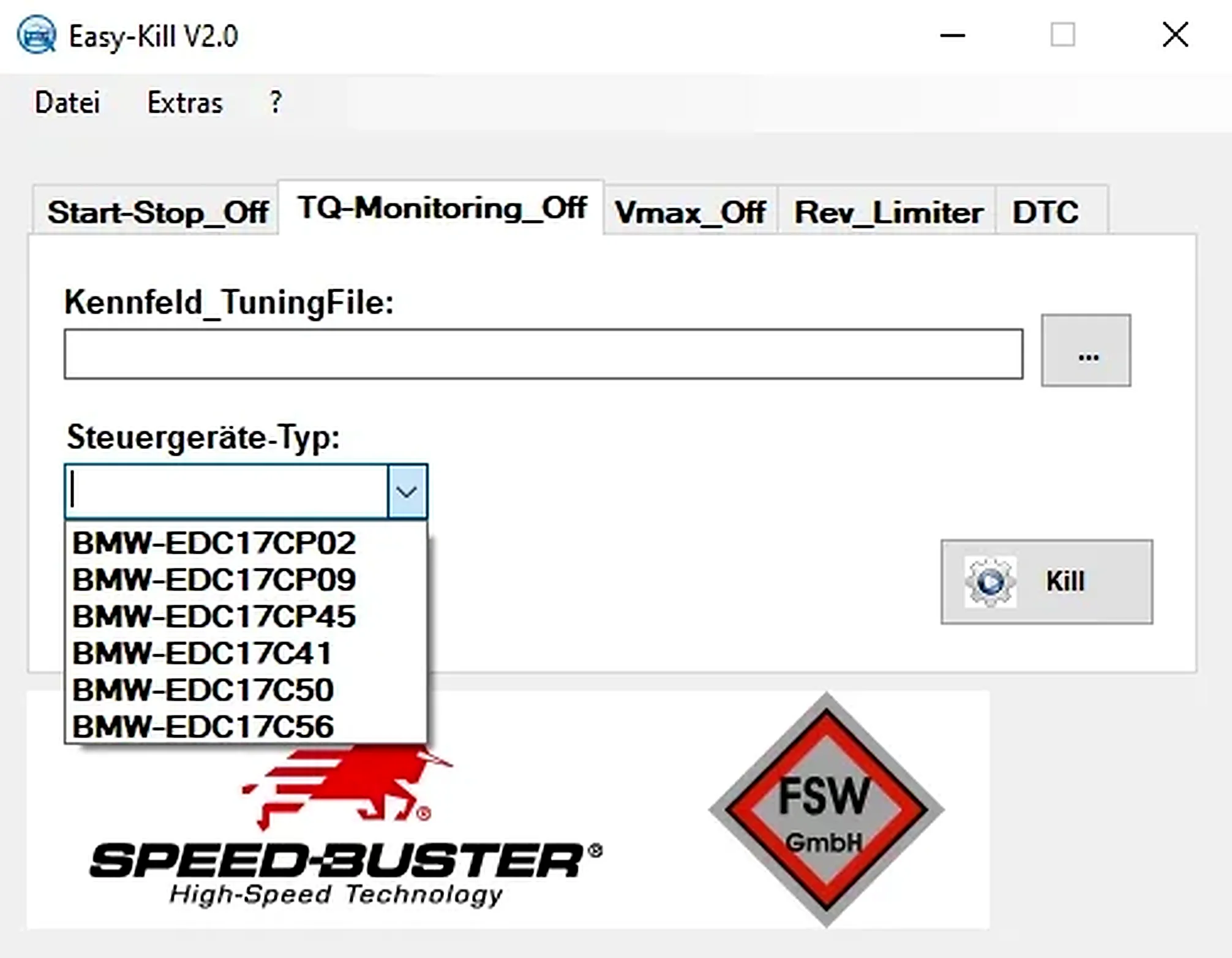
Offline Windows file editor for selected BMW and VAG Bosch ECU profiles, with separate start-stop, torque monitoring, Vmax, rev-limiter and DTC functions.