
SOFTWARE DATABASE / RELEASE RECORD
VERSION 2.5.0VAG MED17/EDC17 CVN & Checksum Repair Tool 2.5.0
Windows file-processing utility for supported VAG Bosch MED17 and EDC17 software, with CVN comparison, checksum repair and Autotuner iflash0 / iflash1 combining.
Categories
Vehicle references
Overview
VAG MED/EDC17 CVNfix is a Windows ECU-file utility for supported Volkswagen Group Bosch MED17 and EDC17 software. It compares an untouched original with a modified version, identifies calibration data, checks the Calibration Verification Number (CVN) and validates individual checksum blocks.
Supported files can be processed for CVN correction, checksum repair and export as a separate corrected file. Version 2.5.0 adds Autotuner iFlash Combine and revised PMU1 messages; the earlier comparison example below shows the 2.4.0 interface.
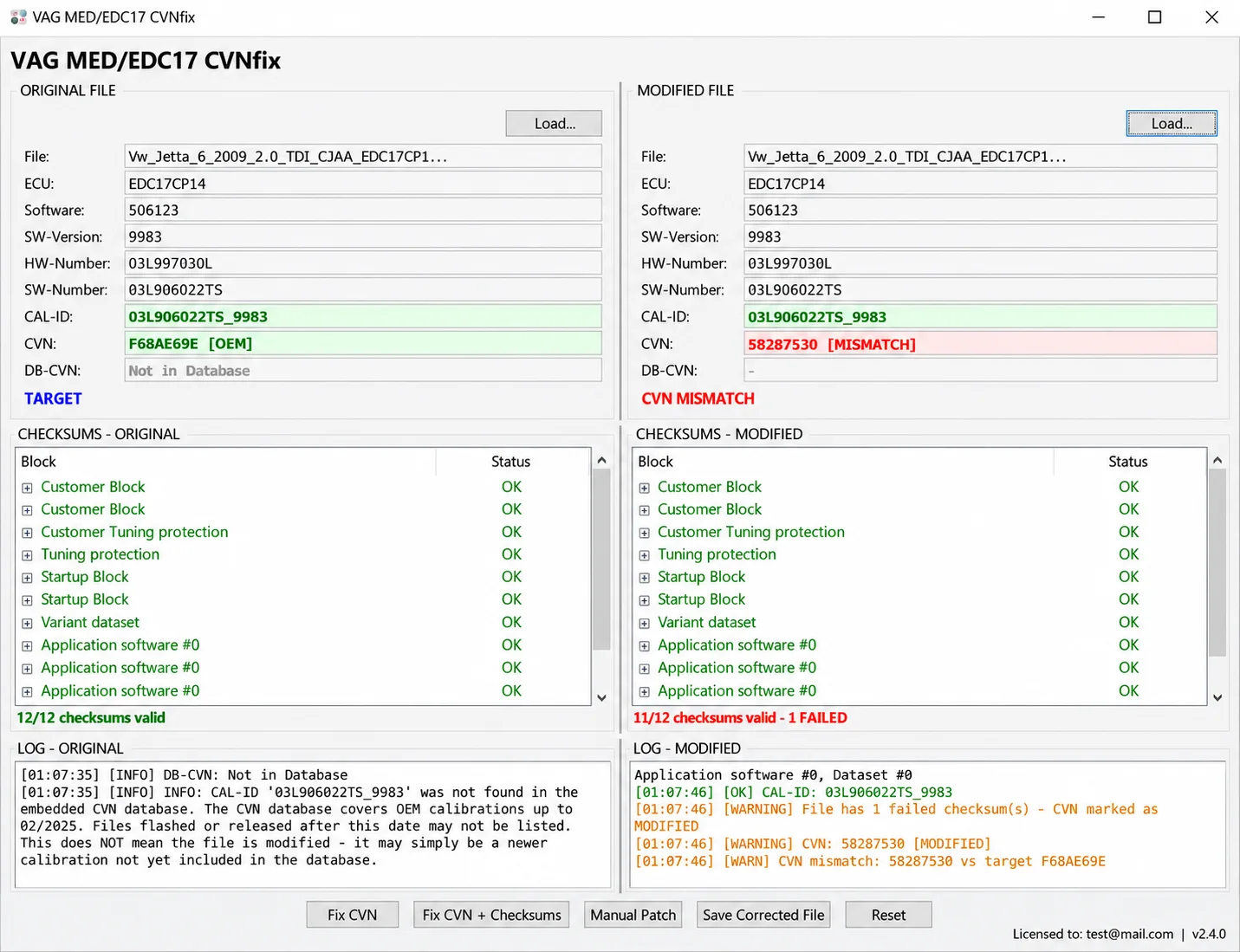
Version 2.4.0 comparison example showing an original and modified ECU file.
Main Functions
- Load original and modified ECU files into separate comparison panels.
- Identify supported Bosch MED17 and EDC17 file structures automatically.
- Display ECU type, software identification, hardware and software part numbers.
- Show software version and CAL-ID.
- Calculate and compare CVNs for both files.
- Indicate OEM, modified and mismatched CVN conditions.
- Validate individual software-block checksums and summarize valid and failed results.
- Correct CVN data in supported modified files.
- Combine CVN correction and supported checksum repair in one operation.
- Provide a Manual Patch option where applicable.
- Save corrected output separately and review processing messages in integrated logs.
- Combine Autotuner iflash0 and iflash1 boot-read files through the tool added in 2.5.0.
Detected ECU Information
For a compatible file, each panel can show:
- ECU family
- Software identification
- SW-Version
- HW-Number
- SW-Number
- CAL-ID
- Calculated CVN
- Database CVN when available
- The checksum condition of each detected software block
Separate ORIGINAL FILE and MODIFIED FILE panels allow the identifiers, CVNs and validation results to be checked together.
CVN Comparison and Correction
A CVN is derived from calibration data. Editing that data can change the calculated value relative to the expected original calibration.
- OEM: the detected CVN agrees with the expected original value.
- MODIFIED: the application identifies modified calibration data.
- MISMATCH: the calculated value differs from the target being compared.
Fix CVN handles supported CVN correction. Fix CVN + Checksums also repairs supported checksum blocks. Manual Patch offers an additional manual correction method, while Save Corrected File exports the result under a separate filename. The interface also includes Reset.
The illustrated 2.4.0 example compares an EDC17CP14 file pair: software 506123, SW-Version 9983, HW-Number 03L997030L, SW-Number 03L906022TS and CAL-ID 03L906022TS_9983. It shows original CVN F68AE69E [OEM] against 58287530 [MISMATCH], with 12/12 original checksums valid and 11/12 modified checksums valid, including one failure. These are the displayed example results, not a validation of a customer file.
Checksum Validation
The application reports each recognized block separately and totals the successful and failed checks. Depending on the file structure, the list can include:
- Customer blocks.
- Customer tuning protection.
- Tuning protection.
- Startup blocks.
- Variant datasets.
- Application software.
- Calibration datasets.
What Is New in 2.5.0
Tools → Autotuner iFlash Combine merges the separate iflash0 and iflash1 internal-flash files that may be produced by an Autotuner boot read. The resulting single binary can then be loaded into CVNfix.
The dialog provides separate iflash0 and iflash1 file selectors, Browse controls, Combine & Save and Close. The modified-file panel instructs the user to load the original first.
- Cleaner, reorganized processing logs.
- A revised PMU1-detection notice.
- One structured PMU1 message instead of repeated warnings.
- Clearer workflow guidance for ECUs whose CVN calculation may involve a second internal-flash bank.
Existing HWID licenses remain valid for 2.5.0. A previously licensed HWID does not require another activation request merely because the application is updated.
Basic Workflow
- Keep an untouched backup of the original ECU read.
- Start the application supplied with the selected release; the documented 2.4.0 executable is VAG_MED_EDC17_Tool_v2.4.0.exe.
- Load the untouched file in ORIGINAL FILE.
- Load the corresponding modified file in MODIFIED FILE.
- Compare the ECU identity, CAL-ID and CVN values, confirming that both files belong to the same ECU software.
- Inspect the checksum results for both files.
- Select Fix CVN or Fix CVN + Checksums as required for the supported file.
- Read the processing log and resolve any warnings.
- Use Save Corrected File and choose a new filename.
- Verify the exported file before a separate programming operation.
This application processes files. Reading or writing the physical ECU requires a separate compatible professional programming tool.
CVN Database Information
The integrated database can compare supported CAL-ID and OEM-CVN pairs. It does not necessarily include every calibration. A missing record alone is not evidence that a file has been modified; the calibration may be absent or newer than the database coverage.
The 2.4.0 comparison screenshot specifically reports database coverage through 02/2025. This identifies that illustrated build's message and does not establish the database cutoff of every later release. Compare original and modified files and review all identifiers, CVNs and checksum results before correction.
Package Contents
The documented 2.4.0 package lists:
- VAG_MED_EDC17_Tool_v2.4.0.exe — the main CVNfix application.
- HWID_Generator.exe — hardware identification and license-request generation.
- README_V2.4.0.txt — included documentation.
The 2.5.0 update adds Autotuner iFlash Combine and the revised PMU1 and logging behavior described above.
License Activation
- Extract the complete application package.
- Run HWID_Generator.exe.
- Enter the name and email address required by the license-request utility.
- Select Save License Request (.hwid).
- Provide the actual generated .hwid attachment through the license issuer's designated request channel.
- Obtain the corresponding license file after the request is processed.
A screenshot or manually copied hardware identifier does not replace the generated .hwid file. Previously issued licenses remain valid for the same HWID in version 2.5.0. The available information does not establish license pricing or a freeware/commercial classification.
System and File Requirements
- A Windows computer and a valid license for the relevant HWID.
- Original and modified reads from the same supported ECU software.
- A compatible professional programmer for separate ECU reading and writing.
- Untouched backups, independent output verification and stable power for ECU operations.
Exact Windows versions, architecture and runtime dependencies are not specified. MED17 / EDC17 naming does not establish support for every subfamily, calibration or file layout.
Important Notes
- Preserve the untouched original read and never overwrite its only copy.
- Use reads obtained with a compatible professional ECU programmer.
- Confirm that the original and modified files belong to the same ECU software.
- Review ECU identity, CAL-ID, CVN and checksum information carefully.
- Save every corrected result separately and verify it before programming.
- Maintain stable power during physical ECU reading and writing.
- Use the utility only for authorized repair, calibration and diagnostic work.
- The operator remains responsible for compliance with applicable requirements.
Technical Compatibility
Supported Modules
Operating Systems
File Formats
System Requirements
- Windows computer
- Valid HWID license
- Original and modified files from the same supported ECU software
- Untouched backups and independent output verification
- Separate compatible professional programmer for physical ECU reading and writing
- Stable power supply during ECU reading and writing
Screenshots
Related Software

Legacy Windows ECU service software for supported VAG EDC15/ME7, PSA EDC15C2 and Opel Delco controllers, with profile-dependent PIN, identity and EEPROM functions through a matching interface.

Offline Windows reference tool for Bosch ECU part numbers, controller families and OE cross-references, with exact, wildcard, prefix and binary-dump identifier searches.

Windows map and axis detection for supported Siemens PPD/SID full BDM binaries, with table and 3D views, DTC analysis and XDF/A2L definition export.

Offline Windows checksum inspection and correction for recognized Bosch and Sagem petrol ECU binaries, with eight supplied modules and All, Bad and Fixed counters.

Offline Windows command-line decoder and editor for supported Bosch ME7.5 ECU and VAG instrument-cluster EEPROM files, primarily 1.8T Immobilizer III.
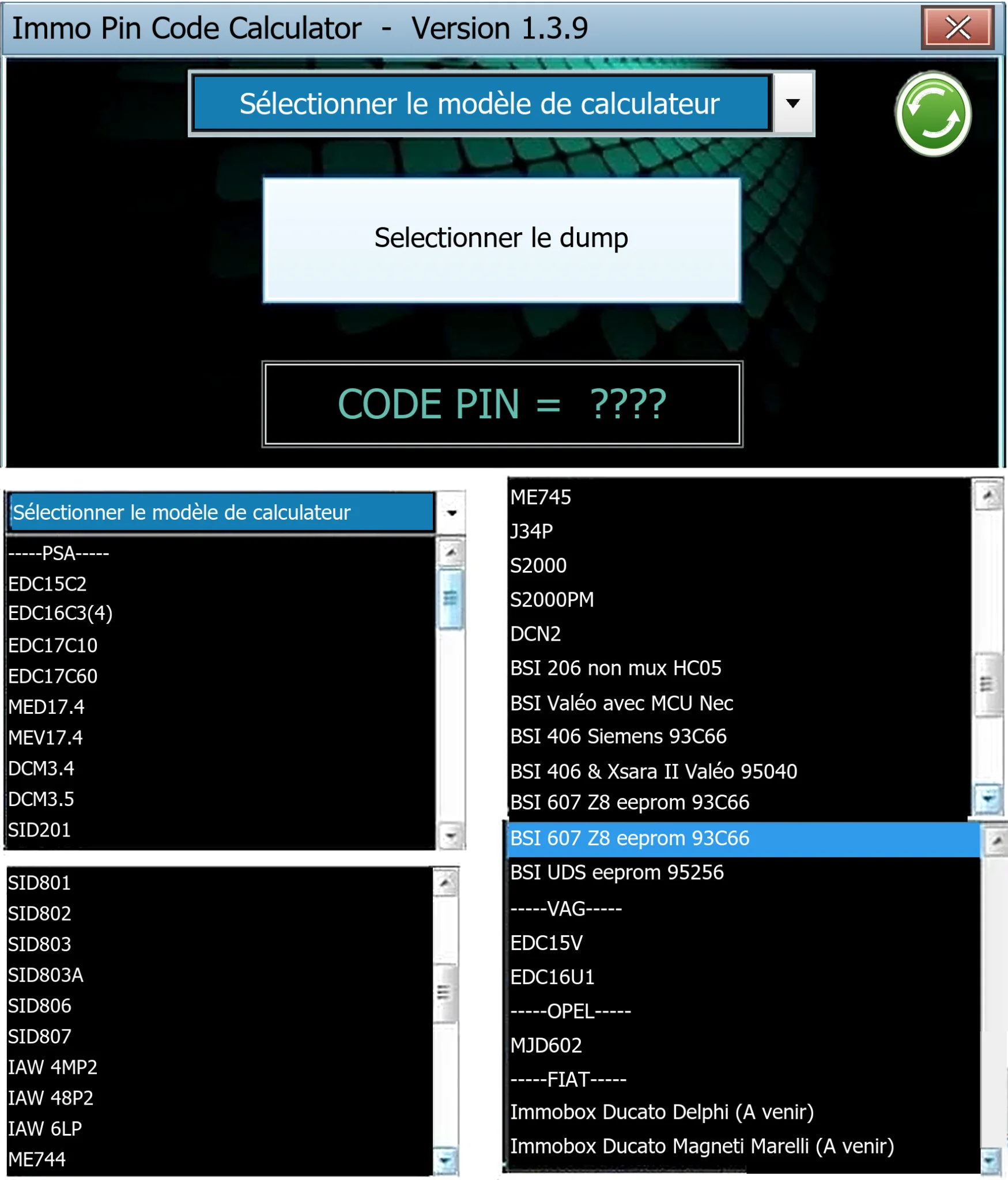
Offline Windows PIN decoder for supported Peugeot/Citroën ECU and BSI dumps, with additional Volkswagen EDC15V/EDC16U1 and Opel MJD602 profiles.