
SOFTWARE DATABASE / RELEASE RECORD
VERSION 1.3PedroSoft ECU Tool - EGR, DPF, AdBlue and Flaps File Editor 1.3
Offline Windows ECU binary processor with ABC template matching for supported EGR, DPF, AdBlue and intake-flap operations, plus definition creation.
Categories
Vehicle references
Overview
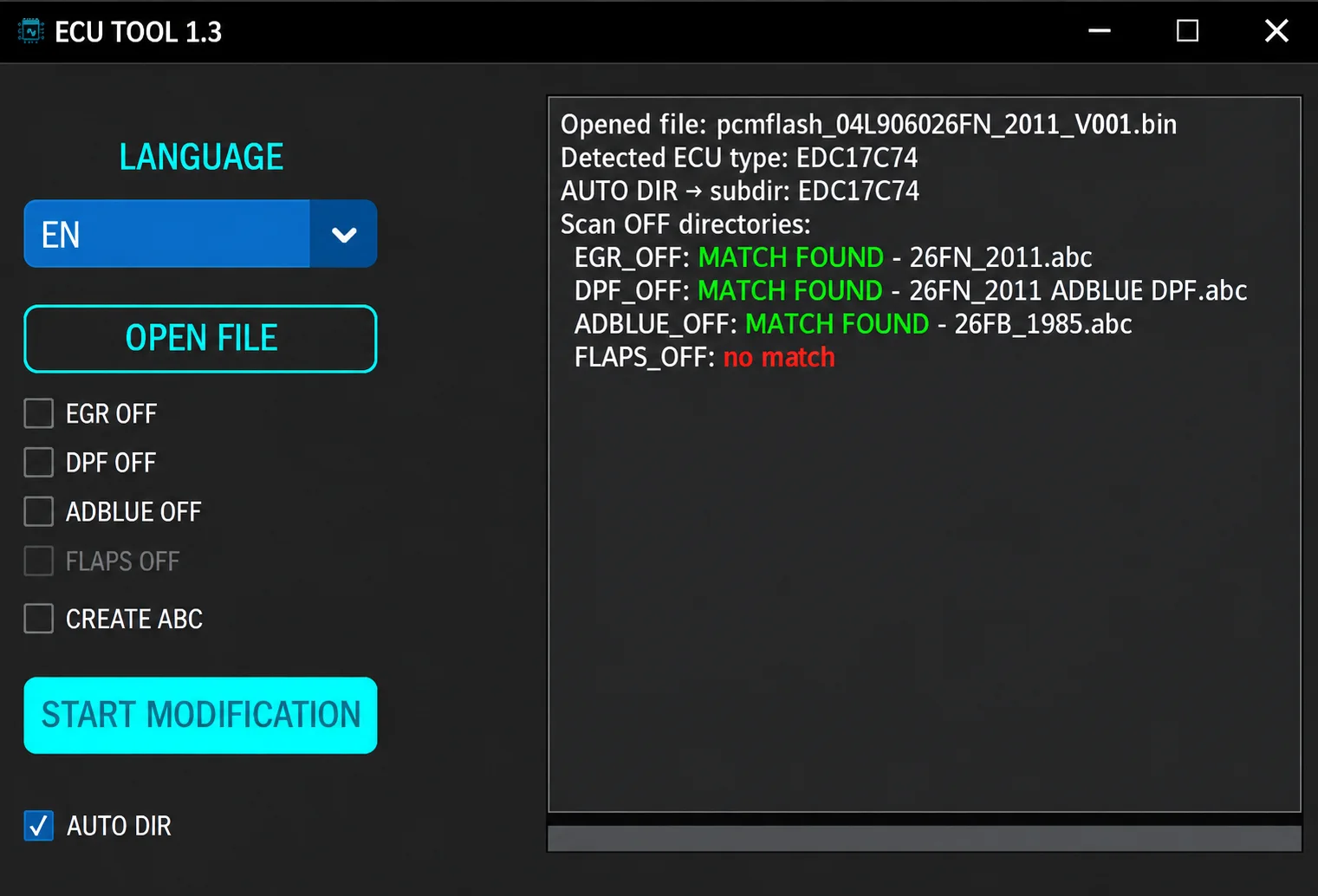
PedroSoft ECU Tool is an offline ECU binary processor built around ABC definition templates. After a firmware file is opened, the application identifies its controller family, scans the definition library and reports matching templates for EGR, DPF, AdBlue and intake-flap operations.
Version 1.3 targets specific software layouts. A MATCH FOUND message must be checked against the exact part number and a verified original read before any processed file is programmed.
What This Resource Is For
The application supports bench-file analysis and controlled calibration work. It automates known byte-pattern changes where an appropriate supplied template matches. Experienced users who understand the binary structure can also use its template-creation function.
Confirmed Functions
- Automatically scan directories for matching ABC definitions.
- Select EGR, DPF, AdBlue and intake-flap operations where suitable templates exist.
- Use Create ABC to build additional definitions.
- Review the detected ECU type and matching-definition log before modification begins.
- Save a processed output while retaining the original read as a backup.
Supported Controllers, Files and Vehicles
- Bosch EDC17C46, EDC17C64 and EDC17C74.
- Bosch EDC17CP14 and EDC17CP20.
- Siemens PCR2.1 and PPD diesel families.
- Selected VAG EDC15 and VAG Magneti Marelli layouts.
- Definitions are specific to software numbers; inclusion of a controller family does not establish support for every firmware revision.
Package Contents
- The main PedroSoft application.
- More than one hundred ABC definitions organized by ECU family and requested operation.
- Templates named with numerous VAG software identifiers to assist matching.
- Package preparation documented without executing the program or its templates.
System and Interface Requirements
- A Windows PC with read and write permission for a local working folder.
- A complete ECU binary read obtained using suitable bench, boot or OBD programming equipment.
- Enough storage for original, working and processed copies.
- Separate checksum verification when the selected programming workflow does not correct checksums automatically.
Recommended Workshop Workflow
- Read the ECU twice and confirm identical hashes.
- Open a copy of the original and record the detected controller and software identity.
- Select only the operation required for the repair and confirm a match for its corresponding template.
- Start processing and save the output under a new descriptive filename.
- Compare the changed regions, verify checksum handling and retain the untouched original before programming.
Compatibility Limits and Responsible Use
- No match means that the current library does not support that exact file.
- A similarly named part number is insufficient evidence of template compatibility.
- Emissions-related modifications may be restricted to off-road, motorsport or lawful repair use, depending on jurisdiction.
- The application does not diagnose wiring, sensors, dosing hardware or mechanical EGR and DPF faults.
Troubleshooting
- ECU recognized but no operation matches: verify the file size and software number.
- Implausible template match: stop and compare the target bytes manually.
- No start after programming: restore the verified original read before further experimentation.
File Integrity and Safety Notes
Package documentation reports complete archive testing and extraction, inspection of nested containers where present, and static inspection of executable files without launching them. These are documented package-review claims, not independent executable or vehicle tests by ECUDB.
Keep original ECU and module reads immutable and work on copies. Verify output size and checksum requirements. Use stable power and a proven recovery method before any write operation with separate programming equipment.
An unsigned executable should not be assumed malware-free. Use a dedicated analysis environment and your own current security tools.
Technical Compatibility
Supported Modules
Operating Systems
File Formats
System Requirements
- Windows PC with read/write permission for a local working folder
- Complete ECU binary read from suitable bench, boot or OBD programming equipment
- Storage for original, working and processed copies
- Separate checksum verification where not handled by the programming workflow
Screenshots
Related Software

Legacy Windows ECU service software for supported VAG EDC15/ME7, PSA EDC15C2 and Opel Delco controllers, with profile-dependent PIN, identity and EEPROM functions through a matching interface.

Offline Windows reference tool for Bosch ECU part numbers, controller families and OE cross-references, with exact, wildcard, prefix and binary-dump identifier searches.

Windows map and axis detection for supported Siemens PPD/SID full BDM binaries, with table and 3D views, DTC analysis and XDF/A2L definition export.

Offline Windows checksum inspection and correction for recognized Bosch and Sagem petrol ECU binaries, with eight supplied modules and All, Bad and Fixed counters.

Offline Windows command-line decoder and editor for supported Bosch ME7.5 ECU and VAG instrument-cluster EEPROM files, primarily 1.8T Immobilizer III.
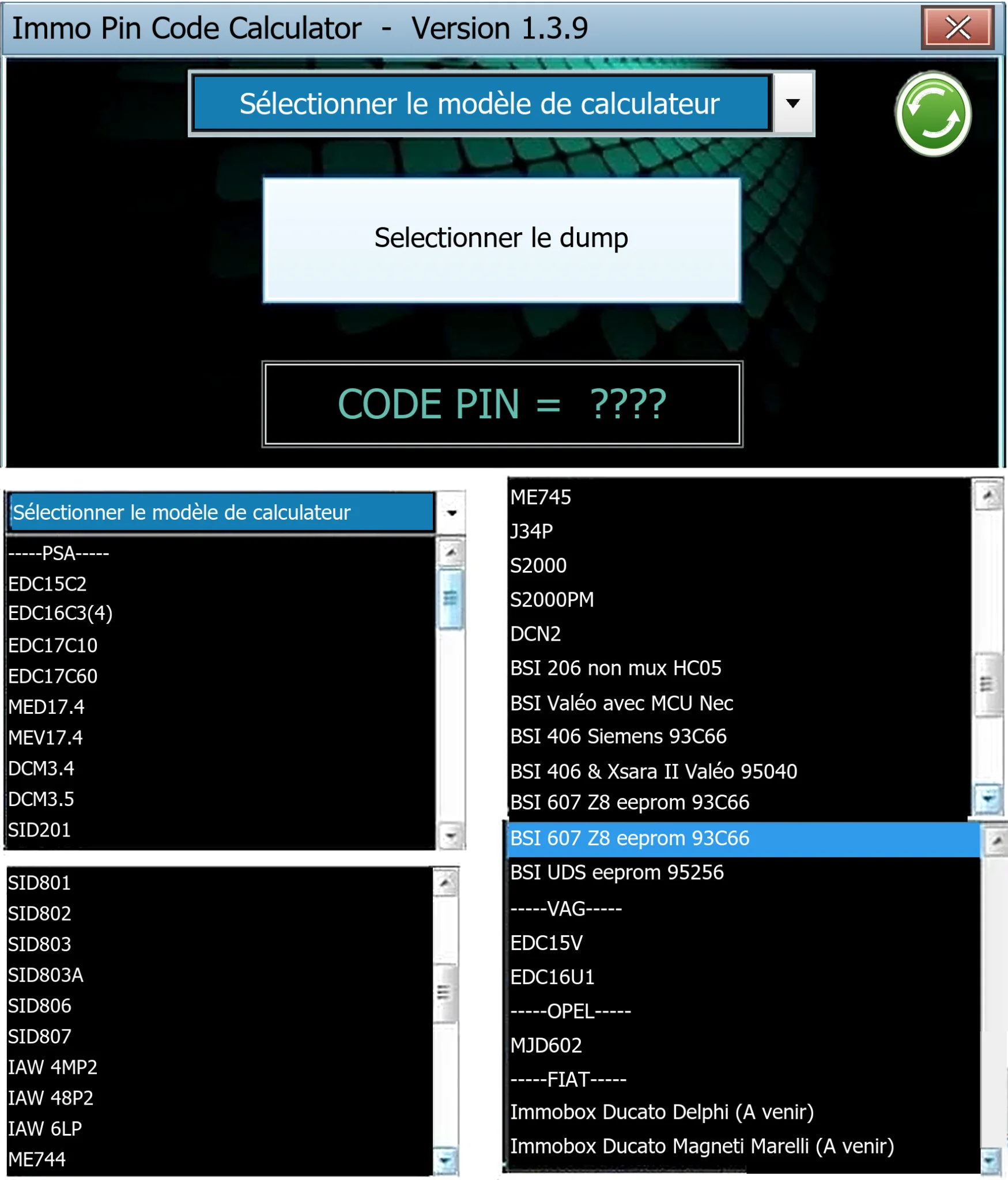
Offline Windows PIN decoder for supported Peugeot/Citroën ECU and BSI dumps, with additional Volkswagen EDC15V/EDC16U1 and Opel MJD602 profiles.