
SOFTWARE DATABASE / RELEASE RECORD
VERSION 1.0.0Mazda As-Built Editor Pro ABT Decode, Edit, Compare and Checksum Tool 1.0.0
Windows utility for decoding, editing and comparing supported Mazda As-Built / ABT files, with byte and bit previews, change logging and checksum tools.
Categories
Vehicle references
Overview
Mazda As-Built Editor Pro is a Windows utility for reading, decoding, comparing and editing Mazda As-Built / ABT configuration files.
It combines a visual block and module list, supported option decoding, byte and bit change previews, automatic checksum recalculation, file comparison and a dedicated checksum calculator in one workspace.
Main Features
- Open and inspect Mazda ABT / As-Built files.
- View a structured block and module list.
- Decode supported configuration options.
- Show the current value of each decoded option.
- Edit supported option values.
- Recalculate checksums automatically after edits.
- Preview original and modified bytes.
- Identify the exact byte positions changed.
- Track changes at bit level.
- Review change history in the Change Log.
- Save the edited file under a new name.
- Compare two ABT files.
- Use the dedicated checksum calculator.
- Convert hexadecimal and binary values with the Hex / Bin helper.
- Apply Quick Actions for common configuration changes.
- Follow the integrated Quick Start Guide.
Visual As-Built Decoding
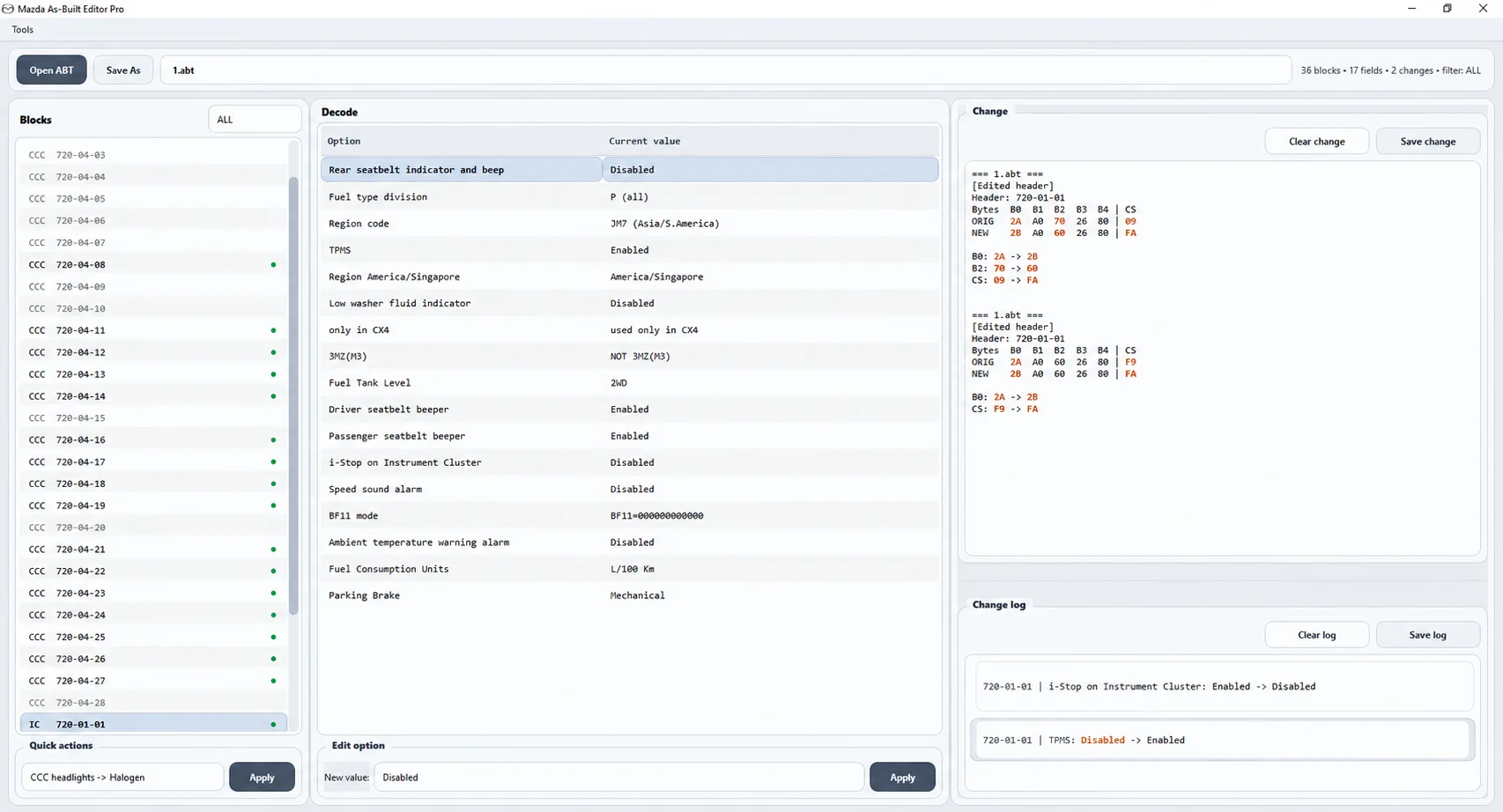
The main workspace organizes the configuration by module and block rather than requiring manual inspection of raw bytes alone. For supported entries, it shows the module / block identifier, As-Built address, decoded option name, current value, edited value, changed bytes and checksum impact.
The illustrated file contains 36 blocks, 17 fields and 2 changes with the ALL filter selected. These counts describe the example file shown, rather than a fixed coverage limit.
Example decoded entries visible in the workspace include Rear seatbelt indicator and beep, Fuel type division, Region code, TPMS, Region America / Singapore, Low washer fluid indicator, only in CX4, 3MZ (M3), Fuel Tank Level, Driver seatbelt beeper, Passenger seatbelt beeper, i-Stop on Instrument Cluster, Speed sound alarm, BF11 mode, Ambient temperature warning alarm, Fuel Consumption Units and Parking Brake. Available decoding depends on the loaded file and supported configuration.
Option Editing and Change Log
Select a supported decoded option, review its current value and enter a new value in the Edit option area. The Change panel previews the original bytes, new bytes, exact changed positions, original checksum and recalculated checksum before the change is saved.
Bit-level tracking helps identify the effect of an edit. The Change Log records human-readable old and new option values, with controls to clear or save the log. The workspace also includes Clear change and Save change controls, plus Quick Actions for supported common changes. Save As preserves the option to write the edited configuration under a new filename.
Compare As Built
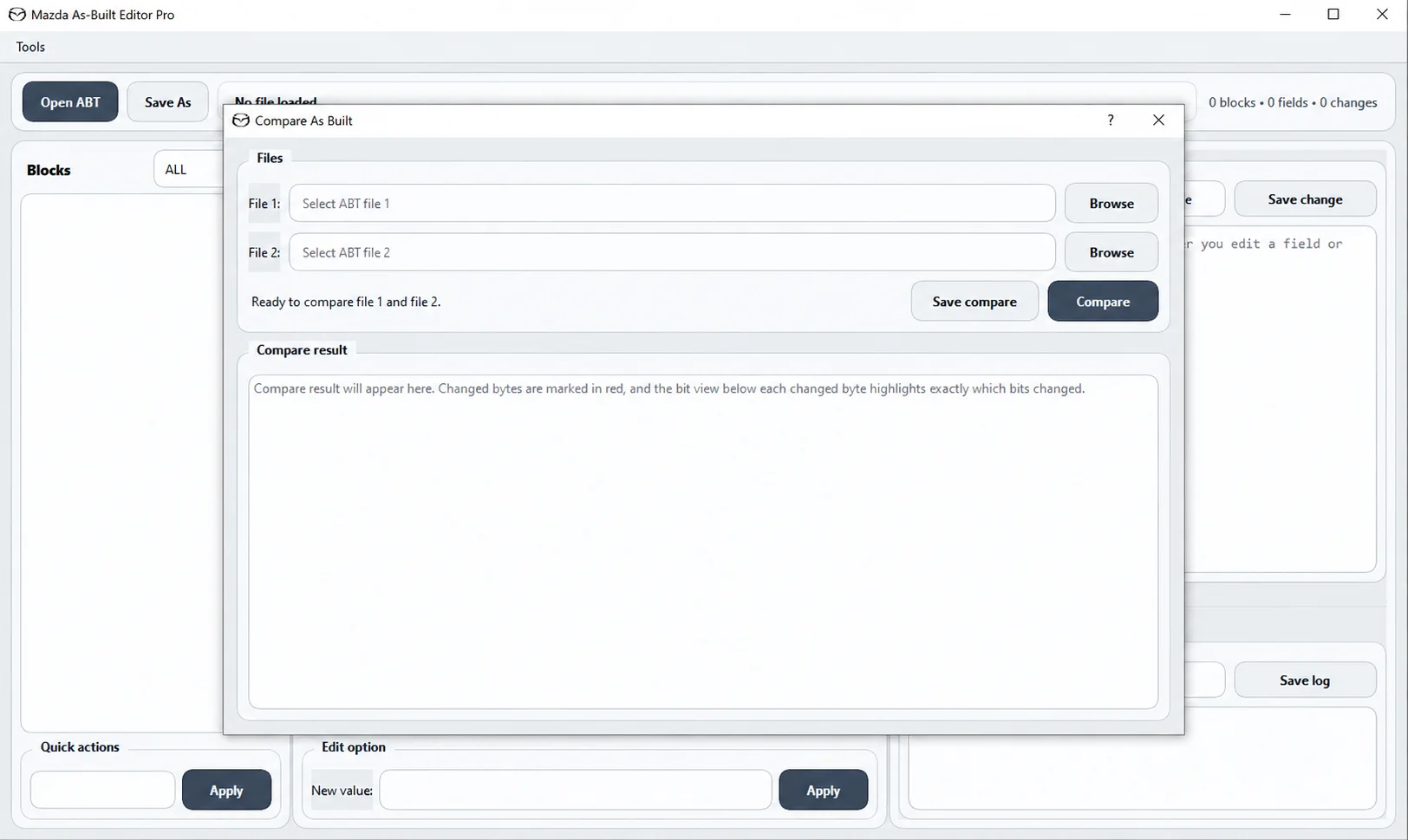
The comparison dialog accepts two ABT files through separate File 1 and File 2 Browse controls. Compare displays the differences and Save compare saves the comparison output.
Changed bytes are highlighted in red. Bit values below a changed byte highlight the exact bit differences. This supports original-versus-modified comparison, coding-change review, identification of changed bytes and inspection of individual bits.
Checksum Calculator and Hex / Bin Helper
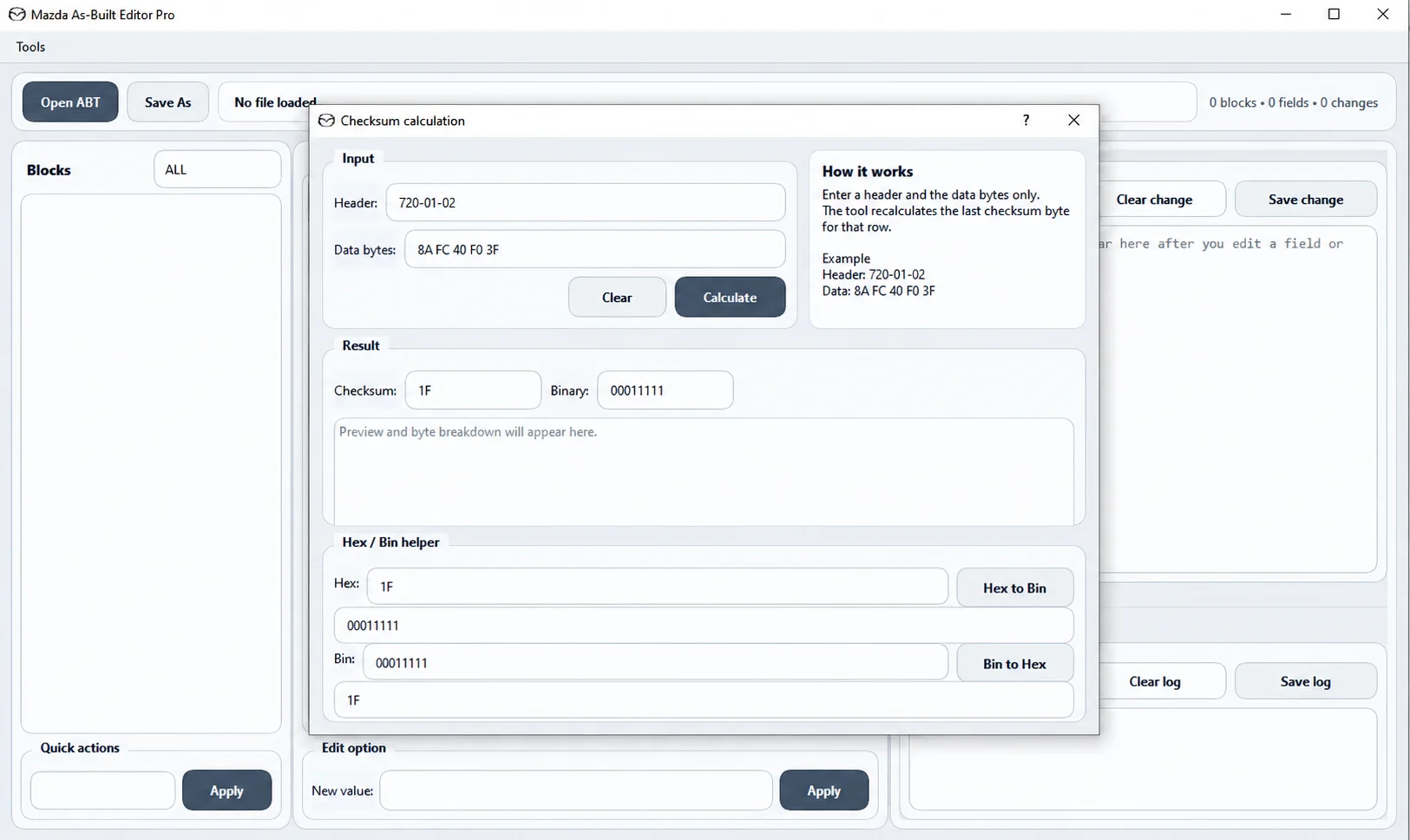
The dedicated checksum calculator accepts an As-Built header and data bytes to calculate the final checksum byte for a row. Its Clear and Calculate controls accompany the checksum result, binary representation and preview / byte breakdown.
The Hex / Bin helper provides Hex to Bin and Bin to Hex conversion for inspecting numeric values. This helper is separate from ABT file comparison and editing.
Quick Start Guide
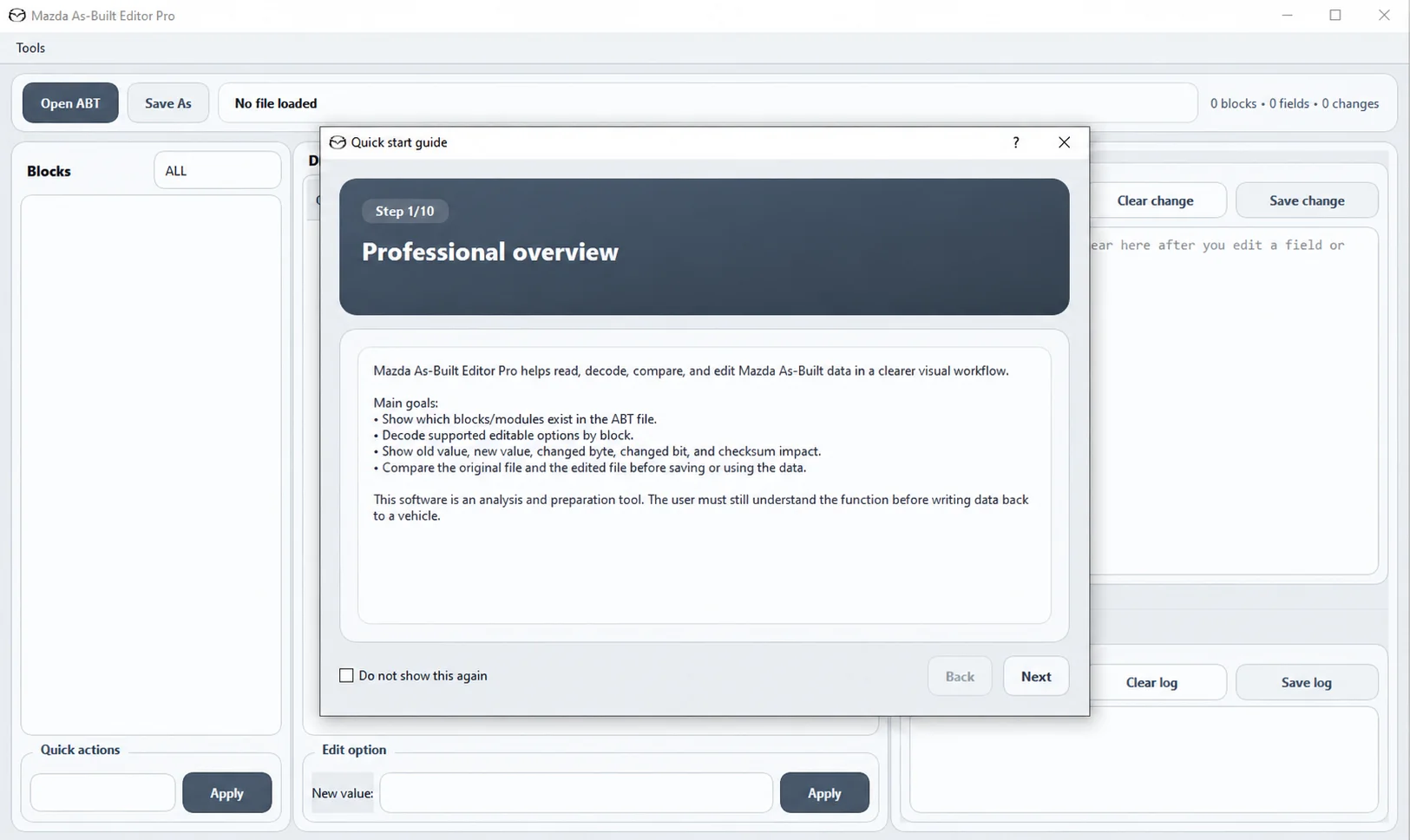
The integrated guide introduces the workflow for opening and inspecting an ABT file, understanding blocks and decoded options, editing supported values, reviewing changed bytes and bits, comparing files, handling checksums and saving the modified configuration.
The illustrated professional overview is step 1 of 10, with Back, Next and Do not show again controls. It presents four goals:
- Show the blocks and modules contained in the ABT file.
- Decode supported editable options by block.
- Show old and new values, changed bytes, changed bits and checksum impact.
- Compare the original and edited files before saving or using the result.
Instructions are available in 14 languages: English, Vietnamese, Khmer, Thai, Chinese, Japanese, Korean, French, German, Spanish, Portuguese, Russian, Indonesian and Malay.
Version
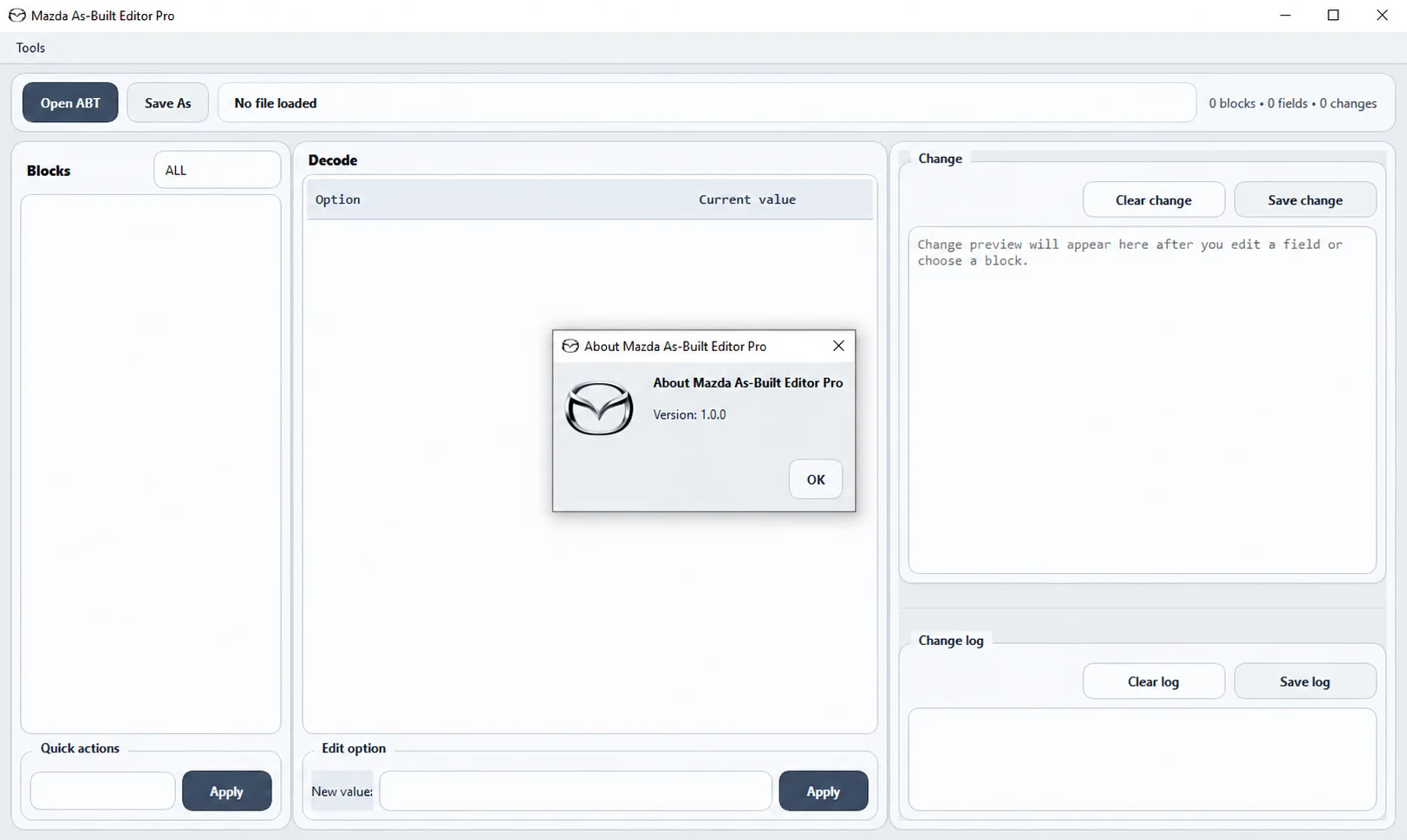
The About window identifies this release as version 1.0.0.
Compatibility Notes
The application runs on Windows and works with supported Mazda As-Built / ABT configuration files. Decoded options and applicable changes depend on the vehicle, module, equipment level and loaded configuration file.
Analysis and File Preparation
Mazda As-Built Editor Pro is an analysis and file-preparation utility.
It does not replace the requirement to understand the function being changed before writing configuration data back to a vehicle.
Always preserve the original ABT file and review every changed option, byte and checksum before using an edited configuration.
Important
Always keep an untouched backup of the original Mazda As-Built file.
A correctly edited and checksummed ABT file does not automatically confirm that a configuration change is appropriate for every Mazda model, module or equipment level.
Use only configuration changes that are understood and appropriate for the intended vehicle.
Technical Compatibility
Operating Systems
File Formats
System Requirements
- Platform: Windows.
- Supported input: Mazda As-Built / ABT configuration files.
- Exact Windows versions, architecture, runtime, memory and storage requirements are not specified.
Screenshots
Related Software

Windows BIN-file editor for locating and modifying supported ECU diagnostic trouble-code entries, with ECU-specific Disable/Remove actions and checksum validation requirements.

Windows automotive key database and cutting-control software for compatible Miracle machines, with profile search, bitting entry, blade preview and saved cutting jobs.

Offline Windows reference and calculation tool for supported dashboard, body-module and EEPROM/MCU mileage profiles, with memory information, byte locations and repair calculations.

Offline Windows reference tool for Bosch ECU part numbers, controller families and OE cross-references, with exact, wildcard, prefix and binary-dump identifier searches.

Windows map and axis detection for supported Siemens PPD/SID full BDM binaries, with table and 3D views, DTC analysis and XDF/A2L definition export.
Legacy Windows multi-brand diagnostics with generic OBD, licensed manufacturer modules, live data and supported service functions using compatible MaxiECU hardware.