
SOFTWARE DATABASE / RELEASE RECORD
VERSION 1.2Magneti Marelli IAW4xx Immobilizer EEPROM File Tool 1.2
Offline Windows utility for recognized VAG-oriented Magneti Marelli IAW4xx EEPROM files, with variant selection, immobilizer recognition and separate processed output.
Categories
Vehicle references
Overview
Magneti Marelli IAW4xx Immobilizer EEPROM File Tool 1.2 is an offline Windows utility for selected VAG-oriented IAW4xx memory layouts. It loads a previously read EEPROM file, checks whether the immobilizer structure is recognized and saves a separate processed output.
Its variant selector and built-in notes distinguish file operations from physical connection requirements. Match the exact controller identity and supported layout before processing; a similar family name alone is insufficient.
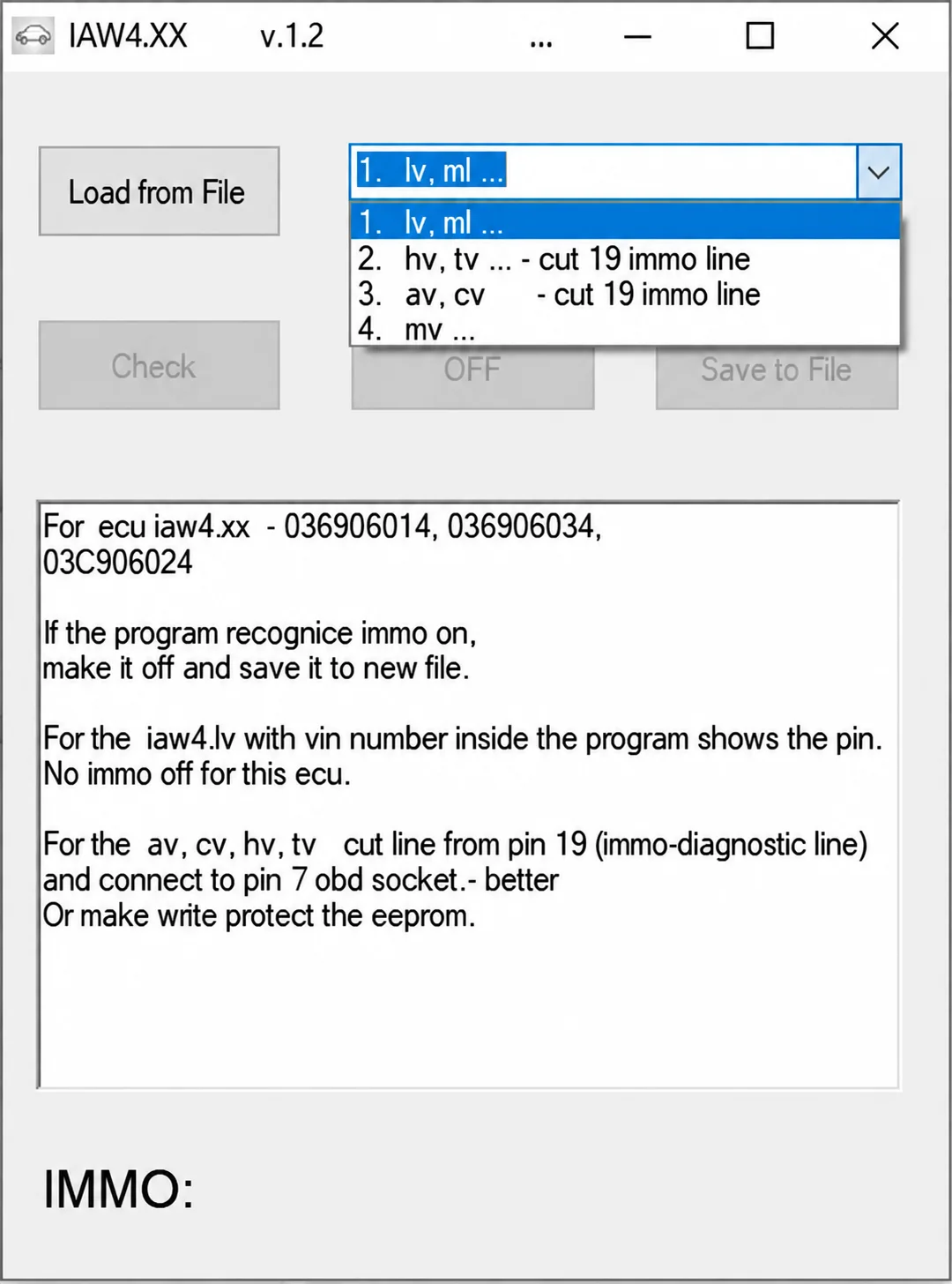
IAW4.XX v1.2 variant selector and built-in controller notes.
What This Resource Is For
Use the utility for authorized repair or replacement of a supported IAW4xx ECU after obtaining and preserving a correct EEPROM read. Select the appropriate controller profile, check recognition and save the result under a new filename.
Confirmed Functions
- Load a supported IAW4xx EEPROM file.
- Select the controller-specific processing workflow.
- Check whether the immobilizer data structure is recognized.
- Display the recognized immobilizer state.
- Save processed data as a separate output file.
- Display the PIN for a recognized IAW4LV file where supported.
- Show variant-specific notes concerning physical line handling.
Supported Vehicles, Controllers and Data
The documented paths include IAW4LV, IAW4TV, IAW4AV, IAW4CV, IAW4HV and IAW4MV-related options. The controller references visible in the screenshot are:
- 036906014.
- 036906034.
- 03C906024.
These displayed references do not establish support for other IAW families or identifiers. Confirm the exact controller, memory layout and read method independently.
Interface and Variant Notes
The window is labeled IAW4.XX v.1.2. It provides Load from File, a four-entry variant selector, Check, OFF, Save to File and an IMMO: status area. No PIN, VIN or processed result is displayed in the supplied screenshot.
The IAW4LV note explains that a recognized file containing VIN information can expose a PIN, and specifically states that IMMO Off is not provided for that ECU path. Do not interpret the general OFF control as support for every listed variant.
The TV/HV and AV/CV notes refer to a physical immobilizer-diagnostic line condition involving line 19. The help also distinguishes vehicle-side connection handling and EEPROM write protection. File processing alone does not satisfy those conditions; verify the exact controller-specific documentation before any physical work.
Package Contents
- One native Windows executable.
- An interface screenshot showing the variant selector, controller references and built-in notes.
- No ECU dump, wiring harness, memory programmer or checksum package.
The package notes describe an unsigned executable reviewed statically without launching it. This is not an independent ECUDB execution or vehicle-side test.
System, Hardware and Interface Requirements
- A dedicated Windows workshop PC or isolated virtual machine, with administrator access if required by the legacy software.
- Storage for the extracted utility, untouched originals, working copies and verification outputs.
- A verified EEPROM read from the exact IAW4xx controller.
- A suitable programmer and pinout documentation for the target memory.
- A trusted second application or OEM documentation for checking identifiers and output.
- Current backups and a documented recovery path before EEPROM, flash or configuration changes.
- Stable vehicle or bench power for subsequent connected diagnosis or programming.
- The ability to restore the original data and complete any required adaptation or wiring checks.
Exact Windows versions, architecture, runtime dependencies and supported file byte counts are not specified. The application does not include the equipment needed to obtain or write the EEPROM read.
Recommended Workshop Workflow
- Identify the vehicle and ECU using labels, part numbers and hardware / software identifiers.
- Preserve the original file, record its byte count and SHA-256, and retain a known-good recovery copy.
- Use a clearly named working copy for the selected controller-specific operation.
- Review the proposed output against the original and account for every changed range.
- Validate the result with the appropriate OEM diagnostic or programming system before writing.
- Complete the post-operation scan or functional test and keep a private repair record.
Compatibility Limits and Responsible Use
- A shared family name does not prove support for every hardware revision, software branch, memory structure or market.
- Use OEM service information, qualified diagnosis, ownership checks and a tested recovery method alongside the utility.
- Immobilizer work is restricted to owned or customer-authorized vehicles and controllers.
- Keep unsigned legacy software isolated and independently scanned; no malware-free certification is implied.
- Keep VINs, keys, PINs, diagnostic seeds and responses, customer files and proprietary dumps private.
- Follow the exact variant's documented physical-line requirements; a processed file is not a substitute.
- Any displayed PIN or processed immobilizer state remains private and specific to an authorized repair.
Troubleshooting
- Input rejected: check the file type, byte count, controller family and reading method before selecting a different option.
- Empty or implausible result: stop and check identity, byte order, read quality and selected workflow.
- Application will not start: use an isolated compatible Windows environment and only the required trusted runtimes.
- Unexpectedly broad changes: discard the output and compare again using the untouched original.
- Vehicle-side validation fails: restore the documented baseline and diagnose power, wiring, interface and controller state separately.
File Integrity and Safety
The package-preparation notes describe testing and extracting the archive, inventorying and statically inspecting executables, libraries and nested containers without launching the automotive software, and rebuilding with encrypted headers followed by a separate extraction check. These are documented preparation steps, not checks independently performed by ECUDB.
Retain original checksum records and untouched files, work on copies and independently scan unsigned legacy software in an isolated environment. Archive integrity alone does not establish compatibility or successful ECU operation.
Technical Compatibility
Supported Modules
Operating Systems
System Requirements
- Windows workshop computer or isolated virtual machine
- Verified EEPROM read from the exact supported IAW4xx controller
- Suitable memory programmer and pinout documentation
- Untouched backup, working copy and documented recovery route
- Storage for originals and verification outputs
- Independent identifier and output checks
- Stable power for subsequent connected diagnosis or programming
- Authorization for immobilizer repair and required adaptation or wiring checks
Screenshots
Related Software

Legacy Windows ECU service software for supported VAG EDC15/ME7, PSA EDC15C2 and Opel Delco controllers, with profile-dependent PIN, identity and EEPROM functions through a matching interface.

Offline Windows reference tool for Bosch ECU part numbers, controller families and OE cross-references, with exact, wildcard, prefix and binary-dump identifier searches.

Windows map and axis detection for supported Siemens PPD/SID full BDM binaries, with table and 3D views, DTC analysis and XDF/A2L definition export.

Offline Windows checksum inspection and correction for recognized Bosch and Sagem petrol ECU binaries, with eight supplied modules and All, Bad and Fixed counters.

Offline Windows command-line decoder and editor for supported Bosch ME7.5 ECU and VAG instrument-cluster EEPROM files, primarily 1.8T Immobilizer III.
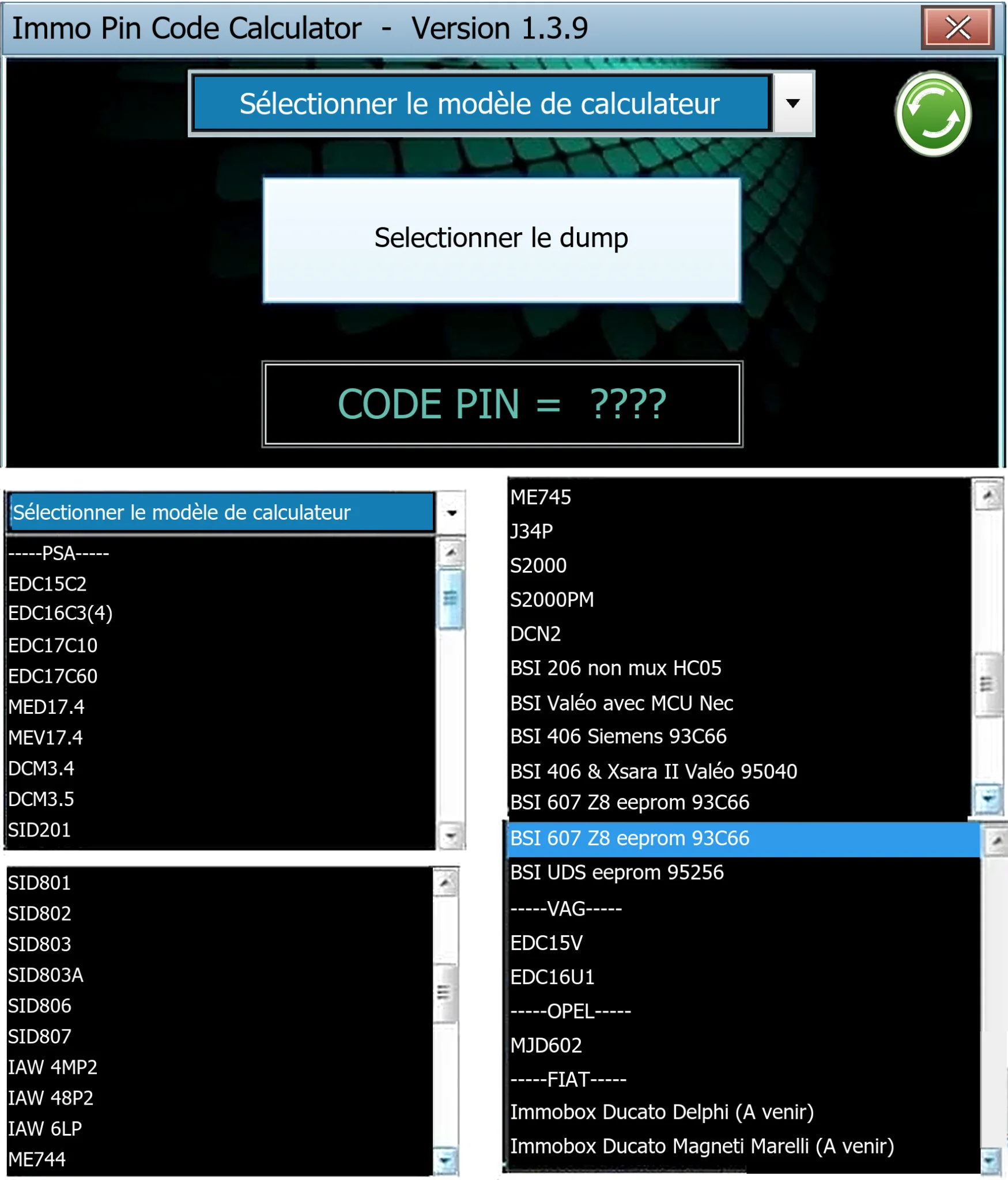
Offline Windows PIN decoder for supported Peugeot/Citroën ECU and BSI dumps, with additional Volkswagen EDC15V/EDC16U1 and Opel MJD602 profiles.