
SOFTWARE DATABASE / RELEASE RECORD
VERSION 5.7.1.0ECUFix Bosch Motronic ECU Checksum Correction Tool 5.7.1.0
Offline Windows checksum correction for recognized Bosch Motronic binaries, with software identification, checksum-error reporting and corrected BIN output.
Categories
Vehicle references
Overview
ECUFix 5.7.1.0 is a compact offline Windows utility for correcting checksums after controlled calibration changes in recognized Bosch Motronic binaries. It opens a local BIN, identifies a supported software layout, shows available Bosch and software information, reports checksum errors and saves a corrected file for a separate programming workflow.
It is particularly relevant to older Volkswagen Group petrol ECUs. Compatibility depends on the exact software layout, not the vehicle badge. Proceed only when the binary is recognized unambiguously; do not force an unfamiliar file or a different file size through a similar definition.
What This Resource Is For
Check and correct a compatible Motronic binary after an intended calibration edit and before writing it back with a separate programmer. ECUFix handles checksum calculation: reading, map editing, ECU communication, recovery and post-write diagnosis need other tools and procedures.
Confirmed Functions
- Load a Bosch Motronic binary from local storage.
- Automatically identify supported binary layouts.
- Display available Bosch number, software identification, engine/comment information and checksum-error count.
- Find and recalculate multiple checksum regions defined for a recognized software branch.
- Save a corrected BIN for independent comparison and later programming.
Interface and Identification Fields
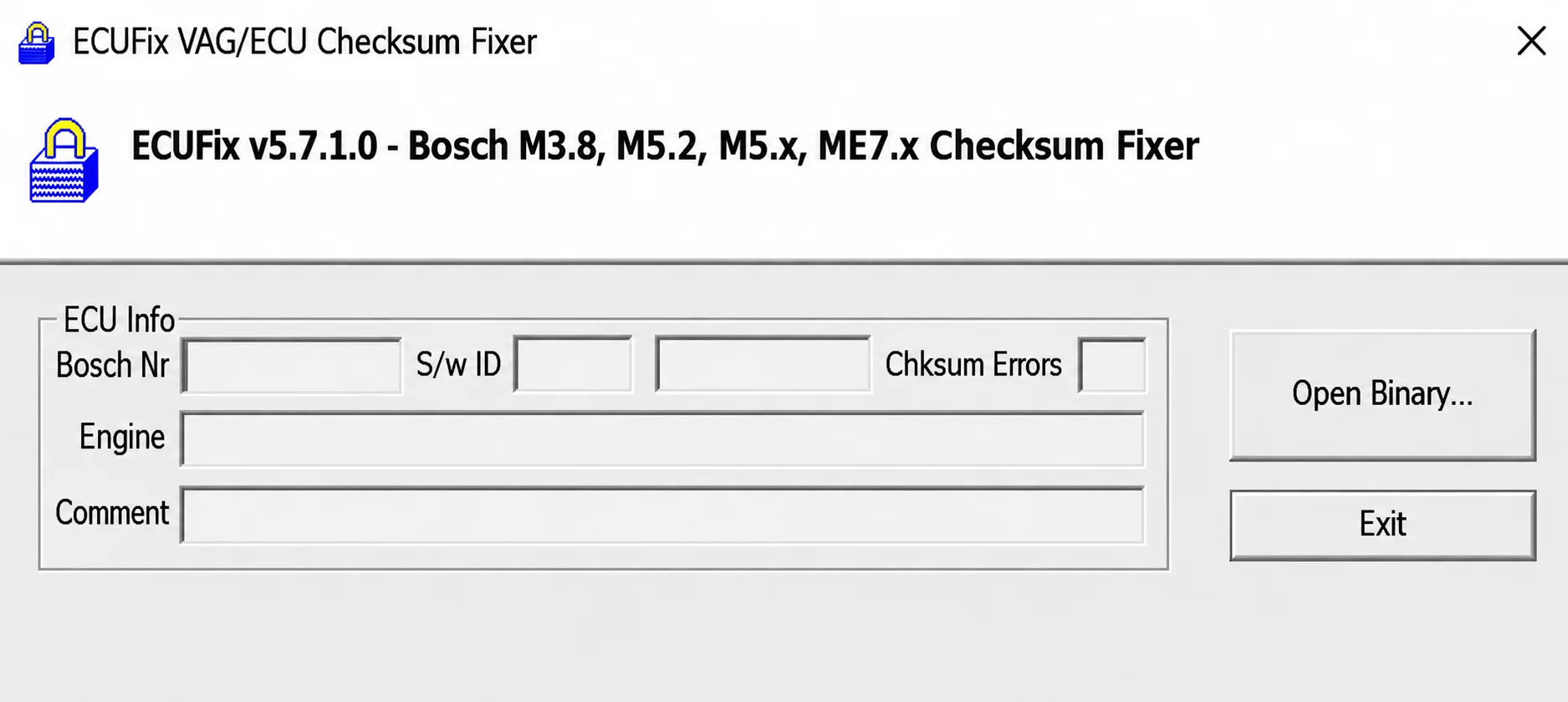
The illustrated application header reads ECUFix v5.7.1.0 - Bosch M3.8, M5.2, M5.x, ME7.x Checksum Fixer. Its ECU Info panel contains Bosch Nr, S/w ID, Chksum Errors, Engine and Comment fields, with Open Binary and Exit controls. The screenshot shows no loaded binary or calculated result.
Supported ECUs, Vehicles and Protocols
- Documented coverage includes recognized Motronic ME3.8 and related M3.x layouts; the application header uses the label M3.8.
- Coverage also describes ME5.2, ME5.x and ME5.9 branches when the exact binary is recognized. The illustrated header labels its corresponding groups M5.2 and M5.x.
- ME7.x branches are supported only where the embedded checksum logic recognizes their software structure.
- Typical applications include Volkswagen, Audi, SEAT and Škoda, together with some Porsche Motronic binaries. These are application examples, not universal make-level coverage.
- Check ECU family, hardware number, software number, read type and exact file size before accepting support. No vehicle flash or communication protocol is supplied by this offline utility.
Package Contents
- A single portable x86 Windows executable.
- No bundled driver, vehicle interface, map definition or flashing protocol.
- One screenshot of the legacy interface, documented as omitting unrelated registration text.
- The package documentation reports reading the executable identity and version statically without launching it; ECUDB has not executed the application.
System and Interface Requirements
- A Windows PC or isolated Windows virtual machine. Historical testing is documented from Windows XP through Windows 10; this does not establish compatibility with every modern Windows environment.
- A separate compatible programmer capable of producing the required full or calibration-area read.
- A binary or calibration editor for the intended modifications.
- A hex comparison tool for reviewing every difference in the saved output.
- Stable programming power and a verified boot/bench recovery procedure before any ECU write.
Recommended Workshop Workflow
- Record the ECU hardware, Bosch and software identifiers before reading.
- Obtain at least two matching reads, retain an untouched original and record its hash.
- Edit a working copy using the correct map definition.
- Open the modified BIN in ECUFix and require a clear, unambiguous match.
- Save under a new filename and compare the result, confirming that only the intended calibration data and checksum regions differ from the original.
- Write with the original programming tool under stable voltage, then clear and rescan diagnostic faults.
Compatibility Limits
- ECUFix is not a universal checksum module for every ME3, ME5 or ME7 file.
- The vehicle make and ECU family alone do not establish file compatibility.
- A valid checksum cannot make an incorrect calibration, file length or memory segment safe.
- The application does not read or flash ECUs and does not replace the programmer’s recovery procedure.
- This legacy unsigned executable may need an isolated compatibility environment on newer operating systems.
Troubleshooting
- Binary not recognized: confirm a complete read and a supported software branch. Do not force processing.
- Bosch or software fields remain empty: check the read method, file offset and whether only the calibration segment was exported.
- Unexpected checksum-error count: compare with the untouched original and review the calibration editor’s checksum settings.
- The programmer rejects the result: verify file size, memory-segment type and whether the programming tool expects to perform its own checksum calculation.
- No ECU communication after writing: stop repeated write attempts and recover with the preserved original using the documented recovery mode.
File Integrity and Safety Notes
Package documentation describes archive testing and extraction, with static executable inspection without launching the software. These are documented preparation claims, not independent ECUDB execution or vehicle tests.
Preserve original reads and diagnostic reports, work on copies and verify every output before programming or service operations. Maintain stable power and a proven recovery route. An unsigned executable is not established as malware-free; inspect it in a dedicated analysis environment with current independent security tools.
Technical Compatibility
Supported Modules
Operating Systems
File Formats
System Requirements
- Windows PC or isolated Windows virtual machine
- Portable x86 application; historical Windows XP through Windows 10 testing documented
- Compatible separate ECU programmer for the correct full or calibration-area read
- Binary or calibration editor with the correct map definition
- Hex comparison tool for reviewing output differences
- Stable programming power and verified boot/bench recovery before an ECU write
Screenshots
Related Software

Legacy Windows ECU service software for supported VAG EDC15/ME7, PSA EDC15C2 and Opel Delco controllers, with profile-dependent PIN, identity and EEPROM functions through a matching interface.

Offline Windows reference tool for Bosch ECU part numbers, controller families and OE cross-references, with exact, wildcard, prefix and binary-dump identifier searches.

Windows map and axis detection for supported Siemens PPD/SID full BDM binaries, with table and 3D views, DTC analysis and XDF/A2L definition export.

Offline Windows checksum inspection and correction for recognized Bosch and Sagem petrol ECU binaries, with eight supplied modules and All, Bad and Fixed counters.

Offline Windows command-line decoder and editor for supported Bosch ME7.5 ECU and VAG instrument-cluster EEPROM files, primarily 1.8T Immobilizer III.
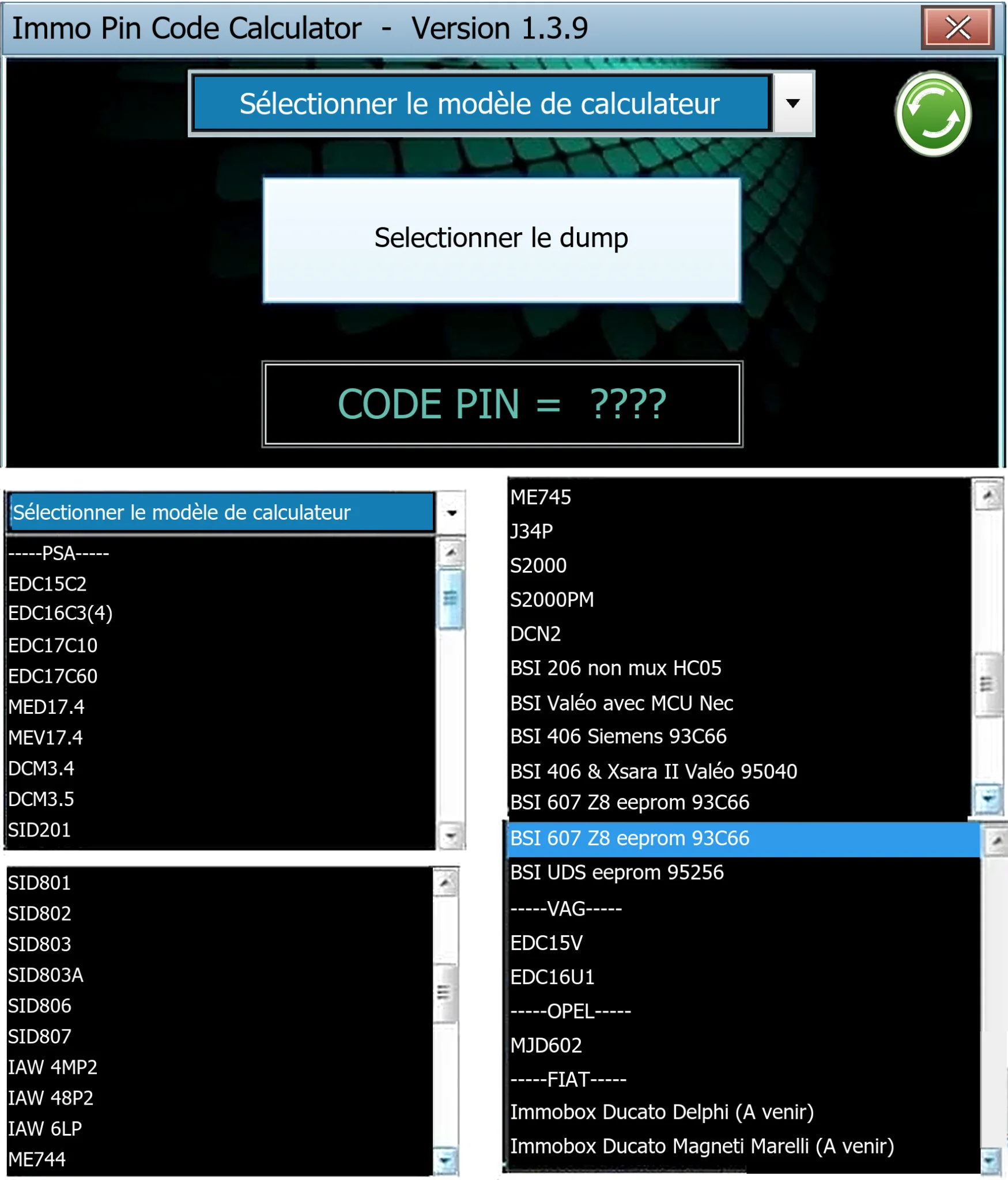
Offline Windows PIN decoder for supported Peugeot/Citroën ECU and BSI dumps, with additional Volkswagen EDC15V/EDC16U1 and Opel MJD602 profiles.