
SOFTWARE DATABASE / RELEASE RECORD
VERSION 1.0.0.0SID807EVO Siemens DPF, EGR, DTC and PIN File Editor 1.0.0.0
Offline Windows binary editor for recognized Siemens / Continental SID807EVO firmware, with DPF, EGR, start-stop, DTC and PIN file operations.
Categories
Overview
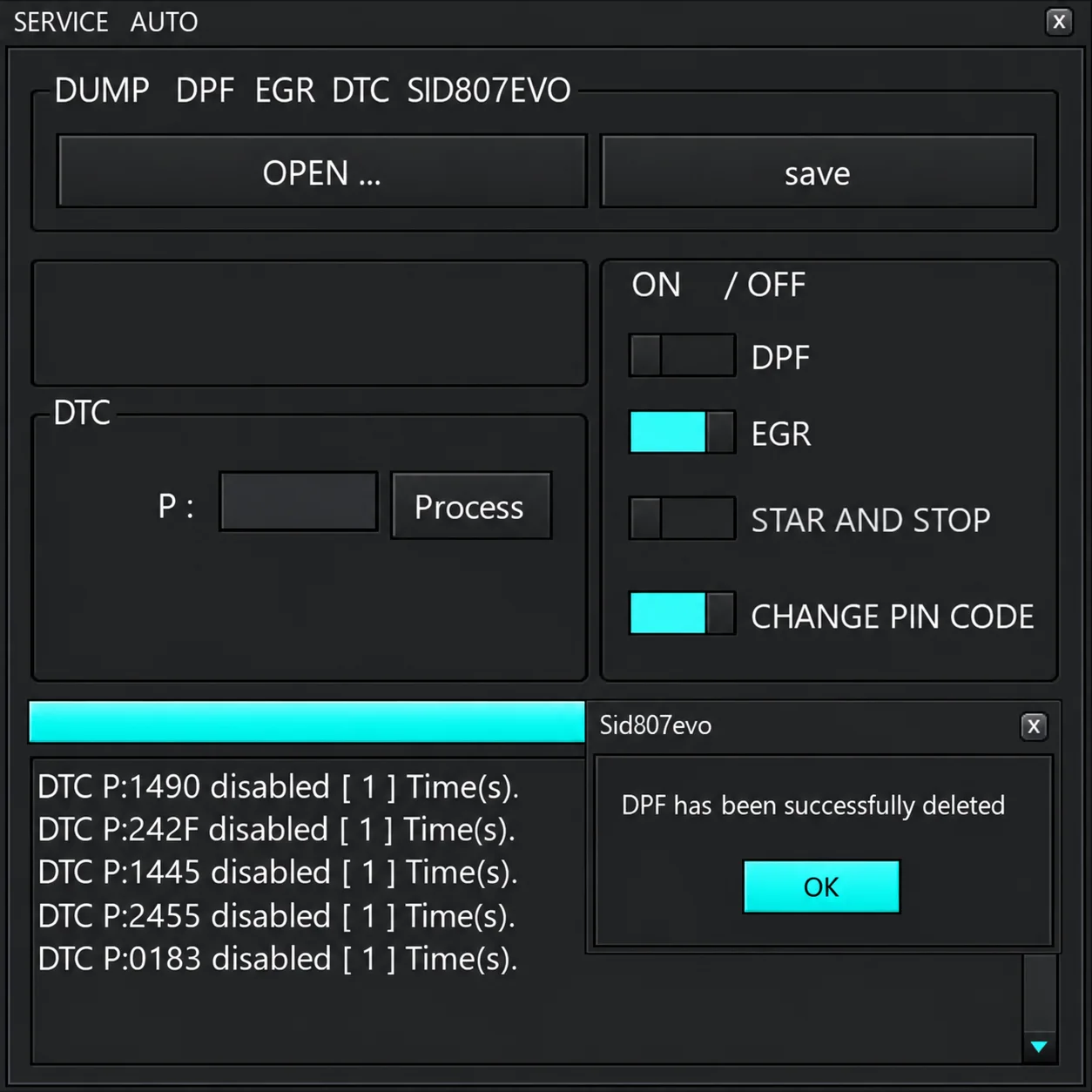
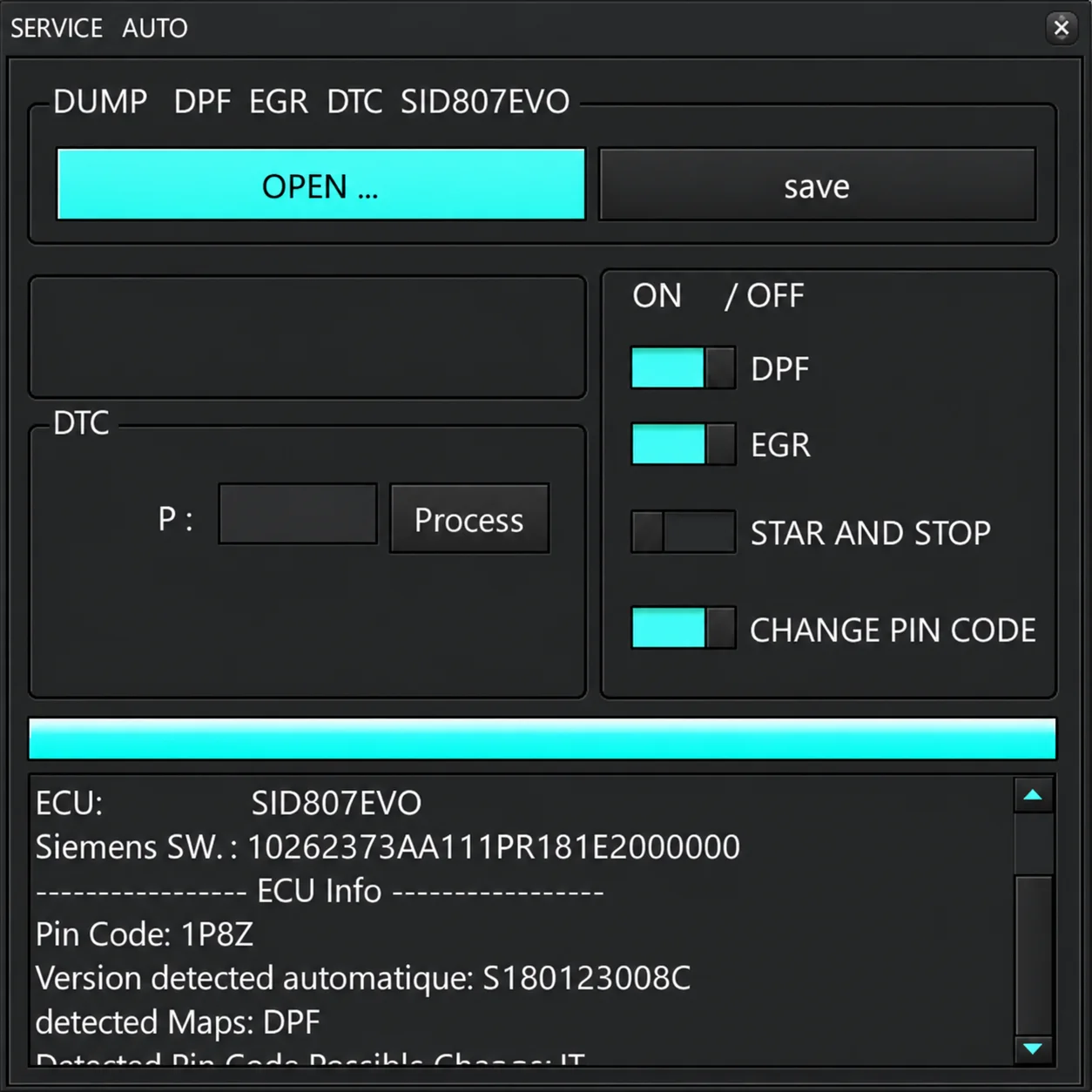
SID807EVO 1.0.0.0 is an offline binary-file editor for recognized Siemens / Continental SID807-family firmware. Opening a dump displays its detected software identity and available ECU information. The workspace provides DPF, EGR, start-stop and PIN-code selections alongside a P-code / DTC processing field.
The illustrated example recognizes a particular Siemens software string and reports the maps found in the file. Recognition depends on the software layout: another firmware branch bearing the same controller name may not be supported.
What this resource is for
The utility supports controlled file analysis and repair preparation once a complete SID807 read and the exact module identity are available. Its known file patches are separate from hardware diagnosis, checksum validation, ECU programming and testing after a write.
Confirmed functions
- Load and identify a supported SID807 binary dump.
- Show the recognized software identity, detected PIN and map information.
- Select DPF and EGR file-processing operations.
- Apply a start-stop operation on supported layouts.
- Change the PIN field when the file is recognized.
- Process an individual P-code / DTC and save the result as a new binary file.
Supported controllers, files and vehicles
- Siemens / Continental SID807EVO firmware layouts recognized by the application's built-in logic.
- The detection example shows a Siemens software identifier starting with 10262373 and an identified calibration branch.
- Establish compatibility using the complete software identity and read size, rather than the SID807 label alone.
- Support for other SID8xx controllers is not established unless the application explicitly recognizes the file.
Package contents
- A portable executable for Windows.
- Two interface captures illustrating processing results and ECU identification.
- No bundled driver, ECU flashing interface or external checksum module.
- Package documentation describes static executable-identity inspection without launching the application; this is not an ECUDB execution or functional test.
System and interface requirements
- A Windows computer or an isolated virtual machine.
- A complete ECU read obtained with a compatible bench, boot or service programmer.
- A verified, untouched backup and software for binary comparisons.
- Checksum support in the programmer or editor whenever the processed output requires correction.
- Stable ECU power and a programming method that supports recovery.
Recommended workshop workflow
- Document the ECU hardware and software identifiers before taking a read.
- Obtain two matching reads and retain an untouched original.
- Load a working copy and check that its recognized software and maps correspond to the module.
- Select only the operation required, handle one DTC at a time and save under a new filename.
- Compare the original and output, confirm checksum handling and prepare a recovery procedure before programming.
Compatibility limits and responsible use
- Recognition of a controller name does not validate every available patch for that file.
- Emissions-related changes can be restricted to lawful repair, off-road or motorsport applications; the permitted use depends on the applicable rules.
- Suppressing a DTC does not fix a sensor, wiring or aftertreatment-system fault.
- Incorrect PIN or start-stop modifications may introduce further diagnostic or security issues.
Troubleshooting
- No file detection: check that the read is complete and that its size and precise software branch are supported.
- Unexpected PIN or no recognized maps: exit without saving and obtain the original ECU read again.
- DTC not located: avoid forcing a generic byte-pattern substitution into the dump.
- Failed programming: recover the untouched original using the programming-tool vendor's documented procedure.
File integrity and safety notes
Package documentation reports archive testing and extraction, opening nested containers where present, and static executable inspection without running the files. These are documented preparation steps, not independently performed ECUDB binary checks.
Retain immutable originals of ECU, EEPROM and calibration reads and process copies only. Check output size and checksum requirements, provide stable power and have a proven recovery method ready before writing. An unsigned executable is not thereby established to be malware-free; use a dedicated analysis environment and up-to-date security tools.
Technical Compatibility
Supported Modules
Operating Systems
ECU Families
System Requirements
- Windows PC or isolated virtual machine. Complete ECU read from a compatible bench, boot or service programmer; verified original backup and binary comparison tool; checksum correction support where required; stable ECU power and a recovery-capable write method. Exact Windows versions and architecture are unspecified.
Screenshots
Related Software

Windows BIN-file editor for locating and modifying supported ECU diagnostic trouble-code entries, with ECU-specific Disable/Remove actions and checksum validation requirements.

Legacy Windows ECU service software for supported VAG EDC15/ME7, PSA EDC15C2 and Opel Delco controllers, with profile-dependent PIN, identity and EEPROM functions through a matching interface.
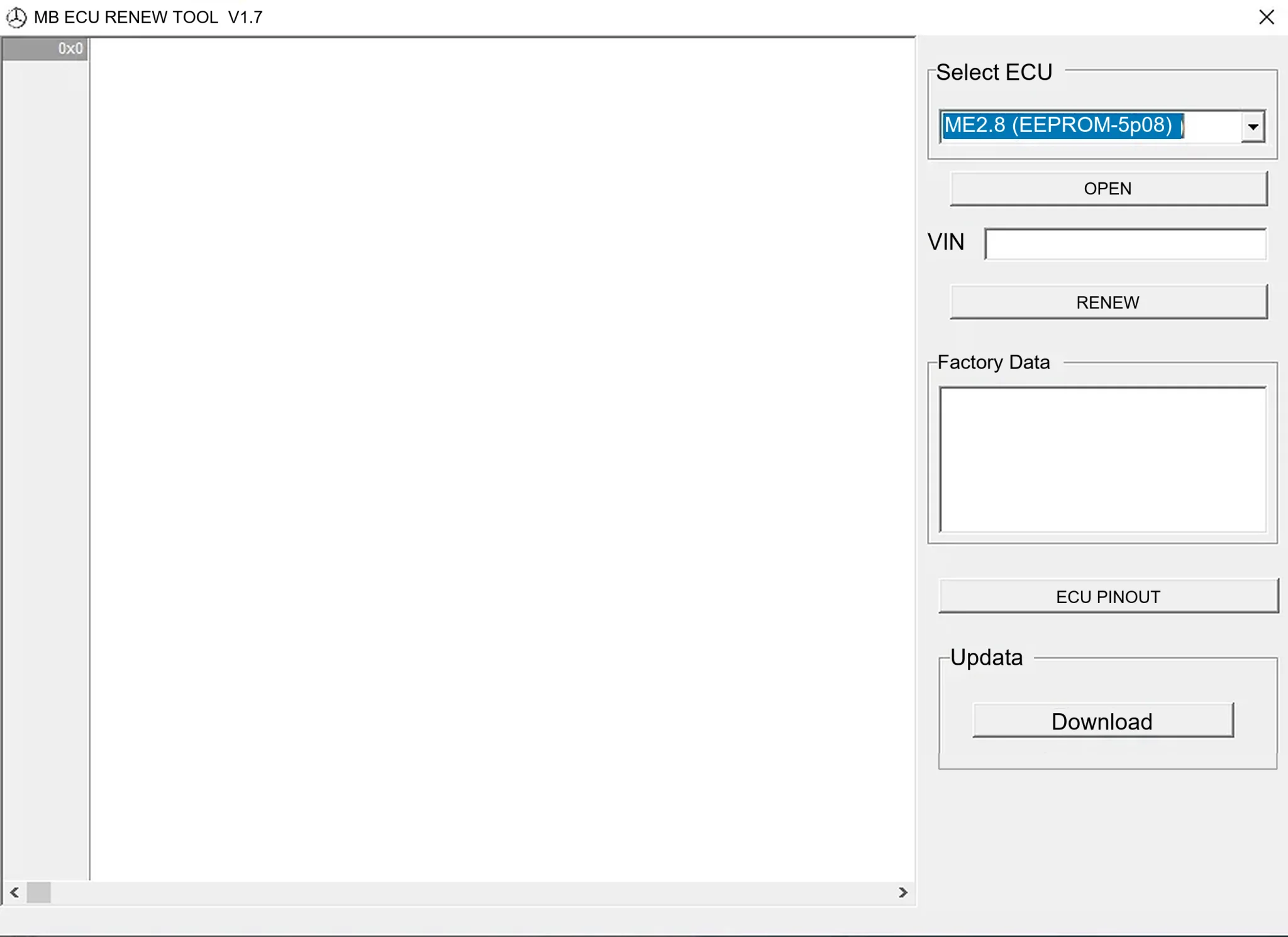
Offline Windows renew and virgin dump editor for selected Mercedes-Benz Bosch ME, EDC15 and Siemens SIM4 ECU profiles, with memory-specific processing and connector diagrams.

Offline Windows reference tool for Bosch ECU part numbers, controller families and OE cross-references, with exact, wildcard, prefix and binary-dump identifier searches.

Windows map and axis detection for supported Siemens PPD/SID full BDM binaries, with table and 3D views, DTC analysis and XDF/A2L definition export.

Offline Windows checksum inspection and correction for recognized Bosch and Sagem petrol ECU binaries, with eight supplied modules and All, Bad and Fixed counters.