
SOFTWARE DATABASE / RELEASE RECORD
VERSION 1.0.0SID212 / SID212 EVO ECU Flasher VBF/BIN Flash, J2534 and Map Tool 1.0.0
Windows SID212 / SID212 EVO ECU flasher with VBF and BIN modes, J2534 communication, BootLoader / App / Map / RSA file handling, ECU reset and Map export.
Categories
Overview
SID212 / SID212 EVO ECU Flasher
SID212 / SID212 EVO ECU Flasher 1.0.0 is a Windows programming utility for supported SID212 and SID212 EVO ECU service workflows through an SAE J2534 interface.
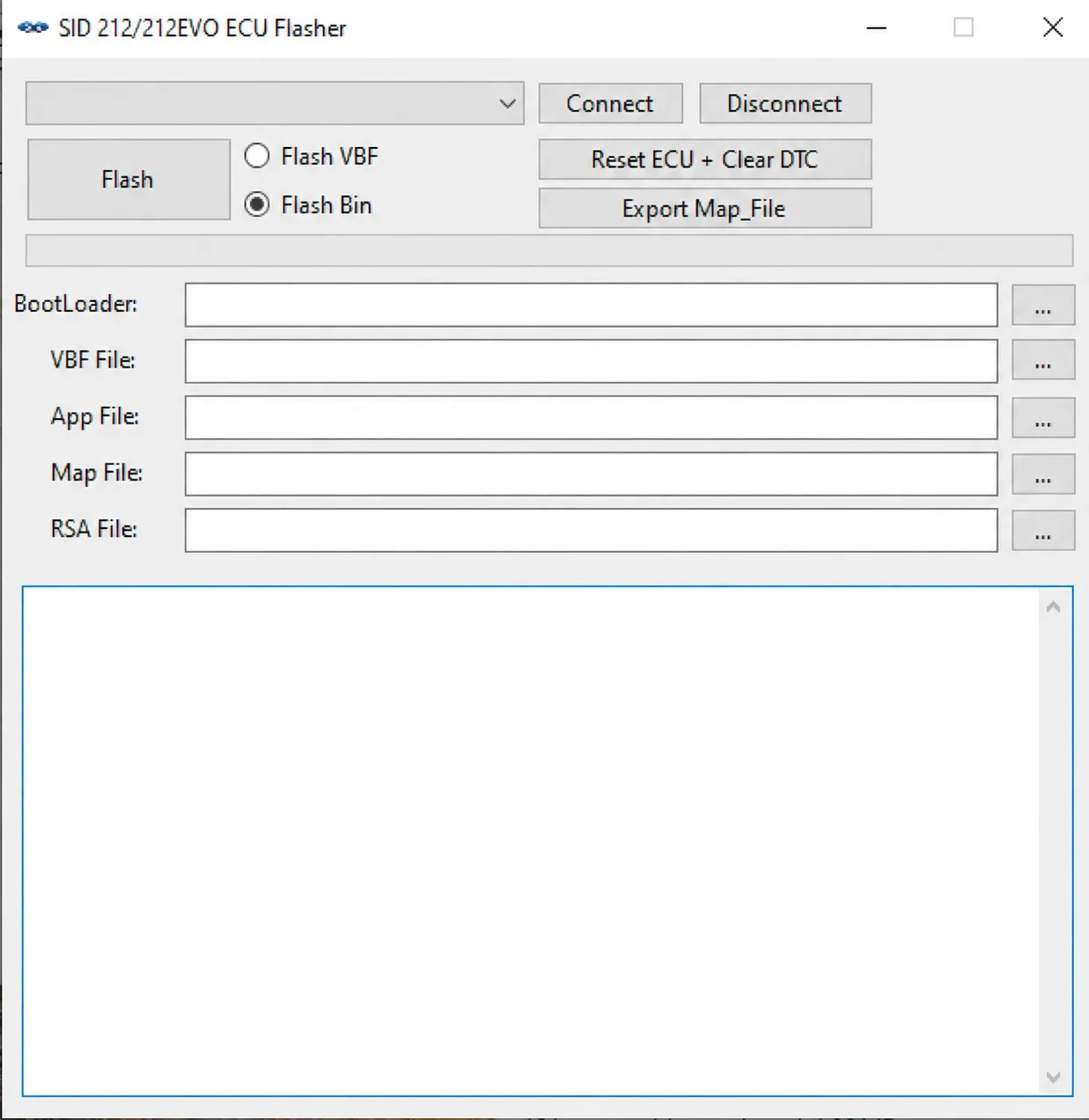
It combines VBF and BIN flashing modes, BootLoader / App / Map / RSA file handling, ECU reset with DTC clearing and Map file export in one workspace.
Main Features
- Dedicated SID212 / SID212 EVO ECU service workspace.
- SAE J2534 interface support.
- ISO15765 / CAN communication, with 500 kbit/s CAN operation documented for SID212.
- Selectable Flash VBF and Flash BIN programming modes.
- Separate BootLoader, VBF File, App File, Map File and RSA File selectors.
- Reset ECU + Clear DTC service function.
- Export Map_File function for the applicable supported workflow.
- Explicit Connect and Disconnect controls for the J2534 session.
- Integrated operation and status output.
Flash Workflows
The interface offers Flash VBF and Flash BIN. Depending on the selected workflow, the file inputs are:
BootLoader
VBF File
App File
Map File
RSA File
Each input has a file browser. Select the programming mode and the correct matching files for the exact ECU before using Flash. The presence of these selectors does not establish that every workflow uses every input or that arbitrary VBF/BIN files are compatible.
Additional Service Functions
- Reset ECU + Clear DTC: the ECU restart and diagnostic trouble-code clearing workflow.
- Export Map_File: export of the applicable Map file within the supported workflow.
- Connect / Disconnect: explicit control of the J2534 communication session.
Map export is documented; universal full-flash reading, a bench pinout and support for every SID212/SID212 EVO hardware or software variant are not established.
J2534 Interfaces and Communication
SID212 communication is documented as ISO15765 / CAN at 500 kbit/s. The recommended interfaces are Scanmatik 2 and Scanmatik 2 Pro.
Other interfaces may work with a correct 32-bit J2534 driver. The following are described as possible or expected compatibility, rather than confirmed programming support for every device:
- Scanmatik-compatible clones: detection is expected, but programming reliability depends on both the driver and the hardware.
- OpenPort 2.0.
- Mongoose.
- VCX Nano / VCX SE.
Confirm the particular interface, installed driver and communication state before a write operation. A detected interface alone does not establish reliable programming compatibility.
System Requirements
- Microsoft Windows.
- Microsoft .NET Desktop Runtime 9.0, x86; the documented runtime package is 9.0.9 x86.
- A compatible 32-bit SAE J2534 driver.
- A supported J2534 interface.
- A stable programming power supply.
The x86 runtime and 32-bit J2534 driver requirements must be respected even when the computer runs a 64-bit Windows installation. Exact minimum Windows versions, RAM, storage and application package size are not specified.
.NET Desktop Runtime 9.0 x86:
⬇️ Download Microsoft .NET Desktop Runtime 9.0.9 x86
Activation
The application displays a Hardware ID and uses registration fields for Name and Key.
- Start
SID 212_212 EVO Flasher.exe. - Copy the Hardware ID shown by the application.
- Use the authorized activation channel for the supplied copy of the software and provide only the Hardware ID requested for registration.
- Obtain the corresponding Name and Key from the activation issuer.
- Enter both values exactly as issued, without changing either value.
- Select Register.
Activation credentials and an activation service are not supplied by this catalog entry.
Package Contents
The documented package includes the executable, application libraries, dependency information and runtime configuration files. Named application components include:
SID 212_212 EVO Flasher.exe
Connection.dll
FontAwesome.Sharp.dll
OBCDJ2534.dll
Sid212ECU.dll
Sid212ECU.deps.json
Sid212ECU.runtimeconfig.json
SuperSimpleTcp.dll
System.Management.dll
Version.dll
Keep the complete supplied package intact, including its additional licensing components and certificate file. Do not copy or run only the EXE while leaving its required libraries behind. The inclusion of a certificate file does not by itself establish a trusted publisher or executable safety.
Compatibility Notes
This entry covers the SID212 and SID212 EVO service workflows described above. A complete vehicle, model-year, ECU hardware and software coverage list is not supplied. Do not treat the ECU family name as universal vehicle compatibility.
Important
SID 212 / 212 EVO ECU Flasher is intended for authorized professional ECU programming and service work.
Before flashing, verify the exact ECU, programming files, J2534 interface, driver and communication state.
Maintain a stable programming power supply and do not disconnect the J2534 interface, switch ignition unexpectedly or close the application during an active write operation.
Technical Compatibility
Supported Modules
Operating Systems
File Formats
System Requirements
- Microsoft Windows
- Microsoft .NET Desktop Runtime 9.0 x86 (documented package: 9.0.9 x86)
- Compatible 32-bit SAE J2534 driver
- Supported J2534 interface
- Stable programming power supply
Screenshots
Related Software

Legacy Windows ECU service software for supported VAG EDC15/ME7, PSA EDC15C2 and Opel Delco controllers, with profile-dependent PIN, identity and EEPROM functions through a matching interface.
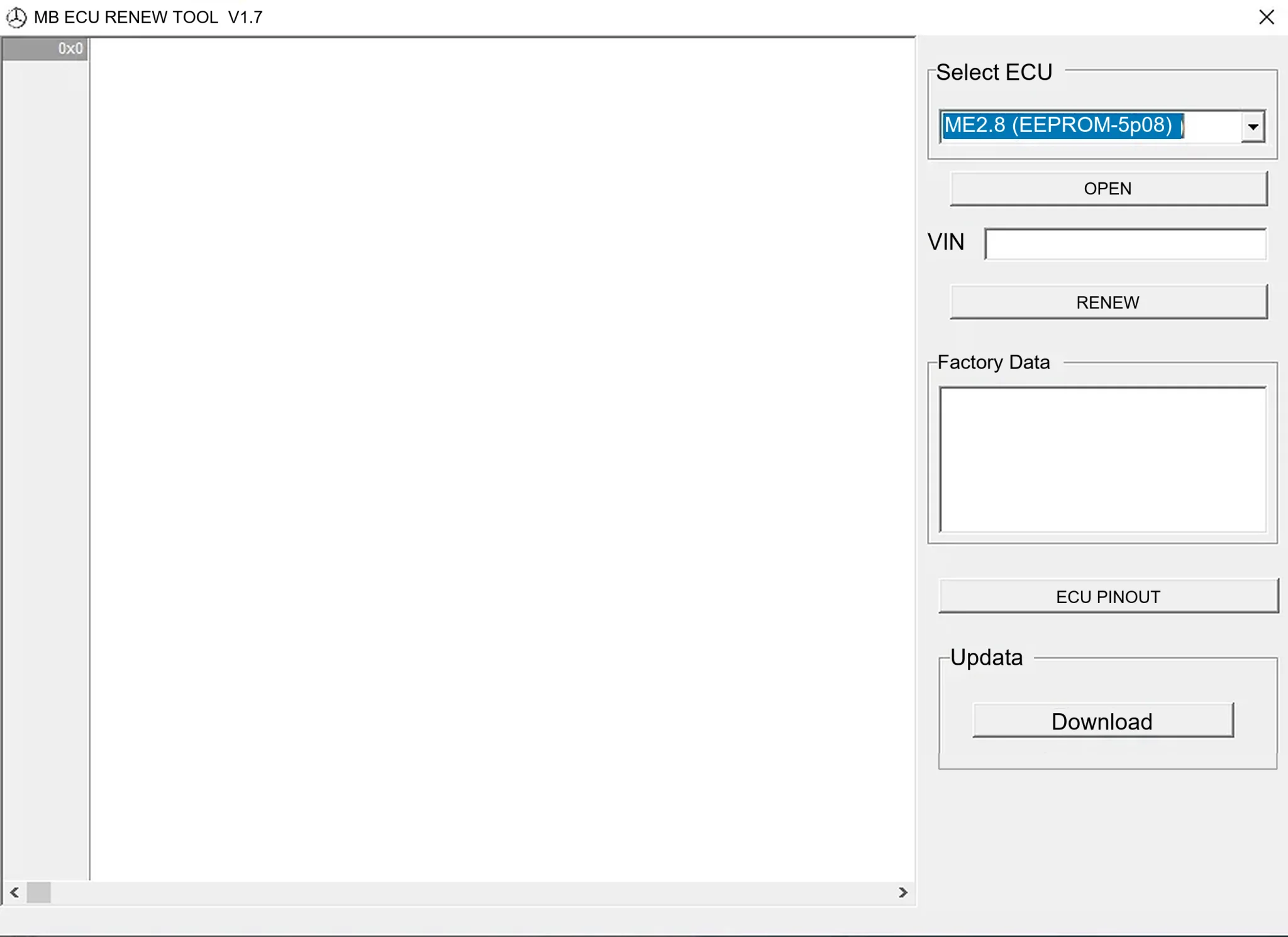
Offline Windows renew and virgin dump editor for selected Mercedes-Benz Bosch ME, EDC15 and Siemens SIM4 ECU profiles, with memory-specific processing and connector diagrams.

Offline Windows reference tool for Bosch ECU part numbers, controller families and OE cross-references, with exact, wildcard, prefix and binary-dump identifier searches.

Windows map and axis detection for supported Siemens PPD/SID full BDM binaries, with table and 3D views, DTC analysis and XDF/A2L definition export.

Offline Windows checksum inspection and correction for recognized Bosch and Sagem petrol ECU binaries, with eight supplied modules and All, Bad and Fixed counters.

Offline Windows command-line decoder and editor for supported Bosch ME7.5 ECU and VAG instrument-cluster EEPROM files, primarily 1.8T Immobilizer III.