
SOFTWARE DATABASE / RELEASE RECORD
VERSION 3.0.3HPT File Editor 2026 Hoppers HPT/BIN Converter, Hex and Segment Tools 3.0.3
Windows HPT file workspace with HPT/BIN conversion, an Advanced Hex Editor, segment swapping, file rebuilding and a metadata-based HPT library sorter.
Categories
Overview
HPT File Editor 2026 Hoppers
HPT File Editor 2026 Hoppers 3.0.3 is a Windows workspace for inspecting, editing, converting and organizing supported HPT files.
The application combines HPT file identification, an Advanced Hex Editor, HPT / BIN conversion, segment operations, file rebuilding and a dedicated sorter for larger HPT libraries.
Main Features
- Open and analyze supported HPT files.
- Display VIN, Serial Number, Main OS and Interface ID.
- Display the file's VCM Editor version and creation information.
- Advanced hexadecimal editor.
- Hex and ANSI search.
- HPT to BIN conversion.
- BIN to HPT conversion.
- Export complete BIN images.
- Export supported segment BIN files.
- Save rebuilt HPT files.
- Segment Swap workflow.
- HPT library sorter.
- Sort by OS, Year, Make and other available metadata.
- Copy or move sorted files into a new folder structure.
- Include subfolders during library sorting.
- Integrated Help documentation.
HPT File Inspection
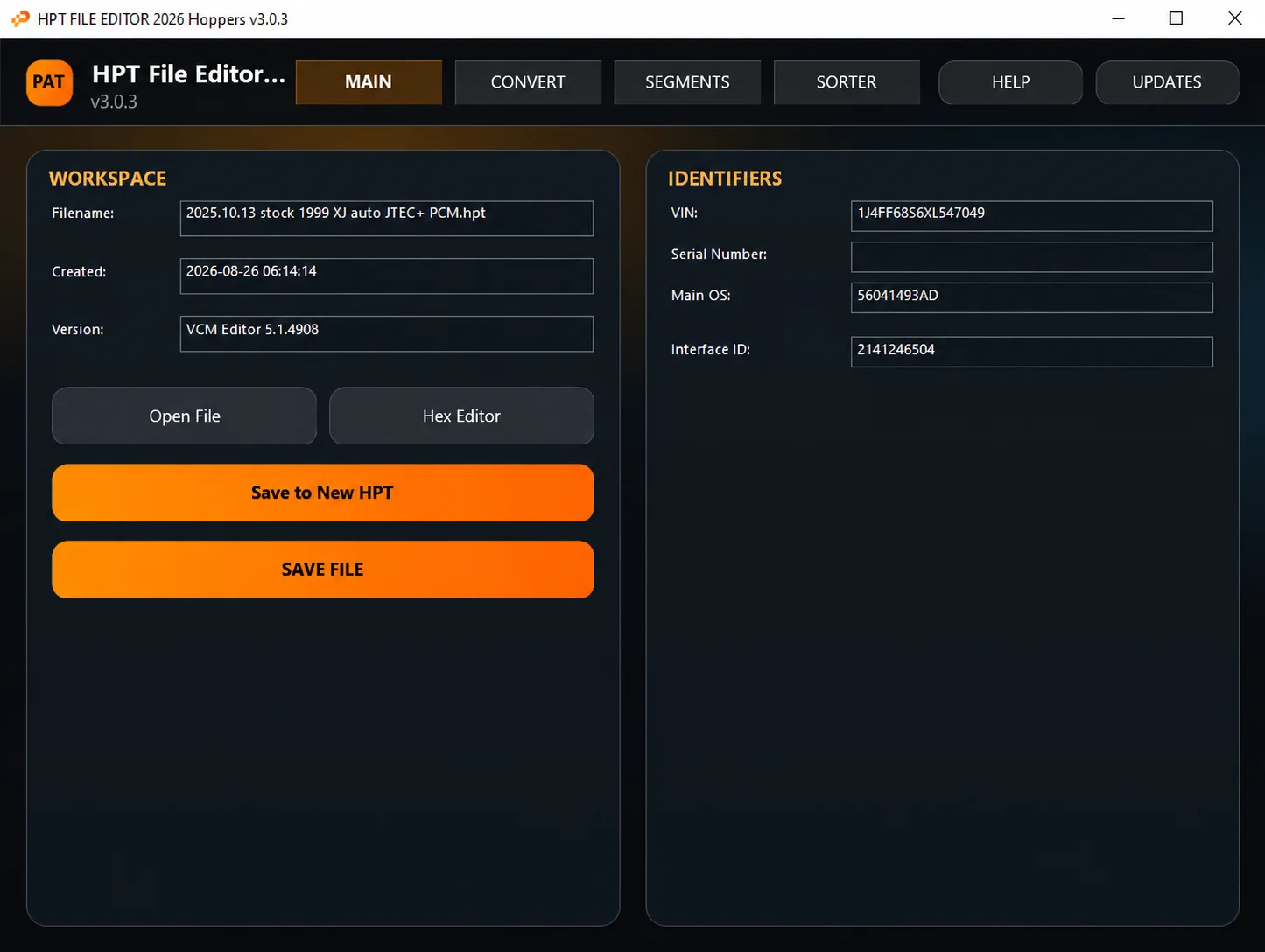
After opening a supported HPT file, the MAIN workspace displays the following information when available:
- Filename.
- Creation date.
- VCM Editor version.
- VIN.
- Serial Number.
- Main OS.
- Interface ID.
Open File loads the source HPT and parses its module / segment information. The workspace also provides Hex Editor, Save to New HPT and SAVE FILE controls for inspection, editing and rebuilding.
The illustrated file is a 1999 XJ JTEC+ PCM example with VCM Editor 5.1.4908 and Main OS 56041493AD. These identifiers describe the loaded file, not the HPT File Editor application version or a complete vehicle coverage list. The file's Created value is not the software release date.
Advanced Hex Editor
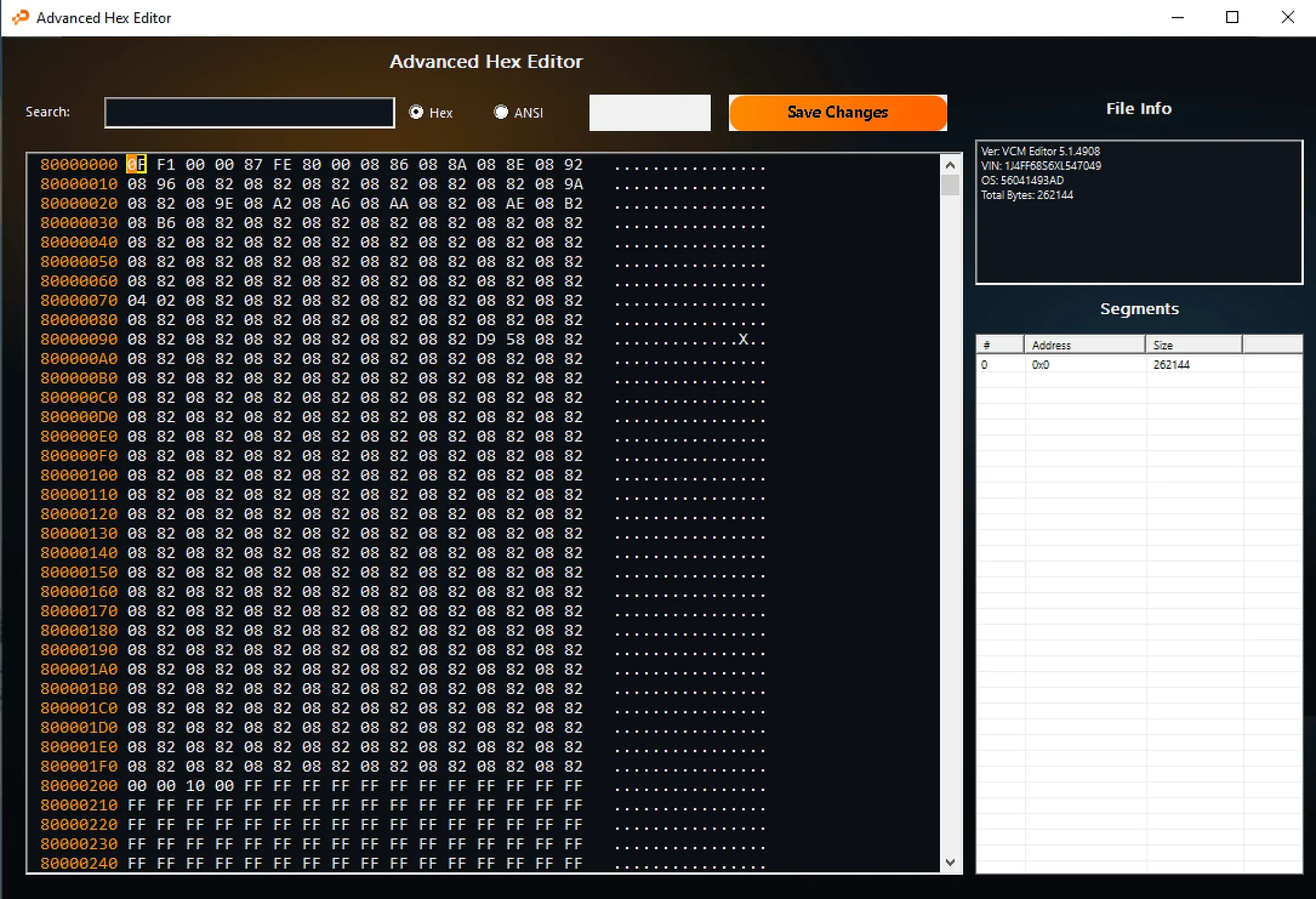
The integrated Advanced Hex Editor provides direct byte-level access to supported HPT data.
- Hexadecimal data view with offsets.
- ASCII / ANSI representation.
- Hex search.
- ANSI search.
- Direct data editing.
- Save Changes.
- File Info with loaded-file identifiers.
- Segments table with segment number, address and size.
HPT / BIN Conversion
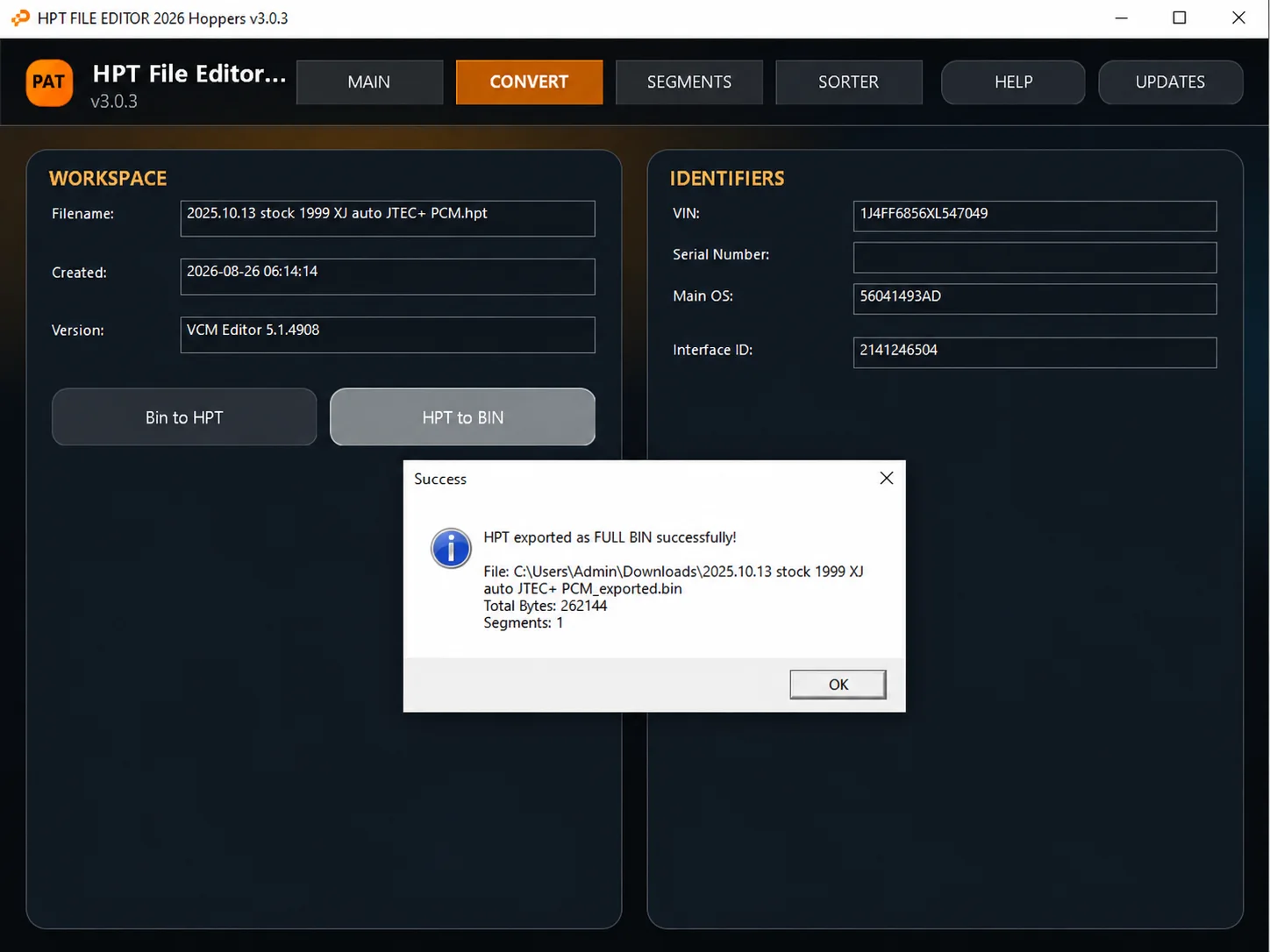
The CONVERT workspace offers two directions:
- Bin to HPT: build / write supported HPT-compatible output from a BIN workflow.
- HPT to BIN: export a complete BIN image or supported individual segment BIN files from a loaded HPT file. The Help documentation describes an export-mode prompt.
The conversion screenshot shows a successful full BIN export of 262,144 bytes with one segment. The Hex Editor identifies that example segment at address 0x0, also with size 262,144 bytes. These values belong to the illustrated calibration data, not the application download size or a fixed size for all supported files.
Segment Tools
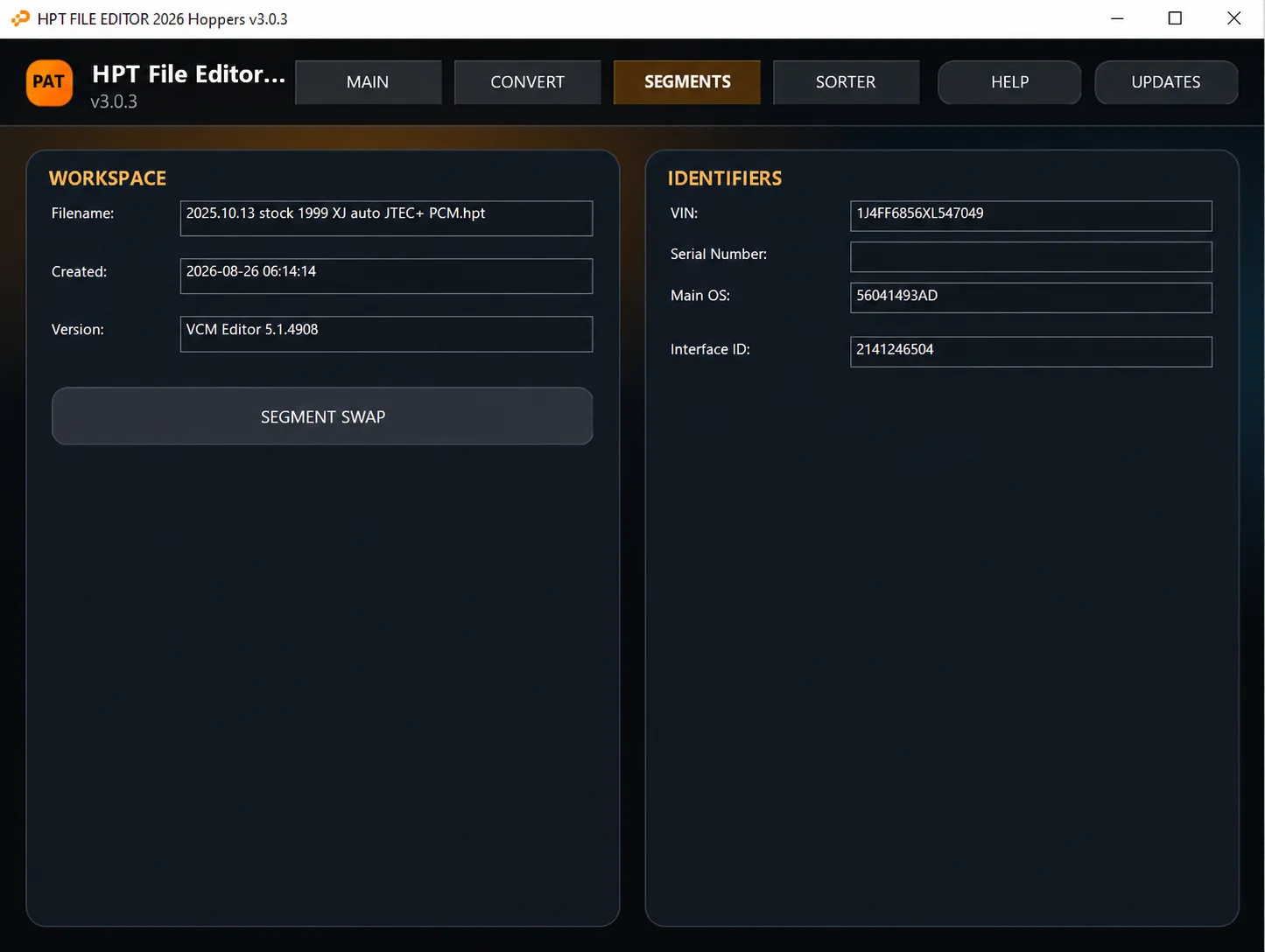
The SEGMENTS workspace provides SEGMENT SWAP for supported segment operations, separate from general hexadecimal editing.
The documented workflow uses donor and target HPT files, selects the required segment data, applies the copy and saves a new rebuilt result. If prompted, reopen / analyze the target and verify the values before the final save.
HPT File Sorter
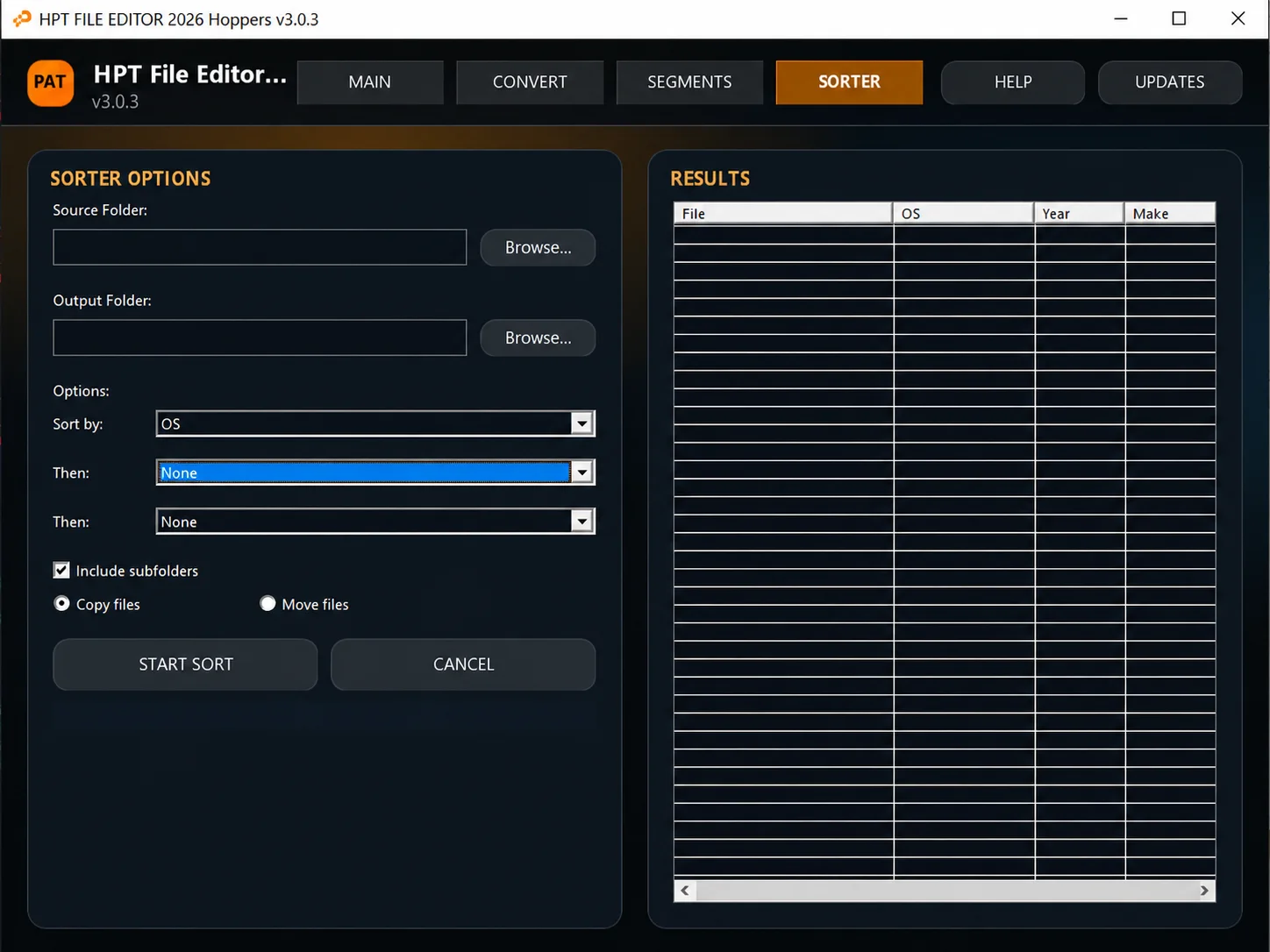
The SORTER organizes larger HPT collections using information extracted from the files rather than filenames alone.
- Source Folder selection with Browse.
- Output Folder selection with Browse.
- A primary Sort by level and two subsequent Then levels; unused levels can be None.
- Metadata options such as OS, Year and Make, where available.
- Include subfolders for recursive library scanning.
- Copy files or Move files into the output folder structure.
- START SORT and CANCEL controls.
- A results table with File, OS, Year and Make columns.
Integrated Help and File Workflow
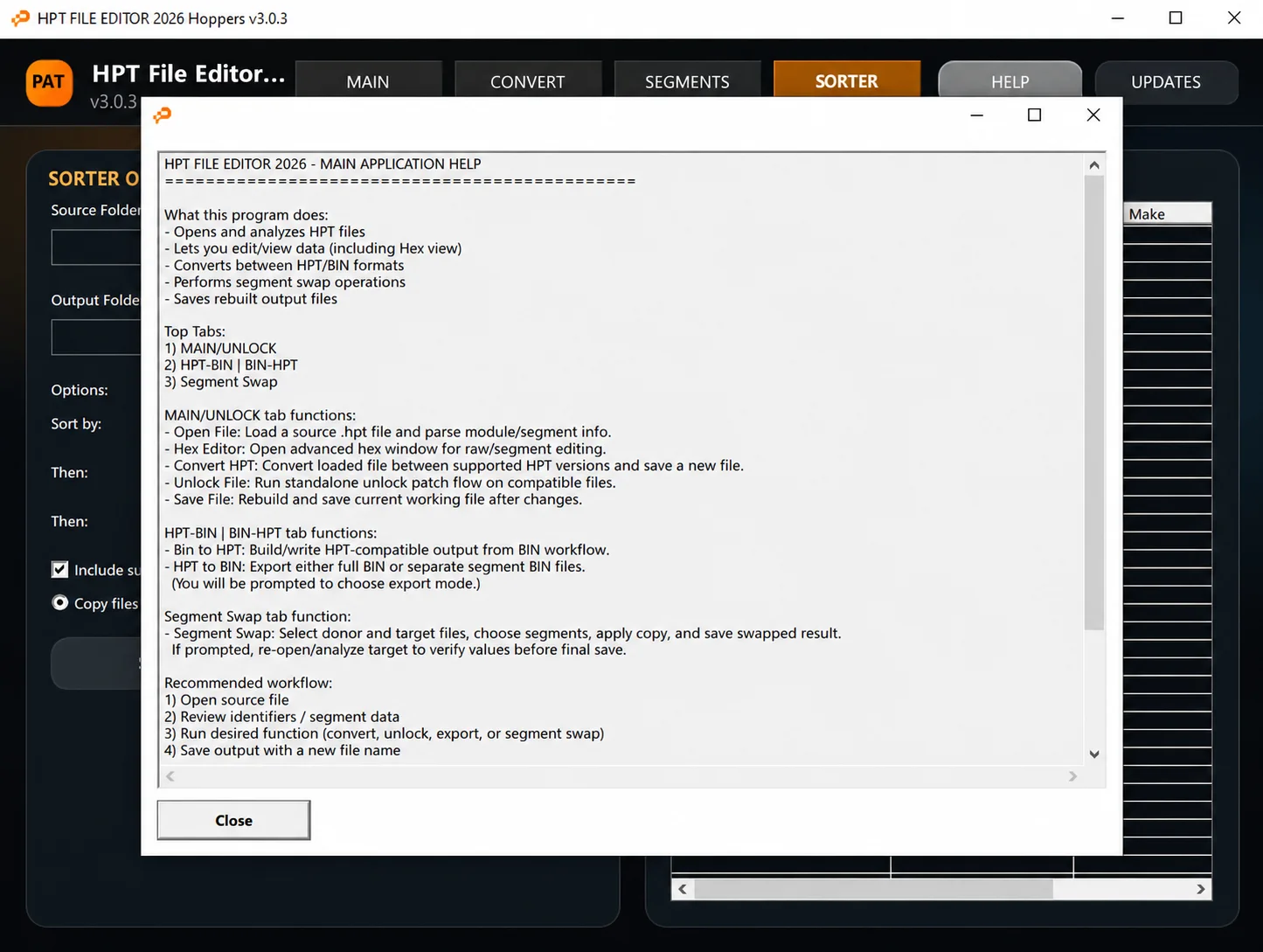
The Help window covers HPT analysis, hexadecimal editing, HPT / BIN conversion, segment swapping and rebuilt output files. Its terminology includes MAIN/UNLOCK, HPT-BIN / BIN-HPT and Segment Swap; the current main window uses MAIN, CONVERT and SEGMENTS, alongside SORTER, HELP and UPDATES.
The Help text also describes Convert HPT for conversion between supported HPT versions and an Unlock File standalone patch workflow on compatible files. These are Help descriptions; the supplied main-workspace screenshot shows Open File, Hex Editor, Save to New HPT and SAVE FILE.
The recommended file workflow in Help is:
- Open the source file.
- Review identifiers and segment data.
- Run the required supported function: conversion, unlock, export or segment swap.
- Save the output with a new filename.
Package Contents
The documented archive contains:
HPTeditorNew.exe
HPTeditorNew.exe.config
Activation
HPT File Editor 2026 uses offline, device-bound activation.
- Extract the complete 7z archive.
- Start
HPTeditorNew.exe. - Enter the exact name to be licensed in LICENSE NAME.
- Select Save activation.req.
- Submit the generated
activation.reqand the exact same LICENSE NAME through the authorized activation channel for the supplied copy. - After receiving
license.lic, drag it into the activation window or select it using the license-file area. - Select Verify & Open.
- After successful validation, the editor opens and the activated state is saved on the computer.
The LICENSE NAME must exactly match the name entered when creating activation.req. Do not edit the request or the issued license file.
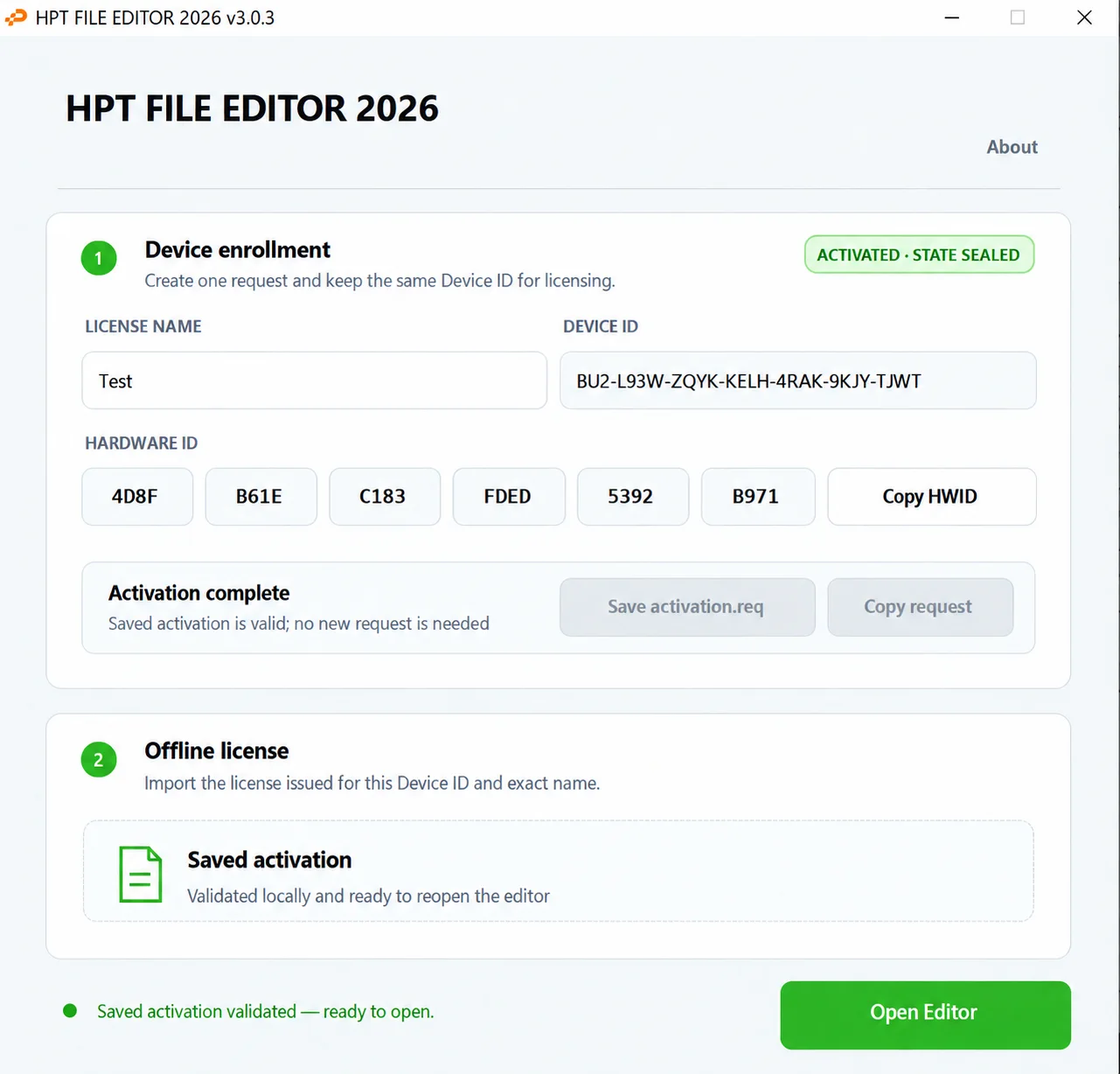
The activation window displays Device ID and Hardware ID, a Copy HWID control and saved-activation status. It instructs the user to create one request and retain the same Device ID for licensing. The illustrated activated state is an example of the registration interface.
System Requirements and Compatibility
The application is for Windows and supported HPT / BIN file workflows. Exact minimum Windows versions, architecture, runtime dependencies, RAM and storage requirements are not documented.
Supported operations depend on the loaded file and its available metadata or segments. The example file does not establish support for every HPT version, vehicle or controller.
Important
Always preserve an untouched copy of the original HPT or BIN file before editing, converting or swapping segments.
Review the VIN, OS, segment information and intended operation before saving or using a modified file.
HPT File Editor 2026 is a file-processing and editing workspace. Vehicle programming, compatibility verification and post-write validation remain separate workshop procedures.
Technical Compatibility
Supported Modules
Operating Systems
File Formats
System Requirements
- Microsoft Windows
- Supported HPT / BIN files
- Exact Windows versions, architecture, runtime, RAM and storage requirements are not specified.
Screenshots
Related Software

Windows BIN-file editor for locating and modifying supported ECU diagnostic trouble-code entries, with ECU-specific Disable/Remove actions and checksum validation requirements.

Legacy Windows ECU service software for supported VAG EDC15/ME7, PSA EDC15C2 and Opel Delco controllers, with profile-dependent PIN, identity and EEPROM functions through a matching interface.
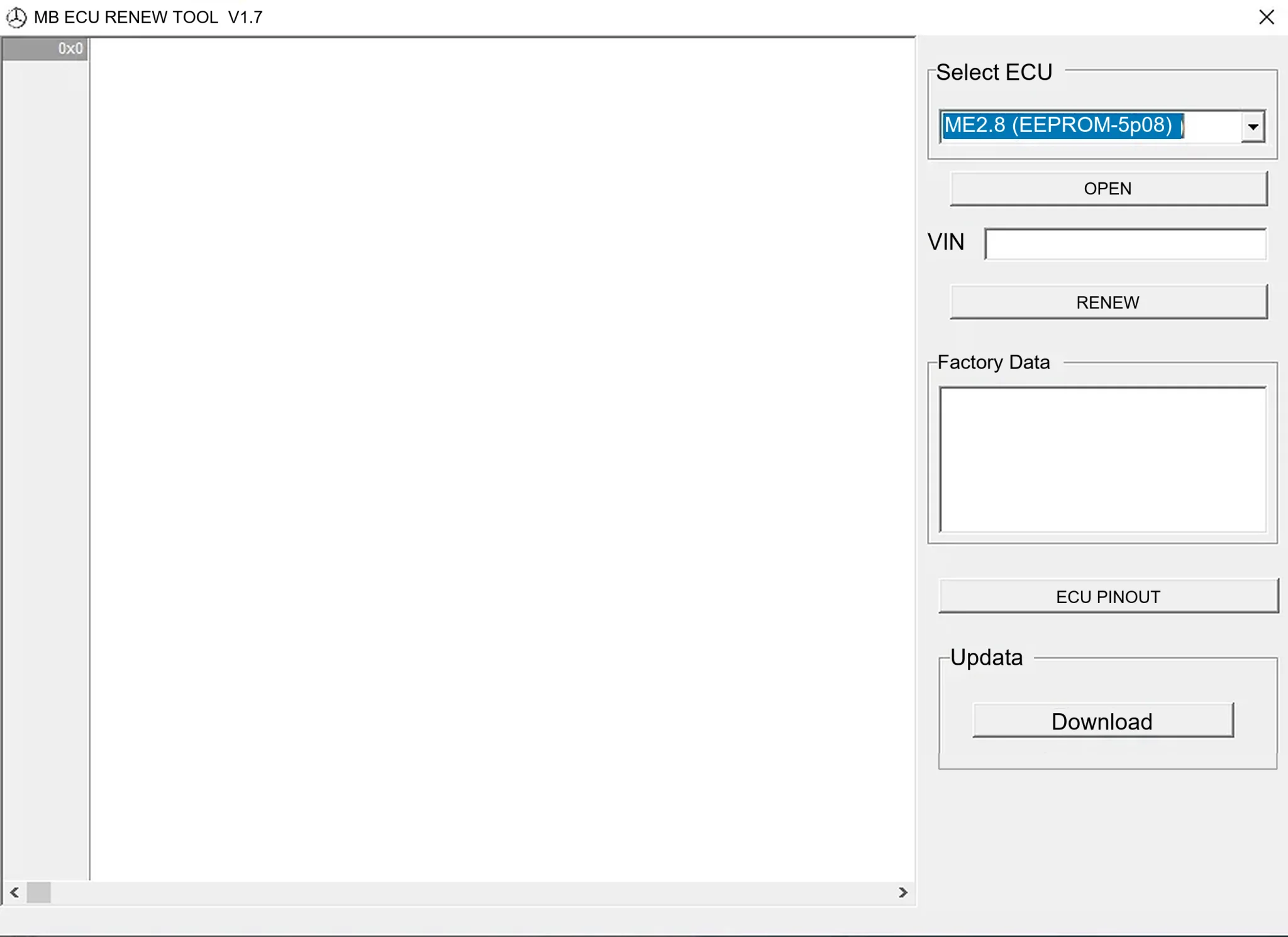
Offline Windows renew and virgin dump editor for selected Mercedes-Benz Bosch ME, EDC15 and Siemens SIM4 ECU profiles, with memory-specific processing and connector diagrams.

Offline Windows reference tool for Bosch ECU part numbers, controller families and OE cross-references, with exact, wildcard, prefix and binary-dump identifier searches.

Windows map and axis detection for supported Siemens PPD/SID full BDM binaries, with table and 3D views, DTC analysis and XDF/A2L definition export.

Offline Windows checksum inspection and correction for recognized Bosch and Sagem petrol ECU binaries, with eight supplied modules and All, Bad and Fixed counters.