
SOFTWARE DATABASE / RELEASE RECORD
VERSION 1.4.0.0Bosch ECU SW Number Finder - Binary Identification Utility 1.4.0.0
Portable Windows binary scanner for candidate Bosch ECU software numbers, loaded filename, file size and CRC32, with offline identification and comparison workflows.
Categories
Overview
Bosch ECU SW Number Finder is a portable offline utility for scanning ECU binary files for candidate Bosch software-number strings. It also reports the loaded filename, file size and CRC32, providing an identification snapshot before map editing or calibration-database research.
It is useful when a raw BIN has an uninformative filename or when several reads need to be separated by software identity. It does not communicate with an ECU, and finding a string does not establish that it is the active calibration number.
The interface example shows a four-megabyte file, its CRC32 and repeated software-number candidates. Identifiers may appear in several regions or stored copies of the same binary.
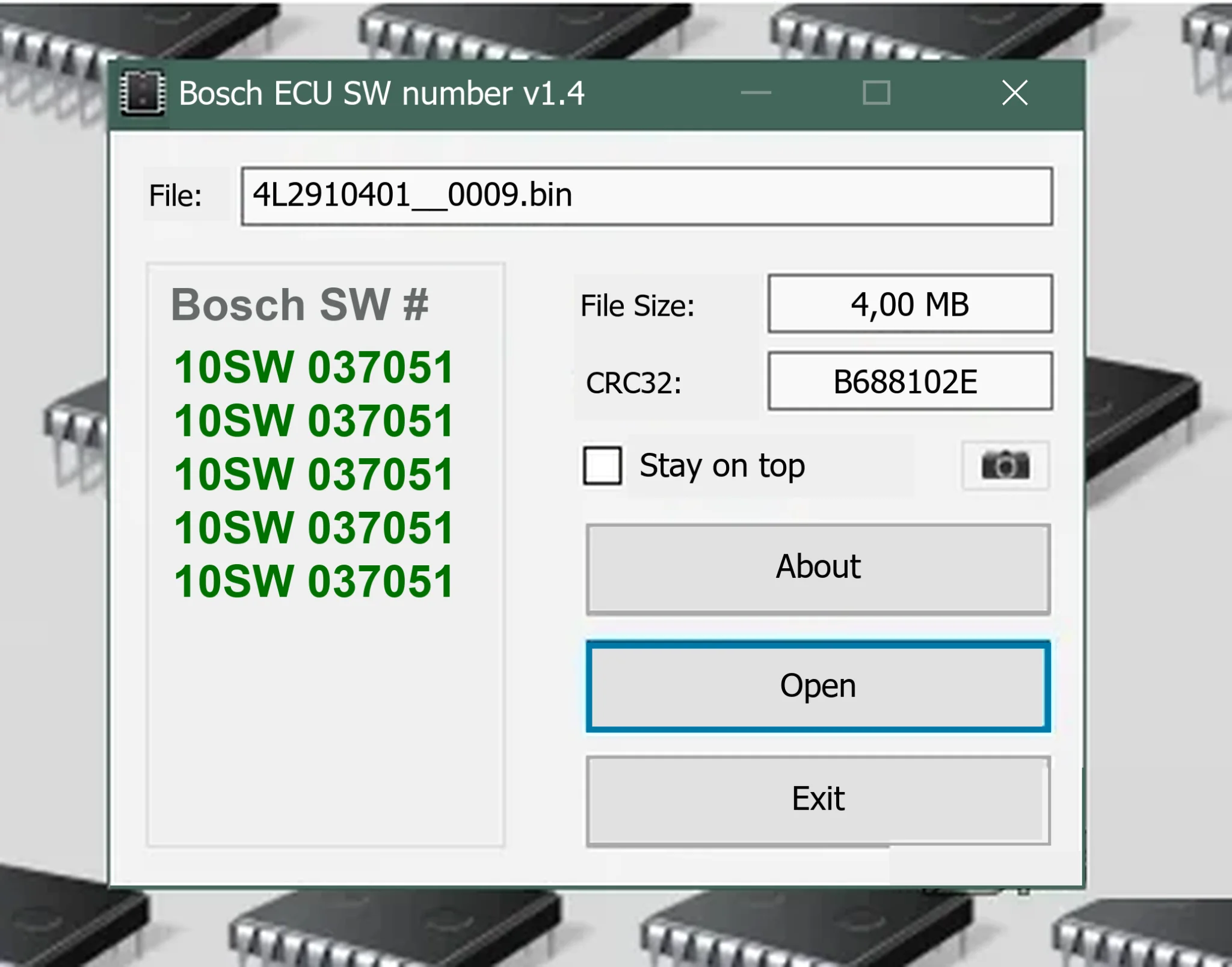
What the Finder Reports
- The selected binary filename.
- File length displayed in megabytes.
- CRC32 for quick duplicate and integrity comparisons.
- Candidate Bosch software-number strings found in the file.
- A compact result list that can be copied into job notes or used for further database research.
CRC32 can help group files, but it is not a cryptographic identity. Use SHA-256 for evidence records and transfer verification.
Software Number versus Hardware Number
Bosch controllers may have a hardware number, software number, calibration identifier, OEM or assembly part number and internal dataset references. An embedded string can describe one of these, a compatibility reference or an older copy retained in the binary.
Cross-check the result against the ECU label, diagnostic identification and reading-tool report. A single embedded number is insufficient grounds to assign a different ECU family to a file.
Suitable Input Files
- Raw ECU flash reads obtained using a documented OBD, bench or boot protocol.
- Calibration-only reads that include the software-identifier region.
- OEM or tuning files whose container has already been removed.
- Known-good originals used as references for a customer file.
Compressed archives, encrypted slave files, VBF / ODX containers and proprietary tuning-tool wrappers require the appropriate extraction or processing workflow first. Changing their extension to BIN does not convert them into raw binaries.
Recommended Identification Workflow
- Preserve the received file and calculate its SHA-256.
- Record the vehicle, engine, ECU label and reader protocol.
- Open a working copy in the finder.
- Record the displayed size, CRC32 and every software-number candidate.
- Locate those strings independently in a hex viewer and note their offsets.
- Compare the results with diagnostic ECU identification and the programmer's read report.
- Use reference files from the same hardware and software family.
- Rename only the working copy according to a documented naming convention, retaining the original filename in the case record.
How to Interpret Repeated Results
Repeated identifiers can be legitimate: identification blocks, duplicated calibration headers, boot references and diagnostic copies may each contain the same number. Repetition provides more context than an isolated random string, but it still does not prove which software is active.
When different numbers are detected, compare their offsets, surrounding text and the ECU's live identification before selecting a result.
Relationship to a Bosch ECU Database
The finder examines the bytes of one supplied dump. A database cross-references known ECU families and part numbers. These approaches complement each other: extract candidate identifiers from the file, then compare them with trusted reference records.
Neither approach justifies forcing a mismatched calibration onto an ECU.
System Requirements
- A Windows PC with support for 32-bit desktop applications.
- The documented compatibility list includes Windows 7, 8.1, 10 and 11; a clean virtual machine is recommended for an unsigned legacy utility.
- A .NET Framework desktop runtime; the precise required version is unspecified.
- At least 1 GB RAM, plus storage for source and reference files.
- Read access to the binary and write access only to a separate job-notes directory.
- An optional hex editor and SHA-256 utility for independent validation.
The application is portable and does not require a vehicle interface.
Limitations
- Some Bosch binaries do not contain a readable plain-text software number.
- Partial reads may omit the identification region.
- Encrypted, compressed or wrapped inputs may yield no meaningful results.
- A detected identifier does not establish checksum validity or flash compatibility.
- CRC32 collisions are possible; CRC32 should not be the sole integrity record.
- The program does not identify maps, repair checksums or write ECUs.
Package Contents and Integrity
The documented original distribution included an earlier build and the current build. The prepared package retains only the current executable to avoid accidentally starting the older copy.
Preparation notes describe hashing and inspecting both executables and recording the retained file's exact size, SHA-256 and PE version metadata. The executable is reported as unsigned and was not run during that packaging process. These are documented preparation details; no independently calculated executable checksum or ECUDB binary execution is claimed.
Troubleshooting
- No software number: verify that the input is a raw, complete file with a supported Bosch layout.
- Many unrelated numbers: inspect their offsets and compare the ECU label and diagnostic ID.
- Unexpected CRC32 change: re-hash the original and check for changes introduced during transfer, editing or antivirus processing.
- Incorrect file size: return to the reading tool; do not pad or truncate data simply to match a reference.
- Windows blocks the executable: verify a trusted published SHA-256 when available and evaluate the file only in an isolated environment.
Technical Compatibility
Supported Modules
Operating Systems
File Formats
System Requirements
- Windows with 32-bit desktop application support
- Documented OS list: Windows 7, 8.1, 10 and 11
- .NET Framework desktop runtime; exact version unspecified
- At least 1 GB RAM and storage for source/reference files
- Read access to binary files; separate writable job-notes folder
- Optional hex editor and SHA-256 utility
- Portable application; no vehicle interface required
Screenshots
Related Software

Legacy Windows ECU service software for supported VAG EDC15/ME7, PSA EDC15C2 and Opel Delco controllers, with profile-dependent PIN, identity and EEPROM functions through a matching interface.
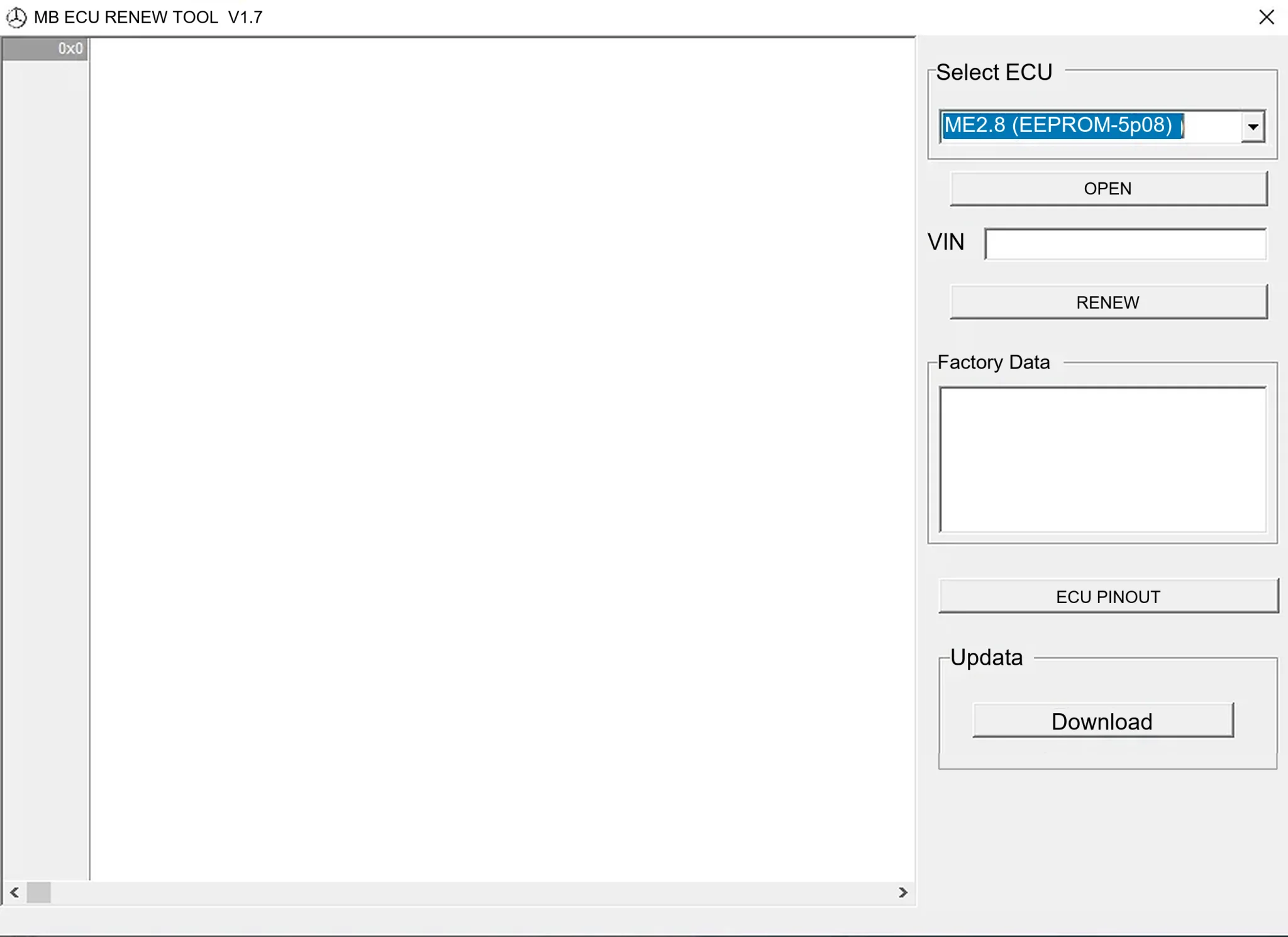
Offline Windows renew and virgin dump editor for selected Mercedes-Benz Bosch ME, EDC15 and Siemens SIM4 ECU profiles, with memory-specific processing and connector diagrams.

Offline Windows reference tool for Bosch ECU part numbers, controller families and OE cross-references, with exact, wildcard, prefix and binary-dump identifier searches.

Windows map and axis detection for supported Siemens PPD/SID full BDM binaries, with table and 3D views, DTC analysis and XDF/A2L definition export.

Offline Windows checksum inspection and correction for recognized Bosch and Sagem petrol ECU binaries, with eight supplied modules and All, Bad and Fixed counters.

Offline Windows command-line decoder and editor for supported Bosch ME7.5 ECU and VAG instrument-cluster EEPROM files, primarily 1.8T Immobilizer III.